

Patient Interaction Scripts: Key Terms & Interactive Templates
Patient interaction scripts give medical administrative teams a reliable starting point when conversations become rushed, emotional, sensitive, or legally significant. Well-designed scripts strengthen effective patient communication, support active listening techniques, protect patient privacy communication, and reduce avoidable inconsistency across front-desk operations. The strongest scripts guide the employee’s structure, wording, verification steps, escalation choices, and documentation while leaving enough flexibility to respond to the individual patient’s concern.
1. What Patient Interaction Scripts Must Accomplish
A patient interaction script is a structured communication framework used during scheduling, registration, payment discussions, complaints, privacy verification, appointment changes, insurance questions, telehealth support, and other administrative encounters. Scripts help employees cover essential information in the correct order while applying patient intake procedures, medical administrative workflow, healthcare portal terminology, and medical compliance standards.
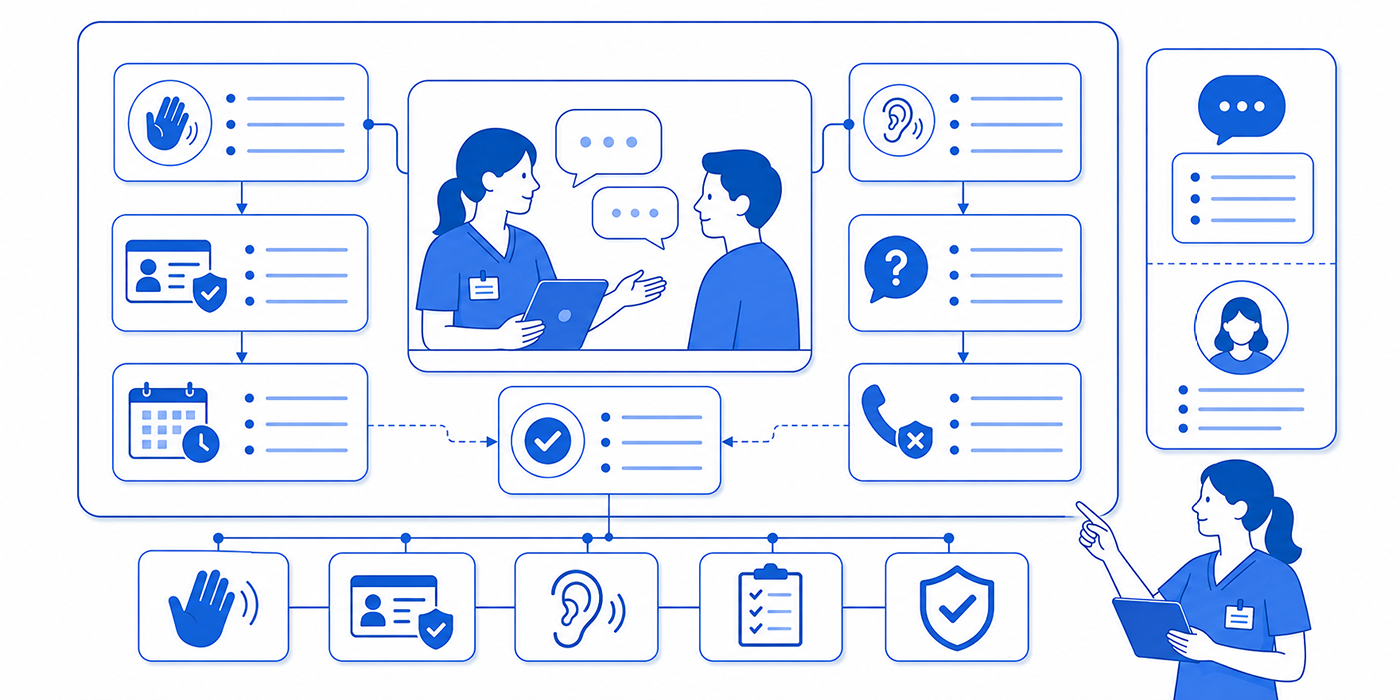
A strong script should guide six actions: open the conversation, verify identity, understand the request, clarify the next step, confirm understanding, and document the outcome. Employees who skip one of these actions create predictable failures. A rushed greeting can make the patient feel dismissed. Weak identity verification can expose protected information. Vague questions can produce the wrong appointment type. An unclear ending can leave the patient unsure whether anything was completed.
Scripts also reduce variation between employees. One scheduler may explain a cancellation policy calmly, while another may sound accusatory. One employee may collect every detail needed for appointment scheduling, while another misses transportation, interpreter, referral, or accessibility requirements. Standardized language supports consistent patient satisfaction, stronger medical office organization, and safer patient record updates.
The script should still sound human. Staff members need permission to adjust tone, pacing, and word choice according to the patient’s age, communication style, emotional state, language needs, and familiarity with healthcare systems. Cultural competence, access to medical interpreter services, and practical empathy in healthcare administration should shape every conversation.
A script becomes dangerous when employees follow words while ignoring context. A patient asking about “pressure” may be discussing a billing deadline, blood pressure, chest pressure, or family pressure. Clarifying questions matter. Administrative staff should recognize possible clinical warning signs and use the approved medical office triage process without diagnosing, minimizing symptoms, or offering medical advice.
Managers should treat scripts as operational tools. Every script needs an owner, review date, escalation pathway, documentation requirement, and approved language for privacy, payment, access, and safety issues. Regular reviews through medical chart audits, risk management strategies, and medical records management help prevent outdated instructions from becoming routine.
| # | Key Term | Meaning in Patient Communication | Useful Script Language | Common Failure to Avoid |
|---|---|---|---|---|
| 1 | Opening statement | The first sentence that identifies the organization and employee while inviting the patient to explain the need. | “Thank you for calling Greenview Medical. This is Maya. How may I help you today?” | Beginning with a rushed “Name and date of birth?” before acknowledging the caller. |
| 2 | Identity verification | The approved process used before discussing protected information. | “Before I access the record, please confirm your full name and date of birth.” | Revealing appointment, billing, or clinical information before verification. Review HIPAA privacy terms. |
| 3 | Permission statement | A phrase that explains why a question is being asked and gains cooperation. | “May I ask two questions so I can schedule the correct type of visit?” | Asking sensitive questions without context. |
| 4 | Open-ended question | A question that allows the patient to describe the concern in their own words. | “What would you like the provider to address during this visit?” | Using only yes-or-no questions and missing the real purpose of the call. |
| 5 | Closed-ended question | A targeted question used to confirm a specific fact. | “Is this appointment related to your recent procedure?” | Using a closed question too early and narrowing the patient’s answer incorrectly. |
| 6 | Clarifying question | A follow-up question that resolves vague, incomplete, or conflicting information. | “When you say follow-up, which visit or test are you referring to?” | Guessing the appointment type from a broad phrase. |
| 7 | Reflective listening | Restating the patient’s main concern to verify understanding. | “You are concerned because the appointment was changed twice and you already arranged transportation.” | Repeating the patient’s words mechanically without recognizing the impact. |
| 8 | Empathy statement | Acknowledgment of the patient’s difficulty, frustration, or concern. | “I understand why another change would be difficult after you rearranged your work schedule.” | Using exaggerated apologies or language that admits fault before facts are reviewed. |
| 9 | Expectation setting | Explaining what will happen, how long it may take, and who owns the next action. | “I will contact the clinical team now and update you within 20 minutes.” | Promising an outcome that depends on another department. |
| 10 | Teach-back | Asking the patient to restate key instructions in their own words. | “To make sure I explained it clearly, please tell me what you will do before the visit.” | Asking, “Do you understand?” and accepting an automatic yes. |
| 11 | Plain language | Everyday wording that removes unnecessary clinical, insurance, and technical jargon. | “Your insurance company needs more information before it decides whether to approve the test.” | Using payer abbreviations the patient may never have heard. |
| 12 | Boundary statement | Language that explains the employee’s role and limits safely. | “I can help arrange the appointment. A nurse will need to answer questions about your symptoms.” | Giving clinical advice outside the employee’s responsibility. |
| 13 | Escalation statement | A phrase used when the issue requires a supervisor, nurse, provider, privacy officer, or billing specialist. | “This needs review by our clinical team. I am sending it to them now.” | Transferring the patient without explaining who will help or why. |
| 14 | Warm transfer | A transfer in which the receiving employee is briefed before the patient is connected. | “I will explain the situation to the billing specialist before I bring you onto the call.” | Sending the patient to repeat the entire story. |
| 15 | Hold permission | Asking before placing the patient on hold and giving a realistic estimate. | “May I place you on hold for about two minutes while I confirm that?” | Using extended silent holds without updates. |
| 16 | Service recovery | Steps taken to restore trust after a delay, error, or failed process. | “I reviewed what happened. Here are the two confirmed options I can offer today.” | Offering vague reassurance without a workable resolution. |
| 17 | De-escalation | Communication that lowers emotional intensity and redirects the conversation toward action. | “I want to help resolve this. Let us take one issue at a time.” | Matching the patient’s volume, interrupting, or arguing. Use de-escalation techniques. |
| 18 | Redirection | Returning the conversation to the immediate decision or next step. | “The first decision is whether you can attend tomorrow at 10:30 or Thursday at 2:00.” | Allowing the discussion to circle without identifying an action. |
| 19 | Choice architecture | Presenting a manageable set of accurate options. | “We have an in-person visit Wednesday or a telehealth visit Friday.” | Listing too many options without explaining meaningful differences. |
| 20 | Neutral language | Fact-based wording that avoids blame, accusation, or judgment. | “The form has not yet been received.” | Saying another department “failed” or the patient “never sent” something. |
| 21 | Privacy-safe voicemail | A message containing only the information authorized under organizational policy. | “This is Lakeside Clinic calling for Jordan. Please return our call at 555-0100.” | Including diagnoses, test names, procedures, or detailed appointment information. |
| 22 | Authorized representative | A person with documented permission to receive or provide information for the patient. | “I need to confirm that we have authorization to discuss the account with you.” | Assuming a spouse, adult child, or caregiver automatically has access. |
| 23 | Interpreter access | Use of a qualified language professional to support accurate communication. | “I can connect a qualified interpreter at no additional charge.” | Relying on a child or untrained companion for complex communication. |
| 24 | Financial estimate | An informed approximation of expected patient responsibility. | “This is an estimate based on current information. Your insurer will make the final coverage determination.” | Guaranteeing the final amount before the claim is processed. |
| 25 | Authorization disclosure | An explanation that payer approval remains pending or incomplete. | “The authorization is still under review, so the appointment is not financially cleared yet.” | Waiting until the patient arrives to disclose the problem. Review prior authorization procedures. |
| 26 | Scheduling confirmation | A final review of date, time, provider, location, visit type, and preparation. | “You are scheduled for Tuesday, June 9 at 2:30 p.m. with Dr. Patel at our North Office.” | Ending the call before confirming the full appointment details. |
| 27 | Late-arrival script | Language that applies the clinic’s grace-period process consistently. | “I will check whether the clinical team can still complete the visit safely today.” | Guaranteeing the patient will be seen before the team reviews the schedule. |
| 28 | Cancellation script | Language used to explain cancellation requirements and available alternatives. | “I can cancel this appointment and place you on the priority list for an earlier opening.” | Using punitive wording during an already stressful conversation. |
| 29 | Complaint acknowledgment | A statement confirming the complaint has been heard and will be handled through the correct process. | “I am documenting your concern and sending it to the practice manager for review.” | Debating whether the patient’s complaint is justified. |
| 30 | Abusive-language boundary | A respectful warning that abusive communication must stop for the conversation to continue. | “I want to assist you. I can continue the call when we speak without personal insults.” | Threatening the patient or ending the call without following policy. |
| 31 | Clinical red flag | A symptom or statement requiring immediate escalation under the clinic’s triage process. | “I am connecting you with a nurse now so your symptoms can be assessed.” | Placing a potentially urgent concern into a routine callback queue. |
| 32 | Closed-loop confirmation | Confirmation that the patient received the information and every assigned action has an owner. | “Your request was sent to the nurse, and you will receive a call by 4:00 p.m.” | Ending with “Someone will call you” and no timeframe. |
| 33 | Documentation note | A factual record of the patient’s request, actions taken, statements made, and remaining follow-up. | “Patient informed of two appointment options; selected May 14 at 9:00 a.m.; confirmation sent.” | Recording emotional labels such as “difficult” or “unreasonable.” |
| 34 | Callback commitment | A specific promise regarding who will call, when, and about what issue. | “Our referral coordinator will call you by noon tomorrow with a status update.” | Using an undefined timeframe such as “soon.” |
| 35 | Conversation close | The final summary that confirms completion, outstanding actions, and contact instructions. | “Your appointment is confirmed, the preparation instructions are in your portal, and you may call us with any additional questions.” | Ending abruptly after data entry. |
2. How to Build a Reliable Patient Interaction Script
The safest scripts follow a repeatable structure. Employees should know where they are in the conversation and what must happen before moving forward. A useful framework is GREET–VERIFY–EXPLORE–RESOLVE–CONFIRM–DOCUMENT. This framework can support appointment scheduling conflicts, insurance verification, patient portal management, and telehealth administration.
GREET: Establish control without sounding abrupt
The opening should identify the organization, the employee, and the purpose of the interaction. A clear greeting reduces confusion and signals professionalism.
Inbound call template:
“Thank you for calling Northside Medical Group. This is Daniel. How may I help you today?”
Outbound call template:
“Hello, may I speak with Taylor Morgan? My name is Daniel, and I am calling from Northside Medical Group.”
Outbound calls require stronger privacy discipline because another person may answer. Staff should follow approved patient confidentiality terms, HIPAA communication practices, professional email etiquette, and healthcare portal security.
VERIFY: Protect information before accessing the record
Identity verification should happen before revealing appointment details, balances, referrals, diagnoses, test names, or messages. The script should match the organization’s policy and the sensitivity of the request.
Template:
“Before I open the record, please confirm your full name, date of birth, and current address.”
Additional authentication may be required for medical records release, portal resets, billing details, proxy access, or sensitive services. Staff should also understand electronic health records, medical records management, and legal responsibilities for CMAAs.
EXPLORE: Find the actual need
Patients often begin with the most visible problem rather than the underlying need. “I need an appointment” may involve worsening symptoms, a work deadline, medication renewal, an expiring referral, a postoperative concern, or a form that must be completed.
Use one open question, followed by targeted clarification:
Template:
“Please tell me what you need help with today.”
“What result are you hoping to complete during the appointment?”
“Has a clinician already asked you to schedule this visit?”
“Is there a deadline connected to the request?”
These questions support accurate medical appointment scheduling, medical office triage, patient education, and clinical documentation improvement.
RESOLVE: Offer an action the employee can actually deliver
The employee should summarize the issue before offering a solution.
Template:
“Based on what you explained, you need a postoperative visit before Friday, and transportation is only available in the morning. I am checking morning openings with the surgical team.”
A reliable resolution includes confirmed options, accurate limitations, responsible ownership, and a realistic timeframe. Scheduling software mastery, EMR integration tools, collaboration tools, and medical staff scheduling tools should help employees verify availability before they make promises.
CONFIRM: Close gaps before ending the conversation
The employee should review the decision, action, deadline, and patient responsibility.
Template:
“You are scheduled for Thursday at 10:20 a.m. at our West Clinic. Please arrive 15 minutes early, bring your insurance card, and complete the portal forms before Wednesday evening.”
Teach-back is especially valuable for complex preparation, medication instructions provided by clinical staff, portal access, interpreter arrangements, referral requirements, and telemedicine appointments. It also supports stronger patient satisfaction scores, fewer preventable no-shows, and more accurate appointment reminders.
DOCUMENT: Create a usable operational record
A communication note should answer six questions:
Why did the patient contact the office?
What information did the patient provide?
What did the employee verify?
What action was completed?
What remains pending?
Who owns the next step, and by when?
Use objective language. “Patient raised voice after learning the next available appointment was June 18” provides useful information. “Patient was rude and unreasonable” adds judgment and weakens the record. Strong notes support medical chart audits, risk management, complaint handling, and medical compliance.
3. High-Stakes Scripts for Difficult Patient Conversations
Appointment unavailable
A flat “We have nothing available” leaves the patient with a dead end. The employee should explain the current limit and move immediately into available pathways.
Script:
“The first routine appointment with Dr. Ahmed is September 12. I can also check another clinician, a nearby location, a telehealth appointment, or our cancellation list. Which option would be most useful for you?”
Before offering alternatives, confirm the visit type, clinical timing, provider restrictions, and patient constraints. Use secure scheduling tools, appointment scheduling best practices, virtual patient management, and emergency appointment management when routine availability may be clinically unsuitable.
Patient reports potentially urgent symptoms
Administrative employees should move quickly into the approved escalation pathway.
Script:
“I want to make sure you receive the correct help. I am connecting you with our clinical team now so they can assess what you described.”
When the clinic is closed, follow its approved emergency communication policy. Avoid telling the patient to wait for a routine appointment when symptoms may require immediate attention. Training should connect medical office triage terminology, crisis communication, risk management strategies, and legal responsibilities.
Insurance does not appear active
Insurance conversations quickly create anxiety because patients may fear losing care or receiving an unexpected bill.
Script:
“The eligibility response currently shows the coverage as inactive. That response can sometimes reflect an outdated member number, a recent plan change, or information the insurer has not yet updated. Let us verify the card details first. You may also need to contact the insurer directly.”
The employee should explain what has been verified, what remains unknown, and how the appointment may be affected. Knowledge of insurance verification, coordination of benefits, explanation of benefits, and medical claims processing prevents misleading explanations.
Prior authorization remains pending
Script:
“Your insurer has not completed the authorization review. We submitted the requested information on Monday, and the case remains pending. I am contacting our authorization team to confirm whether the appointment can proceed or needs to be moved. I will update you by 3:00 p.m. today.”
The employee should avoid guaranteeing approval or blaming the insurer. Strong communication relies on prior authorization workflows, revenue cycle management terms, denial management, and clearinghouse terminology.
Patient is angry about a repeated error
Script:
“You have had to explain this more than once, and the issue remains unresolved. I am reviewing the record now. I will summarize what I find, explain the available solution, and document the concern for the practice manager.”
This structure validates the impact, establishes control, and commits to a defined review. Employees should use difficult conversation techniques, de-escalation strategies, active listening, and patient complaint procedures.
Patient demands medical advice from administrative staff
Script:
“I can document your question and send it to the clinical team. I am unable to advise you on changing the medication or deciding whether the symptom is safe to monitor.”
The employee can collect the message, follow urgent escalation criteria, and give the approved callback expectation. Clear role boundaries support medical compliance, clinical documentation accuracy, patient confidentiality, and medical administrative policies.
Patient refuses identity verification
Script:
“I understand that you want help quickly. I need to complete the required verification before I can open or discuss the record. We can continue as soon as that step is completed.”
The employee should explain the requirement calmly and avoid revealing clues from the record. Staff training should cover HIPAA privacy terms, patient privacy communication, medical records release tools, and healthcare portal management.
Patient uses abusive language
Script:
“I want to help resolve the issue. I can continue the conversation when we speak without insults or threats. If the language continues, I will need to end the call according to our policy.”
The employee should follow the workplace safety and escalation policy, especially when the patient makes threats, appears at the facility, or targets a staff member personally. Crisis communication principles, risk management, professionalism in medical administration, and legal complaint handling should guide the response.
4. Interactive Patient Interaction Templates
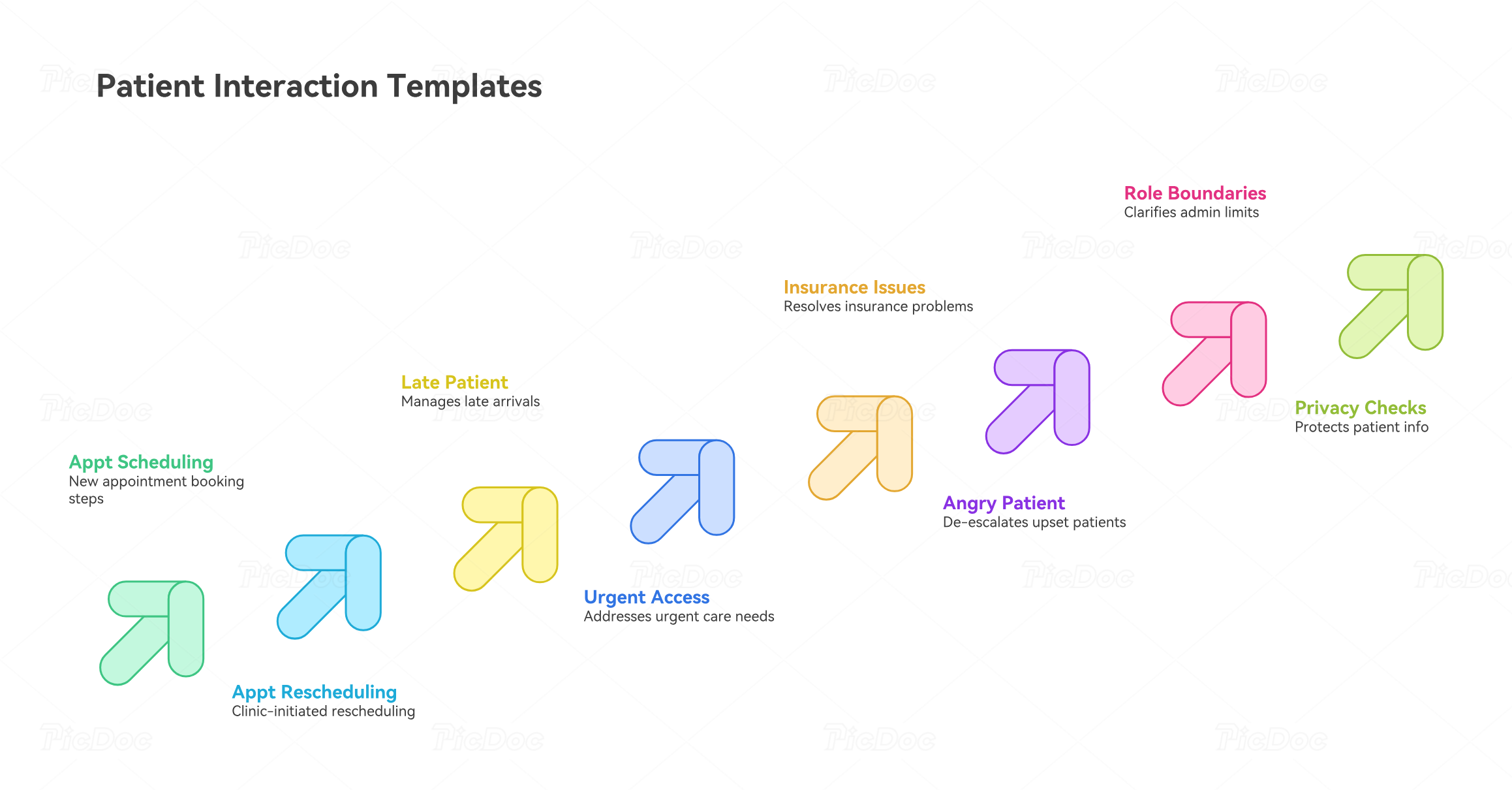
Patient interaction templates work best when employees use them as structured conversation guides rather than memorized speeches. The wording should adapt to the patient’s situation while preserving essential steps such as verification, clarification, escalation, confirmation, and documentation. These templates can support patient communication apps, healthcare CRM workflows, EMR integration systems, and accurate medical records management.
Template 1: Scheduling a New Appointment
Patient says: “I need to make an appointment.”
Recommended script:
“Absolutely. I can help you find the appropriate appointment. Before I search the schedule, may I confirm your full name and date of birth?”
“What would you like the provider to address during this visit?”
“Has a clinician already asked you to schedule this appointment, or are you requesting it yourself?”
“Do you have a preferred provider, location, day, or time?”
“The first appointment matching those requirements is [date] at [time] with [provider] at [location]. I can also check [alternative] if that time does not work.”
“Your appointment is confirmed for [date, time, provider, location]. Please [preparation requirement]. You will receive confirmation through [portal/text/email/phone].”
The most important part happens before selecting the slot. Asking why the patient needs the appointment helps prevent visit-type errors, inadequate appointment durations, and avoidable rescheduling. Staff should combine this approach with appointment scheduling best practices, structured patient intake procedures, the clinic’s scheduling terminology, and reliable medical scheduling tools.
Template 2: Rescheduling an Appointment Because of a Clinic Change
Patient situation: The provider becomes unavailable and the clinic must move the appointment.
Recommended script:
“I am calling because we need to change your appointment scheduled for [date and time]. I understand this may disrupt arrangements you have already made.”
“I reviewed the schedule before calling so I could give you confirmed alternatives. I currently have [option one] and [option two]. I can also check another qualified provider, location, or telehealth appointment if appropriate.”
“Which option creates the least disruption for you?”
“Your new appointment is confirmed for [date, time, provider, location]. I have updated the schedule and sent a revised confirmation.”
Avoid asking the patient to “call back and reschedule” when the clinic caused the change. The office should take ownership of finding workable alternatives. Repeated rescheduling can quickly turn into a service-recovery problem requiring strong scheduling conflict management, empathy in healthcare administration, professional patient communication, and effective complaint handling.
Template 3: Handling a Late Patient
Patient says: “I’m running about 20 minutes late. Can I still come?”
Recommended script:
“Thank you for letting us know. What is your estimated arrival time?”
“I am going to check whether the clinical team will still have enough time to complete your appointment appropriately.”
If the patient can still be seen:
“The team has confirmed that you can still come today. Please arrive as soon as you safely can and check in at [location].”
If the appointment must be moved:
“The team will not have enough remaining appointment time to complete the visit today. I can offer [option one] or [option two], and I can check the cancellation list if you need something earlier.”
The front-desk employee should avoid independently deciding that a shortened visit is clinically sufficient. The provider or authorized clinical team should make that determination. Consistent front-desk procedures, medical administrative workflows, scheduling software mastery, and time management practices help teams handle late arrivals consistently.
Template 4: No Routine Appointments Are Available Soon Enough
Patient says: “I can’t wait three weeks. I need to be seen.”
Recommended script:
“The first routine opening with [provider] is [date]. I would like to check whether another option could meet your needs sooner.”
“I can check another qualified provider, another location, the cancellation list, or telehealth if your visit is appropriate for virtual care.”
“If the concern has changed or become more urgent since you last spoke with the clinic, I can also route your message to our clinical team for review.”
This conversation requires administrative staff to distinguish scheduling availability from clinical urgency. Staff should recognize when the request belongs in an emergency appointment management pathway or requires medical office triage. Alternative access may also involve telehealth administration or virtual patient management.
Template 5: Patient Reports Potentially Urgent Symptoms
Patient says: “My symptoms are getting much worse. Can you just book me tomorrow?”
Recommended script:
“I want to make sure your concern reaches the appropriate clinical person. I am going to connect you with our clinical team now so they can assess what you described and determine the safest next step.”
If the clinical team cannot immediately take the call, the employee should follow the clinic’s approved escalation protocol rather than independently deciding how long the patient can safely wait.
Administrative staff need clear role boundaries. Their responsibility is to recognize escalation triggers, collect required information, and route the concern appropriately. Training should connect medical office triage terminology, crisis communication, legal responsibilities for CMAAs, and risk management strategies.
Template 6: Insurance Appears Inactive
Patient says: “My insurance is active. Why are you saying it isn’t?”
Recommended script:
“The eligibility response we received currently shows the coverage as inactive. I would like to verify the information we have before we decide what needs to happen next.”
“Please confirm the insurance company name, member ID, group number, and effective date shown on your current card.”
“If those details match our record, the next step may be contacting the insurance company to determine why the eligibility response differs.”
“I will document what we verified today and explain how this affects your upcoming appointment before we finish.”
The employee should distinguish between what the system shows and what has been conclusively established. Insurance databases can contain outdated or conflicting information. Staff who understand insurance verification, coordination of benefits, medical claims processing, and revenue cycle management can explain these problems more accurately.
Template 7: Prior Authorization Is Still Pending
Patient says: “My procedure is tomorrow. Is my insurance going to cover it?”
Recommended script:
“The authorization is still under review, so I cannot confirm approval yet.”
“Our records show that [documents/information] were submitted on [date]. I am going to contact the authorization team to confirm the latest status and whether anything else is required.”
“I will update you by [specific time]. We will also explain your options if the authorization remains pending.”
Staff should avoid promising coverage or implying that authorization automatically determines the patient’s final financial responsibility. Clear communication depends on knowledge of prior authorization procedures, medical billing terminology, denial management, and explanation of benefits terminology.
Template 8: Patient Is Angry About a Repeated Error
Patient says: “I have explained this three times. Nobody there knows what they’re doing.”
Recommended script:
“You have already had to explain this multiple times, and I understand why that is frustrating.”
“I am going to review the existing notes before asking you to repeat anything.”
“Here is what I can confirm from the record: [brief factual summary].”
“The next action I can take is [specific solution]. If that does not resolve the issue, I will escalate it to [person or department].”
“You can expect an update by [specific deadline].”
This approach combines acknowledgment with forward movement. Employees should avoid defending coworkers or debating the patient’s interpretation of previous events. Instead, they should apply active listening techniques, structured de-escalation methods, professional difficult-conversation strategies, and established patient complaint procedures.
Template 9: Patient Requests Medical Advice From Administrative Staff
Patient says: “Should I stop taking the medication until my doctor calls me?”
Recommended script:
“I can document your question and send it to the clinical team. Medication decisions need to come from an appropriate clinical professional.”
“I will include exactly what you are asking and confirm how quickly the clinical team expects to respond.”
“If you are also experiencing new or worsening symptoms, please tell me so I can follow the appropriate escalation process.”
Role boundaries protect both the patient and employee. CMAAs and other administrative staff should avoid improvising clinical recommendations from personal experience or information they have seen in the chart. Understanding medical compliance terms, clinical documentation terminology, legal responsibilities, and patient confidentiality helps employees stay within appropriate boundaries.
Template 10: Family Member Requests Patient Information
Caller says: “I’m her husband. Just tell me what time her appointment is.”
Recommended script:
“I understand you are trying to help. Before discussing information from the patient’s record, I need to confirm that we have authorization to speak with you.”
“If authorization is not currently documented, the patient can contact us directly or complete the appropriate authorization or proxy-access process.”
Avoid confirming even apparently harmless information before completing the required privacy checks. The fact that a person has an appointment at a particular clinic may itself be sensitive. Staff should understand patient confidentiality, HIPAA privacy terminology, patient privacy communication, and medical records release procedures.
Template 11: Patient Cannot Access the Portal
Patient says: “The portal won’t let me log in.”
Recommended script:
“I can help identify where the process is failing. Are you having trouble receiving the invitation, creating the account, entering the verification code, signing in, or finding something after login?”
“Before I make any account changes, I need to verify your identity.”
“Please do not tell me your password or authentication code.”
“If the approved troubleshooting steps do not resolve the problem, I will send this to our portal support team and give you a callback timeframe.”
Breaking the problem into stages prevents repetitive troubleshooting. Employees handling portal issues should understand patient portal management, healthcare portal terminology, EHR and EMR concepts, and common EMR troubleshooting techniques.
Template 12: Patient Needs an Interpreter
Recommended script:
“We can arrange qualified language assistance for your appointment. Which language do you prefer for discussing your healthcare?”
“I will confirm interpreter availability for the appointment time before finalizing the booking.”
“If that interpreter is unavailable, I will check another approved interpretation option or appointment time.”
Language access should be incorporated during scheduling rather than discovered when the patient arrives. Proper medical interpreter services, cultural competence, patient education practices, and effective communication techniques reduce misunderstanding and improve access.
Template 13: Converting an Appointment to Telehealth
Recommended script:
“The provider has indicated that this visit may be completed by video. Before converting it, I need to confirm that you have access to the required technology and that the visit meets our telehealth requirements.”
“You will need [approved requirements]. Please also confirm where you will physically be located during the appointment.”
“You will receive the access instructions through [approved communication method]. If you have difficulty connecting, call [support number] rather than missing the appointment.”
A successful virtual visit depends on preparation before the appointment begins. Teams should incorporate telehealth platform guidance, telemedicine basics, virtual patient management, and appropriate patient privacy communication.
Template 14: Responding to Abusive Language
Patient says: “You people are useless. Get me someone competent.”
Recommended script:
“I want to help resolve the issue, and I can continue working with you while we keep the conversation respectful.”
“Here is what I can do right now: [specific action].”
“If you would prefer to speak with a supervisor, I can follow our escalation process.”
If abusive language continues:
“I have asked that we continue without personal insults. If the language continues, I will need to end the call according to our policy.”
Employees should know exactly when behavior moves from frustration to abuse, threats, harassment, or a safety concern. De-escalation techniques, crisis communication protocols, risk management strategies, and medical office policies should define the next step.
Template 15: Ending an Interaction That Still Requires Follow-Up
Recommended script:
“Before we finish, I want to summarize where this stands.”
“I completed [action already completed].”
“The remaining step is [pending action]. That is being handled by [person or department].”
“You should receive an update by [specific date and time].”
“If you have not received an update by then, please contact us at [number or portal route] and reference [message, encounter, or case information].”
This final script addresses one of the most damaging weaknesses in medical administration: vague ownership. “Someone will call you” leaves the patient dependent on an invisible process. A stronger close connects healthcare CRM systems, medical office collaboration tools, professional communication practices, and medical administrative workflow around one principle: every unresolved patient issue needs an identifiable owner and deadline.
5. How to Train, Audit, and Improve Patient Scripts
Scripts should be tested against real workflow pressure. A sentence that looks clear in a policy document may fail when the waiting room is full, the phone queue is growing, a provider is unavailable, and an upset patient needs immediate attention. Training should combine script knowledge with system navigation, escalation judgment, documentation, privacy verification, and emotional control.
Start with scenario-based practice. Give the employee a realistic patient profile, operational constraint, and hidden risk. For example, a caller asks for the next appointment, reports worsening shortness of breath, and repeatedly returns to scheduling. The employee must recognize the clinical escalation point, use the approved boundary language, create a warm transfer, and document the encounter. This exercise joins medical office triage, crisis communication, clinical documentation terms, and legal responsibilities.
Score each practice interaction across measurable behaviors:
Correct greeting and identification
Complete privacy verification
Accurate discovery questions
Recognition of clinical or operational escalation
Clear explanation of available options
Appropriate empathy and tone
Confirmed next step and timeframe
Accurate teach-back
Objective documentation
Closed-loop ownership
Supervisors should review recorded calls or observed interactions using a consistent rubric, subject to organizational policy and applicable law. Audits should identify whether failures came from wording, knowledge, software, workload, permissions, unavailable resources, or unclear policies. Medical chart audits, medical coding error analysis, medical compliance references, and risk management strategies can support this review.
Track operational outcomes linked to script performance:
First-contact resolution rate
Average hold time
Transfer rate
Repeat-call rate
Percentage of callbacks completed within the promised timeframe
Appointment errors caused by incomplete intake
Patient complaints by communication category
Privacy verification failures
Portal support resolution rate
Authorization-related cancellations
Interpreter-access delays
Escalations completed through the correct pathway
Notes missing owner or deadline
No-show rate after reminder conversations
Patient understanding measured through teach-back
Metrics need context. A high transfer rate may reflect weak training, limited employee permissions, or a clinic that correctly escalates complex concerns. A low call duration may conceal rushed conversations and repeated callbacks. Pair operational data with patient satisfaction insights, medical office productivity, time-tracking tools, and predictive analytics.
Update scripts whenever policies, systems, payer rules, staffing structures, technology, or service lines change. Every script should display the current version, owner, approval date, and next review date. Retire duplicate documents that compete with the approved version. A central script library inside the practice management system, healthcare CRM, patient portal workflow, or approved collaboration platform prevents staff from relying on old printouts.
Managers should also train employees to recognize when the script has reached its limit. Threats, suspected abuse, emergency symptoms, privacy incidents, discrimination concerns, legal demands, repeated unresolved errors, and requests outside policy require escalation. The script should help the employee reach the correct decision quickly and preserve a clear record of what happened.
6. Frequently Asked Questions
-
Employees should preserve the required verification, safety, privacy, escalation, and confirmation steps. Tone and phrasing can be adapted to the patient’s communication style, language, emotional state, and level of understanding. Training in active listening, effective patient communication, cultural competence, and medical interpreter services helps staff use scripts naturally.
-
Use a transparent ownership statement:
“I want to give you accurate information. I need to confirm this with [department or person]. I will contact them now and update you by [specific time].”
The employee should document the question, assign responsibility, and track the callback. Healthcare CRM terminology, medical office collaboration tools, professional email etiquette, and front-desk workflows support reliable follow-up.
-
Explain the purpose briefly and apply the process consistently:
“I need to complete our privacy verification before I access the account.”
Use the minimum approved identifiers and avoid signaling answers. Staff should understand HIPAA privacy terminology, patient confidentiality, privacy communication, and medical records release procedures.
-
Include acknowledgment, a factual summary, a clear boundary where needed, available options, escalation criteria, and a specific follow-up deadline. The script should keep the employee focused during emotional pressure. De-escalation techniques, difficult conversation guidance, complaint handling, and crisis communication terms provide a practical foundation.
-
State the role boundary and route the question to the clinical team:
“I can document your question and send it to the nurse. I am unable to advise you on changing the treatment.”
Use the clinic’s urgent escalation rules when the patient describes concerning symptoms. Review medical office triage, clinical documentation terminology, legal responsibilities, and risk management.
-
Scripts ensure employees ask about the reason for the visit, required provider, duration, location, urgency, referral, authorization, language support, accessibility, and preparation. These questions reduce visit-type errors and avoid preventable rescheduling. Pair scripts with appointment scheduling best practices, scheduling software mastery, scheduling conflict management, and secure scheduling tools.
