

Electronic Health Records (EHR) vs. EMR: Essential Terms Explained
An EHR and an EMR can look almost identical on a workstation, yet their scope, exchange capabilities, and operational consequences can differ significantly. Confusing the terms can lead to duplicate charts, incomplete medication histories, failed referrals, privacy exposure, delayed claims, and lost follow-up tasks. Medical scribes, CMAAs, patient-access teams, and practice managers need more than a textbook definition. They must understand how each system affects medical administrative workflow, patient intake procedures, clinical documentation accuracy, and HIPAA compliance.
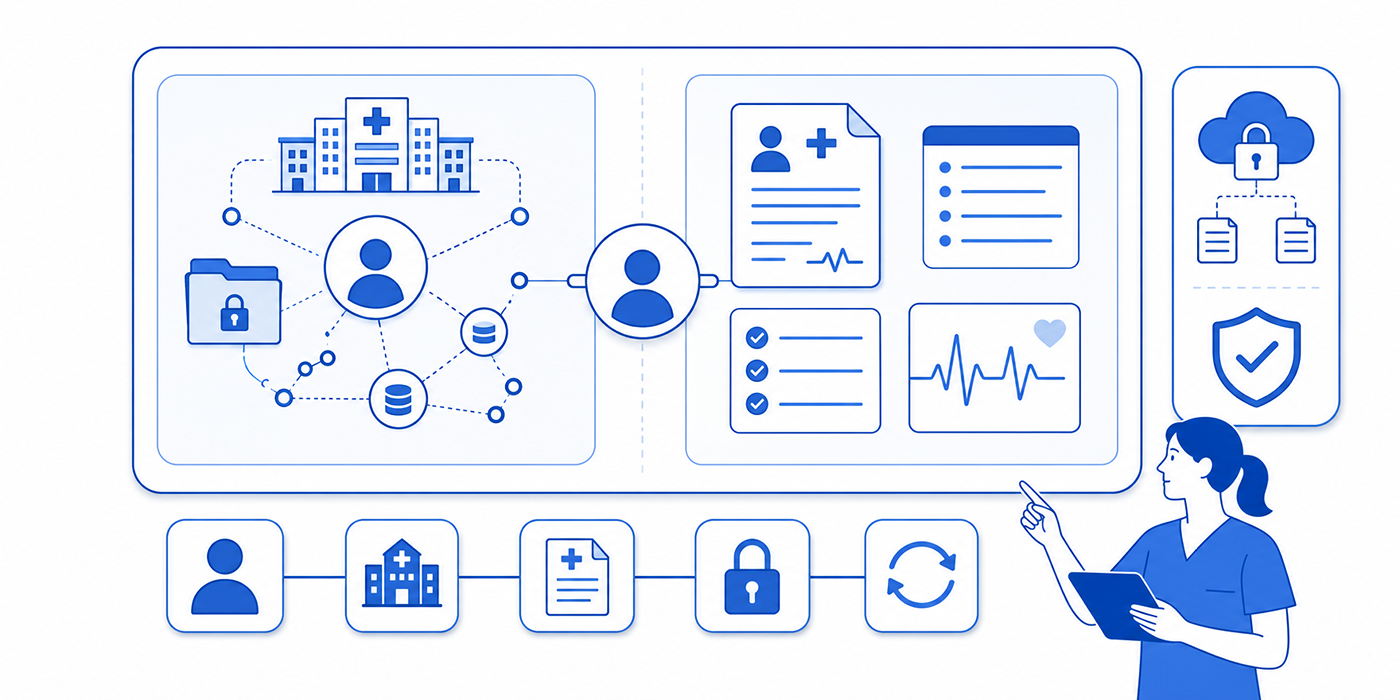
1. EHR vs. EMR: The Core Difference Healthcare Teams Must Understand
An electronic medical record, or EMR, generally refers to the digital clinical record maintained within a particular practice, department, facility, or healthcare organization. It replaces paper charts with searchable documentation, diagnoses, medication lists, test results, treatment plans, and encounter histories. Staff members use it for routine charting, order entry, billing support, and internal care coordination.
An electronic health record, or EHR, has a broader operational scope. It is designed to support a more longitudinal view of the patient across providers, departments, facilities, and stages of care. EHR functionality commonly includes interoperable data exchange, referral management, patient portals, population reporting, electronic prescribing, results routing, and connections with external organizations.
Vendor terminology remains inconsistent. A product labeled “EMR” may include extensive exchange features, while a product marketed as an “EHR” may still trap critical information inside one organization. The safest evaluation method focuses on functional capability: how the platform handles EMR integration, whether it supports dependable patient record updates, how external records are reconciled, and whether staff can locate information without relying on dangerous workarounds.
Consider a patient who receives treatment at an urgent care center and later sees a cardiologist. The urgent care EMR may contain the encounter note, diagnosis, medication prescription, and discharge instructions. A connected EHR environment can make that information available to the cardiology team through an exchange, interface, shared network, or imported clinical summary. The cardiology staff must still verify the source, reconcile medications, confirm allergies, and identify which findings remain current.
That distinction directly affects medical terminology documentation, insurance verification, prior authorization workflows, and medical claims processing. A diagnosis entered into the wrong encounter can affect coding. An outdated insurance plan can send a claim to the wrong payer. An imported medication list can create clinical risk when nobody confirms whether the patient still takes each drug.
The practical difference can be understood through six dimensions:
Record scope: An EMR commonly centers on encounters within one organization. An EHR supports a broader longitudinal health history.
Data movement: EMRs may exchange information through exports or interfaces. EHRs generally place stronger emphasis on structured interoperability.
Care coordination: EHR functionality commonly supports referrals, shared results, transition-of-care documents, and multi-provider communication.
Patient participation: EHR environments frequently include healthcare portals, online forms, secure messaging, results access, and appointment tools.
Administrative reach: Both systems can support registration, billing, scheduling, and reporting, though enterprise EHRs usually connect more departments.
Continuity risk: Poor configuration in either platform can produce duplicate charts, missed inbox messages, incomplete histories, and documentation gaps.
The deeper lesson is operational: system labels provide limited protection. Accurate care depends on how users manage identity, permissions, reconciliation, routing, corrections, and follow-up.
| # | Essential Term | Operational Meaning | Where Errors Usually Begin | Best Control or Related ACMSO Resource |
|---|---|---|---|---|
| 1 | Electronic Medical Record | A digital clinical chart commonly centered on one practice, facility, or organization. | Staff assume information from outside providers is automatically complete or current. | Review the essential EMR and charting terms. |
| 2 | Electronic Health Record | A broader longitudinal record intended to support connected care across departments and organizations. | Teams trust the EHR label without testing exchange, reconciliation, and routing capabilities. | Map the system against the complete medical administrative workflow. |
| 3 | Interoperability | The ability of systems to exchange, interpret, and use patient information accurately. | Documents arrive as unreadable PDFs or unstructured text that cannot populate clinical fields. | Evaluate the organization’s EMR integration tools. |
| 4 | Health Information Exchange | A framework or network that allows authorized organizations to share health information. | Staff overlook external results or confuse imported information with locally verified data. | Use a source-verification step before adding exchanged data to the active chart. |
| 5 | HL7 | A family of healthcare data-exchange standards used to transmit clinical and administrative information. | Interfaces send data into the wrong field or fail without a visible warning. | Escalate mapping failures through the workflow in the EMR troubleshooting guide. |
| 6 | FHIR | A modern standard that organizes health data into reusable digital resources for exchange. | Teams assume every connected application receives the same fields and update frequency. | Confirm which data elements, write-back permissions, and refresh rules the integration supports. |
| 7 | API | A controlled connection that allows applications to request or send data. | Third-party tools receive excessive access or incomplete data without staff realizing it. | Review permissions alongside HIPAA and privacy terminology. |
| 8 | Interface | A programmed pathway that transfers information between systems, such as laboratory results into an EHR. | Failed messages remain in an error queue while staff assume delivery succeeded. | Assign daily ownership for interface-error queues and unresolved transmissions. |
| 9 | Master Patient Index | A system used to match each person with the correct identity across records and locations. | Similar names, changed addresses, missing middle names, or incorrect birth dates create duplicates. | Strengthen identity checks through standardized patient intake procedures. |
| 10 | Duplicate Record | Two or more charts created for the same patient. | Medication history, allergies, results, and balances become divided across separate records. | Restrict merging privileges and require documented identity validation before consolidation. |
| 11 | Encounter | A documented interaction linked to a date, location, provider, and type of service. | Notes, orders, and charges are entered under the wrong encounter. | Confirm patient, date, department, provider, and encounter type before documentation begins. |
| 12 | Problem List | A maintained list of active and historical conditions relevant to ongoing care. | Temporary symptoms remain marked active, while resolved conditions continue driving alerts. | Apply disciplined diagnosis handling using the ICD-10 interactive dictionary. |
| 13 | Medication Reconciliation | The comparison and confirmation of medications across patient reports, external records, and local prescriptions. | Imported medications are accepted without checking dose, frequency, adherence, or discontinuation. | Record the source and confirmation status for every medication change. |
| 14 | Allergy Reconciliation | The verification of allergens, reactions, severity, and current relevance. | Intolerances are recorded as allergies, or serious reactions are entered without detail. | Capture the substance, reaction, severity, and verification source. |
| 15 | CPOE | Computerized provider order entry for medications, tests, referrals, and procedures. | Users select the wrong order, location, priority, or frequency from similar options. | Match the order to provider intent and follow local authorization rules. |
| 16 | e-Prescribing | Electronic transmission of prescriptions to a selected pharmacy. | Incorrect pharmacy selection, inactive medication records, or duplicate prescriptions cause delays. | Verify pharmacy, medication, dose, route, frequency, and patient instructions. |
| 17 | Clinical Template | A structured documentation framework for a specific encounter or specialty. | Irrelevant defaults, unchecked negatives, and copied text create misleading notes. | Use specialty-focused references such as the documentation template directory. |
| 18 | Smart Phrase | A shortcut that inserts standardized text into a note or message. | Old instructions, wrong pronouns, and unsupported findings remain inside inserted text. | Apply the EMR shortcut guide with mandatory proofreading. |
| 19 | Flowsheet | A structured area for tracking repeated measurements, screenings, or clinical observations over time. | Data is documented in narrative notes and becomes unavailable for trending or reporting. | Determine which findings require structured fields and which require narrative context. |
| 20 | Patient Portal | A secure patient-facing environment for messages, results, forms, appointments, and records. | Messages enter the wrong queue, remain unread, or receive responses outside staff scope. | Clarify routing through the healthcare portal terminology guide. |
| 21 | Inbox or Work Queue | A task-routing area for results, messages, referrals, authorizations, and administrative follow-up. | Tasks remain assigned to absent staff or are closed without completion evidence. | Define ownership, coverage rules, escalation timeframes, and closure criteria. |
| 22 | Role-Based Access | Permissions granted according to job responsibilities and legitimate workflow needs. | Users gain broad access through copied roles or retain privileges after changing positions. | Align permissions with patient privacy communication requirements. |
| 23 | Audit Trail | A system record showing who viewed, created, changed, printed, or transmitted information. | Staff believe edits erase the prior version or assume access cannot be reviewed. | Include audit awareness in CMAA legal-responsibility training. |
| 24 | Data Migration | The transfer of records from an older platform into a replacement system. | Historical notes, scanned files, medication statuses, and billing data migrate incompletely. | Validate high-risk data through representative chart sampling before go-live. |
| 25 | Release of Information | The authorized disclosure of records to patients, providers, insurers, attorneys, or other parties. | Teams release excessive data, use an invalid authorization, or send records to the wrong destination. | Use medical-record release tools and controls. |
| 26 | Downtime Procedure | The approved workflow used when the EHR or EMR becomes unavailable. | Paper documentation, orders, and messages fail to enter the electronic record after restoration. | Maintain a reconciliation checklist with named owners and completion deadlines. |
| 27 | Clinical Decision Support | Alerts, reminders, rules, and guidance generated from patient data. | Alert fatigue causes users to override important warnings without adequate review. | Track high-frequency overrides and remove low-value alerts through governance. |
| 28 | Telehealth Integration | The connection of virtual visits with scheduling, consent, charting, billing, and follow-up. | Video encounters occur outside the correct chart or lack required documentation. | Follow the telehealth administration guide. |
| 29 | Charge Capture | The process of translating documented services into billable charges. | Missing procedures, unsupported codes, or incorrect encounter links delay revenue. | Build competency through the CPT code reference guide. |
| 30 | Revenue Cycle Integration | The connection between registration, documentation, coding, claims, payments, and denials. | Clinical and billing systems disagree about insurance, diagnoses, authorizations, or service details. | Study the revenue cycle management glossary. |
2. Essential EHR and EMR Terms in Real Clinical Workflows
The terminology becomes useful when staff can connect each term to a real decision. Healthcare technology problems frequently appear as documentation errors, delayed care, unpaid claims, patient complaints, or privacy incidents. A user may describe an “EHR issue” when the actual failure involves patient matching, message routing, permission design, an interface queue, or an incorrect template.
Four groups of terms deserve particular attention.
Clinical-record terms
The encounter, problem list, medication list, allergy list, results section, and care plan serve different purposes. Information entered into one area does not always update the others. A diagnosis mentioned in the history may remain absent from the structured problem list. A medication discontinued in an encounter note may still appear active in medication reconciliation. An allergy entered without a reaction may generate weak or misleading alerts.
Medical scribes should understand where information belongs before using specialty documentation templates, medical terminology tools, ICD-10 references, and clinical charting terminology. Correct wording loses value when it is placed in a field that downstream users never review.
Exchange and integration terms
Interoperability, interfaces, APIs, HL7, FHIR, and health information exchange describe different parts of data movement. An interface can transfer laboratory results into a chart. An API may allow a scheduling application to retrieve appointment data. An exchange network may provide records from another healthcare system. FHIR can standardize how particular data resources are requested and shared.
The operational question is always specific: which data moves, in which direction, how frequently, with whose authorization, and into which field? A connection advertised as “integrated” may only support demographic transfer. Another connection may import medications without writing updates back to the source system. Teams evaluating medical appointment scheduling tools, secure patient scheduling platforms, patient communication applications, or healthcare CRM systems should demand field-level integration details.
Access and privacy terms
Role-based access, minimum necessary access, audit logs, secure messaging, and authentication shape who can see and change information. A broad permission set may allow a scheduling employee to open clinical notes they never need. A narrow role may prevent an authorization specialist from accessing the documentation required to obtain approval. Both conditions damage workflow.
Effective access design begins with job tasks. Staff should receive the information and functions required for those tasks, followed by regular review when roles change. This approach supports patient privacy communication, reinforces HIPAA terminology for CMAAs, reduces exposure described in the medical scribe HIPAA guide, and strengthens broader risk-management practices.
Task and routing terms
Inboxes, work queues, pools, baskets, result folders, and referral queues may use different names across platforms. Their purpose is similar: they route work to a person or team. The most dangerous failure occurs when everyone can see a task and nobody owns it.
A reliable workflow defines who receives each task, how quickly it must be handled, who covers absences, when escalation occurs, and what evidence is required before closure. These controls are essential in front-desk operations, appointment scheduling, emergency appointment management, and virtual patient management.
3. How EHR and EMR Workflows Affect Patients, Scribes, CMAAs, and Revenue
The effects of an EHR or EMR begin before the patient enters the examination room. Every stage creates data that later stages depend on.
Registration and identity verification
During registration, staff confirm the patient’s legal name, date of birth, contact details, insurance, preferred pharmacy, communication preferences, and relevant consent information. A rushed search can create a duplicate chart. An incorrect insurance selection can affect eligibility checks, authorizations, claims, and patient balances.
Strong registration requires more than asking whether information has changed. Staff should compare multiple identifiers, examine similar search results, verify plan details, and document updates in the appropriate fields. These practices connect patient intake procedures, insurance verification workflows, scheduling conflict management, and patient communication standards.
Clinical documentation
During the encounter, the EHR or EMR may capture the history of present illness, review of systems, examination findings, diagnoses, orders, procedures, and care plan. Templates improve speed when every populated statement reflects the actual encounter. They create liability when users carry forward outdated findings, retain unsupported negatives, or document a plan the provider never stated.
Medical scribes should distinguish provider observations from patient reports, confirmed diagnoses from differential considerations, and completed actions from planned actions. They should also understand the boundaries covered in medical scribe documentation terms, medical office triage terminology, emergency-room scribing, and surgical scribing practices.
Orders, referrals, and authorizations
An order may look complete while lacking the diagnosis, priority, location, supporting note, or payer requirement needed for execution. Referral coordinators then spend hours chasing information already discussed during the visit. Patients experience the failure as silence, delay, or repeated requests.
Effective teams create specialty-specific order requirements, structured referral checklists, and authorization work queues. The same discipline supports prior authorization management, CPT code mastery, insurance claim handling, and denial management.
Results and patient communication
Laboratory and imaging results may enter the EHR automatically, though automatic delivery does not confirm clinical review or patient notification. A complete results process records receipt, provider review, patient communication, recommended action, and follow-up completion.
The task should remain open until the required action occurs. Closing a result after leaving an unanswered voicemail hides unresolved risk. Secure portals, documented call attempts, escalation rules, and abnormal-result tracking improve continuity. These systems connect with healthcare portal workflows, active listening techniques, difficult patient conversations, and professional complaint handling.
Claims and payment
After the encounter, demographic data, insurance information, diagnoses, procedure codes, modifiers, authorization details, and provider credentials flow into the claim. A documentation error can become a coding problem. A registration error can become a rejection. A missing authorization can become a denial. An interface failure can prevent the claim from reaching the clearinghouse.
Understanding the full chain requires knowledge of superbills, healthcare clearinghouses, explanations of benefits, and revenue cycle terminology. Revenue leakage often begins inside the clinical or registration workflow several days before the billing team sees it.
Which EHR or EMR problem creates the greatest risk in your daily workflow?
4. How to Evaluate an EHR or EMR Before Choosing, Replacing, or Expanding It
A persuasive demonstration can hide the workflow problems staff will face after implementation. System evaluation should follow real patient journeys, high-risk scenarios, and common exceptions rather than idealized vendor scripts.
Examine interoperability at field level
Ask the vendor to demonstrate exactly how demographics, allergies, medications, diagnoses, orders, notes, results, appointments, and billing information move between systems. Confirm whether the connection is one-way or two-way. Determine how quickly information updates, where failed messages appear, and who resolves them.
A platform that sends scanned documents into a media tab provides a different level of interoperability from one that places structured results into searchable fields. This distinction becomes critical when connecting telehealth platforms, patient scheduling tools, communication applications, and medical office collaboration tools.
Test common exceptions
A useful demonstration should include:
A patient with two active insurance plans
A duplicate patient search result
An urgent referral requiring same-day action
A medication imported from an outside organization
A corrected laboratory result
A provider who is unexpectedly absent
A patient requesting an amendment
A portal message containing urgent symptoms
A system outage followed by restoration
A claim requiring authorization documentation
These situations reveal whether the platform supports realistic work or forces staff into spreadsheets, sticky notes, shared passwords, and undocumented verbal handoffs. They also connect with emergency appointment management, medical office organization, daily office checklists, and medical administrative policies.
Measure usability through task completion
Counting clicks provides limited insight on its own. A five-click process may be safe and clear, while a two-click process may conceal the wrong encounter or destination. Evaluate whether users can complete essential tasks accurately, understand system feedback, recover from errors, and identify unfinished work.
During testing, measure:
Time required to locate the correct patient
Time required to complete medication reconciliation
Number of interruptions during documentation
Frequency of wrong-field entry
Percentage of referrals completed within target
Number of unresolved interface errors
Number of duplicate charts created
Rate of unsigned or incomplete notes
Volume of abandoned portal messages
First-pass claim acceptance
These measures support medical admin time management, staff scheduling decisions, workflow productivity, and predictive analytics.
Review privacy and access design
Request a complete role matrix showing which users can view, create, modify, delete, print, export, and transmit each category of data. Examine how the system handles temporary employees, students, scribes, contractors, terminated staff, emergency access, and cross-department coverage.
Confirm whether administrators can review audit logs, detect unusual access, disable accounts promptly, and document exceptions. These controls should align with legal responsibilities for CMAAs, HIPAA privacy terminology, medical scribe compliance, and regulatory changes affecting scribes.
Calculate the cost of workflow friction
Subscription price captures only part of the financial impact. Practices should also examine training time, reduced productivity during go-live, interface maintenance, data migration, template development, support response, hardware needs, claim delays, denied revenue, and staff turnover.
A cheaper system can become expensive when users spend hours correcting duplicates, locating missing records, manually transferring data, or reworking claims. A higher-priced system can also underperform when governance is weak. Technology investment should therefore be evaluated alongside revenue cycle processes, claims management, denial prevention, and medical office productivity.

5. A Practical EHR and EMR Accuracy Playbook for Daily Use
Safe system use depends on repeatable habits. Training employees to “be careful” provides no measurable control. Each high-risk task needs a defined verification step.
Use a patient-identity pause
Before opening, documenting, ordering, messaging, printing, or releasing information, confirm at least two approved identifiers. When several similar records appear, compare additional details rather than selecting the first familiar name. This pause protects patient intake accuracy, reduces errors in appointment scheduling, supports reliable insurance verification, and prevents misdirected medical-record releases.
Separate imported, reported, and verified information
An outside medication list, patient statement, prior note, and locally verified record carry different levels of certainty. Document the source when it affects interpretation. “Medication listed in outside record” communicates something different from “patient confirms current use.”
The same principle applies to diagnoses, allergies, surgical history, and test results. Source clarity strengthens clinical documentation, improves medical terminology accuracy, supports specialty scribing, and reduces contradictions during patient record updates.
Control copy-forward content
Copied information should be reviewed as though it were newly entered. Remove resolved symptoms, outdated instructions, unsupported examination findings, old dates, incorrect family statements, and prior treatment plans that no longer apply.
Organizations should identify which sections may be carried forward, who may use the function, and how users verify accuracy. Scribes can improve speed through EMR shortcuts, yet every shortcut requires the discipline taught in clinical documentation terminology, oncology scribing guidance, and orthopedic scribing training.
Keep tasks open until the outcome is secured
A referral is incomplete when the order is entered but never received. An authorization is incomplete when the request is submitted but the decision remains unknown. A result is incomplete when the patient cannot be reached and no escalation occurs.
Closure standards should describe the required evidence. Examples include referral acceptance, authorization number, documented patient notification, completed appointment, reviewed result, or confirmed claim transmission. This approach improves referral and authorization work, patient communication, claims processing, and denial management.
Prepare for downtime before it happens
Every organization should know how to register patients, access essential clinical information, document encounters, transmit urgent orders, issue prescriptions, protect paper records, and recover data during an outage. The recovery plan needs equal attention. Paper notes and temporary files must be entered into the restored system, reconciled, and securely destroyed or retained according to policy.
Downtime planning belongs inside medical office policies, daily procedural checklists, risk-management strategies, and EMR issue resolution.
Build skills that remain valuable across platforms
Buttons, menus, and vendor terminology change. Transferable skills include patient matching, chart organization, structured data entry, source verification, task routing, privacy awareness, documentation logic, coding fundamentals, and revenue cycle understanding.
CMAAs can strengthen those capabilities through CMAA certification preparation, medical administrative terminology, medical admin technology training, and future-proof career skills. Medical scribes can build parallel expertise through scribe certification preparation, realistic exam questions, interview preparation, and specialty documentation training.
6. Frequently Asked Questions About EHRs and EMRs
-
They are frequently used interchangeably in everyday healthcare conversations, though the traditional distinction concerns scope and exchange. An EMR generally centers on the digital record within one organization. An EHR generally supports a broader longitudinal record and connected care across settings.
Operational capability should guide evaluation. Review interoperability, patient access, external record exchange, task routing, reporting, and integration with telehealth systems, patient portals, scheduling applications, and revenue cycle workflows.
-
Yes. An EMR may exchange information through direct messaging, interfaces, health information exchanges, APIs, referral networks, exports, or structured clinical documents. The quality of that exchange varies.
Staff should determine which information transfers, whether it remains structured, how quickly it arrives, and who reconciles it. Similar questions apply when connecting EMR integration tools, telemedicine platforms, patient communication apps, and healthcare CRM systems.
-
Security depends on configuration, access controls, authentication, encryption, audit capabilities, vendor practices, device security, staff behavior, and organizational policies. The category name alone does not determine protection.
A secure environment uses role-based permissions, prompt account termination, monitored audit logs, approved communication channels, tested backups, and clear incident procedures. Teams should combine HIPAA privacy terminology, patient privacy communication, legal responsibility training, and risk-management controls.
-
HIPAA establishes requirements for protecting applicable health information and managing permitted access, use, and disclosure. It does not create a universal rule requiring every provider to purchase a specific EHR product.
Organizations using electronic systems still need appropriate safeguards, policies, access controls, training, agreements, and monitoring. Staff can strengthen their understanding through the medical scribe HIPAA guide, CMAA privacy terminology, patient-record compliance training, and regulatory change guidance.
-
A CMAA should be able to search for patients safely, prevent duplicate charts, update demographics, verify insurance, schedule accurately, manage portals, route messages, process referrals, monitor authorizations, release records, and identify unresolved work.
The strongest training combines front-desk operations, appointment scheduling mastery, insurance claims management, and medical-record release procedures. Technical speed should always remain secondary to patient identity, accuracy, privacy, and task completion.
-
A scribe should understand encounter structure, note sections, provider authentication, source attribution, clinical terminology, order status, diagnosis wording, template risks, corrections, and organizational scope boundaries.
Scribes also need to distinguish patient-reported information from provider findings, preliminary impressions from confirmed diagnoses, and future plans from completed actions. These skills can be developed through clinical documentation terminology, medical terminology mastery, EMR charting terms, and HIPAA compliance for scribes.
