

Secure Patient Scheduling Tools: 2026-27’s Best Picks & Why
Patient scheduling is no longer just about filling open slots. In 2026 and 2027, the real differentiator is whether a scheduling tool protects patient data while keeping staff fast, accurate, and sane during high-volume days. Medical administrative assistants and front-desk teams are under constant pressure to prevent double-bookings, verify identities, handle portal messages, document consent, and avoid privacy slipups that can quietly become compliance disasters. The best scheduling tools now do more than organize calendars. They reduce exposure, standardize workflows, and make secure patient access easier to manage.
For ACMSO learners, that matters because strong scheduling performance now sits at the intersection of patient experience, digital communication, and compliance. Teams that understand appointment scheduling best practices, healthcare portal terms, telehealth platforms, front desk operations, and HIPAA and patient privacy terms are the ones that protect both efficiency and trust.
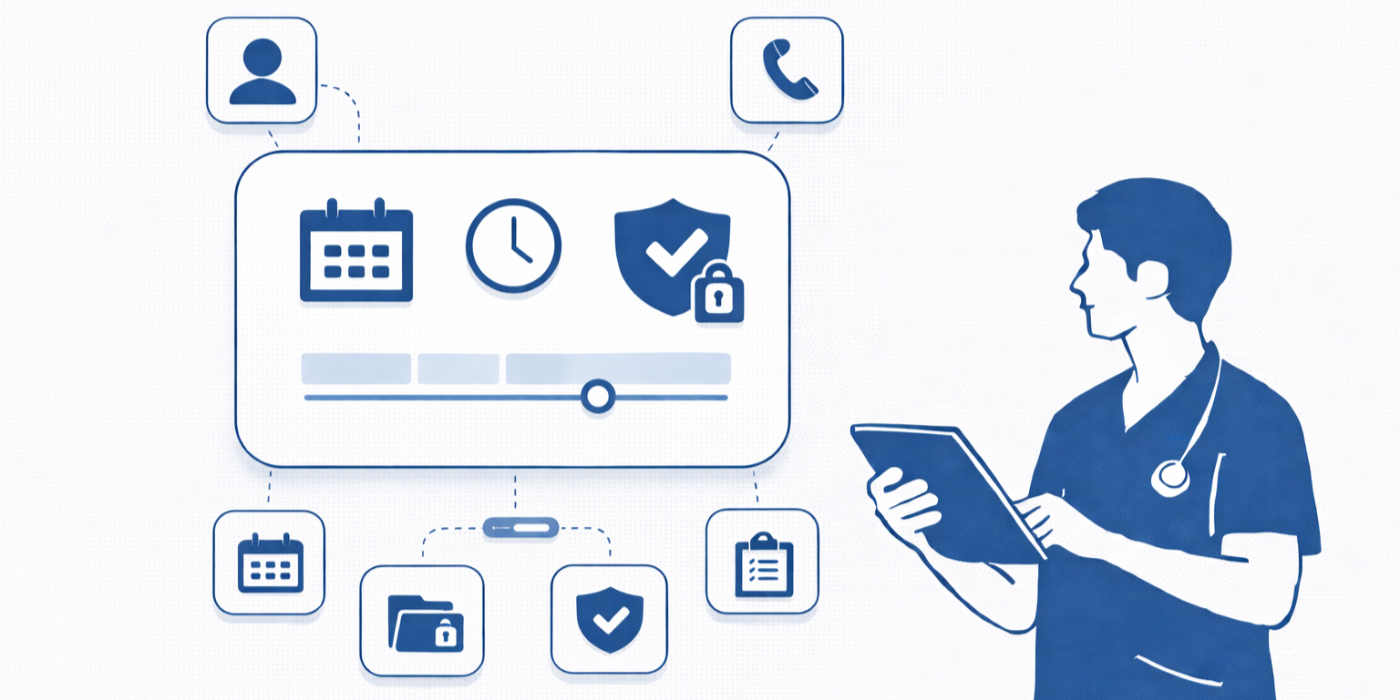
1. What makes a patient scheduling tool truly secure in 2026-27?
A secure patient scheduling tool is not simply one that offers a login screen or sends text reminders. It is a platform that controls how patient information is collected, displayed, transmitted, edited, and accessed across the entire appointment lifecycle. That includes booking, rescheduling, cancellations, waitlists, forms, reminders, portal exchanges, and post-visit follow-up. Teams that only focus on convenience usually create gaps that later show up as identity-verification failures, exposed screens, unsecured texting, or rushed documentation errors. That is why mastering effective patient communication terms, insurance verification concepts, patient intake procedures, healthcare CRM terminology, and future healthcare compliance changes has become essential for medical admin teams.
The strongest platforms share a few traits. First, they control user permissions well, so a scheduler, biller, nurse, and provider do not all see the same depth of information unnecessarily. Second, they use secure patient-facing communication channels instead of encouraging staff to improvise through open email or casual text. Third, they create an audit trail that shows who changed what and when. Fourth, they support clear identity checks before releasing information or confirming sensitive appointment details. And fifth, they reduce the amount of protected health information visible on screens in public-facing areas, which ties directly into best practices covered in front desk operations, medical office automation trends, predicting HIPAA updates, data privacy for CMAAs, and the future of EMR systems.
What separates average tools from the best picks is how well they perform under pressure. A good system looks fine during a demo. A great one still protects data when a parent calls asking for test results, when a patient wants same-day rescheduling from a public work computer, when a portal message includes the wrong chart detail, or when a front-desk worker has twelve people waiting and two phone lines ringing. Secure scheduling is about protecting workflows when humans are tired, rushed, interrupted, and overloaded. That is why ACMSO students benefit from linking scheduling knowledge to empathy in healthcare administration, de-escalation techniques, medical administrative assistant job market trends, top 10 skills employers look for in a CMAA, and future-proofing your CMAA career.
2. Best secure patient scheduling tool categories and why each matters
Instead of chasing a single “winner,” medical offices should evaluate scheduling tools by category. The best pick depends on whether the practice struggles most with privacy, no-shows, intake friction, telehealth coordination, specialty complexity, or multi-location scheduling. Teams that understand this make better purchasing and implementation decisions than teams that just choose the platform with the prettiest dashboard. That strategic mindset connects closely with medical office automation opportunities, interactive guide to the medical office of 2025, virtual medical administration, how AI will transform medical administrative assistant roles, and 10 emerging technologies every CMAA must prepare for.
Patient portal-first schedulers are best for organizations trying to reduce phone burden while keeping appointment requests inside protected channels. These are especially valuable when a clinic handles high-volume routine visits, medication follow-ups, or preventive care. When built well, they reduce voicemail chaos and eliminate many privacy risks caused by back-and-forth email. Staff who understand healthcare portal terms, patient intake procedures, insurance verification workflows, front desk operations, and HIPAA terms for medical administrative assistants usually get far more value from these systems because they know how to configure safe self-scheduling rules.
Integrated EMR/EHR scheduling tools are the strongest option when the office loses time to duplicate entry, missing demographics, outdated insurance, or mismatched charts. These systems matter because security often collapses when staff have to bounce between disconnected software just to confirm one visit. A scheduling workflow tied closely to registration, charting, and eligibility is usually safer than a patchwork of stand-alone tools. That is why ACMSO readers should connect this topic to top EMR/EHR platforms every medical scribe should know, top EMR and charting terms medical scribes need to understand, the future of EMR systems, voice recognition and dictation software, and AI medical scribe and ambient dictation tools.
Telehealth-ready schedulers are essential when practices run hybrid care models. The scheduling tool has to do more than place a video link into a confirmation email. It should route patients to the right visit type, secure the link, confirm device readiness, and prevent the all-too-common problem of patients appearing in the wrong workflow entirely. Teams that pair this with knowledge from telehealth platforms, telehealth regulation changes, predictive insights on virtual healthcare, industry update on telehealth settings, and top 100 telehealth companies using medical scribes will recognize how much poor scheduling quietly damages virtual care.
High-control specialty schedulers are best for orthopedics, cardiology, women’s health, oncology, dermatology, ophthalmology, and other practices where appointment type determines prep requirements, rooming, staffing, documentation, and equipment. Security improves when the tool reduces free-text improvisation and pushes staff through rules-based scheduling. This is where knowledge from 10 essential skills every cardiology medical scribe needs, scribing for orthopedics, advanced oncology scribing, top outpatient specialty networks hiring scribes, and top 100 specialty-specific documentation template libraries becomes operationally useful rather than theoretical.
3. How to evaluate the best picks without getting fooled by marketing
Most scheduling platforms market speed, automation, simplicity, and patient convenience. Those things matter, but none of them mean the tool is actually safe under real clinical conditions. Buyers get fooled when they test features but ignore failure points. Ask what happens when a patient has a duplicate chart, when a caregiver requests proxy access, when a no-show slot opens at the last minute, when the clinic internet fails, or when a staff member accidentally sends the wrong reminder. The safest platforms are the ones that perform well during breakdowns, not just during demos. That practical lens lines up with CMAA career roadmaps, new studies on certified assistants improving efficiency, healthcare administration report insights, real-life success stories from certified medical administrative assistants, and why certification dramatically boosts career opportunities.
A strong evaluation process starts with five questions. Can the system minimize visible PHI in reminders and screens? Can it verify identity in a consistent way? Can it segment access by role and location? Can it preserve an audit trail when changes happen fast? And can it reduce manual workarounds that tempt staff to use insecure personal notes, spreadsheets, or messaging apps? If a tool fails on any of those, it is not a best pick no matter how polished the interface looks. That is especially true for teams studying healthcare portal use cases, appointment scheduling terms CMAAs should know by heart, medical appointment scheduling tools ranked by ease of use, breaking CMS-related operational changes, and HIPAA updates 2025 key changes every CMAA must know.
Another smart tactic is to evaluate how the tool trains behavior. Great platforms quietly coach staff into doing the right thing. They offer standardized prompts, structured reason codes, safe reminder defaults, proxy-access workflows, and forms that collect only the minimum necessary information. Weak tools dump the burden onto staff memory. That creates risk because even excellent workers make bad calls when they are tired, interrupted, or rushing through a backed-up schedule. This is exactly why ACMSO students should connect operational tools with de-escalation techniques, effective patient communication, empathy in healthcare administration, future-proof CMAA specializations, and how CMAAs will lead the patient experience revolution by 2030.
4. Why the best secure schedulers reduce staff burnout, not just privacy risk
Many offices talk about security as if it lives in policy manuals and annual training modules. In reality, security lives inside workload. The more overloaded the front desk is, the more likely workers are to skip a verification step, overexplain a diagnosis in a reminder, or use a quick workaround that exposes patient information. That means the best secure scheduling tools are also burnout-reduction tools. They reduce clicks, standardize decisions, and eliminate repetitive tasks that drain attention from the moments where judgment actually matters. This overlaps directly with new research on healthcare efficiency, interactive reports on reducing burnout, real-time insights on healthcare administration, medical administration workforce trends, and annual job market reports.
Burnout drops when the system automates low-risk, high-volume steps. Reminder sequences, waitlist offers, form distribution, intake prompts, language preferences, and reschedule options should not require heroic staff effort. But automation only helps if it is governed well. Poor automation simply scales mistakes faster. Great automation uses rules, permissions, and minimal data disclosure. It makes secure behavior easier than insecure behavior. That is the real standard. Teams trying to future-proof their operations should also study why automation is the biggest opportunity for CMAA career growth, medical administrative assistants and technology, interactive industry reports on job demand by specialty, future healthcare roles for CMAAs, and emerging skills for the next decade.
There is also a trust dimension here. Patients can feel when a scheduling process is sloppy. They notice when they receive duplicate reminders, are asked for the same information three times, get the wrong telehealth link, or hear staff discussing details too openly at check-in. Secure systems create a calmer experience because they reduce friction patients can see and risks patients cannot see. That combination matters for retention, compliance, and reputation. It also supports the broader operational maturity described in 2026 healthcare administration insights, top medical administrative assistant opportunities, Texas medical admin career opportunities, Florida CMAA employment and salary trends, and North Carolina medical admin career opportunities.

5. Best-practice recommendations for ACMSO learners and medical offices choosing tools now
If you are comparing secure patient scheduling tools in 2026-27, start by mapping your highest-risk moments. Do not begin with vendor brochures. Begin with your actual pain points: identity-verification calls, exposed reminder content, inconsistent self-scheduling rules, missing insurance checks, duplicate records, and public-facing screens at the desk. Once you know where risk concentrates, you can judge which platform category actually solves it. This kind of risk-first thinking is strengthened by regular review of top HIPAA and patient privacy terms, front desk operations checklists, appointment scheduling best practices, insurance verification essentials, and infection control in medical offices, because operational excellence is always cross-functional.
Next, require any vendor or platform team to demonstrate five workflows live: secure self-scheduling, proxy or caregiver access, telehealth visit scheduling, last-minute rescheduling, and front-desk check-in with privacy controls. If they cannot show those clearly, the system is not ready for serious clinical use. A strong product should also connect to the practice’s broader digital ecosystem, whether that includes EMR/EHR platforms, voice recognition tools, healthcare CRM systems, portal workflows, or telehealth platforms.
Finally, remember that the best secure tool is the one your staff can use correctly all day long. A technically advanced system that confuses front-desk teams will create new risks rather than solving old ones. Training, scripting, permissions, and workflow design matter just as much as product features. That is why career-ready professionals keep building skill depth through ACMSO certification exam preparation, ultimate CMAA exam guides, essential study tips for exam success, medical administrative terminology mastery, and complete breakdowns of what is included in the CMAA exam. Secure scheduling is not a side skill anymore. It is core job value.
6. FAQs
-
The single most important feature is not one button or setting. It is controlled workflow design. A platform that combines role-based access, audit trails, secure messaging, and identity verification will usually outperform a tool that has one flashy security feature but weak day-to-day controls. Professionals studying patient privacy terms, portal use cases, appointment scheduling language, front desk workflows, and future data privacy regulations understand why layered controls matter more than isolated features.
-
No. Self-scheduling can actually be safer when it routes appointment requests through protected portal workflows and reduces ad hoc phone or email exchanges. It becomes risky only when practices allow overly broad visit options, poor identity controls, or excessive PHI in confirmations. That is why teams should pair self-scheduling with knowledge from appointment scheduling best practices, telehealth platforms, insurance verification, patient intake procedures, and medical office automation trends.
-
They should rely on standardized identity-verification scripts, avoid discussing more information than necessary, document communication preferences clearly, and use scheduling systems that prompt secure next steps rather than forcing memory-based decisions. These habits are strengthened through effective patient communication training, de-escalation techniques, empathy in healthcare administration, top 10 employer-valued CMAA skills, and future-proof CMAA career guidance.
-
Ask vendors to demonstrate how the platform handles proxy access, audit trails, reminder content controls, role-based permissions, telehealth links, reschedule history, downtime workflows, and duplicate chart detection. Also ask how staff training is supported inside the system. Buyers who compare tools this way make stronger decisions than buyers focused only on price or interface. This connects well with the future of EMR systems, technology industry reports for medical administrative assistants, interactive guides to the medical office of 2025, healthcare administration reports, and career planners for future healthcare roles.
-
Because scheduling now touches privacy, patient experience, automation, telehealth, documentation readiness, and operational efficiency all at once. A professional who can manage those intersections brings far more value than someone who only books appointments mechanically. That makes this skill directly relevant to career growth guides for CMAAs, salary reports, job market outlooks, career opportunities boosted by certification, and future healthcare roles for certified assistants.
