

EMR Integration Tools Every Medical Administrative Assistant Needs
Medical administrative assistants do not lose time because they are careless. They lose time because healthcare workflows are fragmented. One window holds the schedule, another holds insurance details, another holds intake forms, another holds messages, and the EMR becomes the place where everything finally lands—often late, incomplete, or inconsistent. The assistants who stay accurate under pressure are usually not the ones working harder. They are the ones using better integration layers, stronger data handoffs, and cleaner process controls. That is where EMR integration tools stop being “nice to have” and start becoming career-defining infrastructure.
When a front desk, scheduling desk, or admin team can connect intake, eligibility, portals, telehealth, messaging, documentation, and reporting into one reliable flow, fewer patients fall through the cracks, fewer claims get delayed, and fewer providers complain about missing information. That is why anyone serious about long-term admin performance should understand not just EMRs, but the integration tools around them—alongside strong foundations in front-desk operations terms, patient intake procedures, healthcare portal terms, and insurance verification.
1. Why EMR Integration Matters More Than Most Medical Administrative Assistants Realize
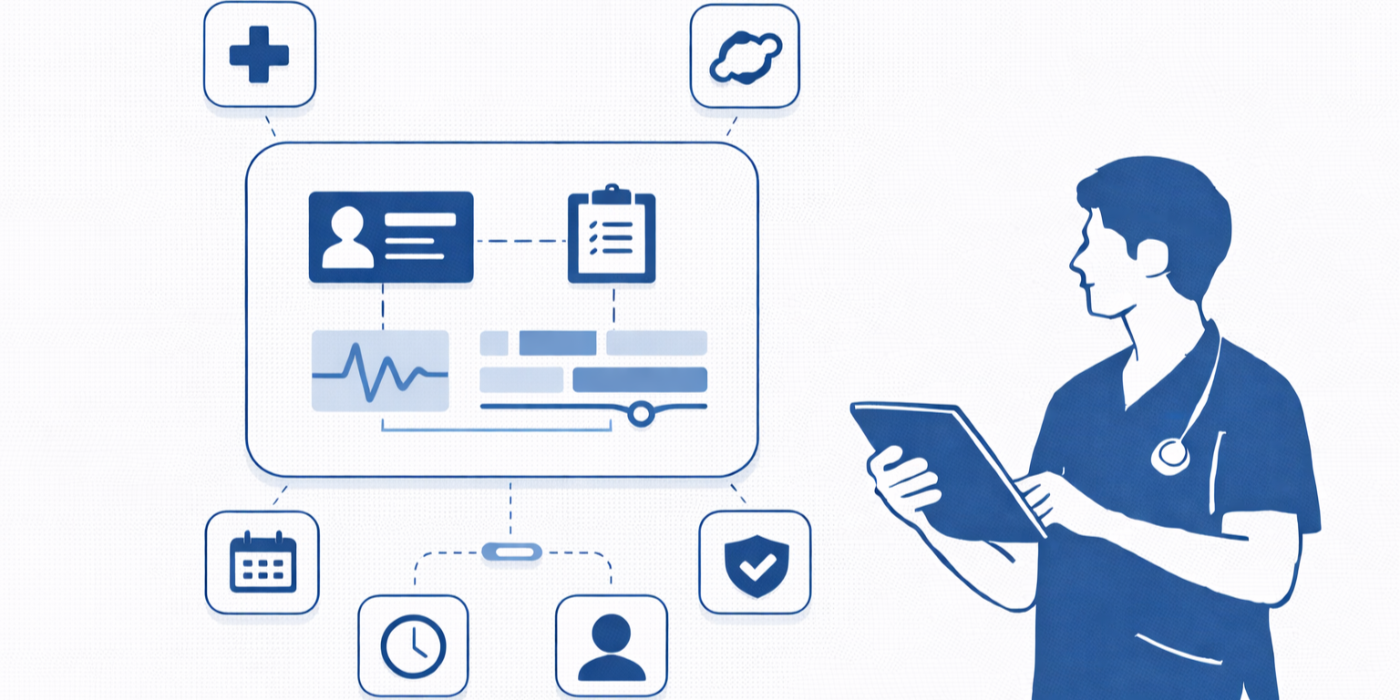
Most medical administrative assistants are trained on tasks, not on systems. They learn how to schedule, verify, check in, scan, upload, route messages, and document. But the real operational pain starts when those tasks do not talk to one another. A patient updates demographics in the portal, but the check-in screen still shows old data. Eligibility is run, but the copay field does not populate correctly. A referral arrives by fax, but the chart routing fails. The result is not just inconvenience. It becomes denial risk, patient frustration, privacy exposure, and wasted staff energy.
That is why integration literacy is becoming just as important as terminology literacy. A strong assistant should understand how information moves from intake form to registration, from scheduling to reminders, from eligibility tool to billing workflow, and from portal message to chart action. That systems view strengthens daily decision-making the same way mastery of appointment scheduling best practices, effective patient communication terms, healthcare CRM terms, and telehealth platforms strengthens execution.
The biggest misconception is that integration is an IT issue. It is not. IT may build, configure, or maintain the connection, but operations live with the consequences. When integrations are weak, admin teams become human middleware. They manually re-enter data, reconcile mismatched fields, chase providers for missing signatures, explain broken reminders to patients, and clean up appointment types that mapped incorrectly. That kind of friction silently drains productivity.
Integration tools matter because they reduce three kinds of operational damage. First, they reduce rework. Second, they reduce lag between patient action and system visibility. Third, they reduce ambiguity about who owns the next step. Those three gains directly improve registration accuracy, communication reliability, and staff confidence. Anyone trying to future-proof a healthcare admin career should already be connecting this idea to broader themes in future-proofing your CMAA career, medical office automation trends, the future of EMR systems, and how AI will transform medical administrative assistant roles by 2030.
An assistant who understands integration tools becomes more valuable because they stop thinking in isolated tasks. They start noticing broken handoffs, duplicate fields, incomplete chart preparation, and communication dead zones before those issues snowball into denied claims or unhappy patients. That is the difference between being busy and being operationally effective.
2. The Core EMR Integration Tools That Actually Change Daily Workflow
The first category every medical administrative assistant should care about is intake-to-registration integration. If a digital intake tool cannot map cleanly into EMR demographic fields, insurance sections, consent status, and visit reason, it creates double work. Clean intake integration supports faster check-in, fewer spelling errors, and better downstream accuracy for billing and provider review. That is why admin assistants should pair tool knowledge with process knowledge from patient intake procedures, healthcare portal terms, effective patient communication, and top 20 scheduling and appointment terms.
The second must-have category is scheduling and reminder integration. This is where many practices quietly bleed revenue and staff morale. A scheduling platform that does not sync visit type, provider template, appointment prep instructions, reminder cadence, and cancellation updates creates constant front-desk rescue work. Strong tools here reduce no-shows and reduce patient confusion. They also make the admin role more strategic because fewer hours are spent on preventable outbound calls. That is exactly why resources like medical appointment scheduling tools ranked by ease-of-use, appointment scheduling best practices, front-desk operations terms, and virtual medical administration matter so much.
Third comes insurance and revenue cycle connectivity. This is where weak integration punishes the entire practice. If eligibility tools do not push current coverage details into the right screens, if registration errors do not surface before claims move downstream, and if copay or balance information remains disconnected from the front-desk workflow, the practice ends up fixing preventable financial damage later. Medical administrative assistants who understand this layer become far more valuable because they start seeing how data quality affects reimbursement. To build that perspective, it helps to study insurance verification, top 20 medical billing terms all CMAAs should understand, medical administration workforce trends, and new study on how certified medical administrative assistants improve efficiency.
Fourth is communication integration: phones, secure messages, portals, and telehealth links. When patient conversations live outside the chart, nobody has reliable context. That creates repeated questions, missed follow-ups, and privacy mistakes. Communication tools that write cleanly back into the patient record dramatically reduce confusion. That is why assistants need stronger literacy in telehealth platforms, healthcare CRM terms, empathy in healthcare administration, and de-escalation techniques.
Finally, no integration stack is complete without privacy and compliance controls. If an admin assistant cannot trust identity verification, access logging, message routing, or document permissions, then faster workflow becomes dangerous workflow. That is why understanding HIPAA and patient privacy terms, CMAAs and data privacy future regulations, predicting HIPAA updates, and future healthcare compliance changes is not optional anymore.
3. How to Evaluate Whether an EMR Integration Tool Is Truly Worth Using
A flashy dashboard does not mean a tool is operationally useful. Medical administrative assistants should judge integration tools by what happens during a messy Tuesday morning, not during a polished sales demo. The first test is field accuracy. Does the tool move the right information into the right place, every time, with minimal cleanup? If not, it is not saving time. It is relocating work.
The second test is exception handling. Good tools do not just work when everything is clean. They help staff manage incomplete insurance, duplicate accounts, rescheduled visits, unsigned forms, portal inactivity, and mismatched patient identifiers. A system that breaks the moment reality gets messy is not a healthcare tool. It is a liability. That mindset aligns with the discipline taught in medical office automation trends, future healthcare administration report insights for CMAAs, top 10 skills employers look for in a CMAA, and future-proof your CMAA career.
The third test is visibility. Can staff tell where a task stands without calling three people or checking four tabs? Strong integration tools create traceability. You can see whether the form was submitted, whether the reminder was sent, whether eligibility came back, whether the referral delivered, whether the portal message was assigned, and whether the provider signed the document. Visibility cuts anxiety because it replaces guessing with proof.
The fourth test is privacy resilience. A useful tool should make it easier—not harder—to follow privacy rules. That means role-based access, secure messaging, reliable identity verification, audit trails, and controlled document release steps. Medical admin assistants face privacy stress daily, especially around calls, family requests, portal questions, and rushed release workflows. Those pain points are exactly why mastery of top 20 HIPAA terms for medical administrative assistants, patient privacy definitions for scribes, healthcare portal terms, and effective patient communication terms strengthens judgment.
The final test is training burden. The best integration tool is not the one with the most features. It is the one staff can use consistently without constant rescue from supervisors. If training is chaotic, workflows drift. If workflows drift, data quality falls apart. That is why career-minded assistants benefit from resources like ACMSO certification exam guide, how to master medical administrative terminology for your CMAA exam, essential study tips for exam success, and top 10 mistakes students make on the ACMSO exam, because disciplined learning habits carry directly into system adoption.
4. The Biggest Workflow Breakdowns These Tools Help Prevent
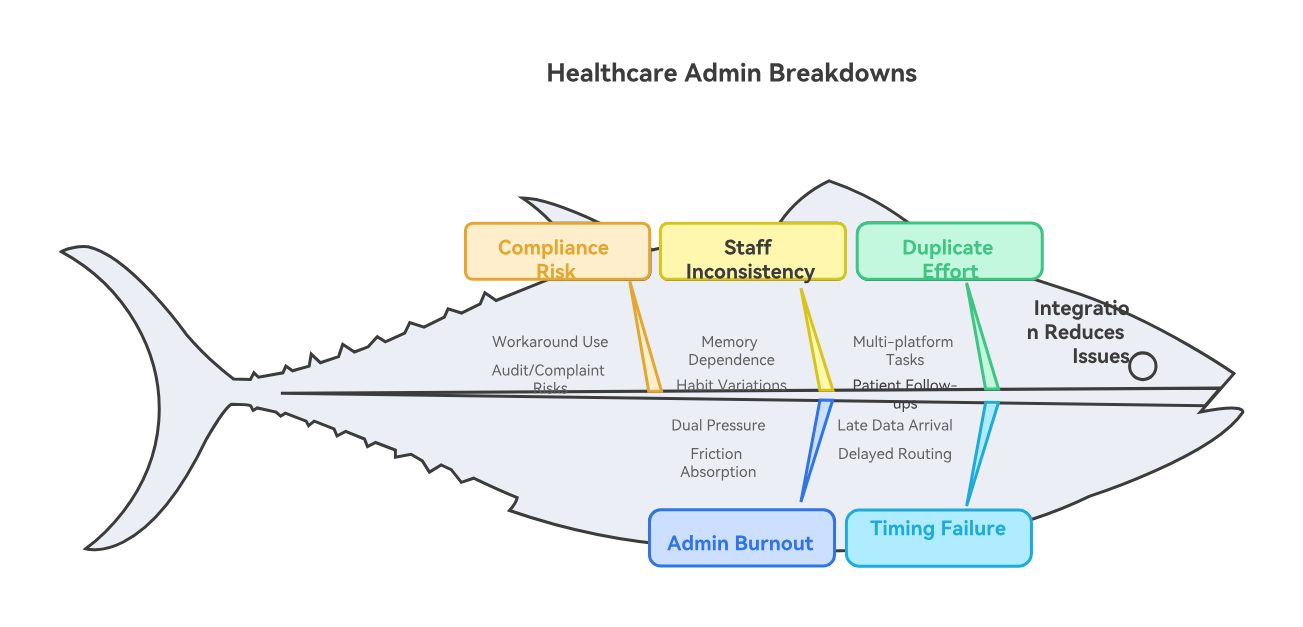
One of the most expensive breakdowns in healthcare administration is duplicate effort disguised as normal work. An assistant checks insurance on one platform, updates notes in another, copies information into the EMR, then answers a patient call because the reminder message showed the wrong appointment type. None of that feels dramatic in isolation, but stacked across a week it becomes a serious operational drag. Strong integration tools shrink that drag by eliminating avoidable transfer work.
Another major breakdown is timing failure. In many practices, data arrives too late to be useful. Forms are completed after the visit starts. Eligibility is run after the patient has already checked in. Referral documents arrive after the provider encounter. Portal messages are not routed until the patient calls again angry. Integration matters because it compresses the lag between patient action and staff awareness. Speed is not just convenience here. It is what allows teams to intervene before a small issue becomes a service failure.
A third breakdown is inconsistency across staff. Without good integrations, the workflow depends too heavily on memory and individual habits. One assistant scans documents correctly. Another names them badly. One routes messages to the right queue. Another leaves them in general inboxes. One confirms identity before discussing balances. Another gets rushed and cuts corners. Good tools create guardrails that make the correct workflow easier to follow. That reinforces what assistants learn from front-desk operations guides, patient privacy terms, de-escalation techniques, and medical office communication resources.
Then there is the burnout factor. Admin teams often feel pressure from both ends: patients expect speed and clarity, while clinical teams expect flawless preparation and documentation support. When systems are badly integrated, assistants absorb the frustration of everyone else. They become the people apologizing for broken reminders, missing forms, inaccessible links, or unclear balances. That type of friction is one reason healthcare employers increasingly value staff who can work inside more connected systems, a trend reflected in why CMAA certification boosts career opportunities, medical admin assistant job market outlook, real-life success stories from certified medical administrative assistants, and CMAA career roadmap.
Finally, poor integrations create invisible compliance risk. Staff may still “get the work done,” but they do it through workarounds—shared logins, insecure message habits, informal note-taking, rushed identity checks, or uncontrolled document forwarding. Those shortcuts seem efficient until they create an audit problem or patient complaint. Good integration tools reduce the temptation to improvise dangerously.
5. What Smart Medical Administrative Assistants Should Learn Next About EMR Integration
The first skill to build is workflow mapping. Do not just learn where to click. Learn where the data starts, where it lands, who touches it, and what breaks if it does not arrive. If a patient updates insurance through a portal, what screen should reflect that change? If a referral arrives electronically, who confirms receipt and how is follow-up triggered? Mapping the journey makes you sharper than assistants who only memorize screens. That systems thinking is the bridge between entry-level competence and long-term growth, which is why it pairs so well with future-proof career skills for 2030, emerging technologies every CMAA must prepare for, the medical office of 2025 technologies CMAAs must master, and the future of EMR systems.
The second skill is vocabulary precision. Integration projects fail when staff use vague language. “It doesn’t work” is not a useful report. “Eligibility responses are returning, but subscriber IDs are not populating the registration field” is useful. “Portal forms are attaching as PDFs but not updating structured data fields” is useful. Precision speeds fixes. That is why targeted terminology study still matters through resources like healthcare CRM terms, healthcare portal terms, insurance verification glossary, and top 20 EMR and charting terms.
The third skill is failure recognition. A strong assistant notices patterns. Reminder failures spike after template changes. Check-in delays increase after a form update. Balance disputes increase after eligibility mappings shift. Message routing slows after telehealth expansion. The people who grow fastest in healthcare administration are often the ones who can connect those dots early rather than just cope with the fallout. This is also why studying technology’s impact on medical administration, automation opportunities for CMAA career growth, telehealth regulation changes, and data privacy regulations for CMAAs pays off.
The fourth skill is communication upward. Admin assistants who can explain operational risk clearly to supervisors, practice managers, billing teams, and IT become deeply valuable. They are not just reporting inconvenience. They are explaining impact: delayed check-in, lost patient trust, denied claims, privacy exposure, provider schedule disruption, or increased call volume. That is leadership behavior, even before the job title changes.
6. FAQs About EMR Integration Tools for Medical Administrative Assistants
-
The most important tool is usually the one that removes the largest amount of manual re-entry from the front-end workflow. In many practices, that is intake and registration integration because it affects demographics, insurance, forms, consents, and visit readiness all at once. If the patient-entered information flows cleanly into the chart, the entire visit starts stronger.
-
No. Smaller practices often feel integration pain even more intensely because fewer staff members are available to absorb broken workflows. A weak reminder sync, a bad portal-to-chart handoff, or a clumsy eligibility process can disrupt a small office disproportionately. Good integration helps lean teams protect both accuracy and sanity.
-
Look for measurable changes in rework, not just staff impressions. Are there fewer duplicate registrations, fewer reminder complaints, fewer eligibility surprises, fewer lost forms, and fewer routing delays? If staff still spend hours cleaning up what the integration was supposed to automate, the tool is not doing enough.
-
The main risks are wrong-person disclosures, weak identity verification, overly broad access permissions, insecure message habits, and poorly controlled document release steps. Faster communication only helps if it remains compliant. That is why privacy training should evolve alongside workflow automation.
-
Workflow mapping, terminology precision, exception handling, pattern recognition, and concise escalation are the big ones. A strong assistant understands both the process and the risk. They can explain what broke, where it broke, and what downstream damage it may cause.
-
No—the role is becoming more technical, not less valuable. As workflows become more automated, practices need assistants who can manage exceptions, protect patient communication quality, recognize broken data handoffs, and maintain compliance under pressure. The assistants who understand integration tools will likely become more indispensable, not less.
-
A smart next step is to deepen knowledge in scheduling, portals, privacy, insurance workflow, and healthcare automation. That means spending serious time with appointment scheduling best practices, healthcare portal terms, top 20 HIPAA and patient privacy terms, insurance verification, and medical office automation trends.
-
Because it moves you from task execution into operational thinking. Employers value people who can improve flow, reduce rework, prevent mistakes, and support better patient experiences. That is exactly the kind of thinking that supports advancement into lead admin, operations support, training, or office management roles.
