

Healthcare Portal Terms: Interactive Dictionary & Use Cases
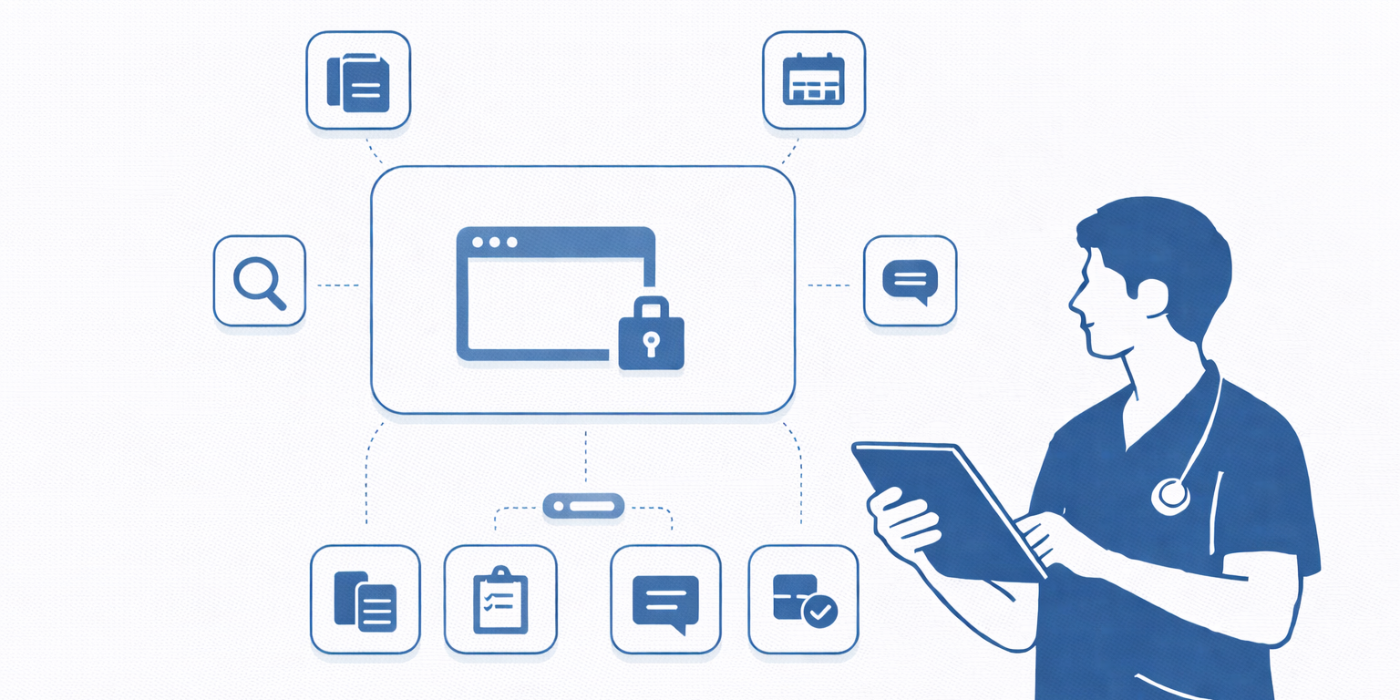
Healthcare portals are where modern care wins or breaks: intake accuracy, refill speed, lab follow-ups, billing clarity, and patient trust all funnel through a few screens and notifications. When portal language is confusing, patients don’t “just figure it out”—they spam the phone lines, miss instructions, duplicate messages, and show up angry because they feel ignored. For scribes and medical administrative teams, portal literacy is not an IT bonus skill; it’s an operations skill that protects throughput, documentation accuracy, and patient experience. This guide gives you an interactive-style dictionary of portal terms plus real use cases so you can troubleshoot fast, communicate clearly, and prevent portal chaos from becoming clinical chaos.
1) Why Portal Literacy Is a Front-Line Skill (Not an “Admin Detail”)
Portals concentrate the two things that trigger conflict in healthcare: uncertainty and waiting. A patient sees “In Progress” with no context and assumes neglect. They see “Result Released” before a clinician call and assume the worst. They can’t find a referral status and conclude the office “did nothing.” That’s why portal fluency reduces escalations and protects staff time—because it lets you translate ambiguity into a clear next step, the same way strong communication techniques reduce friction on the phones and at check-in (telephone etiquette workflows).
Portal literacy also protects data integrity. Patients self-enter meds, allergies, histories, and messages, and those inputs can drift into the chart or influence clinical decisions. When staff don’t know where the data came from, what’s validated, and what’s patient-reported, the record quietly becomes a patchwork of assumptions. That’s exactly how small inaccuracies turn into rework, denials, safety events, and “Why is this in my chart?” complaints. Strong workflows that keep portal inputs clean support the same goal as high-precision clinical documentation (documentation accuracy improvements) and efficient clinical teams (clinical efficiency research).
Portals also sit at the center of modern scheduling, triage, and telehealth. If a patient can’t distinguish between a message, a request, and a visit, your schedule gets hammered with wrong appointment types, duplicated reschedules, and “urgent” messages that aren’t urgent—or worse, urgent ones buried in the wrong queue. If you work in environments where throughput matters (urgent care, ED follow-ups, high-volume specialty clinics), portal clarity is patient flow control (patient flow management terms).
Finally, portal competency makes you more promotable because it reduces operational drag. Leaders don’t want more “portal activity”—they want fewer repeat contacts per issue, fewer wrong routing events, fewer resent messages, fewer late cancellations, and fewer “I never got it” disputes. When you can map portal terms to real workflow actions, you become the person who stabilizes operations—exactly the kind of capability employers describe when they talk about “communication,” “systems thinking,” and “patient experience” skills (skills employers want).
2) Use Cases That Actually Happen (And How Staff Should Respond)
A portal term becomes useful when it changes what you do next. The fastest way to become “portal-confident” is to map each patient complaint to one of a few repeatable use cases: access problems, routing problems, result anxiety, refill friction, scheduling confusion, and record-correction requests. If you approach portal issues like isolated tech glitches, you’ll keep firefighting forever. If you approach them like predictable workflow patterns, you’ll prevent most calls before they happen—exactly the same mindset that makes documentation smoother and teams less burned out (how scribes reduce burnout).
Use case 1: “I can’t log in” is rarely a password problem
Most “login failures” come from mismatched demographics or stale contact details: an old phone number receiving 2FA codes, an email typo, or a name mismatch in the identity verification workflow. The professional response is not “reset your password” first; it’s a two-step verification script:
confirm the correct email/phone on file and update it via the proper workflow;
resend activation or guide through recovery.
When teams standardize this script, they reduce call length and protect the day’s schedule—because a patient who can’t access eCheck-in becomes a front-desk bottleneck. That’s why portal support ties directly into throughput and patient flow (patient flow management scenarios).
Use case 2: “My message was ignored” is often a routing/category failure
Patients don’t know the difference between a clinical question and an administrative request. They click “Other,” attach symptoms, and send it to the wrong pool. Then they wait, assume neglect, and escalate. Your job is to recognize routing patterns and redirect without shaming. A clean approach is: “I see how you sent this—thank you. To get you the fastest help, I’m routing it to our clinical team now. For future, use ‘Symptoms/Clinical Question’ so it lands in the right queue.”
That same “put it in the right lane” thinking mirrors how strong teams keep chart content accurate and organized, especially under pressure (documentation accuracy).
Use case 3: Result anxiety when auto-release posts before clinician review
Auto-release can be a patient-experience landmine: the patient sees “abnormal,” panics, and sends three messages. The professional fix is proactive expectation setting: “Some results may post before your clinician reviews them. If anything needs urgent action, our team will contact you. If your symptom changes suddenly, use urgent care/ER guidance.”
You’re not providing clinical advice; you’re providing process clarity. This reduces unnecessary escalations and keeps clinical teams focused on truly urgent work—one of the hidden ways portals improve efficiency when managed well (clinical efficiency improvements).
Use case 4: Medication refills that stall because of missing context
Refills fail because the request doesn’t contain pharmacy confirmation, last fill date, or the patient is overdue for a required visit/labs. A high-performing workflow uses a refill checklist message that gathers the missing pieces in one shot and sets timing expectations. When you do this consistently, you reduce back-and-forth threads and prevent the angry “you didn’t send my meds” calls that blow up on phones and portals alike (medical office phone handling).
Use case 5: Scheduling confusion that creates wrong visit types and no-shows
Portals make scheduling “easy,” which means they also make wrong scheduling easy. Patients pick the first available slot without understanding visit type, prep requirements, or location. The fix is not more availability; it’s guided choice: “Is this new problem, follow-up, procedure, or telehealth?” and “Do you need an interpreter or mobility support?” If you help patients choose correctly, you protect provider time and reduce reschedules—core operational wins that management actually cares about (virtual medical administration workflows).
Use case 6: “Remove this diagnosis” and record trust repair
When a patient sees an outdated condition in the problem list, it can instantly fracture trust. Treat this as a trust repair workflow: acknowledge, explain that some lists include historical items, and route the correction request to the appropriate clinical review process. Being calm and structured matters because these disputes can become formal complaints if the patient feels dismissed. If your team has strong conflict-handling and active listening, portal disputes become solvable instead of combustible (active listening scenarios).
3) Portal Workflows That Prevent Chaos (Scripts, Checklists, and Guardrails)
Portals don’t fail because technology exists; they fail because humans don’t share assumptions about how to use it. The professional approach is to run portal workflows like you run clinical documentation workflows: standard inputs, clear categories, predictable outputs, and closed-loop follow-up. If your portal work feels like constant improvisation, it’s a sign you need guardrails.
A. The “one issue per thread” rule (and how to enforce it politely)
Patients commonly stack issues: “Refill my meds + my bill is wrong + I have chest pain.” That mixture is dangerous because urgent symptoms can get buried inside admin routing. Teach and enforce a simple rule: “For the fastest help, please send separate messages for separate issues.” You can even model it: “I’m going to create two threads: one for billing, one for medication.” That keeps triage clean and prevents misrouting—exactly what strong systems aim to do (patient management systems dictionary).
B. Message category scripts that reduce back-and-forth
High-performing teams write category-specific prompts patients can answer quickly. Examples:
Refill request: medication name, dose, pharmacy, days remaining
Appointment request: new vs follow-up, preferred days, symptoms, telehealth preference
Billing question: date of service, statement number, what they expected to pay
This makes portal messages less like vague complaints and more like actionable tickets—reducing ping-pong and improving patient satisfaction.
C. Prevent the “portal-to-phone loop”
A portal becomes useless when patients message, wait, then call anyway because they don’t know expected response time. Set clear expectations: “Messages are reviewed within X business hours; urgent symptoms should not be sent via portal.” When you align this with phone workflows and staff language, you reduce duplicate contacts and the perception of being ignored (telephone etiquette).
D. Documentation hygiene: portal inputs vs verified chart facts
One of the most important portal skills is differentiating patient-entered data from clinically verified data. Patients often list “allergy” when it’s an intolerance, or they keep old meds that are no longer active. You can improve safety by using portal prompts to reconcile meds and allergies before visits and making sure the visit note reflects what was confirmed. This supports the same accuracy goals scribes are trained for (medical terminology mastery) and reduces downstream corrections (accuracy improvement report).
E. Security and privacy guardrails (without turning it into a lecture)
Patients share logins, message from a partner’s account, or upload sensitive documents in the wrong place. You don’t need fear tactics; you need clear guardrails: proxy access options, “don’t share passwords,” and secure upload expectations. This protects patients and prevents messy identity disputes later—especially when families are involved. If your clinic already uses structured safety workflows, align portal guardrails with them (facility safety and emergency procedures).
4) Practical Communication Templates for Common Portal Situations
Portal competence is 50% system knowledge and 50% language. The patient doesn’t care that “the message routed to the wrong pool”; they care that they feel stuck. Your words either lower friction or multiply it. Use templates that acknowledge, clarify the next step, and anchor timing—communication patterns that also reduce conflict in other workflows (active listening).
Template 1: “I can’t find my results / what does abnormal mean?”
“I see your result posted. Some results post automatically before your clinician has reviewed them. If anything needs urgent action, our team will contact you. I’m routing your question to the clinical team now, and you should expect an update within our normal message timeframe. If your symptoms worsen suddenly, please seek urgent care or emergency care.”
Why it works: it reduces panic, sets process expectations, and routes correctly without diagnosing.
Template 2: “You ignored me” when it’s a routing issue
“Thanks for sending this—your message matters. To get you the fastest help, I’m moving it to the right team now. For future messages, selecting the ‘[correct category]’ option helps it land in the correct queue right away.”
Why it works: it validates, fixes the workflow, and teaches without blaming.
Template 3: Refill request that’s missing key details
“I can help with this refill. To process it quickly, please confirm: (1) medication name + dose, (2) preferred pharmacy, (3) days remaining, and (4) whether you’ve had a visit in the past X months. Once I have that, I’ll route it to the appropriate team.”
Why it works: it prevents 6 follow-up messages and reduces delays that trigger angry phone calls (telephone etiquette).
Template 4: “My portal shows the wrong medication/allergy”
“Thanks for flagging this. Portal lists can include historical items, and we want your record accurate. I’m routing this to the clinical review process so it can be updated correctly. If you can, please tell us what’s incorrect and what you believe is correct (name, dose, reaction).”
Why it works: it treats it like a safety issue and preserves trust, aligning with accuracy-first documentation culture (documentation accuracy).
Template 5: Proxy access and family member confusion
“To keep your information private and accurate, we use proxy access for caregivers rather than shared logins. I can guide you through the proxy setup so your family member can view the right information safely.”
Why it works: it reduces privacy risk without lecturing and prevents identity disputes later (facility safety).

5) Quality Control: How Portal Work Impacts Accuracy, Compliance, and Patient Trust
Portals create a record of expectations. When a patient sends a message, they expect a timestamped response. When they upload a document, they expect it to be “seen.” When a lab posts, they expect interpretation. If your workflow doesn’t close the loop, portals don’t just create inconvenience—they create mistrust, escalations, and formal complaints.
A. The hidden KPI: reducing “contacts per issue”
A mature portal workflow reduces repeat contacts. The metric you feel day-to-day is: how many times does the patient have to reach out to solve one issue? The goal is one thread, one triage, one answer, one next step. When this works, phones quiet down, front desk lines shorten, and clinical teams have fewer interruptions. That operational stability is exactly what high-performing teams contribute to physician workload reduction (physician burnout impact).
B. Portal hygiene prevents chart disputes
If portal content is messy—duplicate meds, outdated problems, unclear notes—patients lose trust and start challenging the record. That turns into staff time drains and potential compliance headaches. Your preventive move is proactive reconciliation: use pre-visit prompts and structured intake so the record gets cleaner over time, not noisier. This is a practical extension of what scribes do: turn messy reality into clean, accurate documentation (scribe skill development).
C. The “results without context” trap
Auto-release is not inherently bad; unmanaged auto-release is. If your clinic doesn’t pair results with a predictable follow-up expectation, patients will do what humans do: fill in the blanks with fear. Your job is to reduce blanks. Even a short message acknowledging receipt and setting timing can prevent multiple escalations and reduce urgent calls that aren’t clinically urgent.
D. Patient experience is not “being nice”—it’s removing friction
Patients judge care quality through friction: “Could I access it?” “Did anyone respond?” “Did I understand the next step?” Portal competence removes friction at scale. That’s why it’s increasingly a career differentiator for medical administrative staff and scribes who want to be seen as operational leaders, not task-doers (career growth roadmap mindset).
6) FAQs: Healthcare Portal Terms and Real-World Use
-
A portal message is best for administrative questions, simple clarifications, and follow-up logistics. A visit is needed when symptoms are new/worsening, complex decision-making is required, or the clinician needs to evaluate. When patients try to “visit by message,” delays and miscommunication grow—so guide them toward the right channel and visit type (virtual administration workflows).
-
Because they don’t understand routing, categories, and expected response times. The fix is consistent language: acknowledge, explain the next step, and anchor timing. When teams standardize these scripts, trust rises and duplicate contacts fall.
-
Don’t interpret; manage the workflow. Set expectations in advance, route questions to the clinical team, and use calm, process-based messaging. This prevents panic spirals while keeping patient safety intact.
-
Use formal proxy access rather than shared logins. Shared logins create privacy issues, identity confusion, and access disputes. A clean proxy workflow protects both the patient and the organization (facility safety guidance).
-
Use a refill checklist template that captures pharmacy, dose, days remaining, and recent visit status in one message. Most refill “delays” are missing data problems. Solve the data problem and the workflow speeds up.
-
“Pending,” “Final,” “Abnormal,” “In Progress,” “Prior Authorization,” “Referral status,” and “Read.” These terms sound definitive but often represent a step in a longer process. Your job is to translate the step into a next action and timeline.
-
Portals influence what gets added to the chart, what patients believe is “true,” and what staff must reconcile. When teams treat portal inputs as structured data that needs verification, record quality improves. When teams treat portal content as informal chatter, inaccuracies multiply—exactly the opposite of what high-quality documentation aims for (accuracy improvement strategies).
