

Virtual Patient Management: Essential Guide for CMAAs
Virtual patient management has moved from a niche workflow to a core operational skill for medical administrative assistants. Patients now expect appointment scheduling, reminders, document exchange, portal communication, telehealth coordination, intake completion, insurance updates, and follow-up support to work smoothly without an in-person visit. That convenience creates opportunity, but it also creates new failure points around privacy, communication, missed steps, and workflow fragmentation.
For CMAAs, mastering virtual patient management means learning how to keep digital care organized, responsive, secure, and human. The strongest professionals know how to reduce dropped messages, prevent scheduling breakdowns, prepare patients for virtual encounters, and keep remote workflows from turning into invisible chaos.
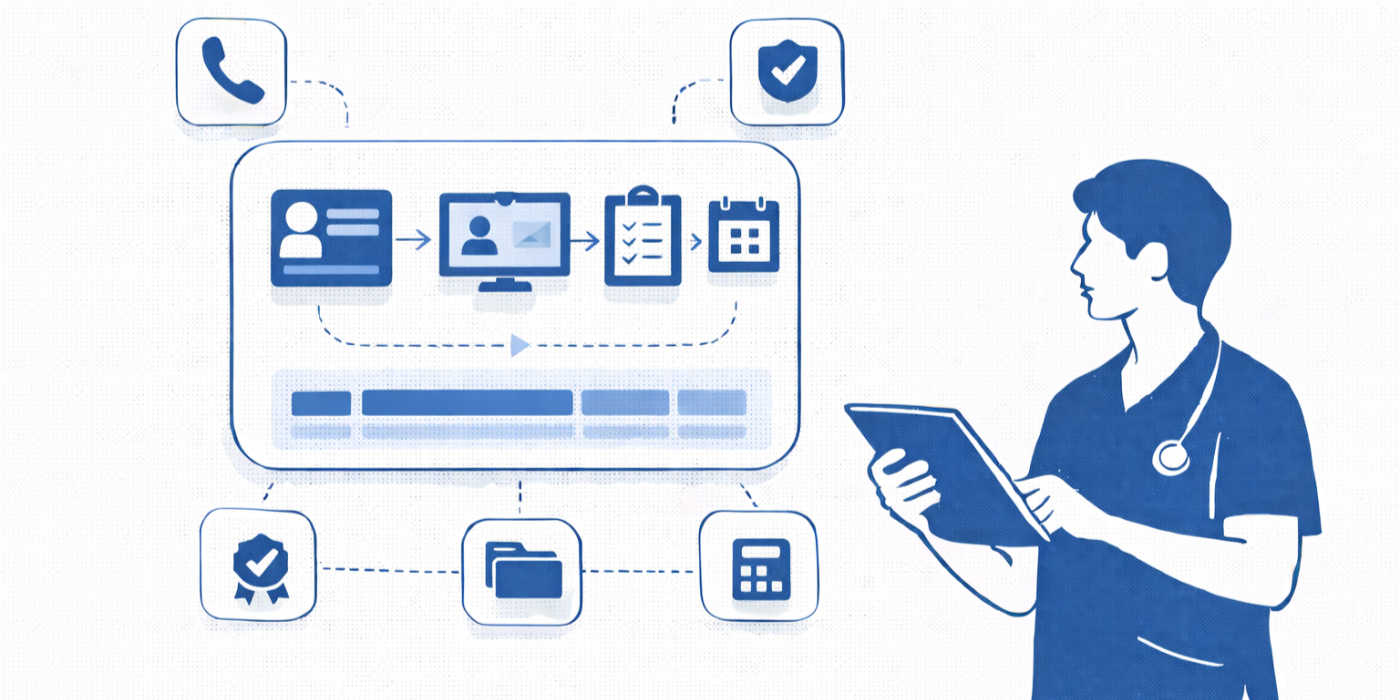
1. Virtual Patient Management Begins With Controlling the Digital Front Door
In a physical office, staff can often spot confusion immediately. A patient arrives unsure about paperwork, insurance, or where to go next, and someone can intervene. In virtual care, confusion hides. Patients click the wrong link, miss a portal notification, upload incomplete forms, misunderstand instructions, or abandon a scheduling step without anybody seeing the breakdown in real time. That is why the digital front door has to be managed with the same seriousness as the physical front desk.
The first responsibility is channel control. Patients should not have to guess whether to use the portal, email, text, phone line, or telehealth platform for each type of need. When channels are poorly defined, staff spend the day hunting information across systems, patients repeat themselves, and urgent issues can disappear inside routine communication noise. Strong CMAAs reduce that chaos by building clear pathways for appointment requests, rescheduling, records exchange, pre-visit forms, billing questions, symptom-related concerns, and telehealth support. Resources like healthcare portal terms, telehealth platforms key definitions and interactive guide, patient communication apps every CMAA should use, and front desk operations terms help CMAAs understand where channel confusion starts and how to simplify it.
The second responsibility is patient readiness. Many virtual visits fail before the provider ever joins. The patient may not know how to log in, may not understand device or browser requirements, may not realize intake forms must be completed first, or may think a scheduled telehealth visit works like a casual video call. That creates no-shows, late starts, frustrated clinicians, and anxious patients. Virtual patient management gets better when the CMAA creates a repeatable readiness sequence: confirm the appointment type, verify the platform, send instructions early, check preferred contact method, clarify any pre-visit forms, and explain what the patient should do if the connection fails. Appointment scheduling best practices, interactive guide to handling appointment scheduling conflicts, secure patient scheduling tools, and scheduling software mastery are especially useful here because virtual scheduling errors often create a domino effect across the rest of the day.
The third responsibility is expectation setting. Patients become frustrated when virtual care feels vague. They need to know when they will receive links, how early to log in, whether messages are monitored continuously, how documents should be uploaded, and what virtual staff can and cannot resolve directly. Clear expectations reduce repeat calls, unnecessary escalations, and avoidable complaints. Virtual workflows become safer and faster when patients know exactly what the next step is.
2. The Core Workflows CMAAs Must Master to Keep Virtual Care Organized
Virtual patient management looks simple from the outside. In reality, it is a chain of small, interdependent workflows that break easily when one step is weak. The CMAA’s job is to make those steps feel seamless to the patient while preserving internal control for the team.
The first core workflow is remote registration and scheduling. This is more than just booking a visit. It includes verifying demographics, confirming insurance, checking platform fit, explaining visit logistics, identifying whether the appointment is appropriate for virtual care, and documenting the patient’s preferred communication channel. A booking made without these steps often returns later as a technical problem, a billing problem, or a provider-flow problem. That is why medical appointment scheduling tools ranked by ease of use, directory of medical admin staff scheduling tools, interactive guide to handling appointment scheduling conflicts, and patient intake procedures matter so much. They reduce the chance that the schedule becomes a cleanup project later.
The second workflow is remote intake and documentation preparation. A virtual visit runs better when the patient’s information is complete before the appointment starts. That includes demographics, consent forms, medication-related updates where applicable, uploaded documents, symptom summaries, and referral materials. CMAAs should never assume patients understand what the office needs from them digitally. Remote intake requires more explicit instruction than in-person intake because the patient cannot ask a front-desk question in the moment. Resources like interactive training for patient record updates and EMR compliance, EMR integration tools every medical administrative assistant needs, top 20 scheduling and appointment terms CMAAs should know by heart, and insurance verification glossary support better pre-visit preparation.
The third workflow is digital communication triage. Portal messages, text replies, app notifications, scheduling questions, document uploads, and callback requests can create a false sense that everything is being handled because the messages exist somewhere in the system. That is a dangerous illusion. Virtual patient management only works when those inbound items are sorted by urgency, routed correctly, documented clearly, and closed completely. This is where active listening techniques, effective patient communication terms, step-by-step guide to managing difficult conversations with patients, and de-escalation techniques matter even in digital care. Poor tone and vague routing waste time fast when there is no face-to-face repair.
The fourth workflow is post-visit follow-through. Virtual care fails when the visit happens but the next steps vanish. Follow-up appointments, records requests, forms, referrals, patient instructions, billing clarifications, and test-related communication all need ownership and timing. A strong CMAA does not treat the virtual visit as the finish line. They treat it as one event inside a larger continuity process.
3. Privacy, Accuracy, and Responsiveness Are the Three Pillars of Good Virtual Management
A lot of virtual patient management advice overfocuses on convenience. Convenience matters, but it is not the main standard. The real standard is whether the virtual experience remains private, accurate, and responsive under pressure. Those three pillars determine whether the system feels trustworthy.
Privacy comes first because virtual communication creates more opportunities for accidental exposure. Patients may send information through the wrong channels. Staff may respond from the wrong system, release records without proper verification, or rely on casual habits that would be safer in person than online. Virtual work demands stronger habits around identity verification, approved communication methods, access discipline, and message content. CMAAs should be fluent in top HIPAA and patient privacy terms for medical administrative assistants, patient privacy communication essentials, tools for efficient medical records release, and healthcare portal terms and use cases. Convenience without privacy discipline becomes liability.
Accuracy is the second pillar. In virtual workflows, the patient often enters data, uploads documents, or summarizes their concern before staff review it. That can save time, but it can also create silent inaccuracies that travel further before someone catches them. Wrong appointment type, outdated insurance, incomplete referral packet, poorly described request, and missing consent are all common examples. Accuracy improves when remote workflows are built around verification checkpoints instead of optimistic assumptions. Top medical billing terms all CMAAs should clearly understand, medical administrative terminology for your CMAA exam, front desk operations guide, and appointment scheduling best practices all contribute to cleaner verification logic.
Responsiveness is the third pillar. Patients judge virtual systems quickly. A delayed reply, confusing instruction, or unresolved digital issue can feel more frustrating than the same problem in person because there is no visible reassurance that someone is working on it. That is why response standards matter so much. Which portal messages must be reviewed same day? Which questions should be rerouted immediately? What counts as a technical support issue versus a clinical-adjacent communication? How are post-visit actions tracked? Teams that do not define response rules end up with inbox drift, duplicated work, and patients who escalate because they think nobody is paying attention.
4. Build Virtual Workflows That Feel Human, Not Mechanical
One of the biggest mistakes offices make is assuming that digital convenience automatically creates a better patient experience. It does not. A virtual system can be efficient on paper and still feel cold, confusing, and exhausting to patients. CMAAs make the biggest difference here because they shape the tone, clarity, and continuity of digital interactions.
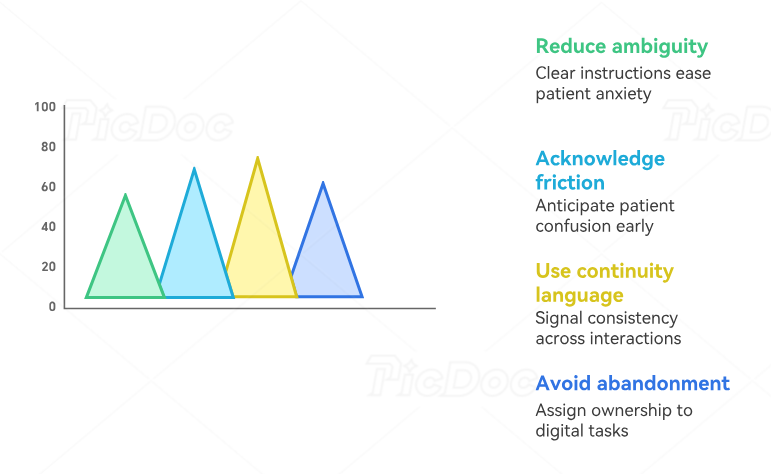
The first way to humanize virtual care is by reducing ambiguity. Patients feel more comfortable when instructions are simple, specific, and sequenced clearly. “Check your portal” is weak. “Log into your portal today, complete the intake form, upload your insurance card, and join your visit 10 minutes early using the video link in your appointment message” is much stronger. Precision lowers anxiety.
The second way is by acknowledging friction before it becomes embarrassment. Patients often hesitate to admit they do not understand a portal, forgot a password, cannot upload a document, or are unsure whether their issue belongs in a message or a visit. Good CMAAs anticipate this and give patients permission to ask early. That saves time for everyone. It also aligns with the broader communication standards taught in empathy in healthcare administration, effective patient communication terms, active listening techniques, and de-escalation techniques.
The third way is through continuity language. Virtual patients often interact with multiple people across multiple touchpoints. They may message one staff member, get scheduled by another, receive forms from a system, and then meet a provider on video. That fragmentation feels smoother when the CMAA uses language that signals continuity: “I’ve documented this for the team,” “Your next step is already set,” “I’m routing this now and here is when to expect the follow-up,” or “If the link fails, call this number and we’ll reconnect you.” Small phrases like that restore trust.
The fourth way is by avoiding digital abandonment. Patients get especially frustrated when a task moves online and then nobody seems to own the next step. This happens with uploaded forms, records requests, referral documents, missed link issues, billing questions, and refill-related communication. Strong virtual management requires visible ownership inside the office even when the patient cannot see it. Shared queues, documented handoffs, and named responsibilities keep digital workflows from dissolving into guesswork.
Technology does not remove the need for hospitality. In many cases, it increases it.
5. The Best CMAAs Turn Virtual Systems Into Scalable, Measurable Operations
Virtual patient management becomes powerful when it stops being treated as a side workflow and starts being managed like a system. The goal is not just to survive today’s message volume or get through today’s telehealth queue. The goal is to build remote operations that stay reliable as patient volume grows.
That begins with visible metrics. Offices should track portal response times, incomplete digital intake rates, telehealth start delays, reschedule reasons, remote no-show patterns, document-upload failure points, and post-visit follow-up closure rates. These numbers reveal where patients are getting stuck and where staff time is being wasted. Without that visibility, teams keep solving the same hidden problems manually. With it, CMAAs can improve the workflow itself.
The second step is queue design. Virtual work needs a shared operational view. Message queues, scheduling follow-ups, portal tasks, digital intake reviews, records requests, and unresolved technical problems should not live in isolated pockets. A shared view reduces duplicate work, improves handoffs, and makes overdue items visible sooner. This is where best collaboration tools for medical office teams, medical admin time tracking tools, interactive guide to emerging medical admin technologies, and AI and automation in medical administration can create real value when used carefully.
The third step is role clarity. Virtual operations often fail because everyone can technically touch the same issue, which means nobody clearly owns it. A strong system defines who handles digital registration gaps, who triages portal requests, who supports telehealth readiness, who processes uploaded documents, who handles records release, and who closes post-visit administrative loops. Role clarity protects speed because it reduces hesitation and reduces unnecessary escalation.
The fourth step is professional growth. CMAAs who master virtual patient workflows become increasingly valuable because healthcare continues moving toward blended in-person and remote care. This is not just a convenience trend. It is an operational shift. Resources like virtual medical administration how remote work is transforming the role, future-proof your CMAA career, top 10 skills employers look for in a CMAA, and CMAA career roadmap from entry level to medical office manager show why virtual competence is now tied directly to career resilience.
The CMAAs who stand out are the ones who can make remote care feel organized, calm, and dependable even when the underlying system is under pressure.
6. FAQs
-
It includes remote scheduling, digital intake coordination, portal communication, telehealth readiness support, document exchange, insurance updates, message triage, follow-up tracking, and post-visit administrative support. It is much broader than simply sending appointment links.
-
The biggest mistake is assuming that digital systems are self-explanatory. Patients often need clear guidance on links, forms, timing, upload methods, and what to do if something fails. When instructions are vague, staff end up doing extra rescue work later.
-
Confirm the visit type carefully, verify the patient’s preferred contact channel, send instructions early, explain when to join, remind patients about required forms, and provide a backup phone plan if the platform fails. Good telehealth attendance is mostly a preparation problem, not just a reminder problem.
-
They should use defined triage rules. Not every portal or digital message belongs in the same queue. Messages involving worsening symptoms, result concerns, medication issues, or care delays should be flagged and routed according to office protocol rather than handled as routine communication.
-
Virtual workflows create more opportunities for information to move through the wrong channel or reach the wrong destination. Patients may email documents insecurely, staff may over-disclose in messages, or identity may not be verified properly during remote contact. Strong privacy habits are essential.
-
Patient portals, telehealth platforms, scheduling systems, integrated EMR tools, secure messaging channels, queue dashboards, and approved automation tools all help when they improve visibility and reduce duplicate work. The best tools simplify the workflow instead of scattering it.
-
Because healthcare operations increasingly depend on remote coordination. Offices need professionals who can keep virtual communication accurate, timely, organized, and patient-friendly. CMAAs who do that well improve workflow, protect patient trust, and become much more valuable to employers.
