

Tools for Efficient Medical Records Release: Comprehensive Directory
Medical records release sounds administrative on the surface, but in real workflows it is where compliance risk, patient frustration, turnaround delays, and revenue leakage collide. A weak release process creates duplicate requests, authorization errors, missed deadlines, and avoidable privacy exposure. A strong one turns a chaotic handoff into a controlled, auditable workflow that protects patients and supports staff.
For medical administrative teams, choosing the right records release tools is not about buying “more software.” It is about building a process stack that makes intake cleaner, validation faster, routing safer, status updates clearer, and final delivery more defensible. This directory breaks down the tool categories, use cases, selection criteria, and operational realities that matter most.
1. Why Medical Records Release Tools Matter More Than Most Offices Realize
Medical records release is one of the easiest places for small mistakes to become large operational problems. A request arrives by phone, fax, portal, email, or walk-in. Staff must verify identity, review authorization, confirm scope, check exclusions, route to the right system, track turnaround, document disclosures, and deliver records securely. If even one step is vague, the office absorbs the cost.
That is why teams that already understand front desk operations, patient intake procedures, and appointment scheduling best practices often still struggle with release workflows. Records release is not just clerical work. It is controlled information handling under time pressure. Staff who know HIPAA and patient privacy terms, healthcare portal terms, effective patient communication, and de-escalation techniques usually perform better because they can manage both the data risk and the human stress around the request.
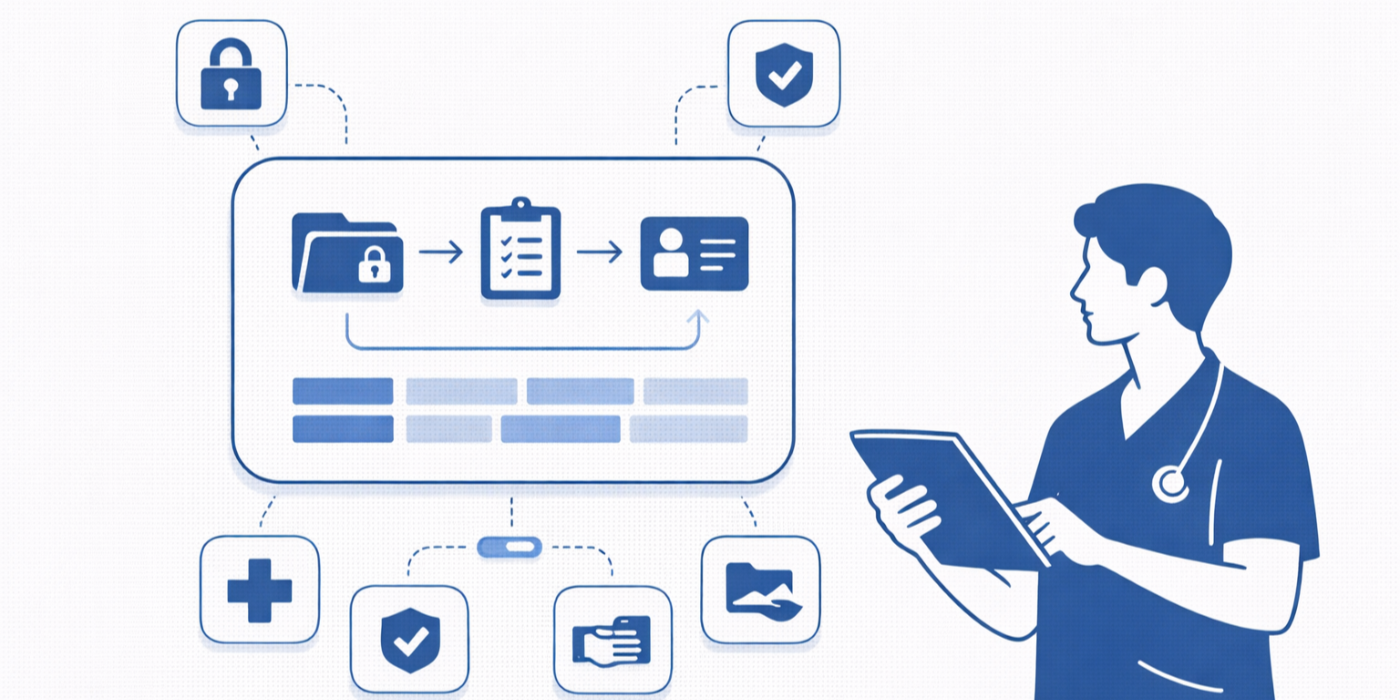
The pain point for many offices is not that they lack effort. It is that they rely on disconnected methods. One team uses email for request intake, another keeps a spreadsheet log, another uploads documents manually into the EHR, and another calls patients for status updates because there is no live tracking. The result is delay, inconsistency, and exposure. The best release tools eliminate these gaps by connecting request intake, authorization management, document retrieval, disclosure logging, secure delivery, and status reporting into one controlled path.
The administrative value is enormous. Strong release workflows reduce rework, improve patient trust, support healthcare CRM follow-up, align with medical office automation trends, and help future-ready teams build the skills discussed in future-proofing your CMAA career and future healthcare compliance changes.
| Tool Category | Primary Function | Why It Matters in Records Release | Common Risk If Missing |
|---|---|---|---|
| Release-of-information platform | Centralizes requests | Creates controlled intake and tracking | Requests get lost across channels |
| Authorization form builder | Standardizes consent capture | Reduces incomplete or invalid releases | Rejected requests and delays |
| E-signature tool | Captures signatures remotely | Speeds authorization turnaround | Paper bottlenecks |
| Identity verification tool | Confirms requester identity | Protects privacy before disclosure | Improper release |
| Patient portal intake | Lets patients submit online | Cuts phone and fax traffic | High call volume |
| Fax-to-digital capture | Converts fax requests into work items | Keeps legacy channels manageable | Unread or misplaced faxes |
| Document management system | Stores and organizes documents | Supports version control and retrieval | Missing pages or duplicate files |
| EHR release module | Pulls records directly from chart | Reduces manual compilation | Incomplete chart packets |
| Disclosure log system | Tracks every release | Supports auditability | No defensible disclosure history |
| Workflow routing engine | Assigns work by type | Prevents handoff confusion | Requests stall in queues |
| Task management dashboard | Shows pending deadlines | Improves turnaround control | Missed service windows |
| Secure messaging platform | Communicates with patients safely | Reduces insecure email use | Privacy exposure |
| Encrypted file delivery tool | Delivers records securely | Protects final transmission | Unsafe downloads or email attachments |
| Redaction software | Removes restricted content | Prevents over-disclosure | Sensitive data leaks |
| Quality assurance checklist tool | Standardizes review steps | Catches omissions before release | Wrong date range or missing pages |
| Template library | Provides request and response templates | Saves time and improves consistency | Ad hoc wording and errors |
| Status notification tool | Sends updates automatically | Reduces inbound status calls | Patient frustration |
| Analytics dashboard | Tracks volume and turnaround | Finds bottlenecks and staffing gaps | No visibility into failures |
| Role-based access controls | Limits who can view and release | Strengthens minimum-necessary access | Overbroad staff permissions |
| Audit trail logger | Records user actions | Supports investigations and audits | No accountability trail |
| Fee calculation tool | Applies release charges consistently | Reduces billing disputes | Overcharging or undercharging |
| Payment collection tool | Collects allowable fees | Prevents release delays tied to payment | Manual collections chaos |
| OCR and indexing engine | Makes scanned documents searchable | Speeds retrieval in legacy charts | Slow manual page review |
| Escalation workflow tool | Flags exceptions and urgent requests | Keeps critical requests moving | Delays in legal or care continuity needs |
| Retention and purge controls | Manages document lifecycle | Supports policy compliance | Improper document retention |
| Training and SOP platform | Keeps staff aligned | Improves consistency across shifts | Different staff applying different rules |
2. The Core Tool Categories Every Efficient Records Release Workflow Needs
A comprehensive directory is only useful if it separates “nice to have” tools from the categories that actually prevent operational pain. The first category is the intake layer. This includes online request forms, healthcare portal submission tools, fax capture, and standardized authorization templates. If your intake layer is weak, everything downstream becomes guesswork. Staff waste time decoding handwritten requests, chasing missing signatures, and clarifying who is authorized to receive what.
The second category is the validation layer. This is where identity checks, authorization review, date-range confirmation, and scope limitation happen. Teams with strong patient communication skills and empathy in healthcare administration still need tools that force structured review. Good intentions do not replace a system that prompts staff to confirm recipient, purpose, expiration, exclusions, and special handling requirements.
The third category is retrieval and assembly. This usually involves an EHR release module, document management system, OCR search, and template-driven packet building. Offices handling large record sets, specialty documentation, or older archives benefit from teams who understand EMR and charting terms, ICD-10 references, CPT concepts, and specialty documentation habits. Without tool support, staff either over-release or under-release, and both outcomes are dangerous.
The fourth category is secure delivery and proof. That includes encrypted document sharing, access expiration, password-protected retrieval, disclosure logging, and audit trails. This is where offices either look professional and compliant or completely exposed. If your process ends with “we attached it to an email,” your process is fragile. Teams that are already preparing for data privacy changes, HIPAA updates, and healthcare compliance shifts understand why the delivery layer matters as much as the retrieval layer.
3. Comprehensive Directory of Records Release Tools by Workflow Function
When evaluating tools, it helps to think in functional buckets instead of vendor marketing categories. Start with request-capture tools. These include digital release request forms, portal-based request submission, scanned intake importers, and e-signature platforms. Their value is speed, but their deeper value is standardization. They force every requester into a predictable data structure, reducing the back-and-forth that drains front office capacity.
Next are authorization and compliance tools. These are form logic engines, ID verification tools, policy prompts, redaction platforms, and disclosure loggers. Offices that have already strengthened patient privacy literacy, insurance verification discipline, and medical administrative terminology usually adapt faster to these tools because they understand why structured controls matter. These tools are especially powerful in high-volume practices where rushed staff can otherwise approve incomplete authorizations without realizing it.
Then come document retrieval and packet assembly tools. These pull records by encounter, provider, specialty, date range, or document type. The best ones reduce manual hunting across tabs, scanned folders, and legacy storage. They become even more useful in offices navigating telehealth platforms, hybrid documentation environments, and the future of EMR systems. If records live in multiple systems, retrieval tools are no longer optional.
Finally, there are visibility and optimization tools: dashboards, SLA trackers, queue management systems, analytics panels, and automation engines. These are what separate reactive offices from scalable ones. They show request volume, average turnaround, rejection causes, bottleneck staff, and repeat error patterns. They align directly with medical office automation opportunities, technology readiness for CMAAs, and broader healthcare administration workforce trends. A practice cannot improve what it does not measure.
4. How to Choose the Right Records Release Stack for Your Office
The wrong way to choose a records release tool is to ask which platform has the most features. The right way is to ask where your workflow currently breaks. If your office loses time at intake, prioritize form quality, portal access, and e-signature capture. If your pain is chart assembly, focus on EHR integration, indexed retrieval, and document packaging. If your biggest fear is compliance, prioritize role-based access, disclosure logs, redaction, and audit trails.
This is where administrative leaders need operational honesty. Many offices say they need “faster records release,” but their true issue is poor request quality. Others blame volume, but the deeper problem is inconsistent SOP execution across staff. Teams that strengthen top skills employers look for in a CMAA, career growth in medical administration, and healthcare efficiency through certified staff usually make better software decisions because they map tools to workflow realities instead of slogans.
You should also evaluate integration depth. Can the tool work with your EHR, document storage system, patient portal, and communication stack? Can it reduce duplicate data entry? Can it produce reliable status visibility without forcing staff into yet another dashboard? In modern offices already adapting to virtual medical administration, AI transformation in admin roles, and interactive medical office technology guides, disconnected tools create more drag than benefit.
The best stack is not always the most sophisticated one. It is the one your team can use consistently under pressure. If the platform is powerful but staff bypass it because it is clunky, the office remains exposed. Efficient release requires adoption, not just procurement.

5. Best Practices for Implementing Records Release Tools Without Creating New Chaos
Implementation fails when leaders assume software alone will fix a weak process. A release tool can accelerate a broken workflow just as easily as it can improve a disciplined one. Before rollout, define your request types, required fields, escalation triggers, document sources, QA checkpoints, and delivery options. Then train staff using real-world scenarios, especially edge cases involving urgent transfers, partial authorizations, legal requests, and proxy access.
The strongest implementations are paired with clear SOPs and training language rooted in medical administrative exam preparation, study techniques for terminology mastery, patient-facing communication skill building, and front office workflow discipline. Staff need to understand not just which buttons to click, but why each step exists. That is what reduces unsafe shortcuts during busy periods.
Another best practice is to build exception handling early. Some requests will be incomplete. Some records will live in archived systems. Some requesters will be upset, confused, or urgent. This is where de-escalation skills, empathetic administration, and healthcare portal literacy become part of operational excellence, not soft extras. A defensible workflow has room for controlled exceptions without collapsing into improvisation.
Finally, monitor performance after go-live. Track request sources, completion time, rejection reasons, disclosure errors prevented, and status call volume. If the tool has not reduced confusion, rework, or turnaround variability, the office should adjust the process instead of pretending the rollout succeeded.
6. FAQs
-
The most important feature is structured workflow control. That includes standardized intake, authorization validation, status tracking, and secure delivery. Many tools can store files, but fewer can force consistency across the entire release path. Offices already improving medical office automation and data privacy readiness should prioritize platforms that reduce judgment-based variability.
-
Because good staff cannot outperform a fragmented system forever. If requests come through multiple channels, authorizations vary in quality, and status tracking is manual, even strong teams become inconsistent under pressure. This is the same reason offices strengthen scheduling systems, portal processes, and communication frameworks.
-
Small practices often benefit the most because they have less room for rework. A single incomplete request, privacy mistake, or repeated status-call cycle can consume a disproportionate share of staff time. Smaller teams should look for tools that simplify intake, automate notifications, and protect disclosure logging without overwhelming users.
-
They reduce silence, confusion, and repetition. Patients want to know their request was received, what is needed, how long it will take, and how delivery will happen. Tools that support secure updates and clean intake align closely with better patient communication, more organized front desk operations, and stronger patient experience leadership.
-
Do not buy based on feature lists without mapping your real bottlenecks. If your actual pain point is invalid authorizations, a flashy analytics dashboard will not save you. If your true issue is multi-system retrieval, a better intake form alone will not solve it. Start with the failure point, then choose the tool category that removes it.
-
By becoming the person who understands compliance, workflow logic, patient communication, and technology together. That means sharpening medical terminology knowledge, staying current on HIPAA changes, learning emerging healthcare technologies, and building the career resilience discussed in future-proof CMAA specializations. Records release is no longer just paperwork. It is a high-trust operational specialty.
