

Scheduling Software Mastery: From Beginner to Expert CMAA
Scheduling software is where a CMAA either creates order or quietly creates chaos. One missed insurance verification, one weak patient intake workflow, one ignored patient privacy step, or one misunderstood appointment scheduling rule can create delays that spread across the entire clinic day.
This guide shows how to move beyond basic clicking and into true operational control. You will learn how expert CMAAs use scheduling platforms to support front-desk operations, strengthen patient communication, reduce scheduling conflicts, and turn access management into a career-defining skill.
1. Why Scheduling Software Mastery Separates Average CMAAs From High-Value Ones
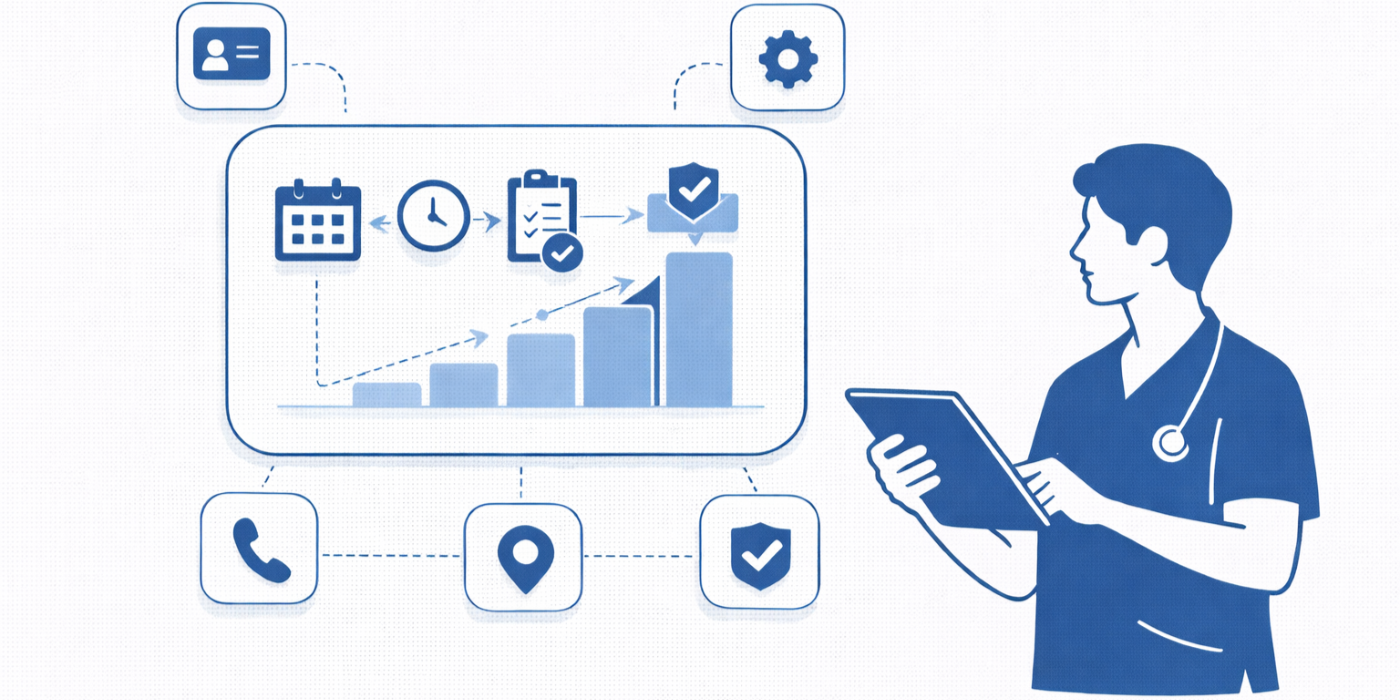
A beginner sees scheduling software as a place to place names into open slots. An expert sees it as the control center for access, provider capacity, visit readiness, documentation quality, and patient trust. When you understand appointment scheduling best practices, front-desk operations, patient intake procedures, and healthcare portal workflows, you stop reacting to the day and start shaping it before the first patient arrives.
That shift matters because scheduling errors are rarely isolated. A wrong visit type can break room flow. A bad appointment length can bury a provider by noon. A missed prior-auth question can create a same-day cancellation. A careless note can force the clinical team to rework the chart later. That is why strong CMAAs also understand insurance verification, HIPAA and patient privacy terms, EMR integration tools, and patient communication apps instead of treating the scheduler like a standalone calendar.
High-value CMAAs also know that scheduling is emotional work. Patients calling for a same-week visit may already be worried, frustrated, embarrassed, or in pain. That means software skill without communication skill is incomplete. The people who rise fastest combine precise platform use with active listening, empathy in healthcare administration, de-escalation techniques, and confident handling of difficult conversations with patients. They protect both the schedule and the relationship.
This is also a career lever, not just a task skill. Employers notice the CMAA who prevents preventable backlogs, keeps providers on time, and uses secure patient scheduling tools, medical admin staff scheduling systems, medical admin time-tracking tools, and collaboration tools for medical office teams to remove friction. That is exactly the kind of operational maturity tied to CMAA career growth, employer-valued skills, and better long-term salary outcomes.
2. The Scheduling Features You Must Understand Before Speed Matters
If you want to move from beginner to expert, stop obsessing over how fast you can book and start mastering what the software is actually asking you to decide. Every scheduler has hidden logic: visit types, slot lengths, provider rules, resource dependencies, reminder settings, intake triggers, portal permissions, and messaging pathways. A CMAA who studies scheduling and appointment terms, healthcare portal use cases, telehealth platform definitions, and EMR integration tools makes fewer bad decisions even before speed improves.
Start with visit-type discipline. Do not treat “follow-up,” “new patient,” “procedure,” and “telehealth” as interchangeable labels. Each can affect time length, prep instructions, provider eligibility, and downstream documentation. That is why strong schedulers cross-train themselves with medical appointment scheduling tools reviews, secure patient scheduling platforms, directory-level staff scheduling tools, and medical office technology guides so they understand what good system configuration looks like.
Next, master the difference between information fields and workflow fields. A phone number or insurance carrier may be informational, but referral status, interpreter need, prep requirements, portal access, and reminder channel preferences are workflow fields because they change what happens next. Expert CMAAs reinforce this thinking by knowing patient communication apps, healthcare CRM terminology, insurance verification examples, and patient privacy communication essentials. They understand that missing one workflow field is often what causes the next team to fail.
Then learn your clinic’s exception logic. Experts know which providers allow squeeze-ins, which specialties require longer intake, which telehealth visits have stricter eligibility, and which scheduling actions need escalation instead of improvisation. This is where collaboration tools for medical office teams, time-tracking tools, medical office automation trend reports, and future EMR guidance become useful. They help you think like an operations professional, not just a button-clicker.
3. Build Scheduling Workflows That Survive Real Clinic Pressure
A clean schedule is not created at the moment of booking. It is created by the workflow that surrounds booking. The best CMAAs build repeatable pathways for new patients, returning patients, same-day requests, telehealth visits, referrals, and reschedules. They pair patient intake procedures with insurance verification workflows, support them with front-desk checklists, and reinforce them with appointment scheduling best practices. That is how you stop building fragile schedules that collapse under routine pressure.
One of the smartest upgrades you can make is separating “can this be booked?” from “is this patient ready to arrive successfully?” Those are not the same question. A slot may be open, yet the patient may still lack referral documentation, portal access, prep instructions, transportation clarity, or telehealth readiness. Expert CMAAs reduce these misses by using patient communication tools, portal guidance, telehealth platform knowledge, and HIPAA terminology mastery to make sure the appointment is not only booked but actually viable.
Reschedules are another place where average performance falls apart. Beginners simply move the appointment. Experts preserve the clinical intent of the visit, check whether timing changes affect prep, verify whether the provider or location should remain the same, and decide whether the patient belongs in a waitlist workflow instead. That mindset becomes much stronger when you study appointment scheduling conflicts, active listening techniques, effective patient communication terms, and difficult conversation management. Patients do not hear “workflow.” They hear whether your next step feels thoughtful or careless.
Finally, create a daily self-audit habit. Review the day’s schedule for wrong visit types, risky double bookings, missing referrals, provider conflicts, prep-sensitive visits, and unresolved messages. This is where medical administrative technology reports, healthcare administration insights, automation opportunities for CMAAs, and future-proof career skills matter. The expert mindset is not “I booked everything.” It is “I reduced tomorrow’s avoidable problems before they reached the patient.”
4. Expert Communication Moves That Protect the Schedule and the Patient Experience
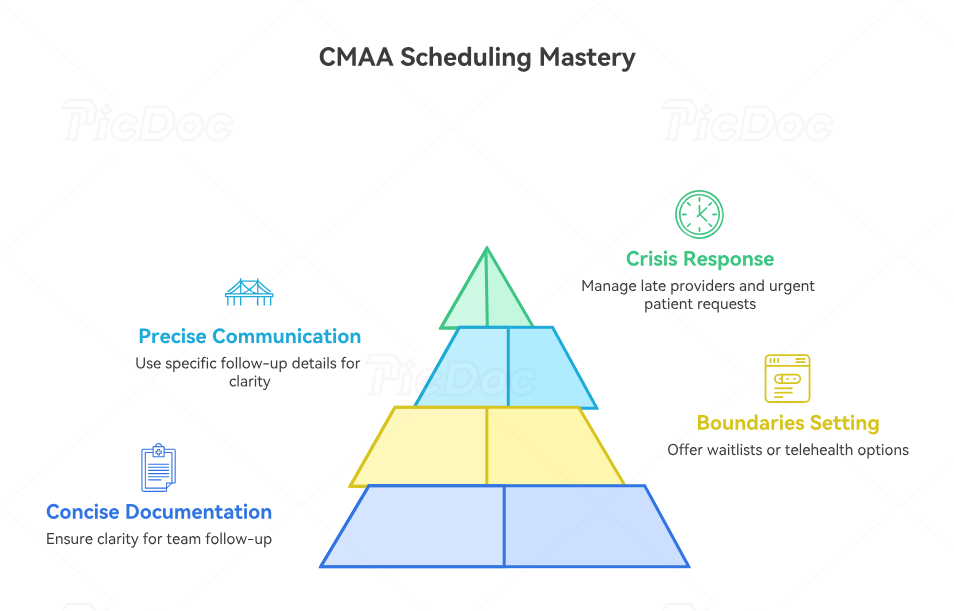
Scheduling mastery becomes visible when the day stops going according to plan. A provider is late. A patient wants a sooner opening than policy allows. A referral is missing. A family member is frustrated. A portal message contradicts the chart. In those moments, software knowledge alone will not save you. Expert CMAAs combine platform control with active listening, effective patient communication, empathy in healthcare administration, and practical de-escalation techniques. That combination keeps the conversation productive while protecting the schedule from panic-driven decisions.
The strongest communication habit is naming the next step with precision. Instead of vague language like “we’ll see what we can do,” experts say what they are checking, what rule applies, what the patient should expect next, and when the follow-up will happen. That clarity works best when supported by patient communication apps, healthcare CRM workflows, portal tools, and privacy-safe communication practices. Patients tolerate limits better when they believe the process is organized and respectful.
You also need boundaries. Not every patient request should be solved by squeezing the schedule until it breaks. Experts know when to offer a waitlist, when to move to telehealth, when to coordinate with clinical staff, and when to escalate. They use telehealth workflow guidance, conflict-handling strategies, front-desk operations frameworks, and difficult patient conversation models to avoid making promises the clinic cannot safely keep.
The final communication upgrade is documenting just enough for the next person to act without creating messy, risky notes. Great internal notes are concise, relevant, and operational. They explain what was requested, what constraint applied, what was offered, and what follow-up remains. That is where HIPAA and privacy knowledge, EMR integration understanding, front-desk workflow discipline, and patient intake accuracy all work together. The patient hears calm. The team sees clarity. The schedule stays intact.
5. How to Become the CMAA Everyone Trusts With Access, Metrics, and Change
Reaching expert level means you no longer judge your work only by whether calls were answered and appointments were booked. You start measuring yourself by schedule integrity, no-show recovery, prep completion, reschedule quality, template fit, patient clarity, and how little preventable rework you create for others. That mindset aligns perfectly with broader CMAA career roadmaps, job-market outlook reports, healthcare efficiency studies, and annual salary trends. Employers do not promote people simply for being busy. They promote people who create operational stability.
To build that reputation, start using your software data. Track which visit types get rescheduled most, which providers run behind, which reminder method gets the best confirmation rate, and which scheduling mistakes repeat by shift or by staff member. Pair that analysis with interactive salary tools, technology trend reporting, automation opportunity insights, and AI’s impact on administrative roles. Data makes your feedback harder to dismiss and easier to operationalize.
Then invest in professional range. The best scheduling specialists do not stay trapped inside one clinic’s habits. They compare tools, study changing systems, join communities, and keep refining their judgment. That is why it helps to explore medical administration conferences and workshops, professional organizations for medical admins, online CMAA communities and forums, and future-focused healthcare administration reports. Exposure sharpens judgment because it shows you that many “normal” frustrations are actually fixable design problems.
Finally, treat certification and software mastery as mutually reinforcing, not separate lanes. A CMAA who combines strong system judgment with strong professional credentials becomes harder to replace and easier to trust with cross-functional responsibility. That is exactly why CMAA certification value, top employer-desired CMAA skills, medical office automation trends, and remote medical administration changes matter so much. Expert scheduling is not clerical polish. It is access management, patient experience design, and revenue protection wearing a headset.
6. FAQs About Becoming an Expert in Scheduling Software as a CMAA
-
Start with visit types, appointment lengths, provider templates, and the workflow around patient intake, insurance verification, front-desk operations, and appointment scheduling best practices. If you get those four areas right, you eliminate the most common causes of bad bookings before you worry about speed.
-
Build the habit of verifying the clinical purpose of the visit instead of matching the patient request to the first label that sounds close. Reviewing scheduling terminology, telehealth visit rules, portal use cases, and EMR integration logic helps you book the visit the clinic can actually deliver.
-
Do not just move the slot. Reassess urgency, provider continuity, prep requirements, referral timing, and patient availability. That approach becomes much easier when you understand scheduling conflict workflows, patient communication methods, active listening, and difficult conversation handling.
-
Telehealth scheduling is not just an appointment location change. You must confirm platform readiness, privacy-safe contact methods, patient instructions, technology access, and any workflow rules tied to eligibility or documentation. Reviewing telehealth platform definitions, patient privacy essentials, patient communication apps, and data privacy guidance for CMAAs makes those bookings far safer.
-
Put in only what the next team member needs to act: the request, the constraint, the offered solution, and the follow-up status. Avoid vague emotion-heavy notes or unnecessary sensitive detail. Strong note judgment depends on HIPAA vocabulary, privacy-safe communication, front-desk workflow discipline, and familiarity with healthcare CRM terms.
-
Automation helps only when the underlying rules are sound. Reminder tools, self-scheduling, routing logic, and portal workflows can reduce workload, but bad setup only scales confusion faster. That is why smart CMAAs study medical office automation trends, future EMR systems, medical office technology must-knows, and AI’s future role in administrative work before trusting automation blindly.
-
You are progressing when you prevent problems before they show up at check-in, when your reschedules preserve care continuity, when providers trust your booking judgment, and when your notes reduce back-and-forth for the rest of the team. Benchmarks like career progression guidance, top CMAA skills employers want, job demand reporting, and healthcare efficiency data help you see the bigger operational picture.
-
Yes, because scheduling mastery touches access, patient experience, capacity management, communication, and workflow improvement all at once. The CMAA who can protect those systems becomes more valuable than someone who only performs isolated tasks. That connection is reflected in salary reporting, interactive salary calculators, certification impact guidance, and future-proof career skill planning.
