

Emergency Appointment Management: Step-by-Step CMAA Guide
An emergency appointment request can wreck a medical office in minutes when the front desk reacts emotionally, guesses at urgency, or moves patients without a controlled system. For a CMAA, this is one of the clearest tests of judgment. You have to protect patient access, reduce risk, communicate clearly, and keep the day from collapsing. This guide shows how to manage emergency appointment pressure with structured appointment scheduling best practices, stronger front-desk operations, safer patient privacy communication, and better active listening techniques.
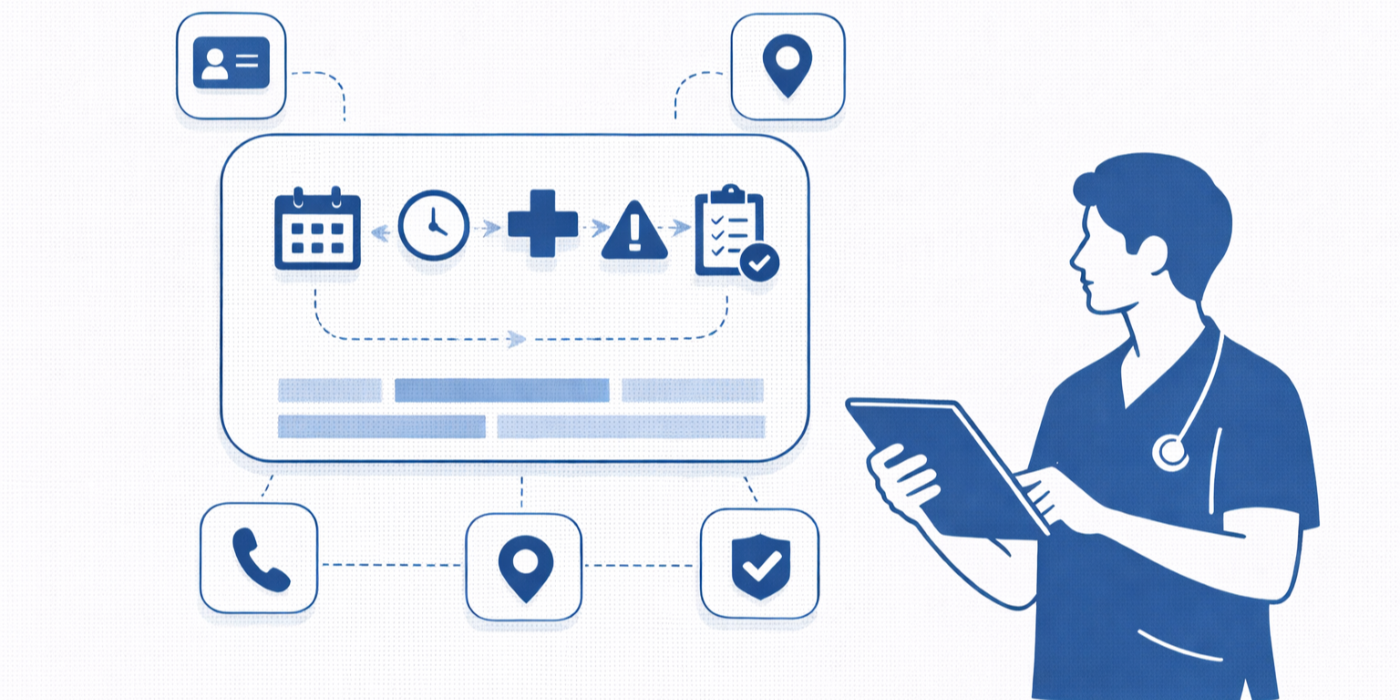
1. What Emergency Appointment Management Really Means in a CMAA Role
Emergency appointment management is not just finding a blank slot and dropping a patient into it. It is the disciplined process of separating true emergencies from urgent complaints, routing the patient to the correct next step, protecting provider capacity, and documenting every decision in a way that supports safer patient intake procedures, cleaner effective patient communication, stronger scheduling conflict handling, and tighter HIPAA and patient privacy workflows.
The biggest mistake weak offices make is treating every stressed caller as a scheduling problem when some callers are actually presenting a safety problem. A CMAA should never diagnose, but they do need to recognize when office protocol requires escalation to clinical staff, same-day provider review, a rapid telehealth platform option, or a handoff shaped by the office’s de-escalation techniques, empathy in healthcare administration, front-desk terminology, and patient communication tools.
In practice, emergency appointment management usually falls into three lanes. The first is a true emergency that should never be handled like routine access. The second is an urgent clinical concern that may require same-day review, clinician triage, or a carefully chosen virtual pathway. The third is an operational emergency, where the patient need may be reasonable but the schedule is breaking because of staffing gaps, provider delays, or system failures. Knowing those lanes matters just as much as knowing top scheduling and appointment terms, secure patient scheduling tools, medical admin staff scheduling tools, and EMR integration tools.
A high-performing CMAA also understands that speed without structure creates hidden damage. A same-day squeeze-in that ignores room availability, provider fit, interpreter needs, or follow-up communication can generate more risk than it solves. That is why strong emergency appointment management depends on medical office automation trends, practical collaboration tools for medical office teams, smart medical admin time tracking tools, and the judgment described in top 10 skills employers look for in a CMAA.
| # | Scenario | Risk Level | Immediate CMAA Response | Best Scheduling Move | Documentation Priority |
|---|---|---|---|---|---|
| 1 | Chest pain reported on phone | Critical | Follow emergency protocol immediately | Do not book as routine visit | Record exact symptoms and escalation path |
| 2 | Shortness of breath worsening | Critical | Transfer to clinical staff or emergency guidance | Bypass standard scheduling | Document callback number and who received handoff |
| 3 | Stroke-like symptoms | Critical | Activate urgent escalation script | No normal appointment slot | Log timing and instructions given |
| 4 | Severe allergic reaction concern | Critical | Escalate without delay | No routine add-on | Chart red-flag wording exactly |
| 5 | Heavy post-op bleeding concern | High | Alert clinical team now | Same-day protected review if directed | Note procedure date and onset |
| 6 | Fever after procedure | High | Use triage workflow | Urgent same-day or callback | Capture fever if patient states it |
| 7 | Medication reaction complaint | High | Route to clinical review before booking | Telehealth or urgent slot if approved | List medication and timing |
| 8 | Worsening asthma symptoms | High | Escalate rather than guess | Rapid provider guidance | Use exact patient wording |
| 9 | Vomiting and dehydration concern | High | Notify clinical team quickly | Same-day access only if protocol allows | Record duration and severity |
| 10 | Pediatric rash plus concerning symptoms | High | Use pediatric escalation pathway | Do not place in generic sick slot blindly | Log age and parent callback info |
| 11 | Pregnancy-related urgent concern | High | Route to OB triage protocol | Protected same-day review if approved | Document pregnancy context if provided |
| 12 | High-risk diabetic with worsening issue | High | Escalate fast | Urgent provider-directed access | Note risk factors mentioned |
| 13 | Behavioral health crisis language | Critical | Use designated emergency script | Do not default to routine schedule | Track handoff and timing |
| 14 | Hospital discharge follow-up needed quickly | High | Verify discharge instructions | Reserve transitional slot | Note facility and discharge date |
| 15 | Critical lab callback requested | High | Coordinate with provider staff | Priority callback or urgent visit | Record source and timestamp |
| 16 | Urgent referral missing records | Medium-High | Secure missing information while escalating | Conditional hold if office allows | Document outreach attempts |
| 17 | Interpreter needed for urgent visit | Medium-High | Arrange language support fast | Match slot to interpreter availability | Log language service setup |
| 18 | Provider calls out unexpectedly | Operational High | Pause changes and re-tier patient needs | Move lowest-risk visits first | Track who was moved and why |
| 19 | EMR outage at peak volume | Operational High | Switch to downtime process | Protect urgent cases, defer low-risk follow-ups | Document manual process used |
| 20 | Double-booked room or resource | Operational High | Escalate resource conflict immediately | Reassign based on acuity and prep needs | Log conflict source and resolution |
| 21 | No-show creates open urgent slot | Opportunity | Use waitlist or urgent queue | Fill from highest-need patient first | Document offer attempts |
| 22 | Patient demands same-day paperwork visit | Low clinical, high emotion | Set boundaries with empathy | Do not displace urgent care need | Record alternatives offered |
| 23 | Prior auth delay threatens time-sensitive care | Medium-High | Coordinate payer and clinical staff | Escalate paperwork pathway, not just schedule | Track payer contact status |
| 24 | Transportation barrier for urgent visit | Medium | Check virtual or adjusted arrival options | Hold slot briefly if approved | Document barrier and offer |
| 25 | Wrong specialty scheduled for urgent concern | Medium-High | Redirect before patient arrival | Secure correct provider path fast | Note error source and contact time |
| 26 | Multiple urgent walk-ins at opening | Operational High | Queue with clinical oversight | Protect triage order and transparency | Track arrival times and decisions |
| 27 | Late-arriving urgent patient during packed clinic | Medium-High | Reassess visit feasibility with provider team | Fit only with documented approval | Record arrival time and disposition |
| 28 | Provider requests emergency add-on mid-session | High | Review downstream impact before moving others | Shift lowest-risk patients strategically | Document provider authorization clearly |
2. The Step-by-Step Workflow for Handling Emergency Appointment Requests
The first minute matters more than most offices realize. Start by confirming the patient’s identity, best callback number, and whether they are safe to continue the conversation. If the line drops and you never verified how to reach them, you have created unnecessary risk before the scheduling process even begins. That opening minute should reflect disciplined patient intake procedures, clean healthcare portal terms and use cases, strong front-desk operations, and accurate patient communication standards.
Next, identify the type of request before touching the calendar. Is this a symptom escalation, a post-discharge follow-up, a medication issue, a provider-directed add-on, or a breakdown caused by staffing or scheduling failure? Too many offices start with “let me see what’s open,” which wastes time and often sends the patient into the wrong pathway. A better process uses appointment scheduling best practices, the logic behind handling appointment scheduling conflicts, the vocabulary from top 20 scheduling terms, and the operational clarity of medical office scheduling tools.
Then escalate early when needed. A CMAA should never improvise clinical decisions because the schedule looks full. If the complaint sounds urgent, the correct move is to follow protocol and get the right clinical person involved. That escalation becomes smoother when the office has strong patient privacy communication essentials, better de-escalation techniques, trained active listening for medical admin professionals, and defined backup pathways through virtual medical administration.
After that, assess capacity intelligently instead of blindly scanning for white space on the schedule. You need to think about appointment length, provider fit, room needs, interpreter needs, arrival prep, and which visits can safely move with minimal harm. Some visits look easy to shift but trigger a chain reaction of delays, prep waste, and patient dissatisfaction. That is where staff scheduling directories, EMR integration tools, collaboration tools for medical office teams, and secure patient scheduling tools create leverage.
Finally, close the loop with immediate communication and documentation. Patients should never discover a schedule change only when they arrive or fail to receive the correct next steps after an urgent call. Use approved patient communication apps, document handoffs in a way that supports healthcare CRM tracking, keep privacy aligned with HIPAA communication guidance, and make sure every action can be defended later through clear medical admin workflow discipline.
3. How to Rebuild the Schedule Without Creating a Second Crisis
When an urgent patient must be added, the real question is not “Who can we bump?” It is “What can safely move with the least clinical, emotional, and operational damage?” That requires triage thinking, not calendar clicking. Routine paperwork visits, certain stable follow-ups, and some non-procedural check-ins may be easier to shift than pre-op appointments, post-op reviews, or visits that require special rooms or equipment. Strong choices here reflect appointment scheduling best practices, smarter interactive scheduling conflict handling, disciplined time tracking for medical admins, and more advanced medical office automation thinking.
The best offices use a priority hierarchy. First protect patients whose care is already time-sensitive. Second protect visits with heavy prep or room dependence. Third review what can convert safely into a virtual encounter. Fourth use waitlist opportunities, cancellations, or no-shows before displacing established patients. Fifth use provider-approved overflow rules instead of improvisation. This approach works far better when supported by telehealth platform guidance, good patient communication tools, dependable medical appointment scheduling tools, and stronger collaboration tools for teams.
Your scripts matter too. With the urgent patient, the goal is calm structure, not promises. With the moved patient, the goal is transparency without sounding careless. Patients are usually more reasonable when the office communicates early, offers a real alternative, and speaks with control. They become hostile when they feel hidden from the process or tossed between staff. That is why schedule recovery is inseparable from active listening techniques, effective patient communication, difficult conversation management, and office-wide empathy in healthcare administration.
Just as important, never solve access by ignoring downstream risk. If you add the patient but forget interpreter support, insurance follow-through, infection precautions, room turnover, or provider notification, you have simply delayed the failure. Good emergency appointment management protects the entire visit chain. That means using insurance verification guidance, infection control reference workflows, patient portal processes, and the operational judgment built through the broader CMAA career roadmap.
4. The Tools, Templates, and SOPs That Make Emergency Scheduling Sustainable
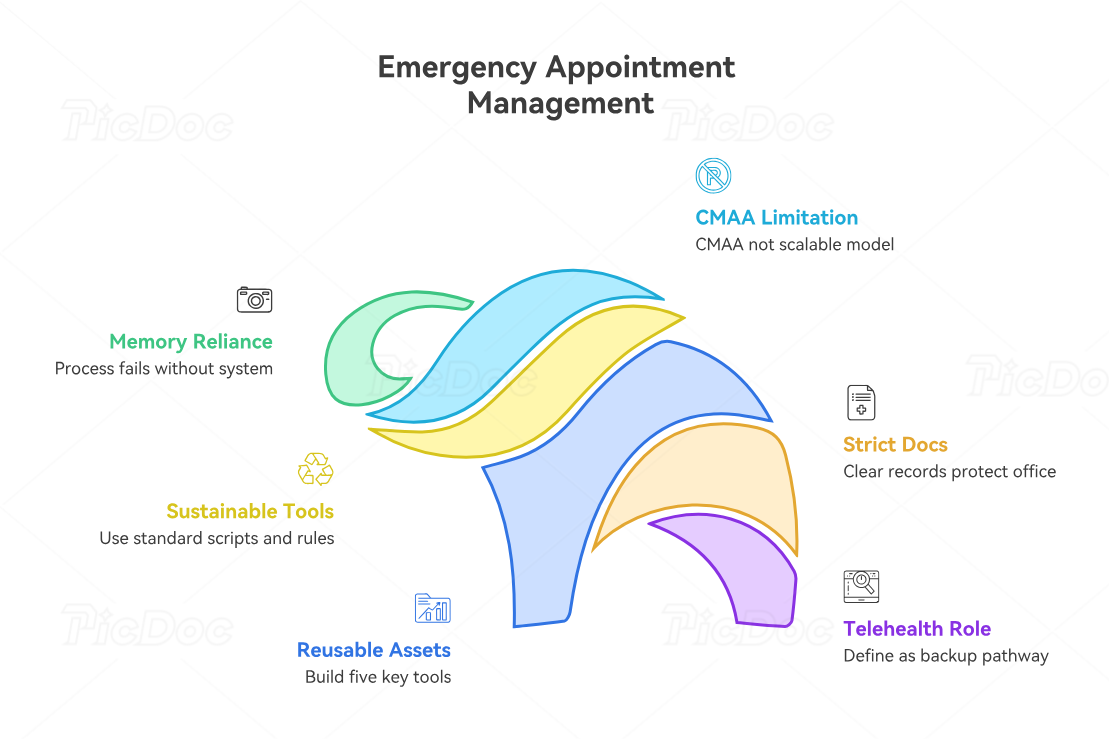
Emergency appointment management breaks down when the process lives inside one experienced employee’s memory instead of inside the office system. A strong CMAA can save the day repeatedly, but that is not a scalable operating model. Sustainable performance comes from standard intake scripts, escalation trees, patient messaging templates, provider-approved same-day slot rules, and documentation fields that make the right action easier under pressure. Offices that improve here usually invest in medical office automation trends, practical technology CMAAs must master, stronger medical administrative assistant technology reporting, and more consistent career skill development.
Every office should build at least five reusable tools. First, an emergency intake script that captures identity, callback number, symptom language, and escalation trigger. Second, a slot-protection grid showing which appointment types can move and which should remain protected. Third, a messaging library for add-ons, delays, telehealth conversions, and urgent follow-ups. Fourth, a handoff template inside the EMR. Fifth, a daily or weekly review of scheduling failures and repeat friction points. Those assets become easier to maintain through EMR integration tools, patient communication apps, medical office staff scheduling tools, and smarter time tracking systems.
Documentation rules must be strict because emergency appointment decisions are easy to defend when the record is clean and almost impossible to defend when it is vague. The note should show what the patient reported, who reviewed it, what action was taken, what alternatives were offered, and which communication method was used. That protects the office when the day gets messy and supports better continuity. It also aligns with patient privacy communication essentials, future-facing data privacy expectations for CMAAs, evolving HIPAA update preparation, and the broader compliance shift outlined in future healthcare compliance changes.
Telehealth should also be defined carefully as a backup pathway, not treated as a magic overflow valve. It works only when the complaint, patient capability, provider preference, and workflow all support it. Offices that manage this well define which encounters can convert, which require in-person evaluation, and how the patient receives instructions, links, and contingency steps. That is where telehealth platforms, current telehealth regulation changes, stronger patient portal use cases, and better virtual medical administration models make the difference.
5. The Biggest Emergency Appointment Mistakes and How Smart CMAAs Prevent Them
The first mistake is letting emotion outrank structure. A loud patient is not automatically the most urgent patient. Strong CMAAs stay calm, gather the correct facts, and move through protocol instead of rewarding the highest volume complaint. That takes real control, not scripted politeness. It also depends on practical de-escalation techniques, deliberate active listening skills, stronger difficult patient conversation tactics, and the human judgment reinforced by effective patient communication.
The second mistake is creating a same-day add-on without checking the whole visit chain. The slot may exist on the screen and still fail in real life because the provider is wrong, the room is unavailable, the referral is incomplete, or the insurance pathway is unresolved. High-performing CMAAs slow down just enough to verify the real constraints. They use insurance verification workflows, EMR integration tools, secure patient scheduling tools, and sharper front-desk process management to prevent avoidable rework.
The third mistake is weak documentation after a chaotic morning. Staff remember the scramble but fail to record the decision trail, and later nobody can explain why one patient was moved, who approved the add-on, or what instructions were actually given. Offices that avoid this problem standardize required chart language, audit repeat misses, and treat documentation as part of patient safety rather than paperwork. That mindset is supported by healthcare CRM tracking language, broader healthcare administration reporting, efficiency-focused CMAA workflow improvements, and future-facing career readiness planning.
The fourth mistake is treating emergency appointment management as a talent instead of a system. One excellent employee can hide a broken office for a long time, but the office remains broken. Better organizations train shared scripts, shared escalation points, shared technology habits, and shared documentation rules. That is exactly why the field is moving toward stronger CMAA career growth systems, more demand reflected in the medical admin job market outlook, better long-term leverage through why automation is a major opportunity for CMAAs, and more strategic development through why certification dramatically boosts career opportunities.
6. FAQs
-
An urgent request may require same-day access, triage, or rapid provider review, but it still moves through office protocol. A true emergency should never be treated like a normal scheduling event. The CMAA’s responsibility is to recognize red-flag situations, follow office escalation rules, and avoid making clinical judgments outside the role. That becomes easier when the office trains around top scheduling and appointment terms, uses stronger patient intake procedures, reinforces patient privacy communication essentials, and sharpens effective patient communication.
-
Document what the patient reported, the time of contact, any red-flag language used, who reviewed the concern, what action was taken, which slot was used, what alternatives were offered, and how the patient was notified. If another patient was moved, that should be traceable too. Good notes support healthcare CRM terms and tracking, stronger HIPAA-safe communication, better EMR integration workflows, and more defensible medical admin efficiency practices.
-
That depends on specialty, provider guidance, and the patient population, but low-risk routine follow-ups, paperwork-only visits, and certain stable results reviews are often easier to move than procedure-based, post-op, pre-op, or resource-heavy visits. The key is to use a provider-approved logic rather than random displacement. Stronger offices rely on appointment scheduling best practices, apply interactive conflict handling, use secure patient scheduling tools, and align decisions with front-desk operations standards.
-
Start by acknowledging the concern without promising a slot. Then gather the necessary facts, follow protocol, and escalate when required. The wrong move is arguing, sounding dismissive, or booking blindly just to end the conflict. The right move combines active listening, de-escalation techniques, structured difficult conversation management, and stronger empathy in healthcare administration.
-
Telehealth works when the complaint, patient capability, provider preference, and office protocol all support it. It is useful for rapid review when an in-person room or procedure is not immediately necessary, but it should never be used just to make the schedule look cleaner. Smart offices define its use through telehealth platform guidance, keep up with telehealth regulation changes, align it with virtual medical administration, and support it through patient communication apps.
-
Create one standard intake script, one escalation tree, one same-day slot policy, one patient notification library, and one documentation template. Then review urgent scheduling events weekly to identify repeated delays and preventable mistakes. Small teams improve fastest when they stop relying on memory and start relying on systems. That transition becomes much easier with EMR integration tools, practical medical office automation improvements, better collaboration tools for medical office teams, and the broader growth model in the CMAA career roadmap.
-
Use approved channels, verify identity before sharing protected information, keep voicemail disclosures minimal, and document exactly what was sent and how. Busy days tempt staff to cut corners, which is when privacy failures happen. Safer performance comes from building urgent communication around HIPAA terms for medical administrative assistants, stronger patient privacy communication essentials, evolving data privacy expectations for CMAAs, and ongoing preparation for future HIPAA changes.
