

Organizing a Medical Office for Optimal Productivity
A productive medical office does not run on effort alone. It runs on structure, clean handoffs, visible priorities, standardized workflows, and a physical setup that reduces friction instead of creating it. When phones stack up, check-in lines slow down, charts remain incomplete, messages sit unresolved, and staff keep interrupting each other for basic answers, productivity drops because the office is disorganized at the system level.
The fix is not “work harder.” The fix is to build an office where scheduling, intake, privacy, communication, chart handling, and follow-up all move in a reliable sequence. That is why strong leaders study front desk operations, tighten appointment scheduling best practices, improve patient intake procedures, reduce bottlenecks through EMR shortcuts, and protect flow with better collaboration tools for medical office teams.
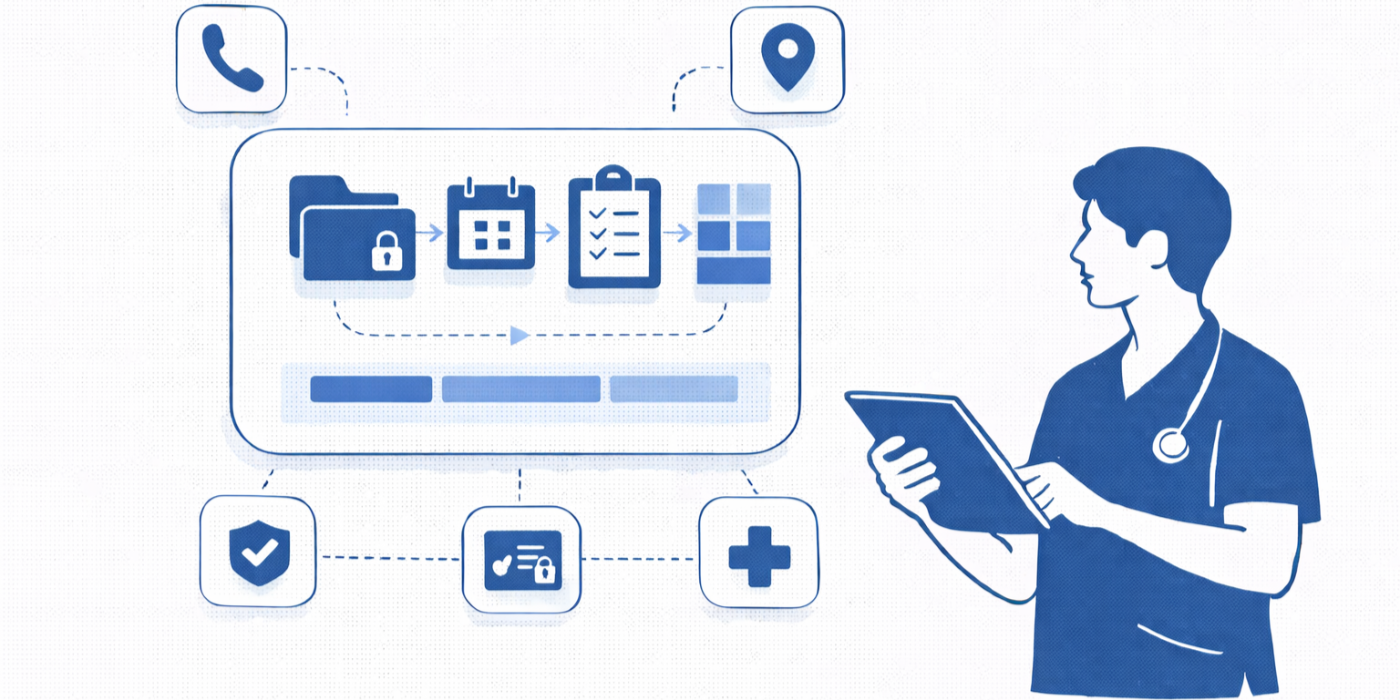
1. Productivity in a Medical Office Starts With Flow, Not Speed
Many offices think productivity means seeing more patients per day. That is too shallow. Real productivity means the front desk is prepared before the patient arrives, registration is accurate the first time, rooming does not stall because forms are missing, provider schedules stay realistic, messages are triaged correctly, and follow-up work is closed without rework. Offices that master this usually have disciplined staff scheduling tools, clean patient communication apps, dependable secure patient scheduling tools, and a team trained in active listening techniques and patient privacy communication essentials.
The fastest office on paper can still be deeply inefficient if staff members constantly correct demographics, search for unsigned forms, repeat insurance collection, or hunt down information that should have been visible in the workflow. That is why office organization must be built around predictable movement of information. A check-in desk should support accurate intake, a message center should support triage discipline, a records area should support fast retrieval, and the schedule should reflect actual visit complexity rather than wishful planning. Teams that ignore those basics eventually run into avoidable issues already covered in insurance verification, interactive training for patient record updates and EMR compliance, resolving common EMR software issues, and medical admin time tracking tools.
A well-organized office also protects attention. Staff members lose enormous productivity when they are forced to switch tasks every minute. One patient is checking in, another is upset about a delay, a provider wants a referral printed, a lab fax is waiting, and the phone is ringing with a scheduling conflict. Without clear zones, defined roles, escalation rules, and quick-reference systems, the whole office begins operating in reaction mode. That is exactly where interactive guides to handling appointment scheduling conflicts, emergency appointment management, de-escalation techniques, effective patient communication terms, and empathy in healthcare administration become operational assets rather than soft extras.
| # | Office Area | What Must Be Organized | Why It Affects Productivity | Practical Standard to Set |
|---|---|---|---|---|
| 1 | Reception desk | Daily schedule view, intake packets, scanner access | Cuts check-in delays and reduces repeated data requests | Every shift starts with a reset and supply check |
| 2 | Phone station | Call scripts, escalation map, hold workflow | Prevents long calls from derailing desk flow | Common call reasons mapped to standard actions |
| 3 | Check-in queue | Patient arrival sequence and backup coverage | Shortens visible waiting and reduces front-desk stress | One primary greeter and one overflow responder |
| 4 | Insurance verification | Eligibility steps, payer notes, missing-data flags | Prevents denials and day-of-service confusion | Verify before visit and mark unresolved items clearly |
| 5 | Scheduling board | Visit types, duration rules, provider buffers | Prevents unrealistic templating and cascade delays | Complex visits require protected time blocks |
| 6 | Cancellation list | Waitlist logic and refill opportunities | Improves schedule utilization without chaos | One owner updates and closes gaps in real time |
| 7 | Registration forms | Version control, signature fields, language access | Avoids incomplete documentation and redo work | Audit forms weekly and remove outdated copies |
| 8 | Referral tracking | Open requests, status notes, due dates | Prevents lost follow-up and repeat patient calls | Use a visible status ladder from request to closure |
| 9 | Prior authorization | Required documents, payer rules, pending items | Reduces avoidable treatment delays | Standard checklist by payer and service type |
| 10 | Message inbox | Clinical vs administrative sorting rules | Prevents unsafe routing and response lag | Triage within defined intervals every shift |
| 11 | Fax and scan workflow | Naming rules, routing labels, urgent markers | Speeds document retrieval and reduces lost items | Scan and route same day before close |
| 12 | Records release | Authorization forms and request queue | Cuts compliance risk and turnaround failures | Track intake date, deadline, and fulfillment status |
| 13 | Supply storage | Labels, par levels, reorder triggers | Stops staff from wasting time hunting basics | Reorder thresholds posted and reviewed weekly |
| 14 | Workstations | Shortcuts, desktop layout, login access | Reduces clicks and setup friction | Essential tools pinned and standardized |
| 15 | Provider support desk | Forms queue, signatures, urgent requests | Prevents interruptions from hitting providers randomly | Use batching times for routine signatures |
| 16 | Break coverage plan | Cross-training and coverage sequence | Maintains continuity during lunches and absences | Every critical station has a backup owner |
| 17 | Daily huddle board | Staffing gaps, special visits, operational alerts | Prevents surprises that trigger reactive scrambling | Review in under 10 minutes before open |
| 18 | Patient portal queue | Response rules, routing, turnaround targets | Prevents portal backlog from becoming phone volume | Check portal at fixed intervals, not randomly |
| 19 | No-show follow-up | Outreach script and reschedule logic | Recovers revenue and continuity of care | Run same-day no-show list before shift end |
| 20 | Billing handoff | Encounter completeness and missing documentation flags | Protects clean claims and fewer follow-up touches | End-of-day reconciliation between front office and billing |
| 21 | Privacy station | Shred bins, screen angles, conversation boundaries | Reduces HIPAA exposure in high-traffic areas | Privacy checks included in daily opening routine |
| 22 | Signage and patient directions | Wayfinding, forms drop-off, payment instructions | Cuts repetitive questions and staff interruptions | Post only what patients use daily |
| 23 | Training binder or hub | SOPs, quick guides, escalation paths | Improves consistency across new and experienced staff | Update monthly and remove outdated instructions |
| 24 | End-of-day closeout | Outstanding tasks, deposits, unresolved messages | Prevents next-day carryover chaos | Use a written close checklist every day |
| 25 | Leadership review dashboard | Wait times, errors, reschedules, backlog volume | Shows where productivity is truly leaking | Review trends weekly, not only after crises |
| 26 | Shared digital files | Naming conventions and permission control | Reduces duplicate files and slow retrieval | One naming rule applied across departments |
| 27 | Cross-training matrix | Who can cover which task under pressure | Keeps operations stable during absences and surges | At least two trained backups per critical workflow |
2. Build the Office Around Zones, Ownership, and Standard Work
An office becomes dramatically easier to manage when every function has a home and every recurring task has an owner. The reception zone should handle arrival, identity verification, demographic updates, and handoff to intake. The scheduling zone should own template integrity, cancellations, reschedules, and reminder workflows. The records zone should manage releases, uploads, scan quality, and indexing. The communication zone should monitor calls, portal messages, and escalations using frameworks found in healthcare portal terms, healthcare CRM terms, telehealth platforms, and tools for efficient medical records release.
Ownership matters because shared responsibility often turns into invisible neglect. If everybody is “kind of” responsible for checking unsigned forms, nobody is truly accountable when the pile grows. If no one owns the no-show list, openings remain wasted and frustrated patients wait longer for appointments than they should. Productive offices define one owner, one backup, one standard, and one deadline for each process. That discipline becomes easier when managers use scheduling software mastery, EMR integration tools, medical office automation trends, and AI and automation in medical administration to remove low-value manual steps.
Standard work is where organization becomes measurable. Staff should not improvise how to verify insurance, route a portal request, document a missed appointment, or prepare a chart packet. Those are repeat events, so they deserve repeatable scripts. The best offices do not rely on memory when volume rises. They rely on checklists, decision trees, standardized file names, queue categories, and small audit routines. Even soft-skill situations benefit from structure, especially when handling upset patients, confused family members, or patients frustrated by delays. That is where managing difficult conversations with patients, de-escalation techniques, effective patient communication, and top HIPAA and patient privacy terms directly support smoother flow.
3. Fix the Hidden Bottlenecks That Drain Productivity Every Day
The worst productivity leaks are often the least dramatic. A poorly built schedule template creates provider delays all day. Missing intake fields trigger repeated questions at the desk. Unlabeled documents create slow chart review later. A messy fax workflow causes downstream billing and care coordination issues. Staff members who cannot find the right form in ten seconds interrupt one another all shift. These are not isolated annoyances. They are compounding costs. Offices that want better performance should study patient intake procedures, improve front-desk operations, strengthen appointment scheduling terms CMAAs should know by heart, and adopt medical appointment scheduling tools that reduce guesswork.
Another major bottleneck is fragmented communication. One staff member leaves sticky notes, another uses chat, another sends portal messages, and someone else verbally mentions a task during a hectic hallway moment. That kind of broken signal chain guarantees dropped work. Productive offices create one primary location for each type of communication. Scheduling requests go one way. record-release requests go another. provider signatures follow a third. Urgent issues have a defined escalation path. When that structure is missing, staff waste time searching for decisions that were technically already made. Practices can reduce that chaos with best collaboration tools for medical office teams, online communities and forums for CMAAs, medical administration conferences and workshops, and professional organizations for medical admin assistants that expose teams to better operating models.
Finally, productivity collapses when physical organization and digital organization do not match. A clean waiting area means little if the EMR inbox is a swamp. A neatly labeled supply cabinet means little if staff cannot locate payer requirements or referral status quickly. The office has to work as one system. That includes top EMR and charting terms medical scribes need to understand clearly, top medical billing terms all CMAAs should clearly understand, infection control in medical offices, and medical office ergonomics tools, because layout, compliance, coding awareness, and workstation comfort all affect the pace and quality of administrative performance.
4. Design Daily Routines That Keep the Office From Sliding Back Into Chaos
Organization is never a one-time cleanup. It is a repeatable operating rhythm. Start with an opening routine that confirms staffing coverage, unresolved high-priority messages, schedule pressure points, key supply gaps, and any patients who need special handling that day. A short pre-opening huddle can prevent hours of reactive firefighting later. Strong teams also set midday checkpoints for schedule recovery, inbox triage, and reschedule opportunities. Those routines work especially well when paired with medical admin staff scheduling tools, time tracking tools, secure scheduling platforms, and patient communication apps.
A closing routine matters just as much. Unclosed tasks create next-day drag before the phones even start ringing. Every shift should end with reconciliation of unresolved messages, pending referrals, unsigned items, incomplete registrations, records requests, and no-show follow-up. That is also the right moment to audit privacy exposure, clear desktops, verify secure document storage, and confirm that outdated paper copies are not floating around the office. These habits directly reinforce HIPAA and privacy terms for medical scribes, patient privacy communication essentials, interactive training for patient record updates, and tools for efficient medical records release.
The strongest routines are visible, short, and enforced. They are not hidden in a policy binder no one opens. Put them where work happens. Staff should know exactly what “ready for clinic” and “ready to close” mean. That clarity reduces dependence on heroic employees who keep everything together through memory alone. Offices become more resilient when knowledge is shared through training systems, not personality. Teams can strengthen that maturity through networking strategies for medical admin professionals, future-proofing your CMAA career, interactive guides to emerging medical admin technologies, and top 10 skills employers look for in a CMAA, because higher-skill staff organize work better before problems spread.

5. Measure the Right Productivity Signals So You Improve the System, Not Just the Pressure
Medical offices often measure the wrong things. Counting completed calls or total patients scheduled tells only part of the story. Better productivity measures include check-in error rate, average registration correction time, number of portal messages older than target response windows, unsigned form backlog, referral turnaround time, no-show recovery rate, records-release aging, and schedule template variance. Those indicators show where the office is leaking time and where disorganization is turning into hidden labor costs. A mature team pairs those metrics with insights from new studies on healthcare efficiency, medical admin job market outlook, 2026 healthcare administration reports, and interactive industry reports on medical administration job demand.
Measurement should never become punishment theater. The point is to locate broken process design. If one staff member is always behind, ask whether their station absorbs too many interruptions. If referral turnaround lags, ask whether documents arrive in inconsistent formats or whether the queue has no owner. If patients complain about delays, look at schedule design before blaming effort. The best offices treat data as a flashlight, not a weapon. That mindset aligns with the thinking behind cmaa career roadmaps, salary reports for medical administrative assistants, why CMAA certification boosts career opportunities, and real-life success stories from certified medical administrative assistants, because advanced administrative professionals are valuable precisely because they can spot process failure early.
An organized office is ultimately a safer office, a calmer office, and a more profitable office. It protects staff attention, preserves patient confidence, shortens avoidable delays, reduces rework, and supports cleaner handoffs to clinical and billing teams. When organization is taken seriously, productivity improves without turning the workplace into a pressure cooker.
6. FAQs
-
Start with the workflows that touch the most patients and create the most rework: check-in, scheduling, message routing, and records handling. Clean up the front desk, define intake steps, standardize scheduling rules, and assign ownership for messages and referrals. Those changes usually create visible relief faster than cosmetic office cleanup. Supporting resources include front-desk operations, patient intake procedures, appointment scheduling best practices, and handling appointment scheduling conflicts.
-
Reduce task friction before asking for more output. Standardize forms, remove duplicate steps, simplify routing, create quick-reference guides, and use technology that removes clicks rather than adding them. Productivity rises when staff do less unnecessary work, not when they are told to rush harder. Helpful starting points include EMR shortcuts, EMR issue resolution, automation trends for CMAAs, and AI and automation in medical administration.
-
Watch for frequent demographic corrections, lost documents, long hold times, repeated patient callbacks, provider interruptions for routine items, referral delays, chart preparation issues, and tasks that rely on one person’s memory. Those signs usually mean the system is fragile. Review patient communication apps, records release tools, collaboration tools, and healthcare portal workflows to find operational weak spots.
-
Do quick daily reviews, weekly metric checks, and monthly process audits. Daily routines catch immediate risks. Weekly reviews show emerging patterns. Monthly audits help remove outdated forms, fix queue confusion, and update training materials before bad habits become permanent. Teams that keep improving often learn from medical administration conferences, professional organizations, online CMAA communities, and emerging medical admin technologies.
-
They are deeply connected. Privacy breaches, poorly controlled records, and inconsistent message handling create rework, confusion, patient distrust, and legal risk. A productive office handles information cleanly the first time. That includes secure conversations, controlled screen visibility, correct document routing, and proper authorization tracking. Review HIPAA and patient privacy terms, patient privacy communication essentials, interactive record update training, and infection control in medical offices.
-
The most useful skills are workflow thinking, prioritization, calm communication, EMR fluency, scheduling judgment, documentation discipline, and the ability to see where small failures create bigger downstream costs. Those strengths can be sharpened through how to master medical administrative terminology for your CMAA exam, essential study tips for CMAA exam success, ultimate guide to passing your CMAA certification exam, and future-proof your CMAA career.
