

Practice Management Systems (PMS): Essential Interactive Dictionary
A practice management system coordinates the administrative and financial activity surrounding patient care, from appointment scheduling and insurance verification to charge capture, claims, payments, and reporting. Weak PMS configuration creates duplicate records, missed authorizations, delayed claims, inaccurate balances, and overloaded work queues. Strong configuration connects front-desk operations, medical administrative workflows, and revenue cycle management through dependable rules, integrations, ownership, and measurable performance controls.
1. What Is a Practice Management System, and What Does It Control?
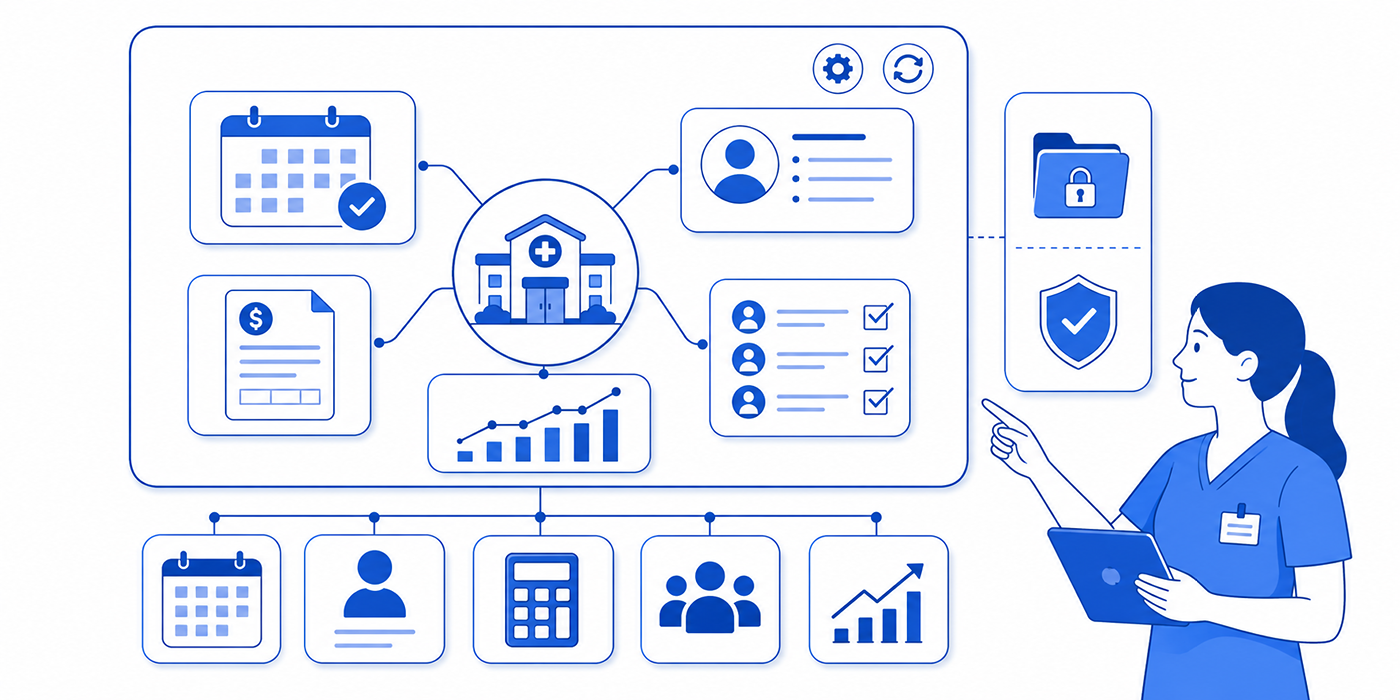
A practice management system, commonly shortened to PMS, is the operational software used to manage the nonclinical activity of a medical practice. Its core responsibilities usually include patient registration, provider scheduling, insurance information, authorizations, charge entry, claim creation, payment posting, patient statements, accounts receivable, task management, and operational reporting.
The PMS sits at the center of many daily office procedures. A receptionist may use it to register a patient and resolve an appointment scheduling conflict. A medical administrative assistant may use it to complete insurance verification, track a prior authorization, or manage an urgent opening through an emergency appointment workflow. Billing staff may use the same platform to create claims, review edits, post remittances, generate patient balances, and work overdue accounts.
The PMS and the clinical record often function as connected systems. An electronic health record or electronic medical record stores clinical documentation, diagnoses, orders, medication information, test results, and care plans. The PMS manages the administrative and financial consequences of that encounter. Integrated products may present both capabilities through one interface, although the underlying workflows still require separate controls.
This distinction becomes critical when errors occur. A provider may complete an accurate clinical note while the PMS carries an outdated insurance plan, incorrect place of service, wrong rendering provider, or missing authorization number. A clean EMR chart cannot repair defective claim data. The administrative team must reconcile patient intake information, coding, credentials, eligibility, and claim fields before transmission.
A PMS also shapes how work reaches staff. Task queues may route rejected claims to billing, missing referrals to front-desk personnel, unsigned encounters to providers, and patient-balance questions to customer service. Poorly designed queues bury urgent work under thousands of low-value alerts. Well-designed queues assign ownership, due dates, priority, status, and escalation rules. This supports stronger time management, clearer medical-office organization, and safer patient communication.
The system’s value depends on configuration discipline. A modern platform can still produce preventable denials when payer plans are duplicated, fee schedules are outdated, provider records are incomplete, claim edits are disabled, or staff lack role-specific training. Practices gain more from a carefully governed PMS than from a feature-heavy product surrounded by unclear procedures.
| # | PMS Term | Essential Definition | Where It Appears in the Workflow | Operational Risk | Best Control |
|---|---|---|---|---|---|
| 1 | Patient Master Record | The central demographic and administrative profile used across scheduling, billing, and communication workflows. | Registration, insurance entry, statements, and portal access. | Duplicate or mismatched records can attach services to the wrong patient. | Use identity checks within patient intake procedures. |
| 2 | Medical Record Number | A unique identifier assigned to a patient within the organization. | Registration, chart matching, interfaces, and document retrieval. | Incorrect merging can compromise privacy and billing accuracy. | Require controlled duplicate-record review and an auditable merge process. |
| 3 | Appointment Template | A configurable schedule structure defining visit lengths, appointment types, and provider availability. | Provider calendars and patient booking. | Incorrect durations create bottlenecks, overtime, and unsafe overbooking. | Align templates with scheduling terminology and visit complexity. |
| 4 | Resource Scheduling | Reservation of rooms, equipment, interpreters, or clinical resources alongside the provider. | Procedures, diagnostics, and specialty visits. | A booked provider may lack the room or equipment required for care. | Connect resources to staff scheduling tools. |
| 5 | Appointment Status | A label showing whether a visit is scheduled, confirmed, arrived, checked in, completed, cancelled, or missed. | Scheduling dashboard and daily patient flow. | Inconsistent status use corrupts wait-time and no-show reporting. | Define one status policy through medical admin procedures. |
| 6 | Recall List | A worklist of patients due for preventive care, follow-up, or recurring services. | Population outreach and schedule filling. | Unworked recalls can delay necessary follow-up and reduce continuity. | Assign owners and outreach intervals using patient communication tools. |
| 7 | Eligibility Verification | Confirmation that insurance coverage is active for the planned date of service. | Before the appointment and during check-in. | Inactive or incorrect coverage leads to denials and unexpected patient balances. | Follow a documented insurance verification workflow. |
| 8 | Benefit Verification | Review of copays, deductibles, coinsurance, limitations, and service-specific coverage. | Pre-service financial clearance. | Coverage may be active while the planned service remains excluded or restricted. | Record benefit details and source information before the visit. |
| 9 | Prior Authorization Tracker | A PMS module or work queue used to document authorization requests, reference numbers, dates, and decisions. | Pre-service approval and follow-up. | Missing expiration dates or approved units can cause avoidable denials. | Use a structured prior authorization process. |
| 10 | Referral Management | Tracking of incoming and outgoing referrals, required documents, appointments, and status. | Specialty access and payer compliance. | Referral gaps delay care and invalidate payer requirements. | Create task ownership and escalation deadlines. |
| 11 | Encounter | The administrative container connecting a patient, provider, service date, location, charges, and claim data. | Check-in through claim submission. | Duplicate or incomplete encounters disrupt charge capture and reporting. | Reconcile encounters through the medical administrative workflow. |
| 12 | Charge Capture | The process of transferring documented services, procedures, supplies, and medications into billable charges. | After clinical documentation and before claim creation. | Missing charges cause lost revenue; unsupported charges create compliance risk. | Compare charges with the signed record and chart-audit controls. |
| 13 | Superbill | A structured record of diagnoses, services, provider details, and encounter information used for charge entry. | Clinical-to-billing handoff. | Outdated selections can introduce deleted codes or incomplete charges. | Maintain current superbill templates. |
| 14 | Fee Schedule | A table defining the practice’s standard charge amount for each service or code. | Charge entry and financial reporting. | Incorrect fees can distort contractual adjustments and patient estimates. | Use controlled updates with documented effective dates. |
| 15 | Claim Scrubber | An automated rules engine that checks claims for invalid, incomplete, or inconsistent information. | Immediately before clearinghouse transmission. | Weak edits allow preventable defects to reach the payer. | Review edits alongside medical coding error controls. |
| 16 | Diagnosis Pointer | A claim field linking a procedure line to the diagnosis supporting its medical purpose. | Professional claim creation. | Wrong linkage can produce line-level medical-necessity denials. | Validate pointers using ICD-10 documentation. |
| 17 | Clearinghouse Interface | The electronic connection transmitting claims and returning acknowledgements, rejections, and reports. | Between the PMS and payer network. | Mapping failures can alter fields or conceal rejected claims. | Monitor the complete clearinghouse workflow. |
| 18 | Claim Acknowledgement | An electronic response confirming receipt or identifying a transmission-level rejection. | Immediately after claim submission. | Unmonitored rejections may age past timely-filing limits. | Assign daily ownership through daily office checklists. |
| 19 | Claim Status | The current stage of a claim, such as accepted, pending, denied, paid, or appealed. | Claim follow-up and accounts receivable. | Stale statuses hide unresolved payer action. | Use payer follow-up intervals and structured work queues. |
| 20 | Electronic Remittance Advice | An electronic payer file explaining payments, denials, adjustments, and patient responsibility. | Payment posting and denial identification. | Incorrect mapping can post money or adjustments to the wrong account. | Reconcile remittance data with EOB terminology. |
| 21 | Electronic Funds Transfer | The electronic deposit of payer funds into the practice’s bank account. | Payment receipt and reconciliation. | Deposits can remain unmatched to remittance files. | Balance EFT totals against ERA batches and bank records. |
| 22 | Payment Posting | Application of payer and patient payments, adjustments, and responsibility amounts to accounts. | After remittance receipt. | Posting errors create false balances, credits, and collection activity. | Use batch reconciliation within claims-processing controls. |
| 23 | Contractual Adjustment | The difference between the practice’s charge and the payer’s allowed amount under contract. | Remittance posting. | Incorrect adjustment codes can hide underpayments. | Compare posted allowances with payer contracts and fee schedules. |
| 24 | Denial Work Queue | A prioritized list of denied claims requiring correction, appeal, or write-off review. | Revenue recovery. | Generic queues encourage staff to repair symptoms without identifying root causes. | Classify denials through denials management. |
| 25 | Accounts Receivable Aging | A report grouping unpaid balances by the number of days outstanding. | Financial monitoring and follow-up. | Large older balances indicate workflow delays, payer issues, or weak collection controls. | Segment balances by payer, provider, location, reason, and owner. |
| 26 | Patient Statement | A bill showing charges, insurance activity, adjustments, payments, and remaining responsibility. | Patient billing. | Confusing statements trigger complaints and delayed payment. | Pair clear statements with privacy-conscious communication. |
| 27 | Credit Balance | An account showing that payments or adjustments exceed the amount owed. | Refund and overpayment review. | Unresolved credits can represent duplicate payments or refund obligations. | Investigate credits through formal risk-management procedures. |
| 28 | Task Queue | A routed list of administrative work items assigned by category, priority, user, or deadline. | Scheduling, billing, referrals, authorizations, and follow-up. | Poor routing creates hidden backlogs and repeated handoffs. | Connect queues to team collaboration rules. |
| 29 | Role-Based Access | Permission settings limiting each user to functions and information required for their job. | Across all PMS modules. | Excessive access increases privacy, fraud, and accidental-change exposure. | Align permissions with HIPAA privacy principles. |
| 30 | Audit Trail | A system log recording who viewed, created, changed, or deleted information and when. | Security, compliance, and error investigation. | Weak logging prevents reliable reconstruction of account activity. | Review logs through legal and compliance procedures. |
| 31 | Interface Engine | Technology that translates and routes data between the PMS, EHR, laboratories, payers, portals, and other systems. | Data exchange. | Mapping errors can duplicate, truncate, or misdirect information. | Test interfaces using EMR integration controls. |
| 32 | Data Migration | The transfer of patient, payer, appointment, claim, balance, and reporting data into a new system. | PMS implementation or replacement. | Incomplete migration can erase history or create inaccurate balances. | Validate samples, totals, ownership, and retention requirements. |
| 33 | Dashboard | A visual summary of operational and financial indicators. | Management oversight. | Unvalidated metrics can produce confident decisions from inaccurate data. | Define metrics through analytics governance. |
| 34 | Clean Claim Rate | The percentage of claims accepted for processing without preventable correction. | Revenue-cycle performance reporting. | A low rate signals registration, coding, authorization, or configuration defects. | Connect results to denial root-cause analysis. |
| 35 | Days in Accounts Receivable | An estimate of how long the practice takes to collect outstanding revenue. | Financial performance monitoring. | Increasing days can expose delayed claims, slow follow-up, and payer underperformance. | Review alongside revenue cycle indicators. |
2. How PMS Modules Connect Across the Patient and Revenue Cycle
A PMS becomes valuable when information moves accurately from one stage to the next. Each module creates data that affects downstream work. Registration determines which patient and payer appear on the claim. Scheduling determines visit type, location, provider, and expected duration. Eligibility and authorization affect whether the payer will process the service. Charge capture and coding determine what the practice bills. Claims, remittances, and patient statements determine whether revenue is collected correctly.
Registration creates the financial identity of the encounter
The registration process should capture the patient’s legal name, date of birth, address, contact details, guarantor, insurance subscriber, member number, group number, relationship to subscriber, and coordination-of-benefits information. Staff should also verify communication preferences and portal access through secure healthcare portal procedures.
A single registration defect can spread through every later stage. An incorrect birth date may cause eligibility failure. A misspelled name may prevent claim matching. An outdated address may expose sensitive information through a misdirected statement. A duplicated patient profile may split balances and clinical history across two records. Reliable patient intake, patient confidentiality controls, front-desk checklists, and patient privacy communication reduce these risks.
Scheduling controls capacity, access, and patient flow
PMS scheduling should distinguish visit types that consume different amounts of time and resources. A new-patient consultation, brief follow-up, procedure, telemedicine appointment, and emergency visit require different templates. The system should also account for provider preferences, room availability, equipment, staffing, and payer restrictions.
Overbooking without workload analysis creates long waits, documentation delays, rushed charge capture, and dissatisfied patients. Excessively restrictive templates create unused capacity and delayed access. Teams should combine appointment scheduling best practices, scheduling software mastery, appointment-conflict management, and medical staff scheduling tools to build realistic templates.
Pre-service verification protects access and payment
Eligibility confirms active coverage, while benefit verification identifies cost sharing and service-specific restrictions. Authorization confirms that the payer has approved a service under defined conditions. Referral management determines whether required provider-directed access has been documented.
These functions should produce structured data inside the PMS: verification date, source, reference number, representative name, approved service, approved units, effective dates, expiration date, and required documentation. Free-text notes alone create inconsistent follow-up. Strong insurance verification knowledge, prior authorization workflows, medical office triage, and patient communication techniques help staff resolve problems before the appointment.
Charges connect clinical work to billing
The PMS receives charge information through manual entry, superbills, interface feeds, or documentation-based workflows. The charge should match the signed clinical record, correct provider, service date, location, diagnosis, procedure, modifier, and units.
A missing interface message can leave completed encounters unbilled. A copied charge can create a duplicate claim. An outdated fee schedule can distort expected revenue. A default diagnosis pointer can create a medical-necessity denial. Controls should connect ICD-10 coding, CPT coding, medical coding error prevention, superbill management, and clinical documentation improvement.
Claims and remittances complete the financial loop
The PMS builds the claim from patient, payer, provider, encounter, and charge data. A claim scrubber checks the file before it moves to the clearinghouse. The clearinghouse validates transmission requirements and forwards the claim to the payer. The payer later returns claim status, payment details, adjustments, denials, and patient responsibility.
Payment posting should reconcile the payer’s electronic remittance information with deposited funds and individual accounts. Denials should enter a categorized work queue. Patient responsibility should move to a clear statement only after payer processing is complete. Teams need working knowledge of claims processing, clearinghouses, denials management, and medical billing terminology.
3. Practice Management System Scenarios and High-Risk Failure Points
Scenario 1: A duplicate patient record splits the financial history
A returning patient is registered under a shortened first name because staff cannot immediately locate the existing record. The new profile carries the current insurance plan, while the original profile contains previous balances, authorizations, and portal access.
The duplicate creates several risks. Claims may be filed under separate demographic versions. Statements may omit part of the balance. Staff may apply payments to the wrong record. Clinical interfaces may attach documentation to one profile and charges to another. A careless merge could also combine two different patients.
The correct response begins with identity validation, duplicate-record review, and controlled merging by an authorized user. The practice should compare date of birth, address, contact details, insurance identifiers, and record history. Prevention requires stronger patient intake procedures, active listening at registration, front-desk workflows, and HIPAA privacy controls.
Scenario 2: The authorization exists, yet the claim still denies
A payer approves six therapy visits. Staff enter the authorization number in a free-text note, while the structured authorization field remains empty. The claim leaves the PMS without the required reference number and denies.
The approval itself was valid. The system failed to use the information where claim generation expected it. Staff should correct the claim, populate the structured field, verify approved dates and units, and review whether other claims were affected.
A better workflow uses required fields, expiration alerts, remaining-unit tracking, and automated claim linkage. The practice should reinforce prior authorization training, insurance claim management, denial prevention, and medical administrative policies.
Scenario 3: Telemedicine appointments inherit office claim settings
The scheduler creates a virtual appointment by copying a standard office visit. The clinical encounter occurs through a telehealth platform, although the PMS retains the office location and standard place-of-service configuration.
The resulting claim may carry incorrect location, modality, or payer-required information. Correction requires review of the actual encounter, current payer rules, provider and patient locations, applicable place of service, and required claim indicators.
Prevention requires a dedicated telehealth appointment type connected to the correct claim settings. The template should also trigger technology instructions, consent steps, eligibility checks, and patient reminders. Useful resources include telehealth platforms, telemedicine terminology, virtual patient management, and telehealth administration training.
Scenario 4: Completed encounters disappear before billing
A provider signs several charts after the daily charge interface has already run. The PMS receives no charges, and the encounters remain marked as complete. Since no claim rejection or denial appears, the missing revenue stays invisible.
This failure requires encounter-to-charge reconciliation. The practice should compare completed visits with received charges and generated claims. Exceptions need assigned owners and deadlines. Daily monitoring is stronger than monthly discovery because timely-filing exposure grows while the work remains hidden.
Controls should combine daily office procedure checklists, EMR integration tools, common EMR issue resolution, and medical records updates.
Scenario 5: Automatic payment posting hides an underpayment
The PMS posts an electronic remittance automatically and adjusts the remaining balance using a generic contractual code. The payer allowed less than the contracted amount, although the account closes with a zero balance.
The automated posting completed cleanly while the practice lost revenue. Staff should compare expected reimbursement with actual allowance, review contract terms, reverse the incorrect adjustment, and pursue the underpayment.
Automation needs validation rules, exception thresholds, payer-specific fee schedules, and sample audits. The team should understand EOB and remittance terms, revenue cycle management, AI and automation in administration, and predictive analytics.
Scenario 6: A patient receives an incorrect collection notice
The payer reverses a payment and later reprocesses the claim. The PMS moves the temporary balance to patient responsibility before the revised remittance arrives. The statement cycle sends a bill, followed by an automated collection warning.
The patient receives a demand for money while the payer remains responsible for processing. Staff should pause collection activity, review claim status, correct the account, and communicate clearly with the patient. The practice should add balance-hold rules for active appeals, payer reversals, pending reprocessing, and unresolved coordination-of-benefits cases.
This scenario requires patient complaint handling, difficult-conversation management, de-escalation skills, and empathy in healthcare administration.
4. How to Evaluate and Select a Practice Management System
A PMS evaluation should begin with workflow requirements instead of a generic feature checklist. A platform may offer advanced dashboards and automation while performing poorly in the exact processes that determine access, billing accuracy, and staff efficiency.
Map the complete workflow before reviewing vendors
The practice should document how information currently moves through registration, scheduling, eligibility, authorization, check-in, charge capture, claim creation, clearinghouse transmission, payment posting, denial handling, patient billing, and reporting. Each step should identify the responsible role, required data, source system, destination system, exception process, and performance measure.
This exercise exposes where the practice relies on spreadsheets, memory, duplicate entry, handwritten notes, or undocumented workarounds. It also clarifies which capabilities belong in the PMS and which belong in patient communication applications, collaboration tools, medical records release systems, or telehealth platforms.
Evaluate scheduling depth
Scheduling evaluation should cover configurable visit types, provider templates, multi-location support, room and equipment scheduling, waitlists, recalls, online booking, cancellation rules, confirmation methods, telehealth workflows, recurring appointments, interpreter needs, and emergency access.
The evaluator should test realistic scenarios rather than accepting a demonstration built around ideal conditions. Ask the system to manage a same-day urgent visit, a rescheduled procedure requiring equipment, a patient with an expired referral, and a provider working at two locations. Compare the results with secure scheduling tools, appointment scheduling best practices, scheduling conflict management, and emergency appointment protocols.
Test billing and revenue-cycle functionality
The PMS should support payer setup, provider enrollment data, fee schedules, charge entry, claim edits, corrected claims, secondary claims, remittance posting, denial queues, refunds, credit balances, patient statements, payment plans, and accounts-receivable reporting.
A vendor should demonstrate how the system handles claim rejections, authorization denials, underpayments, duplicate claims, coordination of benefits, and payer reversals. The practice should ask whether rules can be configured by payer, plan, provider, location, service, and effective date. Teams familiar with medical claims processing, clearinghouse operations, denials management, and billing terminology can test these functions more critically.
Inspect integration capabilities
The PMS may need to exchange data with an EHR, laboratory, imaging center, pharmacy, hospital, payer, patient portal, payment processor, telehealth platform, reporting warehouse, and document-management system. Every integration should have defined data fields, transmission timing, error handling, monitoring, and ownership.
Vendors should explain how interface failures are detected, whether failed messages enter a visible queue, and how staff can reconcile source and destination data. Practices should also review EMR integration tools, emerging medical admin technologies, AI and automation capabilities, and future medical documentation workflows.
Review security, privacy, and operational resilience
The PMS should support role-based access, strong authentication, audit logs, session controls, encryption, backup procedures, business continuity, breach response, and user-access review. The contract should clarify data ownership, export rights, retention, subcontractors, service availability, support response, termination assistance, and secure data destruction.
Operational resilience also includes downtime procedures. Staff need a method for registering patients, documenting insurance, tracking appointments, and restoring transactions after service returns. Policies should align with HIPAA terminology, patient confidentiality principles, legal responsibilities, and risk-management strategies.

5. PMS Implementation, Training, Optimization, and Performance Measurement
Successful implementation depends on data quality, configuration ownership, realistic testing, role-based training, and post-launch monitoring. A rushed launch can transfer outdated payer records, duplicate patients, inactive providers, incorrect balances, and broken claim rules into the new system.
Clean data before migration
The practice should identify which patient, payer, provider, appointment, claim, payment, statement, authorization, referral, and document history must move. Data should be cleaned before migration whenever possible. Duplicate patients, obsolete plans, inactive users, outdated fee schedules, unresolved credits, and stale task queues should receive deliberate treatment.
Migration testing should compare record counts, financial totals, sample patient histories, open claims, unapplied payments, credit balances, and aging reports between the old and new systems. Each discrepancy needs a documented resolution. This work supports stronger medical records management, office organization, record-update compliance, and medical-office policies.
Configure rules around real operational decisions
PMS configuration should translate policy into system behavior. Required registration fields, appointment types, authorization warnings, claim edits, work-queue routing, statement holds, user permissions, and reporting definitions need named owners.
Configuration decisions should be documented with their purpose, approver, effective date, test result, and review schedule. This prevents future staff from disabling a control without understanding the risk it was designed to manage. Teams can strengthen governance through legal responsibility training, regulatory change monitoring, risk-management skills, and medical admin collaboration tools.
Train by role and scenario
Front-desk staff need focused training on patient matching, demographics, scheduling, eligibility, benefits, referrals, authorizations, estimates, payments, and privacy. Billing staff need claim creation, edit resolution, corrected claims, remittance posting, denials, patient balances, refunds, and reporting. Managers need queue oversight, user access, configuration review, analytics, and escalation procedures.
Scenario-based training produces stronger performance than screen tours. Staff should practice duplicate-record resolution, inactive coverage, missing authorization, clearinghouse rejection, payer reversal, incorrect patient balance, and interface failure. Ongoing development may draw from CMAA certification resources, medical admin terminology training, medical administration conferences, and professional organizations.
Measure workflow health through connected indicators
A PMS dashboard should show more than total appointments and collections. Useful operational measures include:
Registration error rate
Eligibility failure rate
Authorization denial rate
Appointment confirmation rate
No-show rate
Schedule utilization
Encounter-to-charge lag
Charge-to-claim lag
Clean claim rate
Clearinghouse rejection rate
Denial rate by root cause
Days in accounts receivable
Aged balances by payer
Payment-posting lag
Credit-balance volume
Patient-statement accuracy
Queue backlog by owner
Task completion time
Interface failure count
Portal adoption rate
Each metric should have a documented definition, data source, responsible owner, target, and response threshold. A rising denial rate deserves analysis by payer, provider, code family, location, and cause. A growing task backlog requires examination of staffing, routing, and alert quality. Practices can connect these measures to predictive analytics, time-tracking tools, revenue cycle analysis, and future-ready CMAA skills.
Optimize after launch
The first months after implementation should include daily issue review, weekly workflow meetings, payer-specific claim monitoring, interface reconciliation, and targeted retraining. Optimization should remove unnecessary clicks, duplicate entry, low-value alerts, unused reports, and unclear queue categories.
User feedback should be evaluated against data. Staff frustration may reveal poor design, although some complaints may reflect unfamiliarity with a necessary control. Leadership should test changes before deployment and preserve an audit trail. Continued improvement becomes easier when staff understand time management, common EMR troubleshooting, office ergonomics, and medical-office productivity.
6. Frequently Asked Questions About Practice Management Systems
-
A PMS manages the administrative and financial processes surrounding patient care. It supports registration, scheduling, insurance data, authorizations, charge entry, claims, payments, patient balances, work queues, and reporting. Its strongest value comes from connecting patient intake, appointment scheduling, claims processing, and revenue cycle management through one governed workflow.
-
An EHR or EMR primarily stores clinical information such as histories, examination findings, diagnoses, medications, orders, test results, and treatment plans. A PMS manages operational and financial information such as schedules, insurance, authorizations, charges, claims, payments, and accounts receivable. Integrated systems may display both functions together. Understanding EHR versus EMR terminology, EMR charting terms, PMS integrations, and clinical documentation improvement helps teams separate responsibilities.
-
A properly configured PMS can prevent many denials by validating patient data, checking eligibility, tracking authorizations, applying claim edits, monitoring rejections, and routing denied claims to the correct staff. Its effectiveness depends on accurate configuration and disciplined follow-up. Practices should connect PMS controls with insurance verification, prior authorization management, medical coding accuracy, and denial root-cause analysis.
-
High-value capabilities include dependable scheduling, patient registration, eligibility verification, authorization tracking, charge entry, claim scrubbing, clearinghouse connectivity, payment posting, denial queues, patient statements, role-based access, and practical reporting. The system should also support secure patient scheduling, patient communication, clearinghouse workflows, and medical-office organization without creating unnecessary complexity.
-
A PMS can standardize visit types, provider templates, appointment lengths, room requirements, reminders, waitlists, recalls, cancellation rules, and online booking. Accurate configuration improves capacity while protecting realistic patient flow. Teams gain better results when the software reflects scheduling best practices, appointment terminology, conflict-resolution procedures, and emergency scheduling workflows.
-
Managers should review schedule utilization, no-show rates, registration errors, authorization denials, unbilled encounters, clean claim rate, clearinghouse rejections, denial categories, accounts-receivable aging, payment-posting lag, credit balances, patient-statement issues, and queue backlogs. Reports become actionable when definitions remain consistent and owners respond to thresholds. Predictive analytics, time-tracking systems, revenue cycle terminology, and denial-management practices strengthen interpretation.
