

Encounter Forms: Terms & Interactive Fillable Templates
Encounter forms convert a completed patient visit into structured information that documentation, coding, billing, and follow-up teams can process accurately. Their fields connect patient intake procedures, ICD-10 code selection, CPT reporting, and medical claims processing.
A missed modifier, unresolved authorization, wrong rendering provider, or procedure marked complete when it was only planned can trigger extensive rework. This guide explains the essential terminology, completion workflow, fillable-template structure, and quality controls required to turn encounter forms into dependable operational tools.
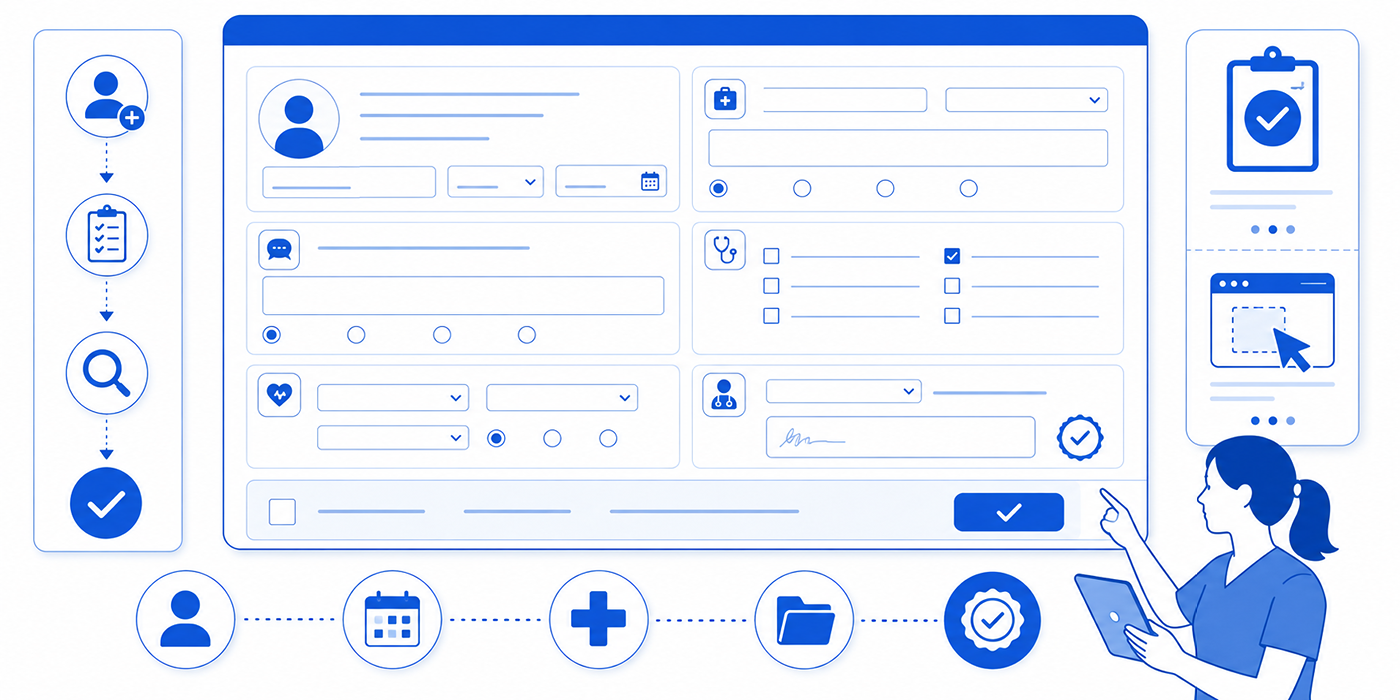
1. What an Encounter Form Captures and Why Every Field Matters
An encounter form is a structured record of the administrative, clinical, coding, and charge-capture information connected to a specific patient visit. Depending on the organization, teams may use related labels such as charge ticket, fee ticket, routing slip, or superbill. The form supports the movement of information from the appointment into the chart, coding queue, billing system, and follow-up workflow. Staff working with medical administrative workflows, practice management systems, EHR and EMR platforms, and revenue cycle management rely on its accuracy.
The clinical note explains what happened during the visit, including the patient’s condition, relevant findings, medical decision-making, procedures, and plan. The encounter form extracts specific operational data from that documented visit. The professional claim then communicates supported billing information to the payer through the applicable claim format or electronic transaction. CMS directs claim submitters to use current, valid diagnosis and procedure codes and stresses that claim information must align with the supporting record.
A dependable form starts with patient and encounter identifiers. The patient name, date of birth, medical record number, encounter ID, date of service, appointment type, provider, and location must identify one exact visit. This foundation becomes especially important when a patient has multiple appointments, family members share similar names, or the visit is rescheduled. Accurate identifiers reinforce patient record updates, medical records management, front-desk operations, and appointment scheduling best practices.
The provider and location fields determine who rendered the service, which entity will bill for it, and where the service occurred. A scheduled provider may differ from the professional who ultimately handled the visit. An office appointment may become a telehealth encounter. A patient may receive a service in a facility, home, clinic, or another approved setting. CMS maintains place-of-service codes for professional claims and instructs providers to use the code representing the entity where the service was rendered. These distinctions connect directly with medical credentialing, telemedicine terminology, telehealth administration, and virtual patient management.
Diagnosis fields identify the condition, symptom, screening purpose, history, status, or other documented reason connected to the encounter. Specificity may require laterality, acuity, episode information, anatomical detail, or other code-level distinctions. CMS publishes current ICD-10-CM files and official coding guidelines, so static encounter-form favorites require regular review against the code set applicable to the service date. Staff can strengthen this work through medical terminology mastery, medical coding error scenarios, clinical documentation improvement, and chart audit training.
Procedure fields record the services, treatments, tests, supplies, or other reportable work performed during the encounter. Their value depends on status clarity. A scheduled injection, proposed test, or planned procedure represents future intent. The completed service represents actual work. Encounter forms should therefore separate ordered, attempted, cancelled, deferred, and completed activity. This distinction supports cleaner superbill preparation, claims tutorials, clearinghouse workflows, and denials management.
| # | Encounter Form Field | What It Should Capture | High-Risk Failure | Best Validation Control |
|---|---|---|---|---|
| 1 | Patient Full Name | The legal or registered name connected to the patient record. | The form is attached to a similarly named patient. | Confirm two identifiers through patient intake procedures. |
| 2 | Date of Birth | A second patient identifier and age-related reference point. | An incorrect birth date affects eligibility or patient matching. | Reconcile with the registration record before charge release. |
| 3 | Medical Record Number | The organization’s unique patient identifier. | Charges or documents enter the wrong chart. | Generate or import it through the approved EHR or EMR. |
| 4 | Encounter ID | The unique identifier for one visit or service event. | Information attaches to an earlier or future visit. | Match the ID across the schedule, chart, and practice management system. |
| 5 | Date of Service | The date on which the reported service occurred. | The appointment date replaces the actual service date. | Compare with the completed appointment and signed note. |
| 6 | Appointment Type | The scheduled visit category and expected workflow. | The visit changes without an updated workflow. | Reconcile using appointment scheduling standards. |
| 7 | Service Location | The office, facility, home, or virtual setting where care occurred. | A default office location remains on a telehealth visit. | Use location prompts informed by telemedicine terminology. |
| 8 | Rendering Provider | The professional who performed the service. | The scheduled provider is reported automatically. | Require confirmation by the clinical or billing team. |
| 9 | Billing Provider | The individual or organization submitting the claim. | Rendering and billing identities are treated as interchangeable. | Verify enrollment through medical credentialing. |
| 10 | Referring Provider | The professional connected to an applicable referral or order. | An expired or unrelated referral remains attached. | Match the provider, specialty, dates, and visit limits. |
| 11 | Primary Payer | The plan expected to receive the initial claim. | An outdated plan is selected from prior history. | Complete current insurance verification. |
| 12 | Member ID | The patient’s identification number under the selected plan. | Transposed characters prevent payer matching. | Import verified data rather than retyping it. |
| 13 | Eligibility Status | The coverage status verified for the service date. | A previous eligibility result is reused. | Display the verification date, source, and limitations. |
| 14 | Authorization Number | The payer reference for an approved service. | The authorization covers a different service or date. | Reconcile through the prior authorization workflow. |
| 15 | Chief Complaint | The patient’s stated reason for seeking care. | Generic wording removes clinically useful context. | Capture precise information through active listening. |
| 16 | Diagnosis Code | The coded condition, symptom, screening, or encounter reason. | A familiar code is selected without full support. | Apply current ICD-10 guidance. |
| 17 | Diagnosis Status | Whether the item is active, historical, suspected, resolved, or requires review. | Historical information appears as an actively treated condition. | Compare the selection with the assessment and plan. |
| 18 | Laterality | The right, left, bilateral, or applicable anatomical side. | The diagnosis and procedure identify different sides. | Place laterality beside every relevant field. |
| 19 | Procedure Code | The code representing a documented service or procedure. | A preselected service remains after the visit changes. | Validate using CPT terminology and the completed note. |
| 20 | Modifier | Additional information about the circumstances of a service. | A modifier is added habitually or to bypass an edit. | Require documented criteria and designated review. |
| 21 | Units | The quantity, dose, service count, or applicable time increment. | A default quantity remains unchanged. | Match units with source documentation and inventory records. |
| 22 | Diagnosis Pointer | The connection between a procedure line and supporting diagnosis. | Every service is linked to every diagnosis. | Connect each service with the documented reason most relevant to it. |
| 23 | Procedure Status | Whether work was completed, attempted, cancelled, or planned. | Planned work enters charge submission as completed. | Make completion status mandatory before release. |
| 24 | Medication or Supply | The item, quantity, dose, route, and relevant source record. | Charges are estimated from expected use. | Connect with inventory management and administration records. |
| 25 | Test or Order Status | Whether a test was ordered, collected, completed, sent, or cancelled. | An order is treated as a completed service. | Use separate status options for each workflow stage. |
| 26 | Follow-Up Interval | The provider-directed timeframe for the next action or visit. | Vague instructions produce missed or mistimed follow-up. | Use specific intervals through secure scheduling tools. |
| 27 | Task Owner | The role, person, or queue responsible for unresolved work. | A free-text note contains no accountable owner. | Assign an owner, deadline, priority, and escalation route. |
| 28 | Provider Attestation | Confirmation that the responsible provider reviewed the encounter information. | Unsigned information reaches billing. | Apply an authentication hold before charge release. |
| 29 | Charge-Hold Reason | The specific defect preventing charge or claim release. | Generic holds accumulate without action. | Use standardized reasons informed by denial management scenarios. |
| 30 | Audit Trail | Who entered, changed, reviewed, or released each item and when. | Corrections overwrite the original value. | Preserve edit history through medical chart audit controls. |
2. Encounter Form Terms That Cause the Most Expensive Errors
A rendering provider is the professional who delivered the service, while the billing provider is the individual or organization submitting the claim. A referring provider may be connected to a referral, order, or payer requirement. Treating these fields as copies of one another can create enrollment conflicts, referral failures, or inaccurate provider attribution. Teams should define the distinctions within medical credentialing workflows, legal responsibility training, medical office policies, and risk management procedures.
The date of service identifies when the service occurred. The entry date, signature date, claim submission date, and payment date represent different moments in the workflow. A delayed note may carry a signature date later than the visit, while the reported service still belongs to the actual encounter date. Staff should compare these dates through medical records management, claims-processing workflows, daily office checklists, and EMR compliance training.
A diagnosis pointer connects each service line with the diagnosis or diagnoses that explain why the service was performed. indiscriminately connecting every procedure to every diagnosis obscures the relationship between the patient’s documented condition and the reported work. A strong encounter form lets reviewers see that relationship before the claim enters a clearinghouse, receives a payer edit, enters denial management, or produces a confusing explanation of benefits.
A modifier communicates a qualifying circumstance connected to a service. Its presence should follow applicable coding guidance, payer requirements, and documented facts. Automatic modifier placement creates risk when the system cannot evaluate the full encounter context. A safer workflow uses conditional prompts, designated review, and an audit trail. Staff responsible for these fields need a working command of CPT code concepts, medical billing terminology, medical coding errors, and claims tutorials.
Units communicate the quantity associated with a service, supply, medication, or time-based activity. The default value of one can become dangerous when several units were administered or when the applicable measurement requires careful calculation. Reviewers should compare units with medication records, procedure documentation, equipment records, and office inventory controls. This reconciliation belongs alongside medical chart audits, clinical documentation improvement, and effective medical office organization.
Authorization obtained and service authorized communicate different levels of certainty. A valid authorization may be limited to a particular procedure, provider, facility, date range, diagnosis, or number of visits. Entering an authorization number without its scope deprives reviewers of the information needed to detect a mismatch. Practices should connect encounter forms with prior authorization steps, insurance verification examples, coordination of benefits, and revenue cycle terminology.
A claim hold should state exactly what prevents release. “Needs review” provides no diagnostic value. “Rendering provider enrollment mismatch,” “laterality conflict,” “authorization dates exceeded,” or “procedure status unresolved” tells the assigned team what to investigate. Precise hold reasons also generate meaningful trend data for predictive analytics, denials analysis, medical admin time tracking, and office workflow improvement.
3. How to Complete an Encounter Form From Check-In to Charge Release
Before the encounter begins, registration staff should confirm the patient’s identity, visit type, current payer, member information, referral status, authorization requirements, and service location. Any unresolved issue should receive a visible status, responsible owner, and deadline. Quietly leaving a field blank forces later teams to determine whether the information was unnecessary, overlooked, unavailable, or still being investigated. A controlled approach combines patient intake, insurance verification, front-desk procedures, and scheduling-conflict management.
During the encounter, clinical support staff should capture the operational elements assigned to their role. These may include the actual rooming status, tests collected, medications administered, supplies used, procedure preparation, and orders requiring follow-up. The form should identify who recorded each item and when. This level of ownership supports medical office triage, infection-control documentation, medical administrative workflow design, and daily procedure checklists.
The provider should confirm the conditions addressed, services performed, relevant laterality, units, follow-up plan, and circumstances requiring coding review. The completed clinical note supplies the detailed support behind these selections. CMS documentation guidance emphasizes that the medical record must support the services reported for payment. Providers and scribes can strengthen alignment through accurate clinical documentation terms, EMR and charting terminology, medical terminology training, and clinical documentation improvement.
Immediately after the visit, the encounter should enter a validation stage. Reviewers should compare the patient, service date, provider, location, diagnoses, completed services, units, modifiers, authorization scope, documentation status, and follow-up routing. A service should move forward when its required elements agree across the schedule, chart, encounter form, and billing system. This review pairs naturally with EMR shortcuts, EMR issue resolution, practice management systems, and collaboration tools.
Conflicting information requires a documented clarification pathway. A left-sided diagnosis paired with a right-sided procedure, a completed status paired with a cancellation note, or an office location paired with a telehealth record should trigger review. The query should identify the discrepancy clearly and allow the authorized professional to clarify the record. Staff should preserve the original entry and resulting correction through chart audit controls, legal responsibilities, risk management, and medical records policies.
The final step is reconciliation. Every completed appointment should produce an explained outcome: charge released, documentation pending, coding review, authorization review, legitimate nonbillable encounter, cancellation, no-show, or another standardized status. This prevents completed visits from disappearing between systems. Daily reconciliation supports claims processing, revenue cycle management, denial prevention, and time-management mastery.
4. Interactive Fillable Encounter Form Templates for Different Workflows
A useful fillable template should follow the sequence in which employees perform the work. Placing billing fields before patient identification or hiding authorization status far from the selected service creates unnecessary searching. The form should reveal relevant fields at the moment they become actionable. This principle applies across EHR integrations, scheduling software, patient communication applications, and medical admin technologies.
Standard Outpatient Encounter Template
A standard outpatient template should begin with patient identifiers, encounter ID, service date, appointment type, rendering provider, billing provider, department, and location. Coverage fields should include payer, member ID, eligibility result, referral requirement, authorization status, copayment status, and any unresolved registration issue.
The clinical and charge section should capture the documented complaint, diagnoses addressed, laterality, services completed, modifiers requiring review, units, supplies, and diagnosis pointers. The closing section should capture follow-up timing, open tasks, responsible owner, provider authentication, and release status. This structure supports patient intake workflows, front-desk operations, medical claims processing, and patient portal management.
Procedure-Heavy Encounter Template
A procedure-focused form needs greater detail around anatomical site, laterality, consent status, preparation, supplies, medication, dose, route, device information, procedure outcome, complications, and post-procedure instructions. It should distinguish proposed, prepared, attempted, completed, discontinued, and rescheduled procedures.
The form should also connect every supply or medication entry with a source record. Procedure templates benefit from specialty-specific controls drawn from surgical scribing practices, orthopedic documentation training, cardiology scribe skills, and oncology documentation guidance.
Telehealth Encounter Template
A telehealth template should capture the patient’s location, provider location where required by workflow, communication modality, technology status, identity verification, consent workflow, participants, connection interruptions, and any transition to another care setting. The visit location and appointment type should update together so an encounter converted from office to virtual care does not retain conflicting fields.
Administrative follow-up may include portal instructions, scheduling, prescription routing, referrals, technical support, or escalation for in-person assessment. Teams can build these elements around telehealth platform terminology, medical scribes and telemedicine, virtual patient management, and healthcare portal terms.
Authorization-Dependent Encounter Template
This template should display the approved service, authorization number, effective dates, approved provider, approved facility, unit or visit limit, units remaining, and payer contact reference. The service selected on the encounter form should be compared directly with those details.
A mismatch should generate a hold before charge submission. The workflow can then route the case to authorization review, payer clarification, coding review, or patient communication. This template supports prior authorization management, insurance claims tutorials, coordination of benefits, and difficult patient conversations.
Charge-Reconciliation Template
A reconciliation template should compare the scheduled visit, completed status, signed note, encounter form, entered charge, and claim-release status. Each discrepancy should receive a standardized reason such as documentation pending, provider authentication pending, coding review, interface failure, authorization review, legitimate nonbillable encounter, cancellation, or no-show.
The template should include the date the issue entered the queue, current owner, aging category, most recent action, and resolution deadline. These fields help leaders identify process bottlenecks through medical admin time tracking, staff scheduling tools, collaboration platforms, and predictive analytics.

5. Privacy, Auditing, and Encounter Form Performance Controls
Encounter forms may contain patient identifiers, diagnoses, insurance information, procedures, and payment-related data. Organizations should limit access according to job responsibility, approved policy, and the purpose for which the information is needed. HHS describes the HIPAA minimum necessary standard as requiring reasonable efforts to limit applicable uses, disclosures, and requests for protected health information to the amount needed for the intended purpose. Staff should apply this principle through patient confidentiality training, HIPAA terminology, privacy communication, and HIPAA compliance guidance.
A webpage template should use fictional or de-identified training data until the organization has approved the hosting environment, access controls, transmission method, storage process, retention rules, audit capabilities, and vendor arrangements. The HIPAA Privacy Rule applies to protected health information in electronic, written, and oral forms. Production implementation therefore requires coordination among compliance, privacy, security, legal, operational, and technology teams.
Audit trails should preserve the original value, revised value, identity of the person making the change, date and time, and reason for correction. This protects the integrity of medical records management, supports chart audit reviews, strengthens legal responsibility controls, and gives denials teams evidence about when and where an error entered the workflow.
Performance measurement should focus on defects and rework rather than form-completion volume alone. High-value measures include same-day charge-capture rate, average encounter-to-charge time, unsigned-form rate, diagnosis-specificity exception rate, authorization mismatch rate, wrong-provider rate, wrong-location rate, procedure-status correction rate, clarification rate, and percentage of follow-up tasks without owners.
These measures reveal whether the underlying weakness comes from training, field design, unclear responsibility, staffing, interface logic, or code maintenance. Leaders can connect the findings with medical office organization, time-management training, medical admin collaboration tools, and AI and automation planning.
Form maintenance should follow a controlled schedule. Diagnosis codes, procedure options, provider records, locations, payer requirements, services, authorization rules, and specialty workflows can change. CMS maintains current ICD-10-CM files and identifies the periods for which those code files apply. A designated owner should coordinate updates, testing, approval, communication, and version control through regulatory update education, CMAA regulatory guidance, medical coding error prevention, and clinical documentation improvement.
6. Frequently Asked Questions
-
An encounter form is a structured record used to capture and route information from a specific patient visit. It may include patient identifiers, providers, diagnoses, services, authorization details, procedure status, follow-up work, and internal reconciliation fields.
A superbill usually emphasizes the diagnoses, services, and provider details required for billing or reimbursement workflows. An organization may use one document for both purposes or maintain separate formats. Clear definitions should appear in medical office policies, superbill guidance, claims-processing procedures, and revenue cycle training.
-
The clinical record contains the detailed documentation supporting the patient’s evaluation, treatment, procedures, medical decision-making, and plan. The encounter form extracts selected information for operational, coding, billing, and routing purposes. CMS documentation requirements connect payment to adequate support in the medical record.
Organizations should align the form with accurate clinical documentation, EMR charting terminology, clinical documentation improvement, and medical records management.
-
Registration staff can confirm patient identity, coverage, appointment, referral, and authorization information. Clinical support staff can record assigned operational details such as supplies, tests, medications, and procedure status. Providers can confirm diagnoses addressed, work performed, and follow-up plans. Coding and billing staff can validate the information before charge or claim release.
Every field should have an owner, completion point, and escalation route. These responsibilities belong in medical administrative workflows, legal responsibility guidance, daily office checklists, and medical admin policies.
-
The affected information should enter a documented hold and clarification process. The reviewer should identify the exact discrepancy, route it to the authorized professional, preserve the audit trail, and update the workflow after clarification.
Examples include conflicting laterality, different service locations, mismatched procedure status, or a diagnosis selection unsupported by the assessment. Teams should manage these situations through chart audit procedures, clinical documentation improvement, risk management strategies, and coding-error prevention.
-
Patient identifiers, date of service, rendering provider, service location, diagnosis specificity, laterality, procedure status, modifiers, units, diagnosis pointers, authorization scope, and provider authentication deserve focused validation. Each can materially affect the downstream workflow.
A strong form places related fields together and triggers a review when entries conflict. This design supports insurance verification, prior authorization, CPT code training, and ICD-10 code selection.
-
The form should require a specific procedure status. Useful options include planned, prepared, attempted, completed, cancelled, deferred, and needs clarification. Charge release should depend on a completed status supported by the encounter documentation.
This control should connect with medical claims processing, chart audit review, denial management, and medical office risk management.
