

Confidential Communication: Interactive Definitions & Examples
Confidential communication protects a patient’s dignity while ensuring the correct information reaches the correct person through an appropriate channel. Medical administrative professionals must understand patient confidentiality, apply practical HIPAA privacy safeguards, verify recipients, document communication preferences, and recognize when a routine exchange carries hidden disclosure risks. This guide provides an interactive terminology reference, decision framework, channel-specific safeguards, realistic scripts, and escalation procedures for handling patient privacy communication across reception areas, telephones, email, portals, records requests, billing conversations, and telehealth administration.
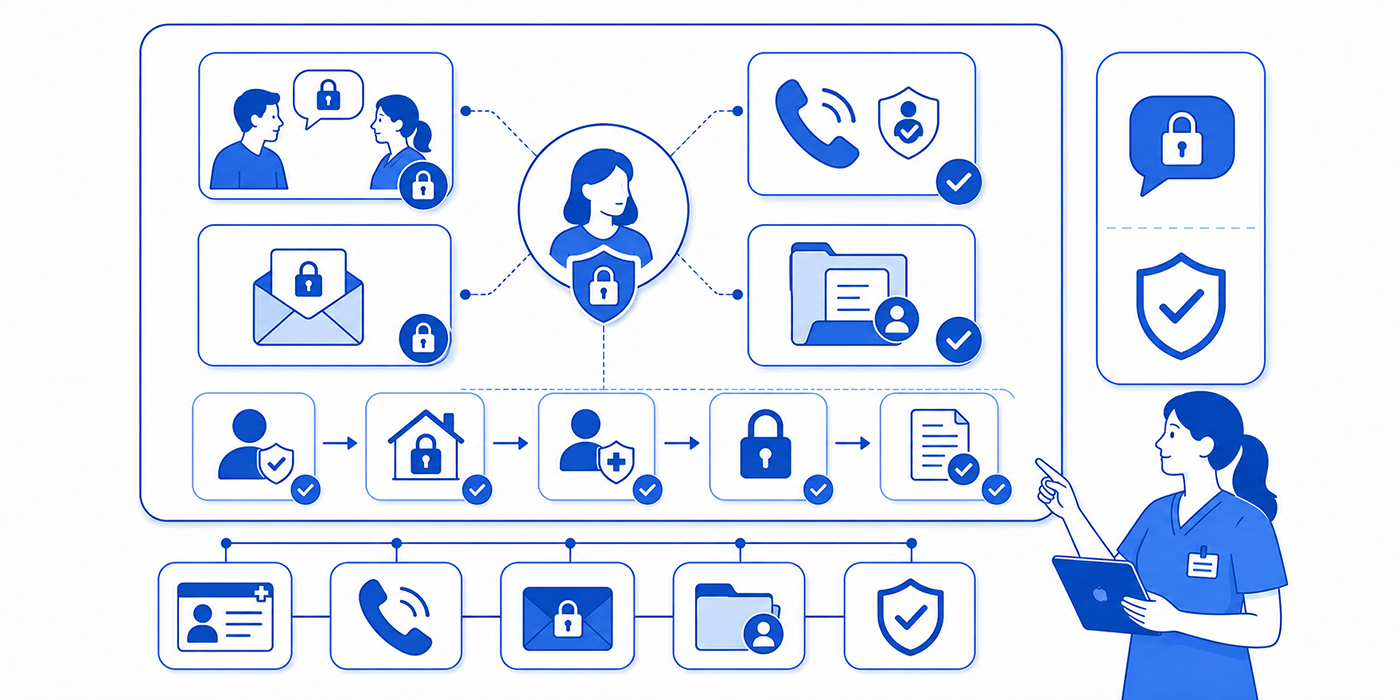
1. What Confidential Communication Means in Medical Administration
Confidential communication is the controlled exchange of patient information between properly identified people who have a legitimate reason to receive it. The exchange may be spoken, printed, handwritten, faxed, emailed, entered into an electronic health record, delivered through a patient portal, or discussed during a telehealth appointment. The communication remains confidential when the team verifies the recipient, limits the content to the appropriate purpose, uses reasonable safeguards, honors documented preferences, and records significant actions accurately.
The HIPAA Privacy Rule establishes federal protections for individually identifiable health information held or transmitted by covered entities and their business associates. Those protections apply across oral, written, and electronic forms. Covered organizations must establish privacy procedures, train workforce members, limit inappropriate access, and safeguard patient information from impermissible use or disclosure.
Confidentiality failures frequently begin with ordinary workplace habits. A receptionist confirms a specialty appointment while a coworker’s visitor stands nearby. A billing employee leaves a detailed voicemail on a shared household number. A referral is faxed using an outdated contact sheet. A patient’s daughter requests results and describes herself as the “main caregiver,” yet the team never verifies the patient’s preference or the daughter’s authority. A staff member sends a screenshot through a personal messaging account because the secure collaboration platform feels slower.
Each example bypasses one or more essential controls: identity verification, recipient authorization, minimum-necessary judgment, channel security, environmental awareness, or accurate medical records management. Strong confidentiality depends on several small decisions being completed in the correct order.
Confidentiality, privacy, and security serve different functions
Privacy concerns the patient’s rights and the rules governing how information may be used or disclosed. Confidentiality concerns the obligation to prevent information entrusted to the healthcare organization from reaching unauthorized people. Security concerns the administrative, technical, and physical controls used to protect electronic information and supporting systems.
A receptionist lowering their voice applies a confidentiality safeguard. A role-based access rule inside the EMR system supports security. A documented request to send bills to a separate mailing address exercises a privacy right. Staff need all three concepts because a secure system can still be used to send information to the wrong authorized account, while a legally permitted conversation can still expose unnecessary details in a crowded environment.
HIPAA allows certain incidental disclosures when the underlying use or disclosure is permitted and the organization has applied reasonable safeguards and, where applicable, the minimum-necessary standard. The standard expects practical risk reduction based on the circumstances rather than elimination of every conceivable privacy risk.
Confidential communication begins before information is disclosed
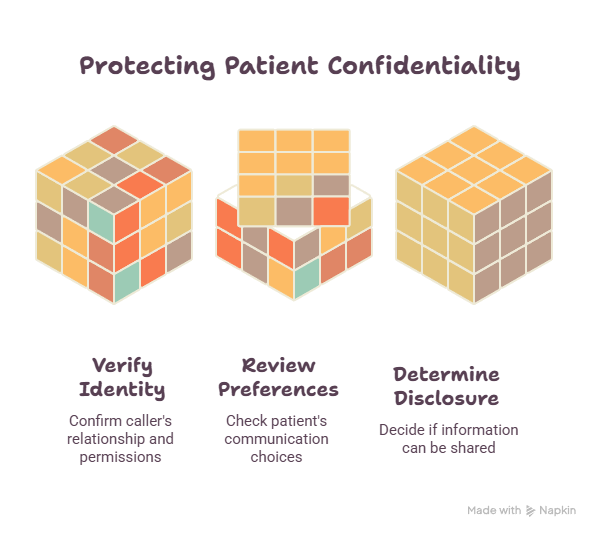
The safest communication process starts with five questions:
Who is requesting or receiving the information?
How has that person’s identity or authority been verified?
Why is the information needed?
Which details are appropriate for that purpose?
Which communication method aligns with the patient’s preferences and organizational policy?
These questions support reliable patient intake procedures, safer front-desk operations, compliant records-release workflows, and accurate patient record updates. Skipping any question can turn a routine reminder, referral, claim inquiry, or portal message into a reportable privacy concern.
| # | Term | Practical Definition | Common Failure Example | Correct Administrative Response |
|---|---|---|---|---|
| 1 | Confidential communication | A controlled exchange of patient information with an appropriately identified and permitted recipient. | Discussing a patient’s diagnosis where unrelated visitors can hear. | Move the discussion, lower the voice, and apply the organization’s privacy communication checklist. |
| 2 | Protected health information | Individually identifiable health information protected under applicable HIPAA requirements. | Assuming a patient’s appointment type carries no privacy implications. | Handle identifying clinical and administrative data through established HIPAA procedures. |
| 3 | Electronic PHI | Protected health information created, received, maintained, or transmitted electronically. | Sending a chart screenshot through a personal messaging application. | Use approved EMR integration tools and secure channels. |
| 4 | Minimum necessary | A principle requiring reasonable limitation of information to the amount needed for an applicable purpose. | Sending an entire chart when a payer requested one supporting document. | Review the purpose and release only the appropriate information through the records-release workflow. |
| 5 | Reasonable safeguard | An administrative, technical, or physical measure appropriate to the communication risk. | Reading laboratory results aloud across a crowded reception desk. | Use lower voices, private areas, screens, verification steps, and approved front-desk controls. |
| 6 | Incidental disclosure | A limited secondary disclosure resulting from an otherwise permitted activity despite reasonable safeguards. | A nearby person briefly hears a patient’s name when staff call them from the waiting room. | Reduce avoidable exposure through thoughtful spacing, volume, and workflow design. |
| 7 | Impermissible disclosure | Information shared with a person, for a purpose, or through circumstances that applicable rules do not permit. | Emailing records to an address copied incorrectly from handwritten paperwork. | Stop further disclosure and activate the organization’s privacy incident process. |
| 8 | Identity verification | Confirmation that the person requesting or receiving information is who they claim to be. | Providing account details after verifying only a commonly known date of birth. | Use approved verification factors within the patient intake process. |
| 9 | Authorization | A valid permission meeting applicable requirements for a defined use or disclosure of information. | Treating a relative’s verbal claim as unrestricted permission to obtain records. | Confirm the authorization’s validity, scope, recipient, purpose, and expiration. |
| 10 | Personal representative | A person legally recognized to act for the patient within an established scope. | Assuming every spouse, parent, or caregiver automatically holds complete authority. | Verify identity, authority, scope, and any limitations before discussing information. |
| 11 | Patient-designated contact | A person the patient has identified for specified communications or involvement. | Disclosing the full chart when the patient approved appointment reminders only. | Follow the documented scope recorded in the patient communication profile. |
| 12 | Alternative communication request | A request to receive communications through another method or at another location. | Continuing to mail statements to a shared home after an approved alternative address request. | Record and apply the preference across relevant practice management systems. |
| 13 | Communication preference | The patient’s documented choice regarding calls, messages, mail, portal alerts, or other contact methods. | Assuming the mobile number listed first is safe for detailed voicemail. | Confirm the channel, number, address, message detail, and contact restrictions. |
| 14 | Private setting | An environment selected to reduce unauthorized hearing, viewing, or interruption. | Discussing insurance denials within earshot of unrelated patients. | Move the conversation before reviewing denial information. |
| 15 | Screen privacy | Controls that prevent unauthorized people from viewing displayed information. | Leaving an open chart visible from the check-in line. | Position screens carefully, lock unattended devices, and use appropriate access controls. |
| 16 | Role-based access | System access limited according to the employee’s assigned duties. | Opening a neighbor’s record out of personal curiosity. | Access records only for assigned functions under established medical compliance rules. |
| 17 | Audit trail | A system record showing who accessed, changed, printed, or transmitted information. | Assuming chart access cannot be traced after the screen is closed. | Use the audit trail during approved chart audits and investigations. |
| 18 | Secure patient portal | An authenticated platform used for approved patient communications and record access. | Copying a sensitive portal message into ordinary text messaging for convenience. | Keep the exchange within the authorized healthcare portal. |
| 19 | Misdirected communication | A message, fax, record, or document sent to the wrong recipient or destination. | Selecting the wrong patient with a similar name from an auto-complete list. | Verify multiple identifiers and destination details before sending. |
| 20 | Fax verification | Confirmation that the fax destination is current, accurate, and appropriate. | Using a number saved years earlier without confirming the receiving office. | Verify unfamiliar destinations and use approved cover-page procedures. |
| 21 | Voicemail limitation | Restriction of voicemail content according to patient preference, risk, and policy. | Leaving a diagnosis and procedure details on a shared family voicemail. | Use a callback request or the minimum detail permitted by the documented preference. |
| 22 | Email safeguard | A control that reduces recipient, content, attachment, and transmission risks in email. | Sending an attachment before checking the address, subject line, and patient match. | Pause, verify, apply encryption when required, and follow professional email procedures. |
| 23 | Secure disposal | Destruction or disposal that prevents unauthorized reconstruction or access. | Placing printed schedules and labels in ordinary trash. | Use locked disposal containers and approved destruction procedures. |
| 24 | Language assistance | Qualified support that enables accurate communication with a patient who has limited English proficiency. | Using a waiting-room visitor to interpret sensitive health information. | Arrange appropriate medical interpreter services. |
| 25 | Auxiliary aid or service | Communication support used to ensure effective access for a person with a disability. | Relying on a companion when the patient requires a qualified sign-language interpreter. | Follow the patient’s communication needs and accessible-care procedures. |
| 26 | Proxy portal access | Approved access allowing another person to use designated patient-portal functions. | Sharing the patient’s own password with a caregiver. | Establish formal proxy access through the portal-management process. |
| 27 | Privacy incident | An event involving suspected inappropriate access, use, loss, transmission, or disclosure. | A printed referral packet disappears before reaching its intended department. | Report promptly through the organization’s privacy and risk-management process. |
| 28 | Breach assessment | A formal evaluation determining whether an incident triggers breach-response obligations. | An employee independently decides that a wrong-recipient email is harmless and deletes it. | Preserve facts and escalate to the designated privacy or compliance professional. |
| 29 | Disclosure accounting | A record of certain disclosures that may be subject to patient accounting rights. | Failing to record an applicable disclosure outside routine operations. | Follow the organization’s records-management policy. |
| 30 | Closed-loop correction | Confirmation that a communication risk was contained, corrected, documented, and reviewed. | Asking the wrong recipient to delete an email without confirming the response or reporting the event. | Document containment, notify the proper team, verify completion, and address the process failure. |
2. The PRIVATE Framework for Safe Patient Communication
Medical administrative professionals often communicate under time pressure while handling ringing phones, incoming patients, portal messages, claim questions, referral requests, and clinician interruptions. A standard framework prevents speed from replacing judgment.
Use PRIVATE before disclosing, sending, discussing, printing, or transferring patient information:
P — Pause and identify the purpose
R — Recognize the recipient
I — Inspect permissions and preferences
V — Verify the information and destination
A — Apply minimum-necessary judgment
T — Transmit through an approved channel
E — Enter documentation and escalate concerns
P — Pause and identify the purpose
Determine why the information is being requested. Treatment coordination, payment processing, healthcare operations, patient access, legal requests, public-health reporting, family involvement, employment forms, and insurance inquiries may follow different rules. A caller’s confidence, urgency, professional title, or detailed knowledge of the patient does not establish permission.
Ask: “What specific information are you requesting, and for what purpose?”
The answer determines which medical administrative workflow, insurance verification process, claims-processing procedure, or records-release protocol applies.
R — Recognize and verify the recipient
Use the organization’s approved verification process rather than improvised questions. Verification may involve multiple demographic identifiers, a portal login, a callback to a trusted number, employee credentials, provider identifiers, security questions, or formal documentation.
A person who knows the patient’s date of birth, address, medication, or clinician may have obtained that information legitimately or improperly. Familiarity supplies context; organizational verification supplies authorization to continue.
When the recipient is another practice, pharmacy, health plan, laboratory, attorney, employer, school, caregiver, or government agency, verify the destination through a trusted source. Accurate healthcare CRM records, current practice management data, reliable medical credentialing information, and controlled contact directories reduce misdirection.
I — Inspect permissions and patient preferences
Review the relevant authorization, personal-representative status, proxy access, verbal permission, disclosure rule, and patient communication preference. Identify the scope carefully. Permission to discuss appointment scheduling may exclude test results. Approval to speak with one family member may exclude another. Portal proxy access may provide specific functions rather than unrestricted control.
When the patient is present and has decision-making capacity, healthcare providers may share information directly relevant to a family member’s or friend’s involvement when the patient agrees, has an opportunity to object and does not, or the provider can reasonably infer no objection from the circumstances. Staff should apply professional judgment and organizational policy to the specific exchange.
A documented request for alternative confidential communication deserves operational attention. The HIPAA Privacy Rule permits patients to request communication through alternative means or at alternative locations, and covered providers must accommodate reasonable requests. Examples can include sending communications to another address or using a different contact method.
Communication preferences should be visible wherever staff manage appointment reminders, patient portal messages, billing communications, and records requests. A preference buried in one scanned document cannot protect the patient when automated systems continue using conflicting data.
V — Verify the information and destination
Use a deliberate pre-send check:
Correct patient
Correct recipient
Correct destination
Correct attachment
Correct document range
Correct communication preference
Correct purpose
Correct level of detail
Similar names, auto-complete fields, copied email threads, outdated fax numbers, multiple open charts, and misfiled scans create high-risk conditions. Staff should close unrelated records, avoid sending while distracted, and verify at least two patient identifiers according to policy.
For fax, phone, email, and other treatment communications, HHS identifies destination verification and reasonable safeguards as important controls. Examples include confirming an unfamiliar fax number, using accurately programmed destinations, and lowering one’s voice during oral communication near other people.
The same discipline strengthens medical coding accuracy, clinical documentation improvement, EMR compliance, and medical chart audit readiness.
A — Apply minimum-necessary judgment
Ask: “Which information accomplishes this purpose?”
A scheduler confirming an appointment may need the patient’s identity, date, time, location, and preparation instructions. The scheduler usually has no operational reason to explain unrelated diagnoses. A billing employee reviewing an explanation of benefits may need claim and service information while unrelated progress notes remain outside the task.
The HIPAA minimum-necessary standard generally requires reasonable efforts to limit applicable uses, disclosures, and requests to information needed for the purpose. Certain categories, including disclosures to or requests by a healthcare provider for treatment, are treated differently under the rule. Organizations should translate those requirements into role-specific policies rather than asking frontline employees to make legal interpretations during each encounter.
Apply established procedures for prior authorization, coordination of benefits, clearinghouse communication, and claims management. These workflows should define the information required for each function.
T — Transmit through an approved channel
Use systems approved by the healthcare organization. Personal email accounts, ordinary consumer file-sharing services, social-media messaging, personal cloud drives, and screenshots stored on private phones can bypass access controls, retention rules, audit trails, and incident-response capabilities.
Email communication with patients is permitted under HIPAA when reasonable safeguards are applied. HHS highlights steps such as verifying email addresses, limiting information in unencrypted messages, offering safer alternatives when appropriate, and complying with applicable Security Rule requirements for electronic PHI.
Approved patient communication applications, properly configured telehealth platforms, secure patient scheduling tools, and reliable EMR integration tools help preserve identity verification, access controls, and traceability.
E — Enter documentation and escalate concerns
Document meaningful communication preferences, authorization changes, attempted contacts, disclosures, patient instructions, interpreter use, complaints, and unresolved risks in the appropriate location. Keep documentation factual and avoid copying unnecessary sensitive details into administrative fields.
When information may have reached an unauthorized person, preserve the facts and report promptly. Workforce members should avoid independently deciding whether the incident meets the legal definition of a breach. The privacy or compliance team needs the recipient, information involved, transmission method, timing, containment actions, and any confirmation that the material was opened, retained, forwarded, or destroyed.
HIPAA’s Breach Notification Rule establishes notification duties following breaches of unsecured PHI, including notification to affected individuals and HHS, with additional requirements in certain circumstances. Business associates also have notification responsibilities to covered entities.
3. Confidentiality Rules for Phones, Voicemail, Email, Portals, and Public Areas
Telephone calls
Before discussing patient information, verify the caller through the approved process. Avoid confirming that someone is a patient until verification and disclosure rules permit that confirmation. Callers may attempt to create urgency by saying the patient is waiting at a pharmacy, boarding a flight, entering surgery, or standing beside them. Urgency changes workflow priority; verification still requires completion.
Use this script:
“Before I access or discuss the account, I need to complete our identity-verification process.”
When calling another organization, confirm the office, department, recipient, and callback number. Use a trusted directory or previously verified contact record. Do not rely exclusively on a number supplied by an unverified caller.
These habits support accurate virtual patient management, safer medical office triage, secure insurance verification, and dependable referral communication.
Voicemail and answering machines
HHS permits healthcare providers to leave messages for patients, including on answering machines, while encouraging reasonable safeguards and respect for requests for confidential communication. A provider may limit the message to a callback request or include greater detail when the patient’s preference and circumstances support it.
A privacy-conscious message could say:
“This is Jordan calling from the medical office for Alex Morgan. Please return my call at 555-0100.”
The office name itself may reveal sensitive information when it identifies a specialty. Follow the patient’s documented preference regarding caller identification, message detail, household numbers, and safe callback times. Update these preferences during patient intake, appointment scheduling, portal registration, and significant demographic changes.
Before sending an email containing patient information:
Verify the address against a trusted source.
Confirm the patient and intended recipient.
Review every recipient in the “To,” “CC,” and “BCC” fields.
Open each attachment and confirm its patient, date range, and content.
Remove unrelated material from the email chain.
Use approved encryption or secure-message functions when required.
Recheck the message after any auto-complete selection.
Document the exchange when it affects care or an administrative decision.
A technically polished email can still fail when the wrong recipient receives it. Apply the same care used in professional email etiquette, patient privacy communication, records-release management, and medical compliance.
Patient portals
Patient portals provide authentication, message history, controlled access, and system documentation when configured and used correctly. The portal’s presence does not solve every confidentiality problem. Staff must verify proxy relationships, respond within the correct patient chart, avoid copying messages into unsecured channels, and prevent one family member from using another person’s credentials.
When a caregiver needs access, use formal proxy-access procedures. Shared usernames and passwords prevent the organization from distinguishing the patient’s actions from the caregiver’s actions and can expose information outside the intended scope.
Strong portal management, clear healthcare portal terminology, accurate EHR documentation, and dependable patient education reduce unsafe password sharing and misdirected communication.
Front desks, waiting rooms, hallways, and elevators
Public-facing areas require constant environmental awareness. Avoid announcing diagnoses, procedures, test results, insurance disputes, balances, or medication details where unrelated people can hear. Lower your voice, invite the patient to a more private area, turn screens away from traffic, keep printed documents face down, and avoid discussing cases in elevators or public corridors.
HIPAA requires reasonable safeguards for oral information while recognizing that treatment environments cannot eliminate every possibility of being overheard. HHS identifies practical controls such as speaking quietly, creating distance, using dividers, and moving conversations where circumstances allow.
Front-office confidentiality improves when teams combine medical office ergonomics, organized front-desk workflows, deliberate patient privacy communication, and effective medical office organization.
Family members, caregivers, and companions
Begin with the patient whenever possible:
“Would you like this person to remain while we discuss your information?”
Clarify the scope:
“May I discuss the appointment details, billing information, clinical instructions, or all three?”
A family member who schedules appointments may lack permission to receive results. A caregiver who manages medications may need information directly relevant to that role. A driver may need discharge logistics without broader chart access. Document the patient’s preference and revisit it when the conversation changes subjects.
Use active listening, effective patient communication, cultural competence, and the organization’s HIPAA communication process to preserve both family involvement and patient control.
Interpreters and communication assistance
A child, visitor, or untrained employee can omit, soften, add, or misunderstand sensitive information. Arrange qualified language assistance according to the communication need and organizational obligations. Protect confidentiality by introducing the interpreter’s role, confirming the patient’s preferred language, positioning the conversation appropriately, and speaking directly to the patient.
The ADA’s effective-communication requirements may require auxiliary aids or services for people with vision, hearing, or speech disabilities. Examples include qualified sign-language interpreters, captioning, accessible electronic information, large print, and other appropriate supports. The appropriate aid depends on the communication’s complexity, context, and the individual’s needs.
Combine medical interpreter services, accessible telehealth administration, culturally responsive patient education, and accurate clinical documentation.
4. Interactive Confidential Communication Scenarios and Scripts
Scenario 1: A spouse requests laboratory results by phone
Caller: “I am her husband. She asked me to call and get the results.”
The employee should acknowledge the request, verify the caller, review the patient’s documented preferences, determine whether the disclosure is permitted, and identify the scope of information that may be shared.
Professional response:
“Thank you for explaining. I need to verify your identity and review the patient’s communication permissions before discussing information from her record. Please hold while I check the approved process.”
Avoid confirming that results exist before the verification and permission review supports the conversation. A spouse’s relationship to the patient provides relevant context while the disclosure decision still depends on the circumstances, patient preference, applicable rules, and practice policy.
This response uses patient confidentiality standards, HIPAA communication terminology, active-listening skills, and accurate patient record review.
Scenario 2: A patient asks staff to leave detailed information on voicemail
Patient: “You can leave everything on my mobile voicemail. I cannot answer at work.”
Professional response:
“I can document that preference. Please confirm the number, whether anyone else accesses the voicemail, which types of information may be included, and whether there are any times when we should avoid calling.”
Record the preference in the correct field and communicate any organizational limitations. A vague note reading “okay to leave messages” may fail to explain whether staff can mention appointment details, balances, test availability, specialty names, or clinical information.
Connect the preference to appointment scheduling procedures, patient portal management, effective patient communication, and the organization’s privacy checklist.
Scenario 3: A receptionist needs to discuss an overdue balance
The waiting room is crowded, and the patient is standing beside the check-in desk.
Professional response:
“I have an account matter that would be better discussed privately. We can move to the consultation area, or I can provide the appropriate billing contact for a secure follow-up.”
Avoid announcing the balance, procedure, insurance denial, or payment plan in the waiting area. The objective is to complete the billing function while limiting unnecessary exposure.
Apply medical billing terminology, explanation-of-benefits guidance, revenue-cycle procedures, and front-desk privacy safeguards.
Scenario 4: An employer calls to verify an employee’s appointment
Caller: “We need to know whether our employee attended the appointment they used sick leave for.”
Professional response:
“I am unable to confirm patient information through this call. Please submit the appropriate documentation or authorization through our established records process.”
The employer’s knowledge of the appointment date does not establish authority to receive confirmation. Route the request through approved procedures and avoid discussing whether the individual has ever received services from the practice.
Use the legal responsibility guide, medical records release tools, medical compliance reference, and risk-management strategy.
Scenario 5: A caregiver asks for the patient’s portal password
Caregiver: “I manage everything for him. Just tell me the password or reset it to my email.”
Professional response:
“We cannot share another person’s password. I can explain the formal proxy-access process and check whether documentation is already available for your role.”
Password sharing destroys individual accountability and can expose information outside the caregiver’s permitted scope. Formal proxy access allows the organization to identify the user and manage permissions properly.
The response supports secure healthcare portal use, accurate patient portal management, compliant virtual patient management, and reliable EMR audit trails.
Scenario 6: A fax containing patient information goes to the wrong office
A staff member realizes that the last digit in the fax number was incorrect.
Immediate actions:
Stop or cancel the transmission when possible.
Preserve the fax confirmation and transmission details.
Notify the designated privacy or compliance contact immediately.
Follow instructions for contacting the unintended recipient.
Request secure return or destruction without delaying internal reporting.
Document the information involved and containment actions.
Correct the destination record only after preserving the incident facts.
Participate in the formal assessment and corrective review.
The employee should avoid deleting evidence, editing timestamps, or deciding alone that the recipient “probably ignored it.” The organization needs accurate facts to evaluate the incident.
Apply risk-management procedures, medical compliance standards, records-management controls, and policy-development guidance.
Scenario 7: A patient sends clinical information through social media
The patient sends a direct message to the practice’s public social-media account and asks for medical advice.
Professional response:
“For your privacy, please avoid sending health information through this account. Use the secure patient portal or call the office through the approved number. I will provide the correct contact instructions without discussing your clinical concern here.”
Avoid copying the message into personal email, continuing the clinical discussion publicly, or confirming detailed patient information through the social-media channel. Follow policy for preserving, routing, and removing the message where appropriate.
Direct the patient toward approved patient communication applications, the secure healthcare portal, appropriate medical office triage, and compliant telehealth platforms.
Scenario 8: A patient requests an interpreter while a relative objects
Relative: “I always translate for her. An interpreter will waste time.”
Professional response:
“We need to communicate directly and accurately with the patient using the appropriate assistance. We will ask the patient about her preferred communication method and arrange the support required for this discussion.”
Speak to the patient and determine their preference. Preserve the relative’s supportive role when the patient wants their involvement, while using qualified assistance for communication that requires accuracy, neutrality, and confidentiality.
Use medical interpreter services, cultural competence practices, patient education techniques, and effective communication standards.
Scenario 9: Staff receive a records request with a broad authorization
The authorization says “all records” and names an outside recipient, yet the form contains inconsistent dates and an unclear signature.
Professional response:
“We received the request and need to verify several elements before releasing information. We will contact the appropriate person through our established process to clarify the scope and validity.”
Avoid releasing records because the request appears urgent or has an official-looking letterhead. Review required elements, expiration, recipient, patient identity, signature, requested information, and applicable restrictions. Escalate ambiguous forms to the designated records, privacy, or legal team.
Use the medical records management guide, records-release directory, chart-audit checklist, and legal responsibilities reference.
Scenario 10: A coworker asks about a recognizable patient
Coworker: “I saw my neighbor checking in. Why are they here?”
Professional response:
“I cannot discuss patient information outside an assigned work-related need.”
Curiosity, friendship, concern, professional status, and workplace access do not establish an operational reason to open or discuss the record. Report persistent pressure or suspected inappropriate access through the appropriate supervisory or compliance route.
This boundary protects patient confidentiality, reinforces medical compliance expectations, supports accurate chart auditing, and strengthens professionalism in medical administration.
5. Documentation, Incident Response, and Confidentiality Training
Confidential communication depends on records that tell staff how to act. Document the patient’s preferred telephone number, safe voicemail instructions, mailing address, portal status, authorized contacts, proxy relationships, alternative communication requests, interpreter needs, accessibility requirements, and restrictions according to policy.
A useful note is specific:
“Patient requests appointment reminders by portal only. Do not leave voicemail. Mobile number retained for identity verification and urgent callback according to policy.”
A weak note creates ambiguity:
“Be careful contacting patient.”
Specific documentation supports consistent appointment scheduling, safer patient communication, accurate practice management, and compliant patient record updates.
Build a rapid privacy-incident response
When a potential incident occurs, use STOP:
S — Stop further transmission or exposure
T — Tell the designated privacy or compliance contact
O — Obtain and preserve accurate facts
P — Prevent independent cleanup that destroys evidence
Relevant facts include:
Date and time
Person who discovered the incident
Patient or patients affected
Information involved
Intended recipient
Actual or possible recipient
Communication channel
Whether the content was opened, viewed, downloaded, printed, or forwarded
Containment steps
Recipient response
Devices, systems, or documents involved
Existing communication preferences
Process failure that contributed to the event
Keep the clinical chart, administrative note, and incident-reporting system aligned with policy. An internal incident report may contain quality, legal, or risk-management information that belongs outside the clinical record. The clinical record should include information relevant to patient care and communication continuity.
Strong teams integrate clinical documentation improvement, medical chart audit controls, EHR compliance training, and risk-management strategies.
Train for decisions rather than definitions alone
Employees may memorize that PHI requires protection and still disclose information under pressure. Effective training uses realistic decisions:
A caller knows every demographic identifier yet fails the approved verification process.
A parent requests access to an adolescent’s information.
A former employee’s account remains active.
A patient wants all information sent through ordinary text messages.
A staff member photographs a schedule to finish work from home.
A printer containing records jams in a public area.
A family member refuses to leave during a sensitive conversation.
A clinician asks an employee to bypass the standard release workflow.
An email thread contains information about another patient.
A portal proxy requests access beyond the documented scope.
Training should identify the correct first action, escalation path, documentation location, and person responsible for the final decision. Scenario-based education complements medical compliance terminology, HIPAA privacy guidance, patient communication training, and medical administrative policies.
Audit the workflow rather than blaming the final employee
A wrong-recipient email may reflect several system weaknesses:
Auto-complete displays addresses without clear identifiers.
Staff manage multiple patient charts simultaneously.
Contact directories contain outdated entries.
Production targets encourage rushed transmission.
Similar names appear without sufficient alerts.
Attachments use vague file names.
Employees lack a second-check process for large releases.
Patient preferences remain buried in scanned documents.
Fax numbers have no verification date.
Personal devices fill gaps left by difficult internal systems.
Corrective action should address the employee’s conduct and the conditions that increased the error probability. Review medical office organization, EMR software issues, team collaboration tools, and daily office checklists.
The strongest confidentiality culture gives employees a safe route to pause, question, and report. Staff should understand that quick reporting enables containment. Delayed reporting allows messages to be forwarded, documents to remain exposed, credentials to stay active, and incorrect communication preferences to continue harming the patient.
6. Frequently Asked Questions
-
Confidential communication is the appropriate exchange of patient information with an identified and permitted recipient through a suitable channel and under reasonable safeguards. It includes verbal conversations, written documents, telephone calls, voicemail, email, portals, fax, telehealth, billing correspondence, and medical records releases. Effective confidentiality combines patient privacy rights, accurate identity verification, appropriate information limits, secure systems, and documented communication preferences.
-
Healthcare providers may leave messages for patients while applying reasonable safeguards and respecting documented confidential-communication requests. The appropriate level of detail depends on the patient’s preference, the number’s privacy, the specialty, organizational policy, and the sensitivity of the information.
Staff should verify the number, determine whether the voicemail is shared, review the approved level of detail, and use the organization’s appointment scheduling process, HIPAA communication guidance, patient privacy checklist, and front-desk procedures.
-
HIPAA permits providers to communicate with patients by email when reasonable safeguards are used. HHS identifies address verification, limiting sensitive content in unencrypted messages, discussing relevant risks, and offering alternative methods as useful considerations. Electronic PHI must also be handled consistently with applicable Security Rule requirements.
Use approved systems, verify every recipient and attachment, and follow the organization’s professional email procedures, patient portal process, EMR integration controls, and medical compliance policy.
-
Verify the family member’s identity, review the patient’s stated preference, determine the person’s involvement or authority, and limit the discussion to information relevant to the permitted role. When the patient is present and able to decide, ask directly whether they want the person involved and which subjects may be discussed. Apply patient confidentiality rules, effective communication skills, active-listening techniques, and the organization’s legal responsibility framework.
-
Stop further transmission, report the incident immediately, preserve accurate evidence, follow approved containment instructions, and avoid independently deleting or altering records. Record the destination, content, timing, recipient response, and actions taken. The designated privacy or compliance professional should complete the applicable risk and breach assessment.
Use the organization’s risk-management procedure, medical compliance process, records-management protocol, and medical administrative workflow.
-
The minimum-necessary standard applies to many HIPAA-regulated uses, disclosures, and requests, with defined exceptions. For example, disclosures to or requests by healthcare providers for treatment receive different treatment under the rule. Frontline employees should follow role-specific organizational procedures rather than trying to interpret regulatory exceptions during a live request.
Clear workflows for prior authorization, insurance claims, coordination of benefits, and medical record release should define which information employees need for each task.
