

Cloud-based electronic medical records have transformed how healthcare organizations document visits, exchange clinical information, and manage patient care. Yet terms such as FHIR, interoperability, multi-tenancy, API integration, and data synchronization often confuse medical scribes and administrators who use these systems every day.
A misunderstood EMR function can cause duplicate records, missing laboratory results, delayed referrals, or serious documentation errors. This practical dictionary explains essential cloud EMR terminology through real healthcare scenarios, showing how modern systems work, where common failures occur, and which operational practices help professionals maintain accurate, accessible, and secure patient records.
1. Cloud-Based EMR Fundamentals: Essential Terminology and How the Technology Works
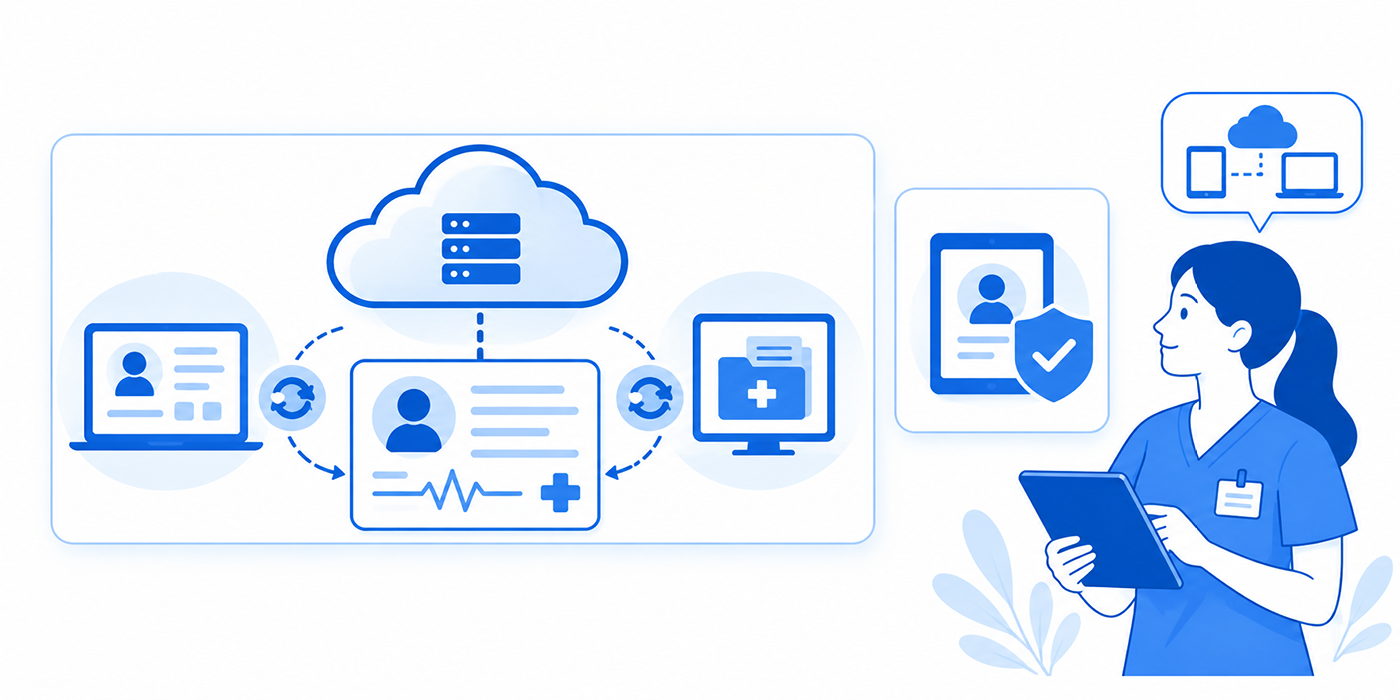
A cloud-based Electronic Medical Record (EMR) stores and processes clinical information through remotely hosted computing infrastructure instead of relying entirely on servers maintained inside a medical facility.
Authorized employees access the platform through supported applications, often using internet-connected workstations or mobile devices. Depending on the product's architecture, the vendor may manage application updates, infrastructure maintenance, backups, and parts of the security environment.
The healthcare organization remains responsible for its own applicable privacy, security, and operational obligations.
Understanding this division is essential for medical records management, practice management systems, and patient privacy compliance.
EMR versus EHR: What is the difference?
An Electronic Medical Record (EMR) primarily represents clinical information maintained within a particular medical practice or organization. It supports documentation, diagnosis, treatment, and longitudinal tracking within that setting.
An Electronic Health Record (EHR) is designed around a broader view of patient information, potentially incorporating records from multiple healthcare organizations.
In everyday healthcare software discussions, the terms are frequently used interchangeably. Their actual capabilities depend on the vendor, available integrations, organizational arrangements, and system configuration.
For example, an outpatient clinic may maintain its own longitudinal chart while receiving hospital discharge summaries through an interoperable exchange.
A medical scribe preparing that appointment must understand both the clinical documentation process and how external records become available through patient information management.
SaaS, PaaS, and IaaS explained
Cloud platforms generally use three service models.
Software as a Service (SaaS) delivers complete software through a cloud platform. Healthcare organizations use the application while the provider manages much of its underlying technology. Many commercial cloud EMRs operate primarily through this model.
Platform as a Service (PaaS) provides managed application-development and deployment environments. Healthcare technology teams may use it to build integrations or specialized clinical applications.
Infrastructure as a Service (IaaS) provides computing resources such as servers, networking, and storage. Organizations typically retain greater responsibility for configuring and managing software running on those resources.
The model affects how administrators approach healthcare workflow automation, secure messaging, and patient portal integrations.
Multi-tenancy, databases, and data isolation
Multi-tenancy describes an architecture in which multiple organizations use shared application or infrastructure components while their information and access permissions remain logically separated.
For instance, two independent clinics may use the same cloud EMR service without being permitted to see each other's patient records.
Proper isolation requires appropriately designed access controls, application logic, database protections, testing, and operational safeguards.
A shared infrastructure model alone does not guarantee isolation.
Healthcare staff should understand why confidential patient communication, medical compliance procedures, and patient record access controls remain necessary even when a vendor manages the servers.
The following dictionary translates technical concepts into operational situations employees can recognize.
| # | EMR Term | Practical Definition | Healthcare Example | Operational Tip |
|---|---|---|---|---|
| 1 | Cloud EMR | Electronic medical record application hosted through cloud infrastructure. | Clinic employees document visits through a hosted platform. | Confirm access and downtime procedures. |
| 2 | EHR | Digital health record designed to support a broader view of patient care. | Specialists review records from multiple care settings. | Verify the source and accuracy of imported data. |
| 3 | SaaS | Vendor-managed software delivered as a cloud service. | Subscription-based clinical charting application. | Review service scope and contractual terms. |
| 4 | IaaS | Cloud-hosted computing, networking, and storage resources. | Hospital hosts a customized records application on virtual servers. | Clarify infrastructure security responsibilities. |
| 5 | PaaS | Managed environment for developing and running applications. | Developer builds an approved referral integration. | Review deployment and application security controls. |
| 6 | Multi-Tenancy | Shared infrastructure serving logically separated customers. | Multiple clinics use the same EMR application platform. | Test organizational data isolation. |
| 7 | Tenant Isolation | Controls preventing one tenant from accessing another's resources. | Clinic A cannot view Clinic B's charts. | Validate authorization across organizational boundaries. |
| 8 | API | Application Programming Interface enabling software systems to communicate. | Approved application retrieves patient demographics. | Authorize only necessary access. |
| 9 | FHIR | HL7 standard for representing and exchanging healthcare information. | Patient application retrieves laboratory observations. | Validate resources and terminology mappings. |
| 10 | FHIR Resource | Structured representation of a healthcare concept. | Patient, Observation, MedicationRequest, or Encounter. | Check identifiers and resource relationships. |
| 11 | SMART on FHIR | Framework enabling authorized applications to integrate with FHIR-based systems. | Clinical tool launches within an EHR workflow. | Evaluate granted permissions and user context. |
| 12 | HL7 v2 | Widely used messaging standard for healthcare system integrations. | Hospital transmits admission or laboratory messages. | Monitor message failures and acknowledgments. |
| 13 | ADT Message | Admission, discharge, or transfer-related notification. | Hospital registration update reaches another system. | Check patient identity and encounter mapping. |
| 14 | C-CDA | Standardized clinical document architecture for exchanging care information. | Specialist receives a structured referral summary. | Reconcile imported medications and problems. |
| 15 | USCDI | United States Core Data for Interoperability standard defining foundational data elements. | Exchange includes standardized allergies and laboratory results. | Check the applicable certification version. |
| 16 | HIE | Health Information Exchange supporting clinical information sharing. | Emergency department retrieves external care information. | Check provenance and completeness. |
| 17 | TEFCA | National framework supporting trusted exchange among participating networks. | Participating organizations exchange records through designated network arrangements. | Verify participation and permitted exchange purposes. |
| 18 | Interoperability | Ability of systems to exchange information and make effective use of it. | Lab result appears correctly in a physician's chart. | Validate meaning, identifiers, and workflow placement. |
| 19 | Interface Engine | Software routing, translating, and monitoring data between systems. | Transforms laboratory messages for a receiving EMR. | Monitor errors and rejected transactions. |
| 20 | Data Mapping | Matching information fields or codes between different systems. | External allergy field maps to the local allergy list. | Test high-risk clinical fields. |
| 21 | LOINC | Terminology standard for identifying laboratory and clinical observations. | Glucose test receives a standardized code. | Confirm specimen, units, and test meaning. |
| 22 | SNOMED CT | Structured clinical terminology for representing healthcare concepts. | Problem list records a standardized clinical finding. | Avoid equating clinically different concepts. |
| 23 | RBAC | Role-Based Access Control using permissions linked to staff responsibilities. | Scribe can draft notes without administrative privileges. | Review privileges after role changes. |
| 24 | SSO | Single Sign-On enabling access through a centralized authentication process. | Clinician signs in to approved connected applications. | Protect the primary identity account. |
| 25 | MFA | Authentication involving multiple distinct factor categories. | Password plus authenticator or security key. | Prefer phishing-resistant options where supported. |
| 26 | Audit Trail | Recorded history of actions performed within a system. | EMR logs chart access and note edits. | Preserve and review relevant activity. |
| 27 | Encryption at Rest | Cryptographic protection of stored information. | Encrypted patient database or device storage. | Manage encryption keys securely. |
| 28 | Encryption in Transit | Protection of data moving between systems. | Encrypted portal-to-server connection. | Use approved protected interfaces. |
| 29 | BAA | Business Associate Agreement governing qualifying HIPAA business associate relationships. | Cloud vendor maintains ePHI for a clinic. | Verify agreements and responsibilities. |
| 30 | SLA | Service Level Agreement defining service commitments. | Contract specifies availability and response targets. | Review exclusions and remedies. |
| 31 | Uptime | Period during which a system is functioning and accessible. | EMR remains available during clinic hours. | Measure actual clinical availability. |
| 32 | Latency | Delay between an action and a system response. | Chart takes several seconds to open. | Check network, application, and vendor factors. |
| 33 | Downtime Procedure | Approved workflow used when systems are unavailable. | Staff document visits on controlled downtime forms. | Reconcile records after restoration. |
| 34 | RTO | Recovery Time Objective: target restoration duration. | Restore patient scheduling within a defined period. | Match targets to clinical priorities. |
| 35 | RPO | Recovery Point Objective: targeted maximum data loss measured in time. | Recovery uses a backup from an earlier point. | Align backup frequency with data criticality. |
| 36 | Data Migration | Transfer of records and related information between systems. | Clinic moves charts into a new EMR. | Validate completeness and document exceptions. |
| 37 | Data Reconciliation | Resolving discrepancies between information sources. | Staff compare imported and existing medication lists. | Escalate clinical discrepancies appropriately. |
| 38 | Sandbox Environment | Controlled environment used for testing and training. | Employees practice check-in with fictional patients. | Use approved synthetic or protected test data. |
| 39 | Patient Portal | Patient-facing application providing access to supported health services. | Patient views results and sends secure messages. | Confirm identity and access settings. |
| 40 | Vendor Lock-In | Difficulty moving systems or data because of technical or contractual dependencies. | Clinic discovers exporting complete records is costly or complex. | Test exports before signing or renewing contracts. |
2. Cloud EMR Workflows Explained: Patient Registration, Documentation, Orders & Follow-Up
Cloud EMR terminology becomes useful when employees understand how information moves through an actual clinical encounter.
Consider a patient visiting an outpatient cardiology clinic after receiving treatment at an emergency department.
The appointment involves registration, insurance verification, chart preparation, clinician documentation, laboratory ordering, and follow-up coordination. Each stage depends on accurate information reaching the correct destination.
Step 1: Patient identity and demographic synchronization
The patient arrives and confirms their identity through the clinic's approved verification process.
The registration system retrieves demographic information, insurance details, and appointment records.
If the organization uses separate scheduling and EMR applications, an integration may synchronize this information.
However, matching records using only a name can create serious errors when patients share similar identifiers.
A reliable workflow uses approved matching criteria and escalates uncertain identities for authorized resolution.
Staff should be comfortable with virtual patient check-in, front-desk patient interaction scripts, practice management terminology, and confidential patient verification.
Common failure: A demographic update reaches the billing system but not the EMR.
Correct response: Identify which system contains the authoritative information, verify the intended change, and follow the organization's correction workflow.
Step 2: Chart preparation and external record retrieval
Before the appointment, staff review available prior encounters, medication history, allergies, test results, and outside documents.
The cloud EMR may receive data through HIE connections, interfaces, or FHIR-based applications.
Yet the presence of an imported record does not guarantee that its information is current or reconciled.
A patient might have discontinued a medication after a hospital discharge, while the clinic's existing list still shows it as active.
Employees preparing charts should distinguish the source of information from its clinical verification status.
Relevant skills include medical records management, clinical documentation accuracy, medical compliance fundamentals, and team communication protocols.
Step 3: Encounter documentation and note status
The physician evaluates the patient while a medical scribe documents the relevant history, examination, assessment, and plan according to approved responsibilities.
The cloud system may automatically save drafts or display pending changes.
Autosave does not necessarily mean the clinical note has been signed, finalized, or made available to downstream systems.
Organizations should clearly define what draft, pended, signed, amended, and closed encounter statuses mean in their particular EMR.
For example, a note may be saved but remain unavailable for a downstream coding workflow until the authorized clinician signs it.
Employees need to understand encounter form completion, medical transcription conventions, medical coding accuracy, and professional clinical communication.
Step 4: Laboratory orders and result routing
The physician orders a metabolic panel.
The EMR sends the order to the connected laboratory system through an approved interface. The laboratory processes the sample and returns results.
An interface engine may translate messages, verify routing, and record transmission status.
A successfully transmitted message does not necessarily prove that the intended clinician saw, acknowledged, or acted upon the result.
Organizations need workflows for missing results, critical-value escalation, duplicate orders, and closed-loop communication.
Relevant training includes secure clinical messaging, medical records accuracy, team communication, and crisis communication procedures.
Common failure: A result reaches the EMR but enters an unexpected inbox or remains unreviewed.
Correct response: Follow the approved results-management and escalation process rather than assuming successful transmission completes clinical follow-up.
Step 5: Patient portal communication and scheduling
Following the encounter, the patient may receive a portal notification, instructions, and a scheduling reminder.
Different systems may handle patient messaging, reminders, and follow-up appointment creation.
A portal message marked as sent does not establish that the patient read or understood the instructions.
Organizations should establish escalation pathways for clinically important communication, particularly when patients report access difficulties or fail to complete required follow-up.
Employees can strengthen these workflows through patient portal management, appointment reminder software, patient education practices, scheduling conflict management, and therapeutic communication.
Step 6: Billing and encounter completion
After clinical documentation reaches the appropriate status, billing workflows may use diagnoses, procedures, encounter details, and payer information to prepare claims.
A disconnected billing interface can create missing charges or duplicate administrative work.
Staff should distinguish the clinical record from the financial claim and verify that each follows the organization's approved workflow.
Understanding coordination of benefits, medical coding errors, practice management integrations, and encounter documentation can prevent avoidable rework.
3. Cloud EMR Interoperability: FHIR, HL7, APIs, USCDI & Information Exchange
Interoperability determines whether clinical information can move between systems while retaining useful meaning.
For healthcare administrators, the challenge involves more than sending data. Systems must identify the correct patient, represent the information accurately, and deliver it into a usable workflow.
HL7 FHIR versus HL7 v2
HL7 v2 is a widely used healthcare messaging standard. It supports many established interfaces for admissions, laboratory results, orders, and other clinical events.
FHIR, or Fast Healthcare Interoperability Resources, provides a modern standard for representing and exchanging healthcare information through structured resources and supported interfaces.
A FHIR Patient resource describes patient information, while an Observation resource can represent a laboratory measurement. An Encounter resource captures information about a patient interaction with healthcare services.
FHIR APIs can allow authorized applications to request supported information without relying on an entire chart export.
However, FHIR support alone does not guarantee that every data field is available or that two implementations behave identically.
Interface design, authorization, implementation guides, terminology mapping, and actual vendor capabilities remain important.
Employees managing medical records, healthcare automation integrations, patient portals, and secure messaging systems should understand these limits.
SMART on FHIR and third-party clinical applications
SMART on FHIR provides a framework for integrating authorized applications with FHIR-based health IT.
For example, a clinician might launch an approved decision-support application from an EHR, allowing the application to receive appropriate contextual information and access permitted resources.
Access remains dependent on the implementation, authentication, authorization, and scope of permissions.
A well-designed integration should avoid requesting unnecessarily broad information and must protect sensitive data.
This is especially relevant to healthcare automation tools, medical documentation processes, patient information confidentiality, and medical compliance training.
USCDI and standardized clinical information
The United States Core Data for Interoperability establishes standardized data classes and elements for exchanging health information.
Examples include information relevant to medications, allergies, laboratory observations, clinical notes, and patient characteristics.
Under the HTI-1 final rule, USCDI Version 3 became the updated baseline standard for applicable ONC-certified health IT criteria beginning January 1, 2026, subject to applicable enforcement discretion and certification requirements.
USCDI establishes foundational exchange expectations; it does not represent the complete universe of electronic health information.
A clinic should distinguish between a standardized exchange dataset and a broader record export when planning migration or patient access.
These distinctions affect medical records organization, patient portal functions, and electronic documentation workflows.
Information blocking and data portability
U.S. information blocking rules address certain practices that are likely to interfere with the access, exchange, or use of electronic health information, subject to the regulatory framework and applicable exceptions.
The rules can apply to healthcare providers, developers of certified health IT, and health information networks or exchanges.
A vendor contract that makes legitimate access or migration unnecessarily difficult may raise information blocking concerns depending on the circumstances.
However, information blocking rules do not eliminate appropriate privacy protections, authorization requirements, or valid regulatory exceptions.
Healthcare organizations should document legitimate information requests and escalate potential problems through approved compliance channels.
Relevant knowledge includes patient records management, confidential healthcare communication, medical compliance, and patient portal access procedures.
A practical interoperability troubleshooting sequence
When expected information fails to appear, staff should follow a consistent escalation process:
Verify identity: Confirm the intended patient and encounter using approved identifiers.
Verify the source: Establish which system generated the information.
Check transmission status: Determine whether the interface sent and acknowledged the transaction.
Check mapping: Investigate whether the information entered an unexpected field or workflow.
Check permissions: Confirm the recipient is authorized to see the relevant information.
Escalate unresolved discrepancies: Follow clinical, technical, and privacy procedures appropriate to the issue.
This process supports team communication, secure healthcare messages, patient scheduling integrations, and accurate medical documentation.
4. Cloud EMR Security, HIPAA Compliance, Access Controls & Downtime Management
Cloud hosting changes where technology operates and how responsibilities are allocated. Healthcare organizations still need effective security safeguards and a defensible approach to managing sensitive information.
HIPAA compliance and Business Associate Agreements
HIPAA-covered entities and business associates may use cloud services to process or store ePHI when applicable requirements are satisfied.
When a cloud service provider creates, receives, maintains, or transmits ePHI on behalf of a covered entity or business associate, it generally qualifies as a business associate and requires an appropriate Business Associate Agreement (BAA).
This applies even when a provider only maintains encrypted information and does not hold the decryption key.
A BAA establishes relevant contractual privacy and security responsibilities, while the covered entity and vendor must also satisfy their respective applicable regulatory duties.
Employees evaluating medical compliance requirements, patient privacy procedures, secure healthcare messaging, and medical records management should understand the implications.
A signed BAA alone does not establish that a cloud EMR deployment is secure or fully compliant.
Shared responsibility and employee access
Cloud vendors and healthcare organizations share responsibilities according to the service architecture, contracts, and applicable regulations.
For example, a vendor may secure underlying cloud infrastructure while a medical practice manages employee permissions and account access.
If a receptionist retains privileged access after changing departments, the resulting risk may originate from inadequate internal access management rather than a failure of cloud infrastructure.
Organizations should review role-based permissions, authentication, workforce changes, and audit logs.
This protects front-desk patient information, confidential communication, patient portal administration, and professional documentation practices.
Encryption, backup, and actual data recoverability
Encryption at rest protects stored information, while encryption in transit protects information as it moves across networks.
Appropriate encryption helps reduce unauthorized disclosure risk, but it does not independently guarantee accurate records or service availability.
A clinic can have encrypted databases and still experience major operational disruption following ransomware, corrupted records, or a system configuration error.
Backup and recovery planning must therefore account for restoring usable information and applications.
Two essential terms are:
Recovery Time Objective (RTO): The target time within which a system or service should be restored following a disruption.
Recovery Point Objective (RPO): The targeted maximum acceptable data loss expressed as a period of time.
Organizations should test whether these targets can be achieved rather than relying exclusively on written vendor assurances.
Knowledge of encounter documentation, patient appointment procedures, clinical records management, and crisis communication helps operational teams prepare.
What happens when the cloud EMR goes down?
During downtime, clinical staff may lose access to patient histories, orders, prescribing functions, or laboratory information.
The organization should activate approved business continuity procedures, including secure documentation, escalation pathways, and patient safety safeguards.
After restoration, employees must reconcile information recorded during the outage.
Otherwise, duplicate orders, missing clinical observations, and incomplete patient records may persist.
For example, if a laboratory order was placed through an approved downtime process, staff must verify whether the restored EMR already contains it before initiating another transaction.
Employees trained in medical records reconciliation, encounter documentation standards, patient communication techniques, and clinical team coordination are valuable during recovery.
Security risks involving AI and cloud integrations
Modern EMRs increasingly support automated documentation, dictation, scheduling workflows, and analytical applications.
Before connecting an external application, organizations need to assess data access, vendor relationships, technical security, retention practices, and authorized purposes.
An employee should never assume that an online transcription or AI tool can receive identifiable patient data simply because the application advertises encryption.
Safe adoption requires approved workflows and applicable contractual safeguards.
Understanding healthcare automation tools, medical transcription software, patient confidentiality, and medical compliance terminology helps prevent unauthorized data transfers.

5. Cloud EMR Selection, Migration & Performance: A Practical 30-Day Evaluation Framework
Healthcare organizations should evaluate cloud EMRs against clinical workflows, interoperability, security, operational resilience, and total cost.
A feature demonstration may reveal whether an interface looks intuitive. Actual implementation testing reveals whether the system supports safe and reliable work.
Days 1–7: Define workflows and nonnegotiable requirements
Start by mapping the organization's typical patient journey.
Record how patients register, provide insurance information, complete encounters, receive orders, communicate through portals, and schedule follow-up visits.
Identify current failures such as duplicate demographics, incomplete notes, missing laboratory interfaces, and manual claim correction.
Include representatives from clinical, administrative, privacy, security, and billing teams.
Training in patient registration procedures, practice management systems, medical records management, patient scheduling, and encounter forms provides useful context.
Deliverable: A prioritized requirements document separating essential functionality from desirable enhancements.
Days 8–14: Test interoperability and realistic clinical tasks
Ask vendors to demonstrate actual workflows using fictional or properly authorized test records.
Required scenarios might include:
Registering a patient with a similar name to an existing patient.
Importing external medication and allergy information.
Receiving a laboratory result with an abnormal value.
Completing a physician note and transferring relevant information into billing.
Sending a referral and tracking its status.
Delivering a portal message and managing an unanswered response.
Exporting a usable patient record for another authorized system.
Evaluate whether users can identify incomplete information, resolve discrepancies, and recover from mistakes.
The organization should test patient portal management, secure messaging workflows, coordination of benefits, medical coding accuracy, and healthcare automation integrations.
Deliverable: A documented list of successful transactions, failures, and unresolved interface requirements.
Days 15–21: Evaluate cloud security and vendor commitments
Review the proposed BAA, security responsibilities, service-level agreement, access controls, backup arrangements, incident notification process, and disaster recovery capabilities.
Ask the vendor how it handles routine maintenance, system incidents, and changes to data interfaces.
Service contracts should clarify whether scheduled maintenance is excluded from availability commitments and what support is provided during clinical emergencies.
Organizations should also evaluate data export terms, implementation expenses, and additional charges for interfaces or storage.
These reviews support medical compliance practices, patient privacy management, confidential communication controls, and professional healthcare administration.
Deliverable: A risk assessment with assigned owners and documented remediation decisions.
Days 22–30: Rehearse migration and assess total cost
Run a sample migration involving structured data, documents, historical encounters, medications, allergies, and relevant administrative information.
Compare source records with destination records and document unresolved differences.
Do not assume that a successful file transfer proves clinical completeness.
Some data may arrive as documents rather than structured fields; some information may require authorized reconciliation before routine use.
A migration checklist should include:
Record counts and patient identity matching.
Structured medication and allergy information.
Historical documents and attachments.
Laboratory values, units, and reference information.
Clinical note signatures and provenance.
User access and audit history requirements.
Open orders, outstanding results, and referral queues.
Secure retention or disposal of legacy records.
The organization should also calculate ongoing costs beyond the subscription fee, including implementation, interfaces, training, data extraction, technical support, and business continuity requirements.
Staff with knowledge of medical records systems, practice management applications, medical transcription records, patient portal workflows, and medical compliance requirements should participate in validation.
Deliverable: A migration readiness report identifying acceptable risks, outstanding corrections, and the conditions required for approval.
Six metrics that reveal whether the cloud EMR is actually improving operations
Track performance against the organization's original baseline.
1. Chart-opening time: How long users wait to access patient information during ordinary clinical activity.
2. Documentation completion time: Time between the end of an encounter and completion of required documentation.
3. Interface exception rate: Frequency of failed, rejected, or incorrectly mapped transactions.
4. Duplicate record rate: Number of patient identity duplicates detected relative to the reviewed population.
5. Unresolved result backlog: Outstanding results that require authorized review or follow-up.
6. Downtime recovery performance: Actual restoration time and the completeness of reconciled clinical records.
These metrics matter more than marketing claims about general system speed.
They connect operational performance with patient satisfaction measurements, patient scheduling reliability, clinical communication quality, and accurate medical records.
A cloud EMR investment becomes easier to defend when measurable improvements appear in real clinical workflows.
6. FAQs: Cloud-Based EMR Definitions, Integrations, HIPAA & Healthcare Administration
-
A cloud-based EMR is a digital medical records system hosted on remote computing infrastructure and accessed through approved applications.
It can support clinical notes, patient histories, prescriptions, orders, and other functions depending on the product.
Its operational value depends on implementation quality, system availability, security, and integration capabilities.
Employees can build foundational knowledge through medical records management, encounter form terminology, practice management systems, and medical transcription processes.
-
The main distinction concerns where computing resources operate and how infrastructure responsibilities are allocated.
A cloud EMR relies on remotely hosted resources, while an on-premises system typically uses infrastructure maintained by the healthcare organization or its contracted provider.
Either model can support secure and reliable care when properly configured.
The comparison should include recovery capabilities, network dependency, access controls, lifecycle costs, and integration requirements.
Teams familiar with healthcare automation platforms, patient portal administration, and medical compliance can contribute to the evaluation.
-
Cloud hosting does not independently establish HIPAA compliance.
A covered entity must evaluate applicable safeguards, vendor relationships, risk management, access controls, and other regulatory obligations.
A cloud service provider maintaining ePHI on behalf of a regulated entity generally requires an appropriate BAA.
Employees should understand medical compliance requirements, patient privacy practices, and confidential healthcare communication.
-
FHIR is an HL7 healthcare interoperability standard that defines structured resources and supports methods for exchanging clinical information.
It can help authorized applications retrieve supported patient information from compatible systems.
However, real-world functionality depends on the implementation, supported resources, authorization rules, and terminology standards.
Knowledge of FHIR can support work involving healthcare automation, medical records integration, patient portals, and secure medical communication.
-
Multi-tenancy means multiple organizations use shared application or infrastructure components while their information is separated through technical and administrative controls.
A vendor might serve many independent clinics through a common software platform.
Safe operation depends on proper data isolation, authorization, monitoring, and security testing.
Staff should understand how this relates to confidential communication, medical compliance policies, and patient record permissions.
-
Access may be interrupted when the connection or relevant cloud services become unavailable.
Some products offer limited offline functions, but availability depends on the vendor and configuration.
Healthcare organizations should maintain approved downtime procedures and data reconciliation processes.
Employees handling patient appointment scheduling, medical encounter documentation, patient communications, and clinical records should know their assigned downtime responsibilities.
