

Medical administrators lose valuable time chasing incomplete referrals, correcting insurance records, managing appointment changes, and following up on unanswered patient messages. Workflow automation can reduce these repetitive tasks, but poorly configured systems may create duplicate records, missed follow-ups, unauthorized disclosures, and delays in patient care.
Understanding automation terminology helps administrators identify which processes can be streamlined and where human oversight remains essential. This practical dictionary explains core automation concepts, provides healthcare-specific examples, demonstrates how to build reliable workflows, and introduces methods for measuring accuracy, protecting patient information, and improving daily practice operations.
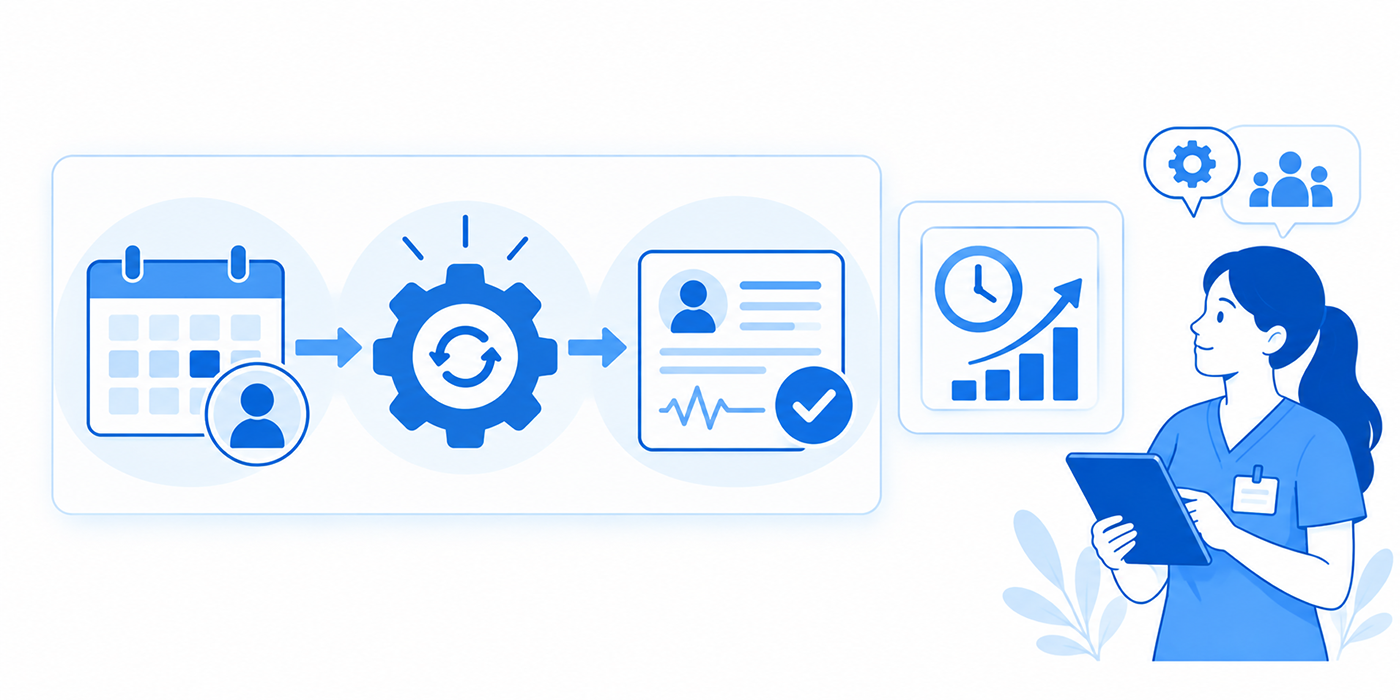
1) Workflow Automation Explained: Essential Terms Every Medical Administrator Should Know
Healthcare workflow automation uses software-defined rules, system integrations, and event-based triggers to move information and administrative tasks through established processes.
For example, an appointment cancellation may automatically release a scheduling slot, notify the appropriate staff queue, and initiate an approved waitlist workflow. An incomplete referral might trigger a documentation request and remain open until the missing information is received.
These processes often connect practice management systems, patient scheduling integrations, secure healthcare messaging, and electronic medical records.
Five Components of a Reliable Automated Workflow
Every useful workflow should define five elements:
Trigger: The event that starts the process, such as a canceled appointment.
Condition: The rule determining whether automation should proceed, such as whether the patient is eligible for a particular scheduling slot.
Action: The approved operation performed by the system, such as creating a staff task.
Exception: The condition requiring manual intervention, such as conflicting insurance information.
Completion evidence: The recorded outcome showing that the intended action actually occurred.
This structure applies to virtual patient check-in, appointment reminder software, and patient portal administration.
For medical administrators, the greatest practical challenge is distinguishing a task that was automatically initiated from one that was successfully completed.
A referral marked "sent" may still be missing required records. An appointment reminder marked "delivered" does not establish that a patient understood the instructions. A claim marked "submitted" may still be rejected before adjudication.
| # | Automation Term | Definition and Medical Admin Example | Critical Operational Check |
|---|---|---|---|
| 1 | Workflow Automation | Software-driven execution of defined tasks, such as sending approved appointment reminders. | Confirm the intended task finishes and its outcome is recorded. |
| 2 | Trigger | An event that starts automation, such as a newly received referral. | Check that repeated events do not create duplicate workflows. |
| 3 | Conditional Logic | Rules determining what happens next, such as routing incomplete forms for review. | Test every branch, including missing or contradictory data. |
| 4 | Workflow Action | An operation performed after a trigger, such as creating a scheduling task. | Verify the destination, recipient, and required permission. |
| 5 | Workflow Engine | Software coordinating automated tasks and decision paths. | Verify that task status and failed actions are visible. |
| 6 | Task Queue | Organized list of work awaiting processing or staff review. | Assign ownership, priority, and follow-up responsibility. |
| 7 | Exception Queue | Separate worklist for tasks automation cannot safely complete. | Escalate patient mismatches and unclear authorization statuses. |
| 8 | Service-Level Agreement (SLA) | Defined performance target for completing or responding to tasks. | Distinguish internal targets from regulatory deadlines. |
| 9 | Escalation Rule | Instruction directing unresolved work to another responsible person or team. | Prevent tasks from circulating indefinitely without ownership. |
| 10 | Application Programming Interface (API) | Defined interface for exchanging information between applications. | Verify authorized access, data mapping, and response errors. |
| 11 | Webhook | Event notification sent from one system to another. | Handle missed, repeated, and out-of-order notifications. |
| 12 | HL7 FHIR | Healthcare data-exchange standard supporting interoperable applications. | Validate patient identity, resources, and permissions. |
| 13 | Robotic Process Automation (RPA) | Software automating repetitive user-interface actions. | Test for failures when screens or application layouts change. |
| 14 | Optical Character Recognition (OCR) | Technology extracting text from scanned forms and documents. | Review identifiers, dates, and insurance details against the source. |
| 15 | Data Validation | Checking whether information meets defined requirements. | Identify missing fields, invalid values, and incompatible formats. |
| 16 | Field Mapping | Matching data fields between systems. | Ensure referral dates and insurance identifiers populate correct locations. |
| 17 | Data Normalization | Converting information into consistent formats. | Preserve original meaning when standardizing dates and contact details. |
| 18 | Master Patient Index (MPI) | System supporting patient identity matching across records. | Investigate potential duplicates before merging records. |
| 19 | Duplicate Detection | Identification of possible repeated records or tasks. | Review uncertain matches rather than automatically combining patients. |
| 20 | Idempotency | Design principle preventing repeated requests from producing duplicate effects. | Confirm that retrying a reminder does not create multiple appointments. |
| 21 | Retry Logic | Rules for attempting a failed operation again. | Set retry limits and avoid repeated patient notifications. |
| 22 | Dead-Letter Queue | Queue holding messages that cannot be processed successfully. | Assign review responsibility and a recovery procedure. |
| 23 | Audit Trail | Record of relevant system and user activity. | Capture task initiation, changes, approvals, and failures. |
| 24 | Role-Based Access Control (RBAC) | Permissions assigned according to job responsibilities. | Restrict access to information beyond the user's role. |
| 25 | Human-in-the-Loop Approval | Required human review before a selected automated action proceeds. | Identify actions requiring clinical or administrative authorization. |
| 26 | Prior Authorization | Payer process evaluating whether certain requested services meet authorization requirements. | Track submission, documentation, deadlines, and payer decision. |
| 27 | Eligibility Verification | Checking reported insurance coverage for a relevant date of service. | Distinguish coverage verification from payment guarantees. |
| 28 | Coordination of Benefits (COB) | Process identifying payment order when multiple insurance policies apply. | Verify primary and secondary payer information. |
| 29 | Automated Reminder | Scheduled message prompting a patient about an upcoming appointment. | Check communication preferences and delivery status. |
| 30 | Patient Portal Workflow | Automated handling of approved portal requests and notifications. | Separate administrative requests from clinical questions. |
| 31 | Business Associate Agreement (BAA) | Required contract governing applicable vendor handling of PHI. | Verify permitted uses, safeguards, and subcontractor obligations. |
| 32 | Protected Health Information (PHI) | Individually identifiable health information protected under applicable HIPAA rules. | Review access, disclosures, retention, and storage safeguards. |
| 33 | Workflow Bottleneck | Stage where tasks accumulate or experience disproportionate delays. | Measure queue age, handoff delays, and unresolved work. |
| 34 | Process Mining | Analysis of event logs to identify actual workflow patterns. | Compare documented procedures with how tasks truly move. |
| 35 | Workflow Orchestration | Coordination of multiple systems, actions, and approval stages. | Ensure ownership and completion status persist across handoffs. |
2) Seven Medical Administration Workflows That Benefit From Automation
Automation opportunities should be selected according to administrative burden, process consistency, patient safety, and the consequences of failure. High-volume tasks with clear inputs and predictable actions are generally easier to standardize than decisions requiring clinical judgment.
1. Appointment Scheduling and Cancellation Management
An effective scheduling workflow can detect an approved cancellation, update the appointment status, and notify authorized scheduling staff that a slot is available.
More advanced systems may offer the opening to eligible waitlisted patients according to configured scheduling rules.
The workflow must account for appointment type, clinician availability, visit duration, patient restrictions, and confirmation requirements.
Without these controls, automation may book a new patient into a follow-up-only slot or send conflicting appointment messages.
Pair scheduling conflict management with appointment reminder automation, virtual check-in processes, and patient communication scripts.
Critical failure point: A canceled appointment triggers an offer, but the original appointment was never successfully released.
2. Insurance Eligibility and Registration
Eligibility automation can retrieve payer responses and compare demographic, policy, and coverage information with the practice's existing records.
A valid response should be associated with the correct patient and date of service.
The system should flag terminated policies, discrepancies in identifying information, unverified secondary insurance, and responses requiring manual clarification.
Understanding coordination of benefits is essential because verifying active insurance does not establish which payer should be billed first.
Connect eligibility workflows to virtual registration, practice management systems, and medical records accuracy procedures.
Critical failure point: Staff interpret an eligibility response as confirmation that a particular service will be paid.
3. Referral Intake and Documentation Collection
A referral workflow can create an intake task, check required administrative fields, identify missing documents, and route complete referrals to the appropriate team.
Automation should distinguish between receipt, completeness, acceptance, scheduling, and clinical review.
A referral containing an incomplete patient identifier or missing clinical documentation belongs in an exception queue.
For successful routing, teams need reliable written administrative communication, secure messaging, and medical records handling.
Critical failure point: The system marks a referral complete simply because files were attached, without verifying that the required information is present.
4. Prior Authorization Tracking
Automation can monitor authorization requests, track payer communications, identify missing documentation, and alert staff when a decision remains outstanding.
Administrative teams should understand current regulatory requirements when configuring time-based workflows.
Under CMS-0057-F, certain impacted payers must make decisions on covered non-drug medical items and services within seven calendar days for standard requests and 72 hours for expedited requests, subject to applicable conditions and exceptions. These provisions generally began in 2026 for the specified payers, while relevant API requirements generally begin in 2027.
These timelines have specific scopes and exclusions. A practice should validate the applicable payer and service requirements before setting escalation rules.
Integrate authorization tracking with practice management systems, encounter documentation, medical coding accuracy, and team communication.
Critical failure point: A timer begins when an internal request is created, even though the payer has not received the submission.
5. Patient Portal Request Routing
Patient portals receive appointment requests, record requests, medication questions, clinical concerns, billing inquiries, and administrative updates.
Automation can classify requests into appropriate queues and notify responsible staff.
However, message classification can be wrong, particularly when a patient includes a clinical concern inside an apparently routine scheduling request.
Organizations need clear rules for routing possible urgent symptoms to approved clinical procedures.
Combine patient portal management with phone triage communication, therapeutic communication techniques, and secure healthcare messaging.
Critical failure point: A message containing a potentially urgent clinical concern is incorrectly classified as an ordinary administrative request.
6. Billing and Claim Follow-Up
Administrative automation can identify claim status changes, assign rejection worklists, flag missing insurance information, and route unresolved claims for review.
A claim rejection generally indicates that the submission failed an initial processing requirement; a claim denial follows payer adjudication. The distinction matters because corrective actions differ.
Staff should investigate errors in patient information, payer selection, code compatibility, and supporting documentation before resubmission.
Useful companion resources include medical coding errors, coordination of benefits, and practice management system terminology.
Critical failure point: The same rejected claim is repeatedly resubmitted without correcting the underlying cause.
7. Appointment Reminders and Post-Visit Administration
Automated reminders can reduce repetitive outbound work and help patients prepare for appointments.
Post-visit administrative workflows may distribute approved information, create follow-up tasks, or notify patients that documents are available through secure channels.
Communication preferences, opt-outs, contact validity, and message sensitivity must be respected.
A reminder should contain only information appropriate for its delivery channel, following applicable privacy requirements and organizational policies.
Build these processes using appointment reminder software, patient education procedures, confidential communication, and patient satisfaction tracking.
Critical failure point: A delivered reminder is treated as a confirmed appointment or an acknowledged medical instruction.
3) Practical Tutorials: Building and Troubleshooting Medical Admin Automation
The following tutorials demonstrate how workflow concepts translate into operational rules. Use fictional records in an approved test environment before deploying automation with live patient information.
Tutorial 1: Create an Automated Appointment Cancellation Workflow
Objective: Release a canceled appointment safely and initiate a controlled replacement process.
Step 1 — Define the trigger. The scheduling system records an appointment status change to "Canceled."
Step 2 — Validate the appointment. Confirm that the appointment identifier matches the expected patient, clinician, time, and location.
Step 3 — Apply conditions. Determine whether the slot can be offered to waitlisted patients and which appointment types are eligible.
Step 4 — Create the approved action. Update availability and initiate the authorized waitlist notification workflow.
Step 5 — Handle exceptions. Stop automatic booking when scheduling restrictions conflict, the slot is unavailable, or patient eligibility cannot be verified.
Step 6 — Record completion. Log whether the appointment was released, an offer was sent, and a replacement booking was actually confirmed.
Test simultaneous cancellations, duplicate event notifications, expired offers, and disconnected scheduling systems.
These scenarios are especially important when improving scheduling conflict management, appointment reminders, and patient check-in workflows.
Tutorial 2: Automate Incomplete Referral Follow-Up
Objective: Identify missing referral information without accidentally releasing incomplete records.
Start with a fictional referral containing a patient identifier, requested specialty, referring organization, and supporting documents.
Create validation checks for required fields, document presence, routing destination, and patient identity.
If a required field is missing, the system should assign an exception to the appropriate intake queue.
The staff member reviewing the exception should determine what information is required and initiate an authorized request through a secure channel.
When a response arrives, the workflow should associate it with the existing referral rather than creating a duplicate.
Finally, mark the intake stage complete only after required administrative checks succeed.
This workflow relies on medical records management, written communication skills, secure messaging procedures, and medical compliance controls.
A critical test involves receiving the same supporting document twice. The workflow should preserve the correct referral association without creating unnecessary duplicate tasks.
Tutorial 3: Design a Patient Portal Routing Workflow
Objective: Direct administrative requests to the correct team while protecting clinically sensitive messages.
Create fictional portal messages representing appointment requests, billing questions, registration changes, and clinical concerns.
The automation should first verify that each message belongs to the appropriate patient record.
Next, apply administrative routing categories.
For low-risk scheduling questions, create a scheduling task. For billing inquiries, route the message to an authorized financial worklist.
Messages containing clinical concerns should follow established clinical routing and escalation protocols. Uncertain classifications should receive human review.
The workflow must preserve the original message, maintain the audit history, and avoid sending detailed health information through unapproved channels.
Test how the system handles messages containing multiple topics, such as a billing question combined with a symptom concern.
Training should incorporate patient portal management, phone triage communication, secure clinical messaging, and patient interaction scripts.
Tutorial 4: Build an Exception Queue That Staff Actually Use
Objective: Prevent failed automation tasks from disappearing or remaining unresolved indefinitely.
Define the exception types first: missing insurance information, duplicate patient records, unsuccessful integrations, unclear referrals, communication failures, and permission errors.
For each exception, specify an owner, priority, creation timestamp, review target, and escalation destination.
The queue should distinguish newly created exceptions from those awaiting external responses.
Staff should have clear status options, such as "Needs Review," "Awaiting Information," "Escalated," and "Resolved."
A resolved status should require meaningful evidence. Reassigning a task or sending a request does not necessarily mean the underlying issue has been fixed.
Test the process using a fictional eligibility response that cannot be matched confidently to the patient.
The correct response is to flag the discrepancy for review rather than forcing a match.
This exercise reinforces medical records accuracy, team communication, and professional accountability.
4) Automation Risks, HIPAA Safeguards, and Human Approval Requirements
Medical administration workflows frequently handle patient identifiers, insurance details, referral information, and confidential communications.
Automating these processes introduces risks involving unauthorized access, incorrect patient matching, missing notifications, and inappropriate task completion.
A safe automation program should incorporate privacy, clinical escalation, security, and operational recovery into its original design.
Protect Patient Information Throughout the Workflow
Automation vendors that handle protected health information on behalf of HIPAA-covered organizations may qualify as business associates and require appropriate business associate agreements.
These agreements help establish permitted data uses, safeguards, subcontractor obligations, and reporting responsibilities.
Healthcare organizations should review medical compliance requirements, patient privacy communication, and confidential communication procedures before connecting external services.
Role-based permissions should limit access according to authorized job responsibilities.
Where the HIPAA minimum necessary standard applies, organizations must take reasonable steps to restrict unnecessary uses, disclosures, and requests for protected information. The standard has specific exceptions, including disclosures to or requests by healthcare providers for treatment.
Automation rules should reflect those distinctions rather than applying a blanket assumption to every transaction.
Avoid Wrong-Patient Automation
Patient identity errors are particularly dangerous because one incorrect match can propagate information across multiple systems.
For example, an automated document import might attach referral information to the wrong chart because two patients have similar names.
A safer workflow verifies approved identifiers and routes uncertain matches for human investigation.
Automatic merging should be restricted according to established patient identity procedures.
Teams should reinforce medical records management, virtual patient check-in verification, and professional documentation standards.
Establish Clear Human Approval Boundaries
Certain actions are appropriate for automated routing while others require an authorized person's assessment.
Automation may identify that a referral lacks a required field. Whether the underlying clinical information supports a particular treatment or service may require professional review.
Similarly, a portal message can be placed in a clinical queue, but the software should not independently interpret symptoms and issue individualized medical instructions outside an appropriately governed clinical system.
Administrative teams need well-defined escalation pathways using phone triage protocols, therapeutic communication principles, and team communication procedures.
Prevent Duplicate Actions and Uncontrolled Retries
Systems occasionally send repeated event notifications or retry failed operations.
Without safeguards, a duplicate appointment event might create two tasks, send multiple reminders, or offer the same slot to several patients.
Idempotency controls help ensure that repeated processing does not create unintended duplicate effects.
A practical implementation assigns a stable identifier to each logical action and checks whether it has already been completed before processing a retry.
Retry rules should also define limits and escalation procedures.
If repeated attempts fail, the system should preserve the unresolved action in a monitored queue.
This is especially important for appointment reminder systems, scheduling integrations, and secure patient messages.
Plan for Integration Failures and System Downtime
An EHR or practice management system outage may interrupt multiple connected workflows.
Organizations should document which tasks can be temporarily handled through approved fallback procedures and which activities must remain pending until reliable system access is restored.
During recovery, staff should reconcile tasks completed manually with those awaiting automated processing.
This reduces duplicate appointments, repeated claims activity, and inconsistent patient records.
Use established crisis communication methods, medical records controls, and team coordination practices.
The 2025 SAFER Guides, updated and maintained by federal health IT authorities, provide a useful framework for assessing risks involving patient identification, electronic communication, EHR system management, downtime, and test-result follow-up.
Monitor Automation After Deployment
Passing initial tests does not guarantee that a workflow will continue functioning correctly.
System updates, changed payer requirements, new appointment types, and modified EHR fields can alter workflow behavior.
Schedule periodic checks of failed actions, unusual task volumes, permission changes, and unresolved exceptions.
Include these findings in medical compliance reviews, patient satisfaction monitoring, and medical administration communication audits.

5) Measuring Workflow Automation ROI: KPIs, Implementation Plans, and Staff Training
Medical practices should evaluate workflow automation using operational outcomes rather than the number of automated tasks created.
A system that processes thousands of actions may still increase workload if it generates unnecessary alerts, creates duplicate tasks, or forces administrators to correct inaccurate information.
The strongest measurements connect efficiency with resolution quality.
Five Performance Metrics Worth Tracking
1. End-to-end completion time
Measure the duration from the original event to actual task completion.
For referral processing, calculate the interval between receipt and completion of the relevant administrative stage, not simply the time required to create a referral record.
2. Exception rate
Divide the number of automation instances requiring intervention by total processed instances.
A rising exception rate may indicate poor input quality, faulty logic, or changing external requirements.
3. First-pass completion rate
Measure the percentage of tasks completed correctly without rework.
This is useful for patient registration, insurance processing, and administrative documentation.
4. Backlog age
Track how long unresolved tasks remain open, particularly those awaiting information or assigned to exception queues.
Average completion time can hide a small number of dangerously delayed items, making oldest-task age and percentile measurements valuable.
5. Human correction time
Measure the amount of staff time needed to correct automated results.
This helps determine whether an apparent productivity improvement translates into a genuine reduction in administrative burden.
Combine these KPIs with patient satisfaction measures, practice management performance, and healthcare automation evaluations.
Calculate a Practical Automation ROI
Consider a fictional clinic processing 1,000 administrative tasks monthly.
Before automation, each task requires six minutes of staff work. After implementing a controlled workflow, the average total human processing and correction time falls to four minutes.
The monthly saving is:
1,000 tasks × 2 minutes = 2,000 minutes, or approximately 33.3 staff hours.
At a loaded labor cost of $25 per hour, the estimated labor capacity released is approximately $833 monthly.
Now account for software subscriptions, implementation, monitoring, training, and maintenance.
If total recurring and amortized monthly automation costs are $500, the remaining modeled economic benefit is approximately $333 monthly, before additional adjustments.
These figures are illustrative. Released staff capacity becomes a cash saving only when expenses are actually reduced; otherwise, the value may come from reallocating staff to higher-priority work.
A realistic ROI model should also include the cost of errors, security administration, and workflow interruptions.
Follow a 30-Day Implementation Roadmap
Days 1–7: Audit the existing workflow
Document current task volumes, process stages, error rates, and completion times.
Interview the administrators who handle exceptions rather than relying entirely on management assumptions.
Review related practice management operations, scheduling conflicts, and patient communication requirements.
Days 8–14: Configure one controlled workflow
Choose a relatively predictable process, such as an approved appointment reminder or administrative document-completeness check.
Define triggers, permissions, conditions, exception routes, and completion evidence.
Use synthetic data and test duplicate events, missing information, incorrect identifiers, and failed connections.
Days 15–21: Pilot with a small authorized team
Train staff to recognize successful actions, unresolved exceptions, and failures requiring escalation.
Measure workload changes, correction time, and staff feedback.
Review adherence to medical compliance procedures, secure messaging rules, and professional communication expectations.
Days 22–30: Evaluate and refine
Compare pilot performance against the original baseline.
Investigate repeated failures before increasing volume or adding new automated actions.
Approve broader deployment only when the workflow demonstrates reliable completion, suitable exception management, and acceptable security controls.
Build an Effective Medical Admin Training Program
Staff should understand the difference between system status and real-world task completion.
Training should cover trigger identification, validation checks, exception queues, patient privacy, role permissions, escalation responsibilities, and downtime procedures.
Use realistic administrative scenarios rather than generic software demonstrations.
For example, ask trainees to investigate an eligibility response that appears valid but belongs to the wrong date of service.
Another exercise might involve a portal request containing both an appointment question and a potentially urgent symptom.
These cases require patient interaction skills, phone triage communication awareness, and team coordination.
Regular refresher training should focus on recurring mistakes revealed by actual performance data.
6) FAQs About Workflow Automation for Medical Administrators
-
Workflow automation uses software rules, events, and integrations to execute defined administrative actions with reduced manual intervention.
Examples include appointment reminders, referral routing, eligibility checks, and assignment of incomplete documentation tasks.
Effective systems require clear completion criteria, exception handling, and appropriate human review.
Healthcare administrators can learn foundational concepts through healthcare automation tools, practice management systems, and medical records management.
-
Begin with repetitive, high-volume tasks with clearly defined inputs, low-risk actions, and measurable results.
Appointment reminders, administrative task creation, document-completeness checks, and status notifications are common starting points.
More complex workflows involving uncertain patient identity, clinical prioritization, or payer-specific decisions require additional safeguards.
Review appointment reminder workflows, scheduling conflict management, and patient portal processes.
-
An API provides a defined interface through which applications exchange information or request actions.
A webhook sends a notification when a specified event occurs.
Robotic process automation performs actions through software interfaces, often by reproducing steps normally completed by a user.
These technologies can serve different purposes within the same workflow.
Their implementation should be evaluated alongside practice management integrations, medical records systems, and healthcare automation tools.
-
Compliance depends on the technology, organizational practices, access permissions, vendor agreements, and handling of protected health information.
Organizations must evaluate applicable privacy and security requirements before connecting automation services to clinical or administrative systems.
Relevant safeguards may include appropriate business associate agreements, access controls, audit trails, secure data exchange, and incident response procedures.
Review medical compliance terminology, patient privacy safeguards, and confidential communication standards.
-
An exception queue holds tasks that software cannot safely or successfully complete under its configured rules.
Examples include duplicate patient records, incomplete referrals, inconsistent insurance information, and failed integrations.
Each exception should have an assigned owner, a defined review priority, and a clear resolution process.
Strong exception management supports medical records accuracy, professional accountability, and team communication.
-
Automation can help identify missing administrative information, track submitted requests, monitor payer responses, and assign follow-up tasks.
However, the applicable authorization rules, payer requirements, and review timelines must be verified.
Automated systems should accurately distinguish request creation from submission and payer receipt.
Staff can strengthen these processes through medical coding accuracy, insurance coordination, and practice management workflows.
