

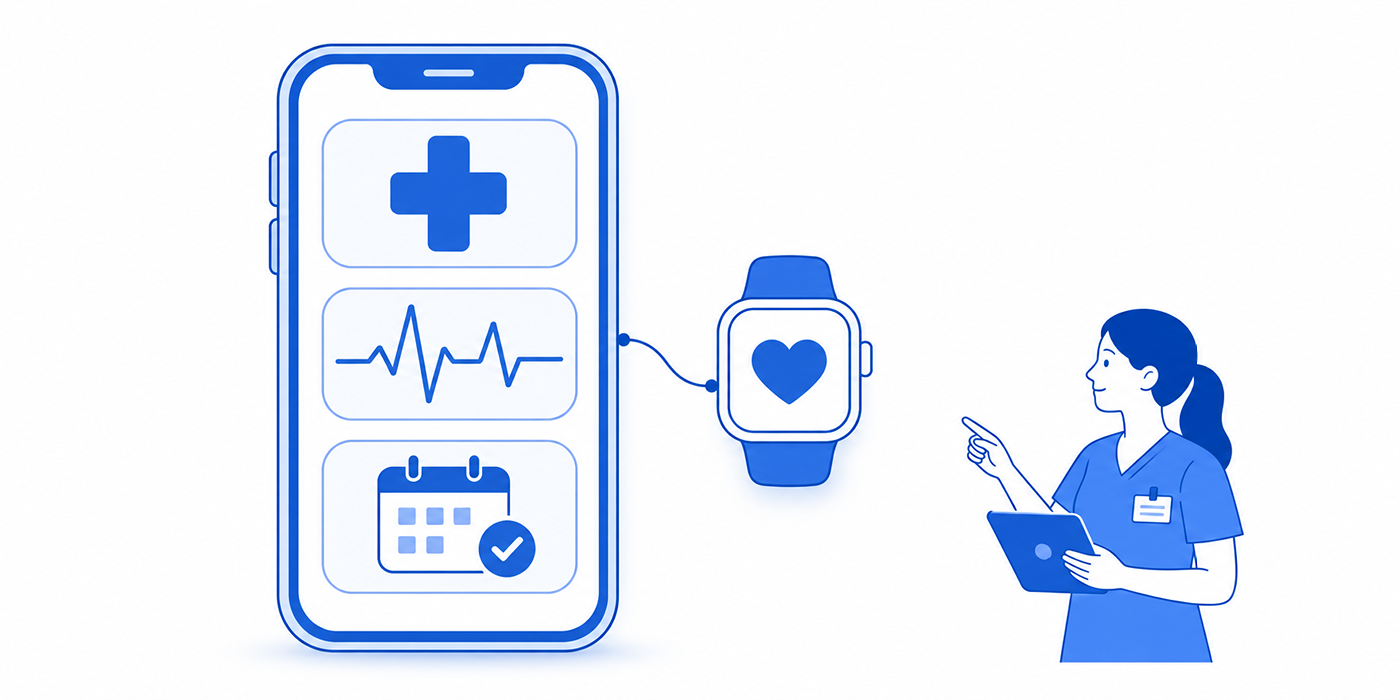
Mobile health (mHealth) technology connects patients, healthcare professionals, and medical information through smartphones, wearable devices, and connected applications. From remote blood pressure monitoring to mobile appointment reminders, these tools can improve patient access while introducing new challenges involving privacy, data accuracy, interoperability, and workflow management. Healthcare administrators must understand how these technologies function before implementing them. This guide explains essential mHealth terminology, practical use cases, common system failures, and administrative safeguards, with actionable examples involving patient scheduling integrations, secure healthcare communication, and electronic medical records.
1. Understanding Mobile Health Technology and Its Core Terminology
Mobile health refers to healthcare-related activities supported by mobile devices and wireless technologies. Common applications include symptom tracking, medication reminders, patient education, remote monitoring, mobile clinical communication, and access to electronic health information.
For medical administrators, the biggest implementation challenge is ensuring that information collected through mobile tools reaches the correct person, system, and workflow. A patient may successfully submit blood pressure readings through an application while the clinical team remains unaware that the measurements require review.
Such failures often originate from disconnected medical software integrations, incomplete workflow automation rules, inconsistent team communication procedures, or inadequate technical troubleshooting processes.
Five questions every mHealth implementation must answer
1. What information does the application collect? Identify whether the system processes appointment details, symptoms, medication information, physiological measurements, or other health data. Different data categories create different requirements for validation, access, retention, and escalation.
2. Who is responsible for reviewing the information? Assign ownership for incoming messages, abnormal measurements, patient requests, and unresolved technical exceptions. Define the response timeframe and escalation route for each category.
3. How does information enter the medical record? Determine whether the application transfers structured data, generates documents, or requires manual entry. Review relevant EMR integration terminology and healthcare automation processes before assuming information automatically reaches the patient's chart.
4. What happens when the technology fails? Establish procedures for lost connections, outdated readings, unsuccessful uploads, inaccessible accounts, and missed alerts. Include clear patient instructions and internal technical escalation processes.
5. Which privacy and safety requirements apply? Evaluate the application's intended function, developer relationships, information flows, and applicable regulations. Some mobile software functions may qualify as regulated medical devices, while privacy obligations can vary depending on the organization and application.
Understanding these distinctions supports better decisions involving healthcare cybersecurity, confidential communication, healthcare compliance software, and patient consent procedures.
| # | mHealth Term | Definition & Use Case | Administrative Checkpoint |
|---|---|---|---|
| 1 | Mobile Health (mHealth) | Healthcare services and activities supported by mobile devices and wireless technology, including symptom tracking and mobile patient communication. | Define the application's role in healthcare automation and assign operational ownership. |
| 2 | Digital Health | A broad category encompassing health information technology, mobile health, telehealth, connected devices, and related digital services. | Identify which systems require compliance oversight. |
| 3 | Telehealth | Delivery of healthcare-related services and information using telecommunications technology. | Verify appointment type, provider availability, patient instructions, and scheduling integration. |
| 4 | Telemedicine | Remote delivery of clinical services, such as a video consultation between a patient and clinician. | Check identity, applicable consent, encounter documentation, and virtual check-in. |
| 5 | Patient Portal | A secure interface through which patients may access records, messages, appointments, and other supported services. | Confirm account identity, permissions, and message routing. |
| 6 | Personal Health Record (PHR) | Health information managed or controlled through a patient-oriented record system, potentially incorporating information from several sources. | Clarify record ownership, sharing permissions, and privacy responsibilities. |
| 7 | Patient-Generated Health Data (PGHD) | Health-related information created, recorded, or gathered by patients or caregivers, such as home blood pressure readings. | Verify source, measurement context, and integration with electronic medical records. |
| 8 | Remote Patient Monitoring (RPM) | Remote collection and transmission of patient physiological measurements, such as blood pressure or weight, for clinical management. | Document device setup, data transmission, review ownership, and applicable program requirements. |
| 9 | Remote Therapeutic Monitoring (RTM) | Monitoring certain therapy-related information, potentially including respiratory or musculoskeletal therapy data and patient-reported information. | Distinguish the monitored therapy and applicable service rules from general monitoring tools. |
| 10 | Wearable Device | A body-worn device capable of collecting measurements such as movement, pulse, or other supported signals. | Check intended use, measurement limitations, and connection failures. |
| 11 | Connected Medical Device | A medical device capable of exchanging information with another system, such as a connected blood pressure monitor. | Verify device identity, approved use, connectivity, and security configuration. |
| 12 | Bluetooth Low Energy (BLE) | A low-power wireless communication technology commonly used to transfer information between nearby devices. | Check pairing, supported range, permissions, and synchronization problems. |
| 13 | Device Pairing | Establishing a recognized connection between a mobile device and compatible accessory. | Confirm that readings are attributed to the correct patient during patient onboarding. |
| 14 | Data Synchronization | Keeping information aligned between a mobile application, connected device, and receiving system. | Distinguish readings collected locally from readings successfully received by clinical systems. |
| 15 | Data Latency | Elapsed time between data collection and its availability to the intended recipient. | Report collection and receipt timestamps separately in automated workflows. |
| 16 | Interoperability | The ability of systems to exchange information and make meaningful use of it. | Validate patient identifiers, clinical terminology, and software mappings. |
| 17 | Application Programming Interface (API) | A defined interface enabling software applications to request or exchange information. | Check authorized access, error handling, and API security. |
| 18 | FHIR | Fast Healthcare Interoperability Resources, an HL7 standard used for structured healthcare information exchange. | Confirm resource support, identifiers, and EHR integration. |
| 19 | SMART on FHIR | A framework supporting standardized authorization and application integration with compatible FHIR-based systems. | Review requested access scopes and authorization controls. |
| 20 | Multi-Factor Authentication (MFA) | Account verification using two or more independent authentication factors. | Protect access to secure patient communications. |
| 21 | Protected Health Information (PHI) | Individually identifiable health information protected under HIPAA when handled in covered circumstances. | Determine regulatory applicability and use approved confidentiality safeguards. |
| 22 | Encryption in Transit | Cryptographic protection of information while it moves between systems or devices. | Evaluate transmission safeguards and secure connectivity. |
| 23 | Encryption at Rest | Cryptographic protection for information stored on devices, servers, or other storage systems. | Review device loss scenarios, backups, and retention policies. |
| 24 | Role-Based Access Control (RBAC) | Access permissions assigned according to a user's authorized role or responsibilities. | Limit staff access to information needed for approved administrative duties. |
| 25 | Push Notification | A message delivered by an application to a mobile device, often used for reminders or status updates. | Prevent sensitive information from appearing on exposed lock screens. Review reminder content. |
| 26 | Alert Threshold | A defined condition that triggers a notification, escalation, or review request. | Require clinician-approved rules and documented triage escalation. |
| 27 | Alert Fatigue | Reduced attention to alerts resulting from excessive, repetitive, or low-value notifications. | Measure alert volume, acknowledgement, and unresolved cases. Strengthen team handoffs. |
| 28 | Patient Engagement Rate | A defined proportion of enrolled patients completing a meaningful application activity during a specified period. | Define meaningful engagement and examine patient communication barriers. |
| 29 | Medication Adherence Tracking | Recording medication-related actions, such as self-reported doses or reminders acknowledged by a patient. | Distinguish reminder acknowledgement from verified medication use. Apply patient follow-up protocols. |
| 30 | Digital Divide | Differences in access to reliable internet, compatible devices, digital skills, and accessible technology. | Provide alternative communication and patient support options. |
| 31 | Accessibility | Designing mobile services for patients with diverse visual, hearing, motor, cognitive, and communication needs. | Test screen-reader support, text scaling, navigation, and accessible communication. |
| 32 | Device Software Function | A software function that may meet the legal definition of a medical device depending on its intended purpose and functionality. | Evaluate intended use, FDA oversight, and relevant regulatory requirements. |
2. Practical mHealth Use Cases: Remote Monitoring, Mobile Appointments, and Patient Engagement
Healthcare organizations gain the greatest value from mHealth when each application solves a specific operational problem. Three especially important applications are remote monitoring, mobile patient access, and ongoing treatment support.
Use Case 1: Remote blood pressure monitoring
Consider a medical practice enrolling 120 patients in a clinician-supervised blood pressure monitoring program. Each participant receives an appropriate connected device and instructions for taking measurements.
The workflow involves device enrollment, patient identification, measurement collection, transmission, clinical review, and documentation.
A patient might complete a reading at 8:00 AM, but the information may remain stored locally until the mobile application reconnects to the internet at 11:00 AM. If the receiving system displays only the upload timestamp, staff could incorrectly interpret the reading as a recent measurement.
Administrators should distinguish three separate events:
Measurement timestamp: When the device recorded the patient's blood pressure.
Transmission timestamp: When the application successfully uploaded the reading.
Review timestamp: When an authorized healthcare professional evaluated the information.
These distinctions help prevent misleading reports about monitoring activity and response times.
Cloud-based EMR systems, healthcare workflow automation, administrative technology troubleshooting, and secure team communication all play important roles in maintaining this information flow.
A monitoring program should also distinguish between missing data and an actual physiological concern. A patient who has not transmitted readings may require technical assistance or routine outreach, while an abnormal reading requires evaluation according to clinician-approved protocols.
Administrative checkpoint: Track successful enrollment, device connectivity, expected data receipt, review completion, and unresolved alerts separately. Medicare billing eligibility for RPM services depends on the applicable service and coding requirements, including device and documentation criteria.
Use Case 2: Mobile appointment scheduling and digital check-in
A clinic introduces mobile appointment booking and digital check-in to reduce telephone workload and registration delays.
During the first month, 600 patients receive invitations to use the new system. Four hundred open the link, 300 begin registration, and 240 complete the process.
Three useful conversion measures emerge:
Invitation-to-open rate: 400 ÷ 600 × 100 = 66.7%.
Registration completion among starters: 240 ÷ 300 × 100 = 80%.
Overall invitation-to-completion rate: 240 ÷ 600 × 100 = 40%.
A dashboard reporting only the 80% registration completion rate would conceal the fact that 60% of invited patients never completed the process.
The administrator should examine invitation delivery, account access, language availability, form complexity, device compatibility, and patients' need for assistance.
These findings can inform improvements to virtual check-in systems, appointment scheduling software, patient interaction scripts, and front-desk communication practices.
Administrative checkpoint: Monitor each stage of the registration process. Categorize abandoned sessions by identifiable technical or usability problems before deciding which changes to prioritize.
Use Case 3: Medication reminders and patient-reported adherence
Mobile applications can remind patients about prescribed medication schedules and allow them to record whether a dose was taken.
However, a patient tapping "Taken" confirms an application interaction, not necessarily independently verified medication consumption.
An accurate reporting system should distinguish scheduled reminders, delivered notifications, acknowledged reminders, self-reported doses, and clinically verified information when available.
Suppose 200 reminders were scheduled, 190 were delivered, and patients acknowledged 150.
Notification delivery success is 190 ÷ 200 = 95%. Acknowledgement among delivered reminders is 150 ÷ 190 = 78.9%.
Neither result directly establishes that 78.9% of prescribed medication doses were consumed.
Medical administrators should communicate this distinction when coordinating patient education, secure clinical messages, patient follow-up scripts, and electronic documentation workflows.
Administrative checkpoint: Label adherence-related measures according to what was actually observed. Escalate clinical questions to appropriately qualified professionals.
Use Case 4: Mobile communication after an outpatient procedure
After an outpatient procedure, a healthcare organization may provide patients with a mobile application for receiving instructions, submitting questions, and reporting concerns.
The operational challenge involves message urgency and response ownership.
A general request for appointment confirmation may be managed through an administrative queue. A message describing a potentially urgent clinical symptom requires a different routing process.
The organization should establish approved communication categories, expected response windows, emergency instructions, and processes for messages received outside staffed hours.
Administrators should never rely on an unmonitored inbox for urgent clinical concerns.
Integrating phone triage communication procedures, secure healthcare messaging, administrative team communication, and patient rapport-building practices makes routing rules easier to implement.
3. mHealth Security, Privacy, and EHR Integration: Essential Administrative Safeguards
Mobile health applications frequently process sensitive information outside traditional clinical workstations. Data may travel through smartphones, connected devices, third-party software services, and clinical platforms before reaching the intended recipient.
Each transfer creates an opportunity for lost information, incorrect patient attribution, unauthorized access, or incomplete documentation.
Understand when HIPAA applies to mobile health applications
A mobile application's regulatory obligations depend on its function, the organizations involved, and how information is collected, used, and shared.
When a healthcare provider uses a mobile application through a vendor acting as its business associate, HIPAA requirements may apply to that relationship. A consumer-selected health application operating independently of a HIPAA-regulated organization may fall under a different legal framework.
Certain consumer health applications may also be subject to Federal Trade Commission requirements, including applicable provisions of the Health Breach Notification Rule.
Administrators should identify the developer, contracting entity, information recipients, applicable business associate arrangements, and authorized purposes before approving a mobile application.
Useful supporting knowledge includes healthcare cybersecurity terminology, confidential communication procedures, healthcare compliance software, and informed consent practices.
The difference between authentication, authorization, and consent
These terms serve different functions in mHealth systems.
Authentication verifies the identity of someone accessing a service. Passwords, passkeys, and multi-factor authentication are examples of authentication mechanisms.
Authorization determines which information or functions an authenticated user can access. A receptionist may have permission to manage appointments while lacking access to unrelated clinical details.
Consent concerns permission for a particular activity, where legally or operationally required. The applicable consent process depends on the activity and governing requirements.
A patient successfully logging into a portal does not automatically authorize every possible disclosure or use of their information.
Clear distinctions are essential for secure healthcare messaging, patient portal workflows, healthcare privacy controls, and informed consent documentation.
Prevent patient-matching errors across connected systems
Imagine a connected device transmitting a blood pressure reading after being paired with the wrong family member's mobile account.
The device may function correctly while the measurement is attributed to the wrong patient.
If that result enters an EHR without appropriate identity checks, it can contaminate the patient record and create clinical safety risks.
Administrators should establish device enrollment procedures that verify patient identity, device identifiers, account linkage, and successful test transmission.
The workflow should also address device replacement, account transfers, returned equipment, and reassignment.
Where appropriate, systems should retain measurement provenance, including device source and collection timestamp.
These controls complement cloud-based EMR management, virtual registration procedures, technology troubleshooting, and administrative compliance monitoring.
Evaluate mobile software functions according to intended use
The FDA's approach to device software functions considers the function's intended purpose and potential risks.
A general wellness application, an administrative reminder tool, and software intended to diagnose a medical condition may have substantially different regulatory considerations.
Organizations should obtain the vendor's intended-use description, determine whether medical-device requirements apply, and verify relevant regulatory claims before deployment.
Clinical teams should also review the appropriateness of the application's outputs for the intended patient population.
Understanding AI-assisted medical workflows, healthcare automation terminology, medical documentation technology, and compliance system requirements helps administrators participate effectively in these reviews.
Choose the problem creating the most operational risk. Submit your selection for a practical recommendation.
Submit Vote
Interactive self-assessment. Recommendations appear locally within this page. This component does not collect personal information, transmit responses, or maintain vote totals.
4. Real-World mHealth Scenarios: Identifying Hidden Failures Before Patients Are Affected
Mobile health problems frequently develop between activities that appear successful when examined separately. The application may function, the patient may participate, and the medical record may remain incomplete. Investigating the entire workflow reveals where the process breaks down.
Scenario A: A connected monitoring program reports excellent participation but missing clinical data
A practice enrolls 100 patients in a home monitoring program. Its mobile application reports that 85 patients recorded at least one measurement during the week.
The clinical dashboard shows readings from only 68 patients.
The application reports 85% measurement participation, while the clinical system demonstrates only 68% documented receipt across the enrolled population.
The 17-patient difference requires further investigation.
Potential explanations include unsuccessful synchronization, expired authentication, device-account mismatches, rejected interface messages, and delayed data processing.
An administrator should select representative affected records and trace each measurement through its collection, transfer, and receipt stages. The investigation should also identify whether a clinician needed to review the missing information.
Understanding cloud-based EMR integration, medical software troubleshooting, healthcare automation processes, and administrative communication procedures helps isolate these failures.
Recommended action: Monitor the proportion of expected readings successfully received and the proportion reviewed within the required timeframe. Report these measures separately from patient participation.
Scenario B: Mobile appointment reminders increase patient complaints
A clinic replaces generic SMS reminders with mobile application notifications.
Message delivery costs decrease, but patients report missing appointments because notifications never appeared on their phones.
The initial dashboard indicates that 95% of reminders were sent successfully. Further investigation reveals that server dispatch success was incorrectly treated as patient delivery success.
Administrators should distinguish notification generation, provider acceptance, device delivery where observable, patient opening, and completed patient action.
Mobile notifications may be affected by disabled permissions, battery restrictions, device settings, expired application sessions, or connectivity problems.
Organizations can investigate these failures using appointment reminder software terminology, patient interaction scripts, scheduling conflict management, and phone communication procedures.
Recommended action: Track verified delivery where supported, patient confirmation, and appointment attendance. Establish approved fallback reminders for patients who cannot reliably receive mobile notifications.
Scenario C: A patient reports an urgent concern through an unmonitored application inbox
A patient sends a mobile message describing a concerning symptom outside normal clinic hours.
The application confirms that the message was submitted, but the receiving administrative queue is monitored only during business hours.
This scenario reveals a mismatch between patient expectations and the organization's actual response capability.
The risk increases when the application gives patients no clear indication of expected response times or instructions for seeking urgent assistance.
Healthcare organizations should define which messages belong in administrative queues, which require clinical review, and which situations demand immediate access to emergency services.
Clinical escalation categories and thresholds should be approved by qualified professionals.
Administrators can support this process through phone triage communication, secure messaging protocols, patient communication templates, and team handoff procedures.
Recommended action: Display response expectations before message submission, establish clear emergency instructions, and audit whether urgent clinical messages reach the appropriate team.
Scenario D: A mobile health application creates unequal access to services
A clinic reports that younger patients complete mobile registration at substantially higher rates than older patients.
The organization initially interprets the difference as a lack of interest.
Further investigation identifies incompatible devices, small interface text, confusing verification steps, limited language options, and difficulties using multi-factor authentication.
An effective analysis separates patient choice from technical and accessibility barriers.
Administrators should assess completion rates by relevant access characteristics where appropriate and permitted, while safeguarding patient privacy.
Alternative pathways may include assisted registration, accessible web interfaces, telephone support, or conventional check-in.
Applying front-desk communication practices, patient rapport techniques, verbal communication skills, and therapeutic communication principles can help staff identify barriers without making assumptions about individual patients.
Recommended action: Measure successful task completion across available access pathways and correct usability barriers that prevent patients from receiving services.

5. Implementing Mobile Health Successfully: A Practical Administrative Checklist
Successful mobile health programs require clear responsibilities, dependable technology, patient support, and measurable performance standards. Administrators should establish these controls before expanding an application to a large patient population.
Step 1: Define the clinical and operational purpose
Identify the specific problem the application is intended to solve.
Examples include reducing registration time, improving communication after appointments, supporting clinician-directed monitoring, or increasing access to approved patient education.
Document which outcomes will demonstrate success. For a mobile registration application, these might include successful enrollment, registration completion, reduced manual corrections, and improved patient experience.
For a remote monitoring program, administrators may track successful device setup, expected data receipt, review completion, and unresolved technical exceptions.
Connect the implementation objectives with patient scheduling integrations, healthcare workflow automation, electronic medical record systems, and administrative team communication.
Step 2: Conduct technical, privacy, and vendor reviews
Before deployment, request documentation describing the application's intended use, supported devices, information collected, data recipients, integration methods, security controls, and procedures for handling incidents.
Evaluate whether the software requires medical-device regulatory review and which privacy requirements apply to the specific implementation.
Check authentication, user permissions, data encryption, audit logging, retention controls, and procedures for disabling accounts.
Where appropriate, verify the availability of a business associate agreement and other required contractual protections.
Relevant knowledge includes healthcare cybersecurity safeguards, confidential patient communication, healthcare compliance technology, and secure messaging systems.
Step 3: Test the full patient journey
Conduct a controlled pilot with representative users and realistic operating conditions.
Test account creation, identity verification, consent procedures where required, device pairing, data submission, message delivery, clinical routing, and account recovery.
Include situations involving poor connectivity, interrupted uploads, duplicate registrations, expired sessions, and device replacement.
For example, a monitoring application should be tested to determine what happens when a patient records three readings while offline and reconnects several hours later.
Verify whether the system preserves the original measurement timestamps, prevents duplicate uploads, and correctly associates readings with the intended patient.
Administrative technology troubleshooting, virtual check-in processes, medical software integration, and workflow automation controls provide useful frameworks for testing these processes.
Step 4: Create escalation procedures and staff responsibilities
Assign an accountable owner for each operational event.
A patient access employee might manage account activation and appointment-related questions. Technical support may investigate synchronization failures. Licensed clinical personnel should handle matters requiring clinical assessment.
Establish response expectations for routine technical problems, patient support requests, failed uploads, and clinically significant alerts.
Document procedures for staff absences, system outages, unresolved cases, and handoffs between shifts.
Make sure patients understand the limits of application-based communication and how to obtain urgent assistance when needed.
Effective implementation depends on phone triage communication, secure clinical messaging, team communication protocols, and professional administrative conduct.
Step 5: Monitor meaningful performance indicators
A mobile health dashboard should measure outcomes relevant to the application's purpose.
For patient engagement, useful indicators include enrollment completion, first successful activity, ongoing participation, and reasons for disengagement.
For connected devices, track successful pairing, data receipt, synchronization failures, unresolved alerts, and clinical review completion.
For digital appointments, monitor booking completion, registration errors, technical cancellations, and patient support requests.
Avoid treating application downloads, account registrations, or notification dispatches as proof of successful healthcare delivery.
A practical monthly review should identify performance trends, major failure categories, responsible owners, and corrective actions.
Connecting these findings to patient communication workflows, appointment reminder systems, EMR reporting processes, and healthcare automation tools makes future improvements easier to evaluate.
Step 6: Maintain accessible alternatives and reassess risks
Patient needs, device compatibility, software requirements, and clinical workflows change over time.
Organizations should periodically review whether updates affect data collection, permissions, integration compatibility, alert routing, or accessibility.
Maintain approved alternative pathways for patients unable to participate through mobile applications.
A patient experiencing device problems should have clear instructions for receiving assistance. Practices should also consider how to support patients with limited internet access, disabilities, language barriers, or low digital confidence.
Ongoing training in front-desk etiquette, patient rapport building, accessible communication, and medical administrative troubleshooting helps staff provide consistent support.
6. Frequently Asked Questions About Mobile Health (mHealth)
-
mHealth describes healthcare-related activities supported by mobile and wireless technologies. Telehealth encompasses a broader range of healthcare services delivered or supported remotely through telecommunications. Telemedicine generally refers to remote clinical services, such as consultations.
A mobile appointment reminder is an mHealth application. A video consultation is a telemedicine service that also falls within telehealth.
Healthcare administrators should understand these distinctions when configuring patient scheduling systems, virtual check-in workflows, clinical documentation processes, and secure patient communications.
-
Remote patient monitoring commonly involves collecting physiological information, such as blood pressure or weight, through connected devices for clinical management.
Remote therapeutic monitoring concerns certain therapy-related data and treatment monitoring activities, which may involve different types of information and service requirements.
Administrators should verify the appropriate program, applicable payer rules, documentation requirements, and responsible clinical personnel before establishing either service.
Supporting knowledge includes healthcare compliance software, cloud-based medical records, workflow automation terminology, and medical administration communication.
-
HIPAA applicability depends on the entities involved, the application's relationship to them, and how protected health information is handled.
An application operating for a HIPAA-regulated healthcare provider may have different obligations from a consumer health application independently selected by an individual.
Other privacy and consumer protection requirements may also apply.
Administrators should evaluate data collection, organizational relationships, applicable vendor agreements, privacy practices, and information-sharing arrangements.
Training in healthcare cybersecurity, confidential communication, secure messaging, and healthcare compliance requirements supports these evaluations.
-
Some wearable devices provide information that clinicians may consider useful within an appropriate care context.
The reliability and clinical suitability of a particular measurement depend on the device, intended purpose, validation evidence, and conditions under which the information was collected.
Consumer wellness features should be evaluated separately from functions intended for medical diagnosis or treatment.
Organizations should verify device capabilities, appropriate clinical use, data integration, and procedures for handling unreliable measurements.
Relevant administrative skills include medical technology troubleshooting, electronic medical record management, healthcare automation oversight, and clinical team communication.
-
Begin by confirming whether the patient can operate the device and whether measurements are still being recorded locally.
Check battery status, pairing, application permissions, account authentication, internet connectivity, and the latest successful transmission.
Determine whether missing information has clinical significance and escalate according to approved procedures.
Document the issue, troubleshooting actions, responsible personnel, and resolution status.
Useful resources include medical admin technology troubleshooting, patient communication scripts, cloud-based EMR integrations, and healthcare workflow automation.
-
Track the entire participation journey rather than relying on downloads or registrations.
Useful measures include enrollment completion, first successful use, completion of required activities, continued participation, and unresolved technical problems.
Define the denominator and reporting period for every indicator.
For example, patients completing a weekly monitoring activity divided by active enrolled patients provides a different measure from completed activities divided by all patients originally invited.
These distinctions help improve patient rapport building, appointment reminder communication, virtual registration systems, and administrative reporting processes.
