

Medical Dictation Systems: Interactive Definitions & Tutorials
Medical dictation systems convert spoken clinical information into editable documentation, but their most dangerous errors often look perfectly reasonable. A missing “no,” an incorrect medication dose, or a finding entered into the wrong patient record can turn an efficient workflow into a serious safety problem.
Clinicians, medical scribes, and administrators need to understand speech recognition, documentation review, EHR integration, and privacy controls before trusting these systems. This guide explains essential terminology, provides realistic training tutorials, examines common errors, and offers practical methods for selecting and evaluating medical dictation technology.
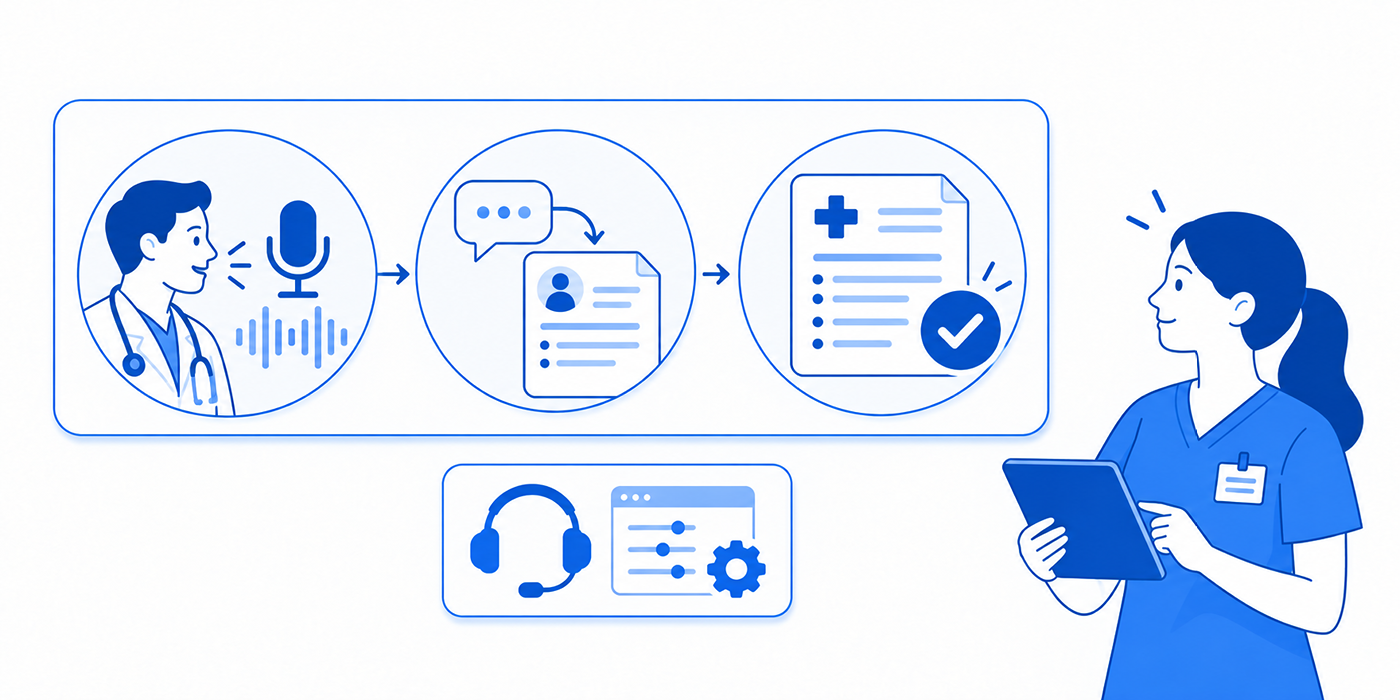
1. Medical Dictation Systems Explained: Key Concepts, Technologies, and Essential Terminology
A medical dictation system captures speech and converts it into clinical text through automatic speech recognition (ASR). Depending on the technology, the resulting documentation may appear directly inside an electronic health record (EHR), enter a transcription queue, or become an AI-generated draft requiring clinician review.
The fundamental workflow is:
Speech capture → Recognition or transcription → Clinical editing → EHR placement → Authorized clinician review and sign-off
Understanding this sequence is essential for medical records management, medical transcription, and documentation compliance.
Three technologies commonly confused with medical dictation
Direct speech-to-text dictation converts a clinician's spoken words into editable text. The clinician controls the content, and commands may insert punctuation, change formatting, or navigate between fields.
Traditional transcription workflows capture dictated audio for subsequent processing and editing. Organizations may use transcriptionists, automated recognition, or both before sending documentation to the appropriate reviewer.
Ambient AI documentation captures an authorized clinical conversation and generates a structured note using speech recognition and language processing. This introduces additional challenges involving speaker identification, omitted information, and AI-generated statements.
For practices exploring healthcare automation tools, the distinction determines how documentation is created, corrected, and approved.
Modern systems such as Microsoft Dragon Copilot bring dictation, voice commands, and ambient documentation into a connected workflow. Available functions vary by product version, license, EHR integration, and deployment.
The same distinction matters when evaluating AI medical scribes versus human scribes. Automated transcription and note generation create different verification demands, especially where interpretation of clinical conversations is involved.
A reliable implementation therefore begins with terminology that distinguishes input, output, clinical meaning, and responsibility.
| # | Term | Practical Definition | What to Verify |
|---|---|---|---|
| 1 | Automatic Speech Recognition (ASR) | Technology converting spoken language into text. | Check specialty terminology and short clinical phrases. |
| 2 | Front-End Speech Recognition | Text appears while the clinician dictates. | Confirm that corrections occur before finalization. |
| 3 | Back-End Speech Recognition | Recorded dictation is processed for later review. | Check transcription queues, turnaround, and responsibility. |
| 4 | Ambient Documentation | Software processes an encounter conversation into a draft note. | Confirm authorized recording and clinician verification. |
| 5 | Electronic Health Record (EHR) | Digital environment for patient clinical information. | Verify patient, encounter, destination field, and note status. |
| 6 | Practice Management System (PMS) | Administrative platform supporting scheduling and revenue workflows. | Identify which information exchanges with the EHR. |
| 7 | History of Present Illness (HPI) | Description of the current problem, symptoms, and relevant history. | Check onset, duration, severity, context, and chronology. |
| 8 | Review of Systems (ROS) | Documented symptom review relevant to the encounter. | Detect unsupported negative findings or omitted symptoms. |
| 9 | Assessment and Plan (A&P) | Clinician's assessment and intended management. | Confirm diagnoses, uncertainty, orders, and follow-up with the clinician. |
| 10 | Draft Note | Documentation awaiting required review and approval. | Ensure the draft cannot be mistaken for a signed note. |
| 11 | Acoustic Model | Recognition component representing patterns in speech sounds. | Test difficult pronunciation and recording conditions. |
| 12 | Language Model | Component helping predict likely words and sequences. | Watch for plausible but clinically incorrect substitutions. |
| 13 | Clinical Vocabulary | Specialty words, abbreviations, and terminology recognized by the system. | Test drug names, abbreviations, and uncommon conditions. |
| 14 | Custom Vocabulary | User- or organization-specific recognition entries. | Check spelling and whether custom terms create new errors. |
| 15 | Voice Command | Spoken instruction controlling editing or navigation. | Distinguish a command from text intended for the note. |
| 16 | Auto-Text / Voice Macro | Reusable content inserted through a shortcut. | Remove inaccurate defaults and outdated template statements. |
| 17 | Negation Error | Loss or reversal of words such as “no” or “denies.” | Audit symptom denials and relevant negative findings. |
| 18 | Substitution Error | One recognized word replaces another. | Check similar-sounding diagnoses and medications. |
| 19 | Deletion Error | Spoken information disappears from the transcript. | Inspect omissions involving symptoms, doses, and follow-up. |
| 20 | Insertion Error | Text appears that was never spoken. | Remove unsupported findings and extra clinical assertions. |
| 21 | Word Error Rate (WER) | Recognition metric based on substitutions, deletions, and insertions. | Compare recognition performance using a consistent reference transcript. |
| 22 | Clinically Significant Error | Documentation mistake that could affect clinical interpretation or decisions. | Escalate medication, allergy, diagnosis, and disposition errors. |
| 23 | Speaker Diarization | Process identifying which portions of speech belong to different speakers. | Confirm patient statements are attributed correctly. |
| 24 | PHI | Protected health information covered by applicable HIPAA requirements. | Restrict access, sharing, recording, and storage. |
| 25 | Business Associate Agreement (BAA) | Required contractual arrangement for applicable vendors handling PHI. | Verify vendor obligations and permitted data uses. |
| 26 | Audio Retention | How long recordings remain stored before deletion or other disposition. | Confirm retention rules, deletion behavior, and backups. |
| 27 | Audit Trail | Record of relevant user and system activity. | Verify who accessed, modified, transferred, or finalized documentation. |
| 28 | Human-in-the-Loop Review | Human verification of automated output before clinical reliance. | Assign explicit reviewers and escalation rules. |
| 29 | Note Finalization | Authorized completion and signing of documentation. | Confirm the appropriate clinician reviewed the final record. |
| 30 | Field Mapping | Sending generated information into designated EHR sections. | Prevent HPI text from populating assessments or orders. |
| 31 | Confidence Score | System-generated estimate associated with recognition certainty, where available. | Do not assume high confidence proves clinical correctness. |
| 32 | Fallback Workflow | Approved alternative when the dictation system becomes unavailable. | Test secure manual documentation and recovery procedures. |
2. How Medical Dictation Systems Work: Four Clinical Documentation Workflows Compared
Choosing a dictation system requires understanding where information enters the workflow, who verifies it, and how it reaches the permanent patient record.
Workflow A: Real-Time Clinician Dictation
The clinician selects an EHR field, activates the microphone, speaks the intended documentation, and reviews the resulting text.
This model works particularly well for narrative HPI sections, findings, procedure descriptions, and addenda. It requires users to understand encounter forms and documentation fields and maintain written clinical communication accuracy.
Primary risk: Correctly recognized words appearing in the wrong section or carrying unintended meaning.
Best operational control: Verify cursor placement, edit the text, and review the completed note before signing.
Workflow B: Recorded Dictation and Transcription Review
A clinician records a report, and the audio is routed through automated recognition, a transcriptionist, or both. An authorized reviewer then corrects the document before clinician approval.
This can support complex reports that benefit from specialized editorial review. It requires clearly defined turnaround targets and reliable team communication procedures.
Primary risk: A correction may be delayed, misunderstood, or made without adequate clinical context.
Best operational control: Maintain an auditable queue, preserve uncertainty flags, and route clinical ambiguities to the responsible clinician.
Workflow C: Ambient AI Documentation
With appropriate authorization and applicable consent, an ambient system captures a clinical conversation and generates a draft summary. The clinician examines the output, corrects inaccuracies, and determines which information belongs in the final record.
This technology may extract structured information from natural conversations, making healthcare automation increasingly relevant to clinical teams.
Primary risk: The AI may omit clinically important material, confuse speakers, or convert a tentative impression into a definitive statement.
Best operational control: Compare the draft against the encounter, verify uncertain statements, and maintain clinician responsibility for the signed record.
Workflow D: Medical Scribe-Assisted Dictation
A medical scribe supports documentation by organizing spoken information, maintaining note structure, escalating unclear content, and preparing drafts within authorized responsibilities.
This hybrid workflow can strengthen clinical note accuracy while reducing repetitive editing for clinicians.
Scribes must understand medical compliance requirements, professional communication boundaries, and the limits of their documentation authority.
Primary risk: A scribe may attempt to resolve clinical uncertainty independently instead of seeking clarification.
Best operational control: Establish clear escalation rules and ensure the authorized clinician verifies the note.
Which workflow fits which setting?
Clinical SettingPractical Starting PointMain Validation PriorityPrimary careDirect dictation or authorized ambient documentationChronic disease context and follow-upEmergency departmentDirect dictation with rapid reviewNegation, timing, and dispositionRadiologySpecialty-specific dictation and report reviewLaterality, measurements, and critical findingsSurgical documentationDictation with structured reviewProcedure details, complications, and completenessBehavioral healthCarefully governed documentation workflowSensitive information, consent, and contextual accuracySpecialty outpatient clinicsDictation with customized vocabularyTechnical terminology and longitudinal findings
A clinic should also verify how dictation interacts with practice management systems, patient portal communication, and secure healthcare messaging.
Systems may share information across these functions, but a note's availability in one application does not automatically confirm that another system has received or approved it.
3. Medical Dictation Tutorials: From First Recording to Accurate EHR Documentation
The following tutorials use fictional training examples. Practice only inside an approved demonstration environment, using synthetic patient data.
Tutorial 1: Dictate a Structured Clinical Note
Objective: Create a simple HPI using speech recognition while preserving punctuation and paragraph structure.
Step 1: Open the approved training encounter and confirm the correct note field.
Step 2: Test the microphone, then speak the following:
History of present illness colon new paragraph thirty-four-year-old patient reports five days of nasal congestion and sneezing period Denies fever comma chest pain comma and shortness of breath period
Step 3: Review the resulting text. A correctly configured system may produce:
History of Present Illness:
34-year-old patient reports five days of nasal congestion and sneezing. Denies fever, chest pain, and shortness of breath.
Exact formatting depends on the software and enabled commands.
Step 4: Confirm the patient's fictional age, symptom duration, and negative findings match the training script.
Step 5: Leave the assessment and plan for the authorized clinician, using the actual encounter information.
This exercise develops medical transcription fundamentals and supports accurate encounter documentation.
Tutorial 2: Correct Dangerous Recognition Errors
Objective: Identify errors that ordinary spelling checks may overlook.
Consider these fictional recognition results:
Intended SpeechIncorrect OutputWhy It MattersNo chest painChest painReverses symptom meaningHypertensionHypotensionChanges the clinical conditionLeft kneeRight kneeChanges lateralityFifteen milligramsFifty milligramsAlters a medication quantityNo known drug allergiesKnown drug allergiesReverses allergy information
Correction exercise:
Identify whether each error is a substitution, deletion, or insertion.
Return to the authorized source information.
Correct only what can be verified.
Escalate unresolved clinical uncertainties.
Recheck the entire sentence after editing.
Treat medical coding errors and medical records discrepancies as separate review concerns because an accurate transcript does not automatically establish appropriate coding.
For training teams, unfamiliar abbreviations and specialty terms should become supervised exercises rather than assumptions about clinical meaning.
Tutorial 3: Use Voice Commands Without Corrupting the Note
Systems such as Microsoft Dragon Copilot support commands for punctuation, text selection, correction, and navigation, depending on configuration.
Common examples include:
“New paragraph” to begin another paragraph.
“Select [phrase]” to select existing text.
“Scratch that” to remove recently dictated text.
“Go to end of paragraph” to navigate to a particular position.
“Microphone off” to stop dictation capture.
During training, test each supported command in a nonclinical environment. Voice controls and availability differ across desktop, mobile, and EHR-integrated deployments.
An effective sequence is to dictate two sentences, select an intentionally incorrect phrase, correct it, and review the final text.
For teams developing medical scribe typing and accuracy skills, this exercise is useful because efficient correction often contributes more to final document quality than raw entry speed.
It also reinforces professional written communication and medical transcription editing.
Tutorial 4: Review an Ambient AI-Generated Note
Objective: Compare an AI draft with what actually occurred during a fictional encounter.
Start with an approved training recording, verify that recording permissions are satisfied, and generate a sample note.
Then conduct a five-part review:
1. Attribution: Did the system correctly distinguish statements made by the patient and clinician?
2. Certainty: Did words such as “possible,” “suspected,” or “rule out” retain their intended meaning?
3. Completeness: Were symptoms, relevant negatives, medications, and follow-up decisions captured?
4. Unsupported additions: Did the draft invent examination findings, treatment decisions, or counseling?
5. Note placement: Did the information populate the intended EHR fields?
This exercise connects AI documentation developments with practical clinical quality assurance.
Medical scribes can contribute to the review process within their authorized responsibilities, while the responsible clinician verifies clinical conclusions and final documentation.
Tutorial 5: Recover From a Dictation Failure
Scenario: Dictation stops responding halfway through a patient encounter.
Step 1: Check microphone status and application connection without exposing patient information.
Step 2: Determine whether the current text has been saved, transferred, or remains in a temporary dictation buffer.
Step 3: Follow the organization's approved fallback workflow for continued documentation.
Step 4: Reconcile any duplicate or missing information after service restoration.
Step 5: Escalate any unresolved record-integrity issue before the note is finalized.
An outage plan should align with crisis communication procedures, secure messaging practices, and established team communication protocols.
4. Medical Dictation Accuracy: How to Detect, Prioritize, and Prevent Documentation Errors
Speech recognition can produce fluent sentences that are clinically wrong. This makes ordinary word accuracy an incomplete measure of documentation quality.
A study published in JAMA Network Open in 2018 examined 217 clinical notes from two healthcare organizations. The initial speech-recognition output contained errors affecting approximately 7.4% of words. Subsequent transcriptionist editing greatly reduced errors, but some remained in physician-signed notes.
Those findings describe the systems and conditions studied rather than a guaranteed error rate for current software.
A 2026 scoping review likewise found continuing accuracy challenges across clinical speech-recognition environments, particularly in complex conversational settings.
For medical documentation quality control, the practical implication is clear: teams must examine the consequences of errors in addition to their frequency.
Use a risk-based review hierarchy
Priority 1: Errors that could change clinical meaning
Immediately flag patient mismatch, allergy discrepancies, wrong medication dose or route, altered negation, incorrect laterality, and unsupported diagnoses or treatment decisions.
These errors may affect downstream care, medical coding accuracy, and the integrity of clinical records.
Priority 2: Errors that affect continuity and follow-up
Review omitted instructions, incorrect dates, referral destinations, missing relevant symptoms, and incomplete disposition statements.
Connect these checks to patient education documentation, patient portal management, and secure clinical communication.
Priority 3: Formatting and readability errors
Correct misplaced punctuation, repeated headings, duplicated template text, and inconsistent abbreviations.
Although generally less urgent, these issues increase cognitive load and can conceal meaningful omissions.
Measure recognition errors correctly
Word error rate is calculated as:
WER = (Substitutions + Deletions + Insertions) ÷ Reference Word Count × 100
For example, a 200-word reference transcript containing six substitutions, three deletions, and one insertion has a WER of 5%.
However, ten punctuation or ordinary-word errors may be less consequential than one incorrect medication quantity. A useful quality program therefore records both WER and clinically significant discrepancies.
A simple audit sheet should include:
System, version, and clinical department
Recording conditions and dictation method
Note type and reference material
Error category and clinical consequence
Whether the error was detected before finalization
Responsible reviewer and corrective action
Teams can apply this structure through medical records management standards and medical compliance training.
Diagnose recurring errors by their root cause
If technical terminology is repeatedly substituted, inspect specialty vocabulary and pronunciation patterns.
If documentation disappears between applications, investigate field focus, clipboard behavior, integration failures, and note transfer.
If ambient summaries add unsupported findings, examine the generation and review workflow rather than merely adjusting microphone settings.
When medical scribes struggle with training accuracy, classify their mistakes using the same categories. This makes coaching more precise and prevents supervisors from labeling every problem as a general lack of speed.
Establish a repeatable review checklist
Before approving documentation, verify the correct patient and encounter, clinically important symptoms and negatives, medication and allergy information, diagnosis certainty, relevant laterality, clinician-authorized plans, and appropriate follow-up.
Check that every unresolved ambiguity has been escalated.
The same principles support written medical communication, clinical professionalism, and team coordination.
Track the number of clinically consequential errors remaining at sign-off as a critical outcome measure. An organization should aim for zero known unresolved high-risk discrepancies rather than relying on a favorable average accuracy score.

5. Selecting a Medical Dictation System: Security, EHR Integration, Training, and ROI
A dictation system can demonstrate excellent recognition accuracy while performing poorly in actual clinical operations.
Procurement teams need to assess the entire documentation pathway, including integration, clinician editing time, security controls, and failure recovery.
Evaluate six operational requirements
1. Clinical compatibility
Test the software using real specialty terminology represented by synthetic cases. General speech-recognition benchmarks may fail to reveal difficulties with drug names, acronyms, and specialty language.
Use medical transcription reference materials and coding error scenarios to prepare the test set.
2. EHR integration
Verify whether text enters the correct field, whether note drafts persist, and whether transfers preserve formatting and attribution.
Check compatibility with medical encounter templates and existing practice management software.
A vendor's statement that an application supports an EHR should be validated against the organization's specific deployment.
3. Security and privacy
Under applicable HIPAA requirements, vendors handling PHI on behalf of covered entities may require a business associate agreement.
Review encryption, access controls, authentication, audit logging, breach notification obligations, data retention, deletion procedures, and subcontractors.
Cloud deployment requires particular attention to patient privacy safeguards, confidential communication, and medical compliance documentation.
Also investigate whether recordings or transcripts are used for model training, what contractual controls apply, and how vendor access is restricted.
4. Recording authorization and consent
Organizations should establish recording policies appropriate to applicable law, care setting, and institutional requirements.
Explain when recording occurs, how patients are informed, how objections are handled, and what alternative documentation procedures are available.
Support the process with informed consent training and patient interaction scripts.
5. Training and support
Evaluate onboarding difficulty, command recognition, error correction, support responsiveness, and administrator controls.
Use medical scribe training recovery techniques and medical terminology practice to design training modules.
6. Total cost and return on investment
Look beyond subscription pricing.
Include microphones, integration expenses, licensing, staff training, additional review time, IT support, security administration, and transcription costs.
Measure total documentation time per encounter rather than dictation speed alone.
Run a controlled pilot before wider deployment
A seven-day pilot can establish initial usability, followed by a longer evaluation when needed for reliable results.
Pilot DayCore ActivityEvidence to CollectDay 1Configure test environment and permissionsAccess, recording, and integration checksDay 2Test common clinical terminologyRecognition error categoriesDay 3Test complex and specialty vocabularyClinically important substitutions and omissionsDay 4Evaluate EHR transfer and correctionField mapping errors and editing timeDay 5Test ambient documentation where applicableAttribution, unsupported statements, and omissionsDay 6Conduct privacy and downtime exercisesPolicy adherence and recovery performanceDay 7Review pilot findings with usersSafety issues, usability, and implementation decisions
Use synthetic encounters or properly authorized, privacy-compliant evaluation processes. Avoid uploading live PHI into unapproved testing services.
Build a meaningful performance dashboard
Measure:
Median and 90th-percentile documentation completion times
Clinically significant errors per audited note
Corrections required before sign-off
Incorrect-field and duplicate-note incidents
System downtime and recovery delays
User adoption and structured satisfaction feedback
Capture baseline measurements before the pilot so comparisons reflect actual improvement.
For larger practices, combine these findings with patient satisfaction metrics and healthcare workflow automation analysis.
A successful implementation should improve documentation efficiency while preserving clinically reliable records and accountable review.
6. FAQs About Medical Dictation Systems, Speech Recognition, and Clinical Documentation
-
A medical dictation system uses speech-recognition technology to convert spoken clinical information into editable text. Depending on its design, it may support direct entry into the EHR, transcription workflows, or AI-assisted clinical note generation.
Effective use requires accurate recognition, structured documentation, appropriate permissions, and clinician review. Teams should understand medical transcription definitions and medical records workflows before deployment.
-
Speech-to-text dictation transcribes spoken content intended for the note. Ambient AI systems process an authorized clinical conversation and generate documentation from the exchange.
Ambient tools involve additional challenges related to attribution, summarization, missing information, and unsupported statements.
Clinicians evaluating AI scribe technology should test these risks separately from basic recognition accuracy.
-
HIPAA compliance depends on the complete implementation, including the organization, vendor, data handling, contracts, access controls, and security procedures.
For cloud services that handle PHI on behalf of covered entities, applicable HIPAA business associate requirements must be addressed.
Organizations should assess medical compliance obligations, patient privacy practices, and vendor data-processing terms before using patient information.
-
Medical scribes may use approved dictation tools when their organization authorizes the workflow and their responsibilities are clearly defined.
They can support draft documentation, formatting, and identification of possible transcription errors while referring clinical uncertainty to the responsible clinician.
This makes medical scribe training, professional communication, and documentation accuracy important safeguards.
-
High-risk mistakes include incorrect medication quantities, reversed negative findings, wrong laterality, allergy discrepancies, altered diagnoses, and incorrect follow-up instructions.
Clinically significant mistakes deserve priority even when a system achieves a strong overall recognition score.
Use medical coding error examples and patient education documentation guidance to design realistic quality-assurance exercises.
-
Start with the microphone and recording environment, then evaluate specialty vocabulary, clear speech, supported voice commands, and clinical editing practices.
Test repeated errors using synthetic examples, distinguish recognition failures from EHR transfer problems, and verify clinically meaningful details before finalization.
Use structured medical transcription practice, encounter documentation templates, and medical records quality checks.
