

A referral disappears between clinics. A fax confirmation says “successful,” yet the receiving office cannot locate the document. An urgent patient message sits in a shared inbox without an assigned owner. These communication failures can delay treatment, expose protected health information, and create expensive administrative rework.
Medical administrators need practical knowledge of secure fax technology, encrypted messaging, HIPAA safeguards, document routing, and delivery verification. This interactive dictionary explains essential terminology, shows how to investigate communication failures, and provides actionable workflows for protecting patient information while keeping medical practices connected.
1. Secure Fax and Healthcare Messaging Fundamentals: Essential Terminology Every Medical Admin Should Know
Healthcare communication systems support the exchange of protected health information (PHI) between providers, patients, pharmacies, insurance companies, laboratories, and other authorized recipients.
Medical administrators encounter these systems while coordinating referrals, processing medical records requests, transmitting authorizations, responding to patient messages, and resolving incomplete documentation.
Understanding how communication platforms handle information is essential for maintaining accurate written medical communication, following confidential communication procedures, managing secure healthcare messaging, and applying healthcare cybersecurity safeguards.
Traditional fax, cloud fax, and secure messaging: Understanding the differences
Traditional fax transmits scanned document images through compatible fax systems. Physical fax machines often use telephone-based connections, although modern services may introduce internet-connected infrastructure.
Cloud fax, also called online fax or electronic fax, allows authorized users to send, receive, and manage fax documents through software platforms. These systems may provide searchable records, encrypted storage, access controls, and integration with electronic medical records.
Secure messaging supports protected electronic communication using mechanisms such as authentication, encryption, access permissions, and controlled delivery. Specific security capabilities depend on the platform and its configuration.
Direct Secure Messaging is a standards-based approach to exchanging encrypted healthcare information between trusted participants. It uses established messaging and certificate technologies and is commonly supported through healthcare interoperability services.
These technologies serve different operational needs.
For example, a specialist's office may accept referral documents through an established fax number, while another healthcare organization receives clinical information through Direct Secure Messaging.
Patients may communicate through an authenticated portal, while employees coordinate internal tasks using an organization-approved messaging application.
Effective systems can integrate with cloud-based EMR technology, patient scheduling software, virtual patient check-in, and medical administration workflow automation.
The four checkpoints of a secure healthcare communication
A reliable communication process should answer four questions.
1. Was the recipient correct?
Verify the receiving organization, intended individual or department, current contact information, and authorized communication channel.
A fax sent to an outdated number can expose sensitive records. A secure message addressed to the wrong user can cause a similar problem.
2. Was the information appropriate?
Confirm that the disclosure is permitted and that the documents relate to the intended patient and purpose.
Staff should examine page order, attachments, patient identifiers, and applicable information-sharing requirements.
3. Was the transmission successful?
Check the platform's actual transmission or delivery status.
A successful fax transmission indicates that the communication was completed at the relevant technical stage. It does not establish that the intended clinician reviewed the information.
4. Was the task completed?
Confirm whether the receiving department acknowledged, reviewed, indexed, or acted upon the information when the workflow requires that confirmation.
A referral may remain unresolved even though its supporting documents were transmitted successfully.
These checkpoints strengthen patient communication procedures, medical team coordination, administrative technology troubleshooting, and professional medical administration.
36 of 36 terms shown
| # | Term | Practical Definition | Common Failure | Recommended Admin Action |
|---|---|---|---|---|
| 1 | Protected Health Information (PHI) | Individually identifiable health information protected under applicable HIPAA provisions. | Records are sent to someone without an appropriate basis for disclosure. | Verify recipient authorization and follow confidential communication procedures. |
| 2 | Electronic PHI (ePHI) | PHI maintained or transmitted in electronic form. | A patient document is saved in an unapproved cloud account. | Use approved storage and security controls. |
| 3 | Traditional Fax | Transmission of document images between compatible fax endpoints. | A fax reaches an unattended machine. | Verify destination details and receiving-location safeguards. |
| 4 | Cloud Fax | Software-based service for sending, receiving, or storing faxes through connected infrastructure. | Incoming documents appear in the wrong user inbox. | Review system routing and access permissions. |
| 5 | Fax over IP (FoIP) | Transport of fax communications over IP-based networks using supported technologies. | Frequent incomplete or unstable transmissions. | Report network, endpoint, and protocol information to technical support. |
| 6 | Fax Number Verification | Confirming that a number belongs to the intended recipient. | A contact list contains an outdated clinic number. | Confirm the destination through an independently verified source. |
| 7 | Fax Cover Sheet | Header document identifying the intended recipient and relevant routing details. | Recipients cannot identify the correct department. | Use approved cover sheets and limit unnecessary sensitive information. |
| 8 | Transmission Confirmation | System report indicating a fax transmission completed at the reported technical stage. | Staff assume confirmation means clinical review. | Check receipt and workflow completion separately. |
| 9 | Fax Transmission Log | Record of fax attempts, destinations, timestamps, and statuses. | A missing document has no clear transmission history. | Review timestamps and error status through technical troubleshooting. |
| 10 | Failed Fax | Transmission that did not complete successfully. | The system reports a busy line, timeout, or failed delivery. | Verify the number and error cause before retrying. |
| 11 | Page Count Reconciliation | Comparing the expected number of document pages with transmitted or received pages. | A referral arrives with missing supporting pages. | Compare the source packet, transmission record, and received document. |
| 12 | Optical Character Recognition (OCR) | Technology that converts document images into machine-readable text. | A scanned patient name is recognized incorrectly. | Verify extracted details against the original image before indexing. |
| 13 | Document Indexing | Assigning a received document to the correct patient, encounter, category, and location. | A referral is filed under the wrong patient record. | Check identifiers before attaching it to the EHR. |
| 14 | Document Management System (DMS) | Software for organizing, retrieving, controlling, and retaining electronic documents. | Staff cannot locate an earlier authorization. | Review indexing, permissions, and document status. |
| 15 | Secure Messaging | Electronic communication using appropriate authentication, confidentiality, and access protections. | PHI is entered into an unapproved chat application. | Move communication into an approved secure messaging system. |
| 16 | Patient Portal Messaging | Authenticated patient-provider communication through a portal platform. | A time-sensitive patient message remains unreviewed. | Use established clinical routing and escalation procedures. |
| 17 | Direct Secure Messaging | Standards-based encrypted healthcare messaging between trusted endpoints. | A referral cannot be delivered to another organization's Direct address. | Verify the address and exchange configuration through integration support. |
| 18 | Health Information Service Provider (HISP) | Organization or service supporting Direct secure messaging infrastructure. | Messages fail between otherwise valid healthcare endpoints. | Escalate endpoint and trust-relationship issues to the designated support team. |
| 19 | S/MIME | Standard supporting cryptographic protection of email-formatted messages. | An encrypted message cannot be decrypted or validated. | Ask authorized technical staff to investigate certificates and configuration. |
| 20 | Digital Certificate (X.509) | Credential linking a public key to an identified subject within a trust framework. | Secure message validation fails because of a certificate issue. | Report the certificate error through security support. |
| 21 | Transport Layer Security (TLS) | Protocol that protects supported network connections against interception and modification. | A secure connection fails to negotiate properly. | Report the exact connection error; avoid unapproved bypasses. |
| 22 | Encryption at Rest | Protection of stored electronic information using cryptographic controls. | Fax attachments remain stored on an unmanaged device. | Use organization-approved storage and endpoint protections. |
| 23 | Multi-Factor Authentication (MFA) | Identity verification using more than one authentication factor. | Staff lose access to a secure inbox after a device change. | Follow approved account recovery and authentication procedures. |
| 24 | Role-Based Access Control (RBAC) | System permissions associated with defined workforce roles. | Employees can open documents outside their assigned responsibilities. | Request a formal access review. |
| 25 | Shared Inbox | Message queue accessible to an authorized group or department. | Multiple employees assume someone else is handling a referral. | Assign task ownership and monitor queue status. |
| 26 | Message Routing Rule | Automated or manual rule assigning messages to the appropriate destination. | Urgent clinical messages enter a routine administrative queue. | Escalate the affected item and review routing configuration. |
| 27 | Delivery Receipt | Status indicating delivery at a defined messaging layer or destination. | Employees interpret delivery as evidence of reading. | Determine what the receipt actually confirms. |
| 28 | Read Receipt | Signal indicating that a message was opened or marked read within a supported system. | A message shows as read without an action being completed. | Verify task completion through workflow ownership. |
| 29 | Audit Trail | Record of relevant access, messaging, or document-processing activities. | An investigation cannot establish who accessed a record. | Request authorized log review while preserving available evidence. |
| 30 | Business Associate Agreement (BAA) | HIPAA-required contract for applicable vendors handling PHI on behalf of regulated organizations. | A new messaging vendor offers no appropriate contractual assurances. | Refer vendor review to privacy and compliance personnel. |
| 31 | Minimum Necessary | HIPAA principle limiting applicable uses, requests, and disclosures to reasonably needed information. | An administrative request includes unrelated records. | Check disclosure purpose, information scope, and applicable exceptions. |
| 32 | Misdirected Disclosure | Information sent or exposed to an unintended recipient. | A patient record reaches the wrong fax number or inbox. | Immediately follow incident escalation procedures. |
| 33 | Secure Link Expiration | Configured period after which a document-access link no longer permits access. | The recipient cannot retrieve a time-limited attachment. | Verify expiration and issue a replacement through approved methods. |
| 34 | Phishing | Deceptive communication intended to obtain information or trigger unsafe actions. | A message requests urgent login verification through an unfamiliar link. | Report through security incident channels. |
| 35 | Incident Response | Coordinated process for identifying, containing, investigating, and addressing security events. | Staff are uncertain how to report a possible disclosure. | Notify the designated privacy or security team promptly. |
| 36 | Downtime Communication Procedure | Approved alternative workflow used when normal messaging or fax systems are unavailable. | Referrals stop moving during a service outage. | Activate approved backup communication and later reconciliation procedures. |
Training reference for medical administrative workflows. Apply your organization's approved procedures and applicable privacy requirements before transmitting patient information.
2. Secure Fax Workflows: Preventing Misdirected Records, Missing Pages, and Unverified Deliveries
Fax remains part of many healthcare workflows because organizations frequently maintain established fax endpoints for referrals, medical records requests, authorization documents, and communication with external facilities.
The administrative challenge involves ensuring that every document reaches the intended recipient, remains complete, and becomes available for its intended purpose.
Scenario 1: A referral fax shows successful delivery, but the specialist has no record
A primary care practice sends a referral packet containing the referral order, relevant clinical notes, and required supporting information.
The fax system reports successful transmission. Two days later, the patient calls because the specialist cannot locate the referral.
An administrator should distinguish four potential failure points.
Transmission: Was the packet sent to the verified destination, and what does the fax log establish?
Receipt: Did the receiving fax endpoint receive the full transmission?
Indexing: Was the document assigned to the appropriate patient and referral queue?
Processing: Has the specialist's team reviewed the referral and taken the required scheduling action?
A successful transmission report establishes a technical event. The referral still requires appropriate operational follow-through.
In patient scheduling integrations, medical team communication, written administrative documentation, and healthcare workflow automation, transmission and referral completion should be tracked separately.
A seven-step outgoing fax verification protocol
Step 1: Identify the permitted purpose. Establish why the information is being sent and what disclosure requirements apply.
Step 2: Verify the receiving organization. Confirm the intended department and destination number using an approved directory or independently verified contact source.
Step 3: Verify the patient information. Compare patient identifiers on every document with the intended request.
Step 4: Review the packet. Confirm that relevant documents are present, pages are properly ordered, and unnecessary information has been excluded where applicable.
Step 5: Send through the approved system. Use configured fax endpoints and access controls rather than personal devices or unapproved consumer services.
Step 6: Review the transmission result. Examine the destination, timestamp, error status, and transmitted page count when available.
Step 7: Track the operational outcome. For referrals or time-sensitive requests, verify receipt and follow-up according to the organization's workflow.
This process supports confidential healthcare communication, patient interaction procedures, medical administrative professionalism, and secure information exchange.
Scenario 2: A received fax contains incomplete or mixed patient records
A medical practice receives a six-page document packet. The first three pages belong to the requested patient, but the remaining pages contain another patient's information.
The administrator should stop routine indexing and follow the organization's privacy and document-handling procedures.
Preserve the information securely, restrict unnecessary access, and report the discrepancy through the designated channel. The receiving organization should determine appropriate containment and communication with the sender.
The same investigation should establish whether the correct patient packet is incomplete and whether an authorized replacement is required.
Employees must avoid filing mixed pages into the EHR simply because the document arrived through an established fax number.
This scenario reinforces medical documentation accuracy, cloud-based EHR data handling, healthcare compliance reporting, and secure team messaging.
Fax over IP and cloud fax: Why technical failures occur
Fax over IP connections can experience transmission issues related to network configuration, packet loss, protocol compatibility, and endpoint behavior.
Cloud fax platforms introduce additional operational dependencies, including user permissions, internet availability, document-processing queues, and integrations.
When a fax fails, the error category matters.
A busy destination may require a permitted retry after verifying the number.
A timeout may require investigating endpoint availability or connectivity.
A partial transmission requires checking which pages were successfully received before deciding how to resend the information.
An inbox routing failure may involve a document arriving at the platform but being assigned to the wrong work queue.
The technical support request should include the affected transmission identifier, destination, timestamp, page count, error code, and operational impact.
Precise incident reporting improves medical technology troubleshooting, cloud EMR integrations, workflow automation reliability, and administrative team coordination.
How to detect recurring fax problems
Track confirmed failed transmissions, partial documents, incorrect destinations, and indexing errors as separate categories.
For example, if a clinic attempts 1,800 fax transmissions during one month and 54 fail, its observed transmission failure rate is 3%.
The calculation is:
Transmission failure rate = failed transmission attempts ÷ total transmission attempts × 100
Track the causes and outcomes before deciding which process needs improvement.
A high number of retries to one external facility may indicate an endpoint issue. Frequent wrong-department routing may point to outdated contact information or unclear document categorization.
An organization can use medical workflow automation, secure communication practices, patient scheduling operations, and medical administration troubleshooting to investigate specific causes rather than repeatedly resending documents.
3. Secure Messaging, Patient Portals, and Direct Exchange: Managing Communication Without Losing Accountability
Healthcare organizations increasingly use encrypted messaging, patient portals, and interoperable communication networks to coordinate care.
These systems can improve access to information, but their effectiveness depends on accurate recipient identification, appropriate access permissions, reliable message routing, and clear ownership.
A technically delivered message can remain unanswered for hours or days when employees assume that another team member is responsible.
Direct Secure Messaging versus patient portal messaging
Direct Secure Messaging supports secure information exchange between trusted healthcare endpoints using standardized technology.
It commonly relies on S/MIME encryption, digital certificates, and supporting health information service providers.
A Direct address may resemble an email address, but its underlying security and trust requirements differ from ordinary consumer email.
Patient portal messaging typically provides authenticated communication between patients and their healthcare organizations.
Portals may support appointment questions, refill requests, document sharing, and administrative follow-up.
The appropriate system depends on the intended recipient, communication purpose, system capabilities, and organizational requirements.
Understanding these differences supports secure healthcare messaging, patient portal interactions, EHR interoperability, and clinical team communication.
Scenario 3: An urgent patient message is buried in a shared inbox
A patient sends a portal message reporting worsening symptoms and asking whether an appointment can be moved earlier.
The message enters a general administrative inbox. Several employees can access it, but nobody has been assigned responsibility for the next action.
A staff member eventually opens the message, causing it to appear read. The underlying patient concern remains unresolved.
This scenario illustrates three separate statuses.
Received: The communication has entered the system.
Reviewed: An authorized staff member has examined its contents.
Resolved: The appropriate clinical or administrative action has been completed and documented.
Read receipts and inbox activity cannot replace accountable workflow management.
Messages describing potentially urgent symptoms must follow the organization's established clinical triage and escalation procedures. Administrative staff should avoid independently assessing medical urgency or advising treatment.
The system should support appropriate phone triage communication, patient interaction scripts, team handoff procedures, and healthcare workflow automation.
Five essential controls for shared healthcare messaging inboxes
1. Message classification: Separate scheduling requests, billing questions, medical records requests, medication-related communication, and messages requiring clinical attention.
2. Assigned ownership: Ensure that every open message has a responsible person or designated team.
3. Escalation rules: Define when unresolved issues require clinical review, supervisory attention, or technical intervention.
4. Status tracking: Distinguish new, assigned, awaiting response, completed, and closed messages.
5. Coverage arrangements: Establish responsibility for messages received during employee absence, staff changes, weekends, and service interruptions.
These controls reduce duplicate responses and help prevent messages from disappearing during shift changes.
For scheduling conflict management, appointment reminder workflows, medical front-desk operations, and professional healthcare communication, ownership is especially important when patients contact multiple departments about the same issue.
Secure attachments, phishing, and document-access links
An encrypted communication channel can still expose information when the wrong attachment is selected or an employee opens a fraudulent link.
Consider a message appearing to originate from an external specialist and requesting immediate access to a shared patient record.
The employee should verify the sender through an established channel when authenticity is uncertain. An unfamiliar link, unexpected credential request, or unusual document-sharing instruction may indicate phishing.
Time-limited secure document links introduce another complication.
A recipient may report that a document is unavailable because the access link expired, the account lacks permission, or the resource was withdrawn.
Administrators should establish the actual cause before sharing new links or creating duplicate document copies.
These situations require awareness of healthcare cybersecurity terminology, confidential communication, healthcare compliance practices, and technical troubleshooting procedures.
4. HIPAA Secure Communication, Encryption, and Access Controls: Protecting Patient Information
Healthcare organizations must protect patient information during communication, storage, retrieval, and authorized disclosure.
The appropriate safeguards depend on the type of information, its purpose, the technology involved, and applicable privacy and security requirements.
Medical administrators should understand how HIPAA applies to fax, email, cloud messaging, and patient communication without assuming that every platform offers identical protections.
Can healthcare providers send patient information by fax or email?
HIPAA permits covered healthcare providers to share PHI for treatment purposes through appropriate communication methods, including fax and email, subject to reasonable safeguards.
For example, a primary care physician may transmit relevant records to a specialist involved in the patient's treatment.
Administrative staff should verify the intended recipient, use approved communication channels, and follow organizational disclosure procedures.
The HIPAA minimum necessary standard generally applies to covered uses, disclosures, and requests. Important exceptions include disclosures to or requests by healthcare providers for treatment purposes.
This distinction affects confidential healthcare communication, medical records documentation, patient interaction workflows, and healthcare compliance procedures.
Encryption in transit versus encryption at rest
Encryption in transit protects information while moving between systems over supported electronic connections.
Encryption at rest protects stored information, such as documents maintained in an encrypted storage environment.
These controls address different risks.
A messaging system may protect a document during transmission but save an accessible copy on an unmanaged workstation.
Likewise, an encrypted storage system can still expose information when a user sends it to the wrong recipient.
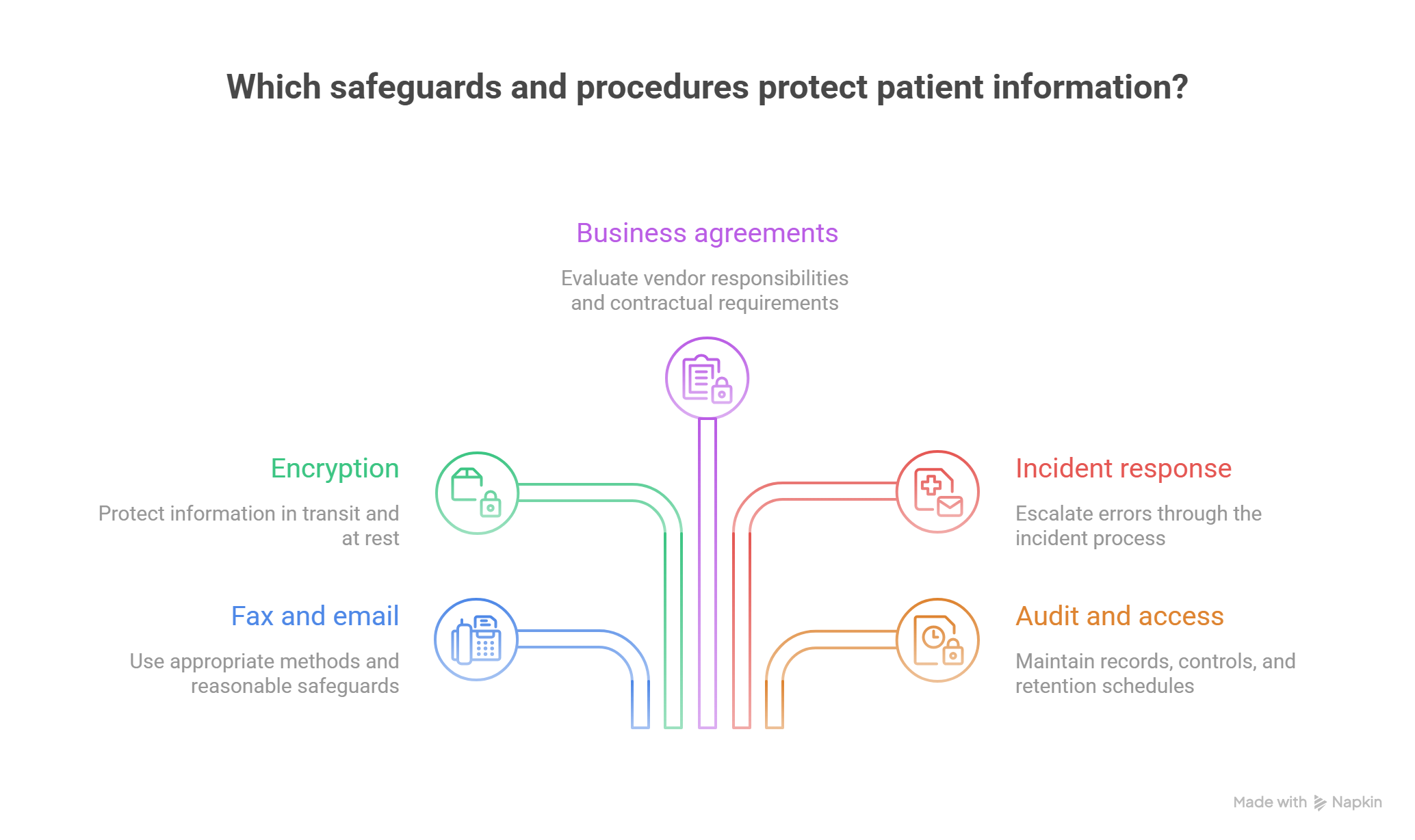
Encryption is one component of a broader security program that includes user authentication, access restrictions, audit controls, device management, and incident response.
Under the current HIPAA Security Rule, the encryption implementation specifications are addressable. Regulated organizations must evaluate applicable risks, determine appropriate safeguards, and document their decisions under the rule.
Medical administrators should follow the specific safeguards established by their organization and compliance team.
Understanding healthcare cybersecurity, cloud-based EHR security, secure messaging terminology, and healthcare technology troubleshooting helps employees recognize when protection may be incomplete.
Business Associate Agreements and cloud fax vendors
A Business Associate Agreement (BAA) establishes required contractual safeguards when an applicable vendor performs services involving PHI on behalf of a HIPAA-regulated organization.
A cloud fax or messaging provider may qualify as a business associate when it creates, receives, maintains, or transmits PHI on behalf of a covered entity.
Even when a service stores only encrypted electronic PHI, relevant business associate obligations can still apply.
Before introducing a new communication service, the organization should evaluate vendor responsibilities, available safeguards, access controls, incident reporting, and appropriate contractual requirements.
A vendor's marketing description of its product as HIPAA-compliant should not replace independent organizational review.
Employees investigating new healthcare automation platforms, cloud medical record systems, patient portal communication, and healthcare compliance software should involve authorized procurement, IT security, and privacy personnel.
Scenario 4: A fax containing patient information reaches the wrong business
An employee enters an incorrect fax number and transmits a patient's medical records to an unrelated business.
The fax system reports successful transmission.
Once the employee discovers the error, immediate escalation through the organization's privacy or security incident process is essential.
The responsible personnel should determine the affected information, recipient, transmission details, containment options, and appropriate response.
The employee should preserve the relevant communication evidence and follow approved instructions for contacting an unintended recipient.
The privacy team must evaluate whether the incident constitutes a reportable breach under applicable requirements.
Such investigations should avoid unnecessary circulation of the exposed documents.
Strong confidential communication training, healthcare security awareness, professional incident documentation, and compliance escalation procedures help employees respond consistently.
Audit trails, access controls, and secure document retention
Secure communication platforms may maintain audit records showing relevant user actions, document access, message activity, and system events.
Role-based access control helps limit access according to organizational responsibilities.
Multi-factor authentication adds additional verification when users access supported systems.
Retention schedules determine how long communication records must be preserved under applicable organizational and legal requirements.
Administrators should understand which records are authoritative and how communication history is retained.
Deleting a fax from an inbox does not necessarily remove every stored copy, audit record, or retained backup.
Similarly, assigning a document to the wrong patient record may require a controlled correction rather than an ordinary file deletion.
These controls reinforce medical records accuracy, professional document handling, EHR document management, and healthcare information security.
The objective is to maintain communication records that are accessible to authorized personnel, traceable when questions arise, and appropriately protected throughout their lifecycle.
5. Improving Secure Fax and Messaging Workflows: A 30-Day Action Plan and Performance Metrics
Healthcare communication improvements should focus on reducing failed handoffs, preventing inappropriate disclosures, and making unresolved work visible.
A medical practice can strengthen its existing systems by auditing communication patterns, clarifying responsibilities, and measuring how quickly information becomes available to the people who need it.
Days 1–7: Map communication channels and identify recurring failures
Begin by documenting every approved channel used to exchange patient information.
Include physical fax machines, cloud fax services, patient portals, Direct Secure Messaging, approved internal messaging tools, and relevant external document-sharing platforms.
For each channel, establish the following:
Purpose: Which communication activities should use this system?
Recipients: Which organizations, departments, and individuals may receive information?
Ownership: Who monitors incoming items and outgoing failures?
Security: Which access, authentication, and disclosure safeguards apply?
Integration: How do received documents reach the correct patient record or work queue?
Escalation: Who handles failed deliveries, incorrect recipients, and urgent communications?
Downtime: Which approved alternative process applies during outages?
Review communication failures involving patient scheduling integrations, medical administration technology, patient-facing communication, and team handoff procedures.
Pay particular attention to messages requiring repeated phone calls. Multiple follow-ups can reveal unresolved routing problems or missing accountability.
Expected deliverable: A communication inventory identifying critical workflows, approved channels, accountable owners, and the five most frequent failures.
Days 8–14: Build standardized verification and exception procedures
Create separate procedures for outgoing faxes, incoming documents, patient messages, and internal clinical communications.
For outgoing faxes, require destination verification and appropriate document checks.
For incoming faxes, establish rules for patient identity matching, page completeness, document categorization, and indexing.
For shared messaging inboxes, define ownership, response expectations, escalation rules, and closure conditions.
Every unresolved communication exception should capture its relevant details.
Exception ID: Unique identifier connecting the investigation to the original communication.
Channel: Fax, portal, Direct message, or other approved system.
Failure classification: Incorrect destination, failed delivery, incomplete document, wrong-patient attachment, access restriction, or unanswered message.
Patient impact: Whether the issue affects routine administration, time-sensitive treatment coordination, or privacy.
Assigned owner: The person or team responsible for the next step.
Closure evidence: Confirmation that the required authorized action was completed.
These records make it easier to identify failures involving secure healthcare messaging, written administrative communication, healthcare workflow automation, and confidential document handling.
Expected deliverable: Standardized communication checklists, an exception register, and documented escalation procedures.
Days 15–21: Test communication workflows using fictional patient records
Test the most important communication processes in an authorized training or test environment.
Test A: Wrong fax destination. Simulate an attempted transmission to an unapproved test endpoint and determine whether staff recognize the error before disclosure occurs.
Test B: Incomplete document. Create a fictional five-page referral packet and test the process for detecting an incomplete received copy.
Test C: Shared inbox ownership. Submit a routine administrative message and verify that it receives an assigned owner and an identifiable completion status.
Test D: Urgent clinical routing. Use a fictional message containing a predefined clinical escalation trigger. Confirm that the workflow routes it to authorized clinical personnel according to approved procedures.
Test E: Expired secure link. Simulate an unavailable document link and verify that employees understand how to investigate access restrictions without exposing information through alternate unauthorized channels.
Test F: System outage. Conduct an approved tabletop exercise for a cloud fax or secure messaging outage, including backup communication and post-recovery reconciliation.
These tests strengthen healthcare cybersecurity readiness, medical administration troubleshooting, secure team coordination, and healthcare compliance procedures.
Expected deliverable: A test report documenting observed failures, corrective actions, assigned owners, and successful retesting.
Days 22–30: Monitor communication quality using seven practical metrics
A communication dashboard should distinguish technical delivery from administrative completion.
1. Fax transmission failure rate
Calculation: Failed transmission attempts ÷ total fax transmission attempts × 100.
This measures the percentage of attempts that fail at the transmission stage.
Separate invalid destinations, busy endpoints, partial transmissions, and connectivity problems.
2. Fax document indexing time
Calculation: Median elapsed time from confirmed document receipt to correct EHR or work-queue indexing.
This identifies delays after the fax reaches the organization.
A long indexing interval may explain why referring offices repeatedly resend documents that have already arrived.
3. First-response time
Calculation: Median elapsed time from message receipt to the first meaningful response or appropriate handoff.
Define meaningful response consistently. An automated acknowledgment should be tracked separately from a staff response addressing the request.
4. Message resolution time
Calculation: Median elapsed time from initial receipt to verified task completion.
This reveals how effectively the organization closes requests beyond simply opening or acknowledging them.
5. Overdue message rate
Calculation: Open messages exceeding their assigned response or resolution targets ÷ all open messages × 100.
Review clinically urgent messages separately so critical issues remain visible regardless of routine inbox volume.
6. Document misindexing rate
Calculation: Confirmed incorrectly indexed documents ÷ total documents indexed × 1,000.
This tracks patient-record association errors and document classification failures.
7. Repeat communication rate
Calculation: Requests requiring repeated contact for the same unresolved issue ÷ unique requests evaluated × 100.
This helps identify preventable follow-up caused by missing confirmations, unclear ownership, or incomplete responses.
These measures support improvements in medical team communication, patient scheduling performance, administrative workflow automation, and medical technology troubleshooting.
Targets should reflect clinical risk, organizational staffing, business requirements, and documented service expectations.
Calculating the cost of avoidable fax and messaging rework
Suppose a medical practice handles 2,000 fax and secure-message transactions every month.
Assume that 8% generate additional administrative work because of missing documents, incomplete routing, or unanswered requests.
That creates 160 transactions requiring follow-up.
If each requires an average of 9 minutes of additional staff time, the practice spends approximately 24 hours monthly on communication-related rework.
At an illustrative loaded labor cost of $25 per hour, direct labor costs total $600 monthly or $7,200 annually.
If better verification and queue ownership reduce the rework rate from 8% to 3%, the practice would handle approximately 60 rework cases per month under otherwise unchanged conditions.
That represents 100 fewer cases and approximately 15 labor hours saved monthly.
The calculation excludes potential costs involving delayed referrals, repeated patient calls, external provider coordination, and privacy incident investigations.
Organizations evaluating healthcare automation tools, cloud-based medical records, medical administrative training, and workflow optimization should compare improvement costs with verified rework reductions.
A practical communication escalation template
When a document or message cannot be located, the administrator can use this standardized internal report.
Issue: Specialist's office reports that a referral packet is missing.
Patient reference: Verified patient identifier handled through the approved system.
Original communication: Referral transmitted using the organization's approved fax service.
Available evidence: Destination, timestamp, transmission status, and expected page count.
Current investigation: Receiving organization has been contacted through an approved channel. Document indexing remains under review.
Assigned owner: Referral coordination team.
Required next action: Confirm correct receipt and indexing, or follow the approved replacement-transmission procedure.
Closure criterion: Referral documents are confirmed available to the receiving team, and any required scheduling follow-up is assigned.
This format strengthens written medical communication, assertive administrative communication, secure healthcare messaging, and team coordination procedures.
6. FAQs: Secure Fax, HIPAA Messaging, and Medical Administrative Communication
-
HIPAA permits covered healthcare providers to transmit PHI by fax for appropriate purposes, including treatment, when applicable safeguards are followed.
These safeguards may include verifying fax numbers, protecting access to physical machines, and using approved procedures for handling confidential documents.
A practice should assess the technology and disclosure circumstances rather than assuming that every fax transmission carries identical risks.
Understanding confidential medical communication, healthcare compliance requirements, and medical front-desk professionalism supports appropriate handling.
-
Traditional fax commonly uses dedicated fax equipment and compatible telephone-based connections.
Cloud fax allows organizations to manage fax communications through software-based services, often providing digital inboxes, document storage, user permissions, and integration features.
The security and reliability of either approach depend on its configuration, operational controls, and implementation.
Medical administrators should evaluate cloud EHR integration, healthcare cybersecurity safeguards, and medical technology support when comparing systems.
-
A successful transmission status provides evidence of completion at a particular technical stage.
It does not establish that the intended employee reviewed the document, correctly indexed it, or completed the associated task.
For referrals and time-sensitive records, administrators should follow their organization's required confirmation and tracking procedures.
This distinction matters in patient scheduling integrations, team communication workflows, and administrative workflow automation.
-
Immediately follow the organization's privacy or security incident reporting procedure.
Preserve relevant transmission information and provide the designated response team with the facts needed to investigate.
Authorized personnel should determine appropriate containment, recipient communication, risk assessment, documentation, and any required notifications.
Prompt reporting supports healthcare compliance procedures, cybersecurity incident response, and confidential information handling.
-
Direct Secure Messaging uses standardized healthcare messaging requirements, including authenticated and encrypted communication between trusted endpoints.
Ordinary email encryption can use different technologies and does not automatically establish the same healthcare exchange framework.
Administrators should verify recipient compatibility and the organization's approved communication process.
Knowledge of secure healthcare messaging, cloud medical record systems, and healthcare cybersecurity terminology helps distinguish these systems.
-
Use depends on the organization's policies, the communication context, and applicable privacy and security requirements.
Consumer applications may lack the access controls, retention capabilities, vendor arrangements, or other safeguards required for a particular healthcare workflow.
Employees should use approved communication tools and escalate uncertainties to authorized privacy or security personnel.
This applies to patient messaging, confidential communication, and professional healthcare administration.
