

A patient appointment appears in the scheduling system but never reaches the EHR. An insurance verification succeeds, yet the billing platform still shows missing coverage. A referral is marked complete while the receiving department has no record of it. These problems reveal how disconnected medical software can quietly disrupt patient care and administrative operations. Understanding medical software integration helps administrators identify broken data transfers, prevent duplicate records, resolve workflow failures, and communicate effectively with IT teams. This guide explains essential integration terminology, practical examples, troubleshooting procedures, and performance measures for reliable healthcare systems.
1. Medical Software Integration Fundamentals: How Healthcare Systems Exchange Information
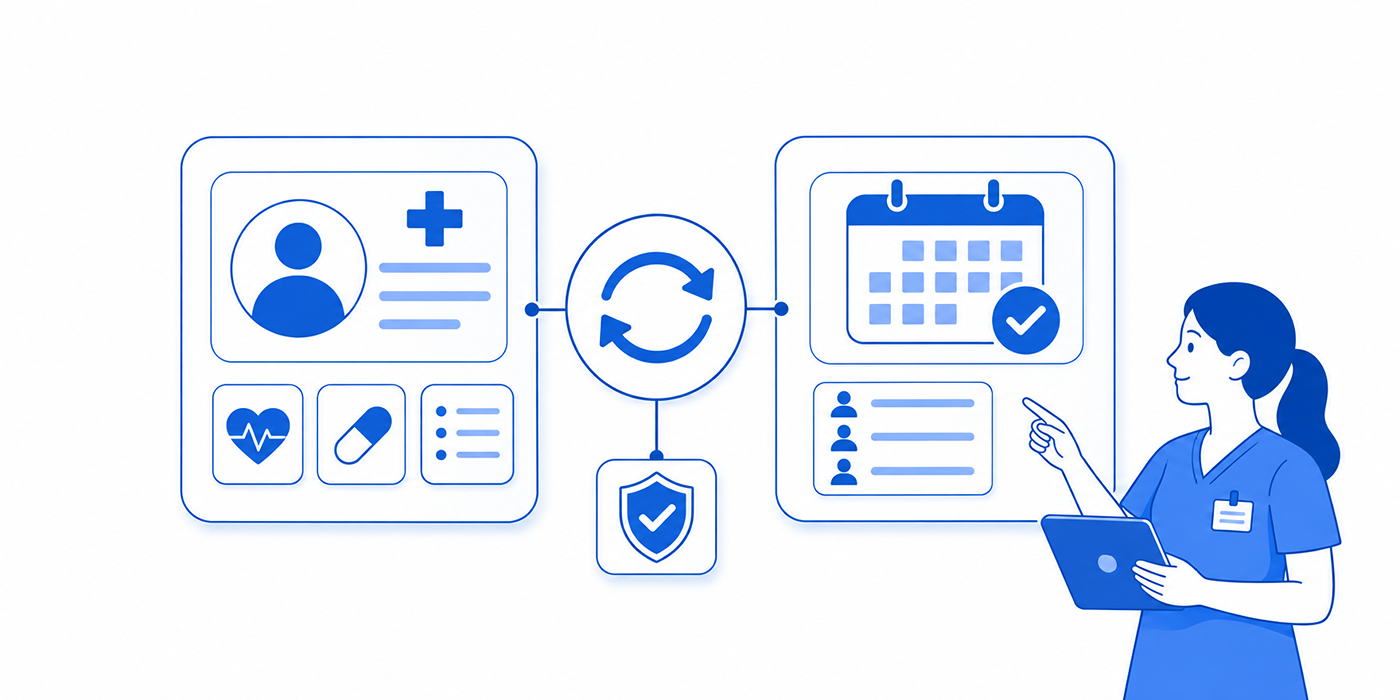
Medical software integration connects applications so information can move between scheduling systems, electronic health records, practice management platforms, billing software, patient portals, and other healthcare technologies.
A functioning integration must accomplish four things: identify the correct patient or encounter, transfer the required information, preserve its intended meaning, and trigger the appropriate workflow action.
For example, a patient booking an appointment through an online scheduling tool should create or update the correct appointment record. The receiving application must associate that appointment with the appropriate patient, provider, location, and visit type.
When reviewing patient scheduling integrations, cloud-based EMR terminology, virtual check-in systems, and workflow automation definitions, administrators should examine how each application receives, validates, and uses incoming information.
The four layers of medical software integration
1. Connectivity: Can the systems communicate?
Connectivity describes whether applications can establish an authorized communication path through an application programming interface (API), messaging interface, or another supported exchange method.
A disconnected network, expired credential, or unavailable endpoint can interrupt communication even when both applications are functioning independently.
Administrators investigating connectivity problems should understand medical admin technology troubleshooting, healthcare cybersecurity terminology, healthcare automation tools, and secure healthcare messaging.
2. Data structure: Can the receiving software interpret the information?
Healthcare systems exchange information using defined structures and standards, including HL7 Version 2 messages and FHIR resources.
An HL7 ADT message may communicate patient admission, discharge, or transfer information. A FHIR Patient resource represents patient information within the standard's data model. The exact implementation determines which fields are supported and how they are exchanged.
Medical administrators working with patient registration workflows, medical transcription systems, medical dictation software, and cloud EMR integrations benefit from recognizing these differences.
3. Semantic accuracy: Does the information retain its intended meaning?
A transfer can succeed technically while producing incorrect information.
For example, one system may classify an appointment as a consultation while another maps it to a follow-up visit. Both applications receive data, but the resulting scheduling workflow becomes inconsistent.
Similarly, a diagnosis status, medication instruction, or referral priority can be misinterpreted if the receiving system uses incompatible definitions.
Proper written medical communication, medical documentation practices, healthcare compliance software, and team communication procedures help teams identify discrepancies requiring correction.
4. Workflow execution: Does the transfer produce the intended result?
A successful API response does not always mean the receiving application completed the business process.
For instance, an appointment integration may successfully deliver an event, but the receiving software may reject it because the provider identifier is unavailable or the appointment type is unsupported.
The integration should therefore be verified at both technical and operational levels.
Understanding patient scheduling configurations, scheduling conflict management, medical administration troubleshooting, and workflow automation processes helps administrators distinguish successful message delivery from successful task completion.
| # | Integration Term | Definition & Purpose | Interactive Example & Operational Action |
|---|---|---|---|
| 1 | Interoperability | Ability of systems to exchange information and use it appropriately. | Open practical exampleA scheduling application sends appointment details to the EHR. Verify that patient identity, appointment type, and status remain accurate. Review scheduling integration concepts. |
| 2 | Source of Truth | The designated authoritative system for a specific data element or workflow state. | Open practical exampleScheduling controls appointment status while the billing platform controls claim adjudication. Investigate conflicts using the correct authoritative system. |
| 3 | API | Application programming interface that allows software to request or exchange defined information and functions. | Open practical exampleA patient portal requests appointment availability from a practice management API. Verify the API permissions and returned slots before patients book. |
| 4 | API Endpoint | A specific address and operation through which an API provides a function or resource. | Open practical exampleAn incorrect production endpoint causes requests to reach a testing environment. Verify configuration through approved troubleshooting procedures. |
| 5 | Webhook | An event-driven notification sent to a configured receiving endpoint when a specified event occurs. | Open practical exampleAn appointment cancellation triggers a notification to the waitlist platform. Confirm receipt, authentication, and the resulting update. |
| 6 | HL7 Version 2 | A widely used healthcare messaging standard for exchanging clinical and administrative events. | Open practical exampleAn HL7 v2 message communicates registration updates to another system. Check that required fields match the receiving application's specifications. |
| 7 | ADT Message | Admission, Discharge, Transfer message family used to communicate patient administration events and updates. | Open practical exampleA patient demographic update is transmitted but the receiving system retains the old phone number. Inspect message acceptance and field mapping. |
| 8 | FHIR | Fast Healthcare Interoperability Resources, an HL7 standard for structured exchange of healthcare information. | Open practical exampleAn application retrieves an authorized patient's structured information through a FHIR API. Check the supported version, permissions, and required profiles. |
| 9 | FHIR Resource | A standardized data structure representing an entity or concept such as Patient, Appointment, or Observation. | Open practical exampleAn Appointment resource links to a Patient and participating practitioner. Verify references to avoid mismatched bookings. |
| 10 | FHIR Profile | A specification constraining or extending a base FHIR resource for a particular implementation context. | Open practical exampleAn interface accepts a base resource structure but requires additional fields under a particular profile. Validate against the agreed implementation guide. |
| 11 | REST API | An architectural approach commonly used to access and manage resources through HTTP operations. | Open practical exampleAn authorized application requests an appointment record and receives an HTTP error. Inspect status codes, credentials, and resource identifiers. |
| 12 | JSON | A structured data representation commonly used in modern APIs, including FHIR exchanges. | Open practical exampleA required date field is sent in the wrong format. Inspect the structured payload without exposing live patient information. |
| 13 | Interface Engine | Software that routes, transforms, validates, and monitors messages between applications. | Open practical exampleAn engine maps incoming scheduling messages to the EHR's expected format. Inspect message routing and failed transformations through automation monitoring. |
| 14 | Field Mapping | Rules matching fields in a source system to corresponding destinations. | Open practical exampleA source's mobile-phone field accidentally populates the receiving system's home-phone field. Correct the mapping and retest existing affected records. |
| 15 | Terminology Mapping | Translation or alignment of coded concepts between systems while preserving meaning. | Open practical exampleA local visit-type code is mapped to the wrong destination category. Review mapping governance before updating the scheduling interface. |
| 16 | Schema Validation | Checking that exchanged data satisfies expected structural and format requirements. | Open practical exampleA required patient identifier is missing from a payload. Validation should detect the omission before downstream processing. |
| 17 | Patient Matching | Identifying whether records from different sources refer to the same patient. | Open practical exampleTwo systems store different address formats for the same individual. Apply approved matching rules and manual review for uncertain matches. |
| 18 | Master Patient Index | A service or index helping link patient identities across records and connected systems. | Open practical exampleA patient appears under separate local identifiers. The index supports linking while preserving the original record relationships. |
| 19 | Duplicate Detection | Controls identifying potentially duplicate patient or transaction records. | Open practical exampleA retry creates two appointment records. Investigate identifier reuse and duplicate-prevention logic before applying an authorized correction. |
| 20 | OAuth 2.0 | An authorization framework used by applications to obtain appropriately limited access. | Open practical exampleAn application cannot retrieve an allowed resource because its access token has expired. Follow approved renewal and security procedures. |
| 21 | Access Scope | A defined permission boundary specifying the information or operations an application may access. | Open practical exampleA scheduling application requires appointment access but not broad clinical-record access. Review permissions using compliance controls. |
| 22 | TLS Encryption | Transport Layer Security, which helps protect network communications in transit. | Open practical exampleA certificate configuration error interrupts a secure connection. Escalate through authorized IT personnel rather than weakening encryption requirements. |
| 23 | Event Trigger | A defined system occurrence that initiates a message, notification, or workflow. | Open practical exampleCompleting registration triggers an eligibility check. Confirm that the event occurs at the correct stage and does not fire repeatedly. |
| 24 | Acknowledgment | A response confirming receipt or handling of a transmitted message according to the interface protocol. | Open practical exampleA system acknowledges an HL7 message but fails during downstream workflow processing. Confirm the final application state separately. |
| 25 | Error Queue | A holding area for transactions that could not be processed successfully. | Open practical exampleTwelve insurance updates remain in an error queue. Prioritize affected upcoming appointments and investigate common rejection reasons through technical troubleshooting. |
| 26 | Retry Policy | Rules defining whether, when, and how failed transmissions are attempted again. | Open practical exampleA temporary connection failure triggers a controlled retry. Avoid repeated attempts that create duplicate claims or overwhelm the receiving system. |
| 27 | Idempotency | A property that allows repeated processing of an operation without causing unintended duplicate effects. | Open practical exampleThe same cancellation event arrives twice. Idempotent processing ensures the second event does not create an additional cancellation or duplicate notification. |
| 28 | Data Reconciliation | Comparing records and totals across systems to find missing, inconsistent, or duplicated information. | Open practical exampleScheduling reports 120 visits while the EHR shows 117. Compare encounter identifiers, excluded statuses, and transmission failures. |
| 29 | Interface Latency | Elapsed time between a source event and successful processing in the receiving workflow. | Open practical exampleAppointment updates take 18 minutes to appear downstream. Review transmission timestamps and processing delays before changing automation rules. |
| 30 | Audit Trail | A record of system actions, changes, related accounts, and timestamps used for accountability and investigation. | Open practical exampleAn unexpected insurance update is traced to its originating event. Use authorized logs and follow confidentiality procedures. |
Operational examples are illustrative. Actual message formats, permissions, supported integration standards, and resolution procedures depend on vendor contracts and local configurations.
2. How Medical Software Integrations Work Across Scheduling, EHR, Billing, and Patient Communication
Medical practices rarely use one application for every administrative task. Scheduling software manages appointment availability, EHR platforms maintain clinical records, billing systems process financial transactions, and patient communication tools handle reminders and follow-ups.
Integration failures often occur at the boundaries between these functions. Understanding the exact information exchanged at each boundary helps administrators identify where problems originate.
Scheduling software to EHR integration
When a patient books an appointment, the scheduling application may need to communicate the patient's identity, appointment date, provider, location, visit type, and status.
A reliable workflow includes several checkpoints:
The scheduling system confirms that the requested appointment can be booked.
The patient record is matched to the correct identity in the receiving system.
The appointment information is transmitted using a supported interface.
The receiving application validates the required identifiers and fields.
The appointment appears with the correct details and operational status.
Suppose 120 appointments are created in the scheduling platform, but only 117 appear in the EHR.
The administrator should first confirm that both reports cover the same time interval and appointment statuses. Next, compare appointment identifiers, patient matching results, and transmission logs to locate the three discrepancies.
Knowledge of patient scheduling integrations, cloud-based EMR systems, scheduling conflict management, and medical administration troubleshooting supports efficient investigation.
Operational checkpoint: Reconcile unique appointment identifiers rather than comparing totals alone. A missing appointment and a duplicated appointment can produce a misleadingly balanced total.
Patient registration to insurance eligibility integration
An eligibility integration connects patient registration information with a payer or clearinghouse verification process.
In a common electronic eligibility workflow, an X12 270 transaction requests eligibility or benefit information, while an X12 271 transaction communicates the response. The exact implementation varies by trading partner.
The administrator needs to distinguish between a successfully transmitted request, a response received from the payer, and a verified coverage result relevant to the planned service.
For example, an eligibility request might return a technically successful response while indicating inactive coverage, incomplete benefit information, or a need for additional verification.
The integration should route unresolved results into a clearly assigned exception queue.
Teams can improve these handoffs through virtual check-in systems, medical front-desk procedures, healthcare automation terminology, and patient interaction scripts.
Operational checkpoint: Verify eligibility exception resolution before the appointment when feasible. A completed electronic response should remain distinguishable from confirmed benefit information.
EHR to billing and claims integration
Billing integration transfers information needed for claim preparation and processing between clinical, practice management, and revenue-cycle systems.
Common data elements include patient identifiers, encounters, service dates, diagnosis codes, procedure information, insurance details, and other required claim fields.
In US electronic claims workflows, X12 837 transactions are commonly used for claim submission, while X12 835 transactions communicate payment and remittance advice.
A claim can encounter several different problems during this process:
Required information may be missing from the source record.
An interface mapping may place a value in the wrong destination field.
A transaction may fail the receiving system's structural validation.
A clearinghouse may reject the claim before payer adjudication.
A payer may process the claim and issue an adverse determination.
Each condition requires a different investigation and responsible team.
Administrators can improve understanding through medical transcription terminology, medical dictation systems, healthcare compliance software, and workflow automation systems.
Operational checkpoint: Track the claim's unique identifier and processing stage across systems. This makes it possible to locate the point where a transaction failed without confusing a technical rejection with a payer denial.
Patient portals, reminders, and referral integrations
Patient communication platforms may exchange appointment confirmations, cancellation events, portal notifications, referral statuses, and administrative follow-up tasks.
A reminder service may receive an appointment update, send a confirmation request, and return an event indicating whether the message was delivered.
However, delivery and patient confirmation represent separate outcomes. A message marked delivered may remain unread, and a patient's response may fail to update the scheduling system.
Similar problems occur when referrals are marked sent but remain unacknowledged by the receiving organization.
Strong appointment reminder workflows, secure messaging practices, patient communication scripts, and team communication processes help identify these gaps.
Administrators should also understand confidential communication requirements, phone triage communication, and rapport-building techniques when handling communication failures.
Operational checkpoint: Give reminder and referral workflows separate statuses for created, sent, acknowledged, completed, and failed whenever those states are relevant and supported by the application.
3. Medical Software Integration Errors, Failure Metrics, and Root-Cause Analysis
A useful integration dashboard measures the reliability of information exchange and the resulting workflow. It must expose failures that remain invisible when administrators look only at connection status.
Six integration failures every medical administrator should recognize
1. Missing transactions
A source system creates an event, but the receiving application never records it.
Possible causes include a failed transmission, incorrectly configured event trigger, unavailable endpoint, or suspended interface queue.
Administrators should compare source and destination record identifiers while following approved technical troubleshooting procedures, cloud EMR integration practices, and healthcare automation controls.
2. Duplicate transactions
An event may be processed more than once after a retry, timeout, or manual resubmission.
Potential consequences include duplicate appointment records, repeated notifications, and duplicate billing transactions.
Appropriate controls may include stable event identifiers, idempotent processing, and controlled retry policies.
Review patient scheduling integrations, workflow automation terminology, and medical administration troubleshooting when investigating repeated events.
3. Incorrect patient matching
Patient matching errors occur when systems link records to the wrong person or fail to associate records belonging to the same person.
Common contributing factors include inconsistent demographics, outdated contact information, insufficient matching rules, and poorly managed local identifiers.
Potential mismatches involving clinical information require appropriate safety escalation and authorized review before corrections are made.
Knowledge of virtual check-in systems, front-desk verification procedures, confidential communication, and informed consent terminology supports accurate identity management.
4. Field mapping failures
A source value may be sent successfully but populate the wrong destination field.
For example, an appointment's referring provider might be incorrectly mapped to the rendering provider field. The resulting record can be structurally valid while conveying incorrect information.
Mapping changes should undergo controlled testing, documentation, and authorization.
Use cloud-based EMR concepts, medical transcription terminology, and healthcare compliance processes to support field-level reviews.
5. Synchronization delays
A data transfer may succeed after a delay long enough to disrupt operational decisions.
For example, a cancellation entered at 9:00 AM may reach the patient reminder platform at 9:45 AM. During that interval, the platform could send an outdated reminder if its workflow uses stale information.
Administrators should monitor appointment reminder integrations, scheduling system synchronization, automation event triggers, and secure communication systems.
6. Authorization failures
An application may lose access because an access token expires, its permissions change, or security policies reject the request.
The technical response may indicate unauthorized access or insufficient permissions.
Administrative staff should escalate through authorized support procedures. Broadening permissions without an approved security review creates unnecessary exposure.
Understanding healthcare cybersecurity controls, compliance software, confidential communication, and medical administrative professionalism is essential.
The integration performance metrics worth monitoring
Transmission failure rate
Failed transmission attempts ÷ total transmission attempts × 100.
If 25 of 5,000 attempts fail, the transmission failure rate is 0.5%.
For an accurate operational interpretation, also count affected unique business events. Automatic retries can make attempt-based failure rates behave differently from event-based completion rates.
End-to-end synchronization success
Unique source events that reach the correct verified destination state ÷ eligible unique source events × 100.
If 985 of 1,000 eligible appointment updates are correctly reflected downstream, the success rate is 98.5%.
Interface latency
Measure the elapsed time between the source event and successful processing at the destination.
Median latency shows typical performance, while the 95th-percentile latency helps expose slower transactions affecting a smaller group of users.
Duplicate event rate
Confirmed duplicate effects ÷ eligible unique source events × 100.
The numerator should count actual unintended duplicate outcomes, using a documented rule.
Unresolved error queue age
Track the oldest unresolved transaction, the number exceeding its resolution deadline, and the affected workflow categories.
This allows administrators to prioritize integration problems affecting imminent appointments, important patient communications, or time-sensitive administrative processes.
These measurements are especially useful when evaluating healthcare automation platforms, patient scheduling integrations, cloud-based EMR systems, and technology troubleshooting workflows.
How to perform a useful root-cause analysis
For every significant integration failure, record the source event, expected destination state, actual destination state, relevant timestamps, affected identifiers, and final resolution.
Suppose 18 insurance updates failed during an afternoon shift.
A useful investigation would establish whether the failures began together, shared the same error response, affected the same payer, or followed a configuration change.
The findings should drive a documented corrective action and a follow-up check for recurrence.
Strong team communication, assertive escalation techniques, written administrative communication, and workflow automation monitoring make technical investigations more efficient and easier to audit.
Submit Vote
Select a challenge above to see a targeted troubleshooting recommendation.
Your priority: Scheduling reconciliation. Compare unique appointment IDs across both applications, verify matching reporting periods, inspect failed messages, and monitor time from booking to confirmed destination update.
Your priority: Patient identity integrity. Review matching criteria, source identifiers, duplicate-detection rules, and authorized record-correction procedures. Escalate suspected wrong-patient associations promptly.
Your priority: Pre-visit and billing integration. Distinguish technical transmission success from eligibility or claim-processing outcomes. Track unresolved exceptions by payer, appointment date, and responsible owner.
Your priority: Error queue accountability. Create daily queue reconciliation, age-based escalation, named ownership, and controlled retries. Investigate recurring failures before replaying large transaction batches.
Your priority: End-to-end verification. Define success using the final record state in the destination application. Audit field mappings, business validation rules, and acknowledged-but-unprocessed transactions.
Interactive self-assessment. Responses display on this page without JavaScript. Selections are not stored or sent to a server.
4. Medical Software Integration Troubleshooting: Practical Scenarios and Resolution Procedures
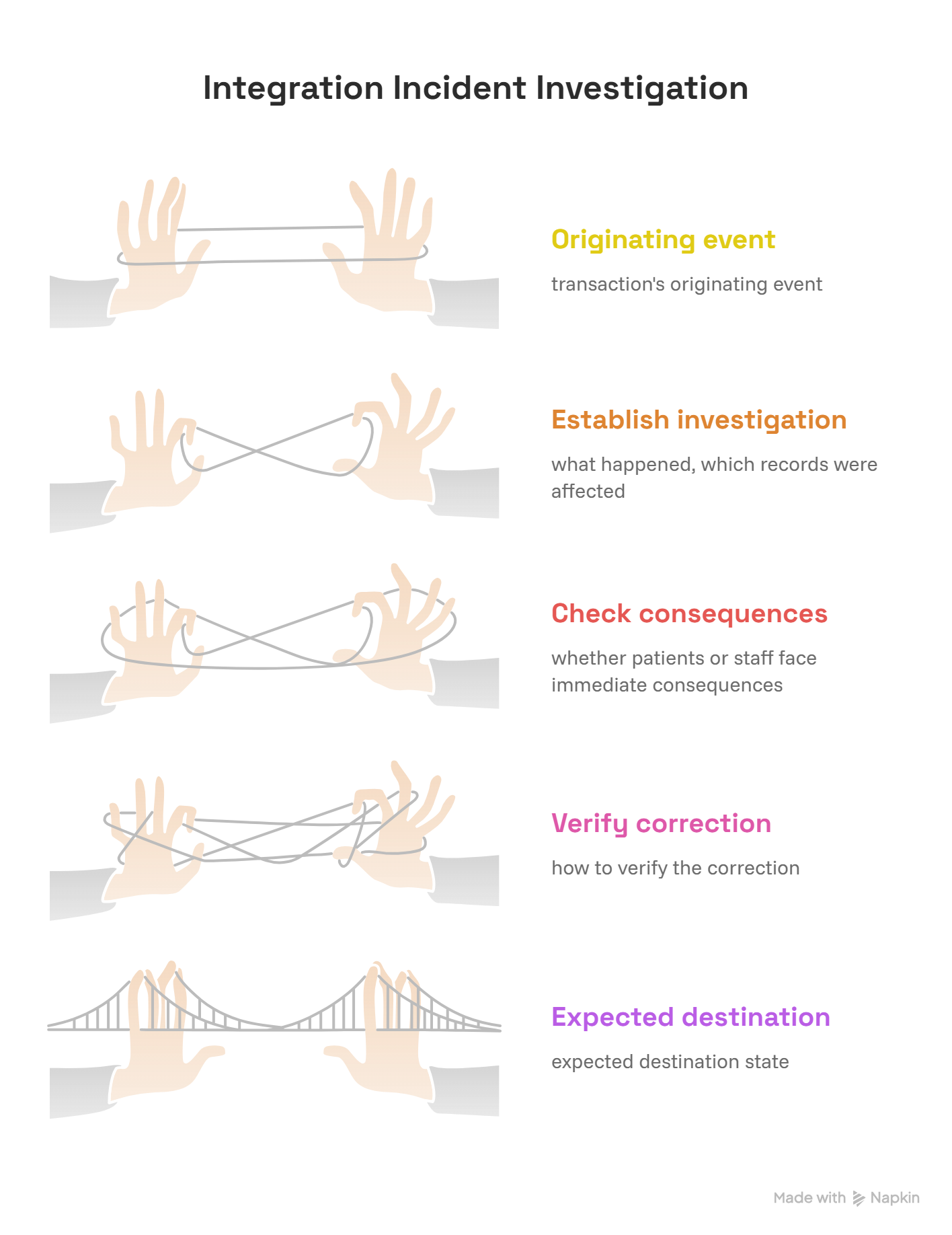
Effective troubleshooting follows the transaction from its originating event to its expected destination state.
A reliable investigation should establish what happened, which records were affected, whether patients or staff face immediate consequences, and how to verify the correction.
Scenario 1: Appointments exist in the scheduler but disappear from the EHR
Situation: A practice schedules 180 appointments for the following day, but the EHR displays only 176.
First check: Confirm that both systems use matching dates, appointment statuses, provider filters, and locations.
Second check: Compare unique appointment identifiers to identify missing or mismatched records.
Third check: Review integration logs for rejected transactions, unavailable provider identifiers, invalid appointment types, and processing delays.
Administrators should use patient scheduling integration terminology, cloud-based EMR concepts, medical administration technology troubleshooting, and scheduling conflict procedures to support the investigation.
Corrective action: Repair the underlying interface issue, safely reprocess affected records through approved procedures, and verify that each missing appointment appears exactly once.
Prevention: Implement reconciliation alerts for unmatched appointment identifiers and define a maximum acceptable synchronization delay.
Scenario 2: Duplicate patient profiles appear after a software migration
Situation: A healthcare organization imports patient information from a legacy platform into a replacement EHR. Staff subsequently discover multiple records for the same individuals.
Likely causes: Differences in identifier formats, inconsistent demographic information, inadequate matching logic, or repeated import processing.
Administrators should avoid automatically merging ambiguous records. An incorrect merge can associate information belonging to different patients.
The investigation should involve authorized personnel, approved patient identity procedures, and a documented correction process.
Staff familiarity with front-desk identity verification, virtual check-in processes, confidential communication requirements, and healthcare cybersecurity controls supports a safer response.
Corrective action: Pause affected imports where appropriate, preserve audit records, investigate the matching rules, and correct confirmed duplicates through approved identity-management workflows.
Prevention: Test migration matching rules against representative historical records, including hyphenated names, changed addresses, shared phone numbers, and incomplete demographic fields.
Scenario 3: Insurance eligibility transactions succeed technically but produce unusable results
Situation: A registration team completes electronic eligibility checks for 120 patients. The interface dashboard reports successful exchanges, but 14 records still lack usable coverage information.
Diagnostic distinction: The interface may have successfully delivered requests and responses even though the responses contain unresolved eligibility conditions or incomplete information.
The administrator should inspect the actual business outcomes rather than relying on the interface's technical success indicator.
Review virtual check-in workflows, patient communication scripts, healthcare automation definitions, and medical admin troubleshooting when classifying the unresolved records.
Corrective action: Segment the 14 cases by actual response reason, assign follow-up responsibilities, and prioritize appointments approaching their service dates.
Prevention: Introduce separate metrics for transmitted eligibility requests, received responses, completed verifications, and unresolved exceptions.
Scenario 4: Appointment reminders continue after cancellations
Situation: Patients receive automated reminders for appointments they cancelled the previous day.
Likely causes: Cancellation updates arrive late, the reminder platform fails to process them, or messages were already queued before the cancellation reached the system.
Some communication platforms also maintain independent scheduling logic that must be reconciled with the authoritative appointment status.
Review appointment reminder software, patient scheduling integrations, secure messaging systems, and healthcare workflow automation to understand the event chain.
Corrective action: Trace cancellation timestamps, synchronization events, message queue processing, and reminder dispatch records. Correct the failing step and verify that future cancellations suppress pending reminders where the platform supports it.
Prevention: Test cancellation processing at several intervals before scheduled reminder dispatch and monitor repeated outdated notifications.
Scenario 5: A software update silently changes medical documentation fields
Situation: A dictation or transcription integration continues sending records after an update, but certain fields begin appearing in unexpected locations.
Risk: The technical connection remains active while the receiving application interprets information incorrectly.
An administrator might notice missing headings, incomplete note sections, or documentation requiring unexpected correction.
The issue should be escalated for authorized review because inaccurate clinical documentation may have safety implications.
Knowledge of medical dictation technology, medical transcription systems, AI-assisted medical scribing, and medical scribe training requirements helps teams understand potential documentation issues.
Corrective action: Compare representative before-and-after transactions, investigate changed field mappings, and validate corrections with appropriate clinical and technical reviewers.
Prevention: Include structured documentation examples in integration regression tests whenever a vendor modifies the interface.
The five-step integration incident checklist
When a major interface problem occurs, administrators should document the incident using a repeatable process.
Identify the affected workflow. Specify which information should have moved, where it originated, and where it was expected.
Measure the impact. Determine the affected patients, appointments, transactions, or administrative tasks.
Preserve relevant evidence. Record sanitized error details, timestamps, transaction identifiers, and authorized audit information.
Escalate and correct. Route the incident to the responsible technical, administrative, or clinical team under approved procedures.
Verify recovery. Confirm the correct final records, examine duplicate effects, and monitor recurrence after the correction.
Clear written administrative communication, team communication standards, assertive escalation methods, and professional medical office procedures make this process easier to repeat and audit.
5. How to Evaluate, Implement, and Monitor Medical Software Integrations Successfully
A medical practice should evaluate integrations based on the information they exchange, the workflows they support, and their ability to recover safely from failures.
Two applications may advertise compatibility while supporting different versions of a standard, different data fields, or different synchronization schedules. These differences can create substantial administrative work after implementation.
Step 1: Document integration requirements before choosing software
Start by identifying every workflow that depends on information moving between applications.
For each workflow, specify the source system, destination system, required data elements, event trigger, expected timing, and responsible team.
For example, an appointment integration might need to support new bookings, rescheduling, cancellations, provider changes, and location updates.
Ask vendors whether each function is supported through a live interface, periodic synchronization, manual export, or an additional product module.
When evaluating patient scheduling tools, cloud-based EMR technology, appointment reminder integrations, virtual check-in platforms, and workflow automation solutions, request written confirmation of the actual supported operations.
High-value vendor question: What happens when the receiving application rejects a transaction, and how does an administrator discover that failure before it affects a patient?
Step 2: Test successful transactions and failure conditions
Integration acceptance testing should cover routine activity and exceptions.
Useful test scenarios include:
Creating, rescheduling, and cancelling an appointment.
Processing two patients with similar names or demographic information.
Updating a record when one application is temporarily unavailable.
Replaying the same event without producing an unintended duplicate.
Processing a missing or unsupported data field.
Handling expired authentication credentials.
Identifying partially completed transactions.
Restoring synchronization after a system outage.
Each test should specify an expected result and evidence confirming that result.
Organizations should connect testing with medical administration troubleshooting, healthcare automation concepts, cloud EMR terminology, and healthcare compliance software.
Acceptance rule: A test passes when the destination contains the expected information, the intended workflow state is correct, and no unintended duplicate or downstream error remains.
Step 3: Establish integration monitoring and accountability
Every important connection should have an assigned operational owner and technical support contact.
An administrator needs visibility into which transactions failed, how long unresolved errors have remained open, and whether the failures affect imminent patient-facing activities.
A useful monitoring scorecard can contain transmission failure rate, end-to-end synchronization success, unresolved transaction count, oldest error age, and confirmed duplicate events.
For high-risk workflows, include clinical or operational escalation requirements based on the consequences of delayed information.
Strong team communication practices, assertive escalation techniques, written communication procedures, and administrative professionalism standards support effective incident ownership.
Step 4: Secure integrations and control access
Healthcare integrations may transmit protected health information, clinical documentation, payer information, and other sensitive records.
Organizations should establish appropriate authentication, authorization, encryption, audit logging, and incident response measures. Access should be limited according to legitimate operational requirements and applicable rules.
Administrative personnel should know how to recognize unusual access failures, unexpected exports, and suspicious changes in connected applications.
Training in healthcare cybersecurity terminology, confidential communication, secure messaging, compliance software, and informed consent procedures reinforces responsible information handling.
Step 5: Review performance after implementation
Integration performance should be reassessed after launch, software updates, configuration changes, and recurring operational incidents.
A practical implementation review can examine three periods:
First 7 days: Verify successful processing, transaction reconciliation, critical error queues, and urgent exception handling.
First 30 days: Analyze recurring defects, staff workarounds, synchronization delays, and the accuracy of field mappings.
First 90 days: Evaluate whether the integration reduced manual data entry, improved turnaround times, prevented avoidable rework, and maintained reliable performance.
These checkpoints should be adapted to the implementation's risk and transaction volume.
A team introducing patient scheduling automation, medical dictation integrations, electronic transcription workflows, or automated healthcare communication should measure outcomes against a documented pre-implementation baseline.
The most convincing evidence of successful integration is sustained, verified improvement in the workflows it was designed to support.
6. FAQs About Medical Software Integration
-
Medical software integration allows healthcare applications to exchange information and support connected workflows.
For example, a scheduling system may communicate appointment changes to an EHR, while a patient communication application receives updated appointment information for reminders.
Effective integration depends on accurate data mapping, patient matching, appropriate authorization, and reliable processing.
Medical administrators can explore related concepts through patient scheduling integrations, cloud-based EMR definitions, workflow automation terminology, and healthcare automation tools.
-
An API defines how software applications interact through specified operations.
HL7 is a healthcare standards development organization whose standards include HL7 Version 2 messaging and FHIR.
FHIR provides standardized healthcare data structures and exchange approaches, including RESTful APIs. HL7 Version 2 commonly uses messages for clinical and administrative events.
The appropriate technology depends on the systems, use case, supported implementation guides, and agreed interface requirements.
Understanding cloud EMR integration, medical administration technology troubleshooting, patient scheduling systems, and healthcare automation terminology helps administrators communicate effectively with technical teams.
-
Applications may function normally while their connection experiences authentication errors, incompatible data formats, incorrect field mappings, missing identifiers, or processing delays.
One system may also accept a transaction technically while failing to complete the expected business workflow.
Investigate the source event, connection response, transformation logic, destination validation, and final record status.
Knowledge of medical admin troubleshooting, cloud EMR workflows, healthcare cybersecurity, and workflow automation can help staff identify the appropriate escalation route.
-
Begin by comparing unique source and destination identifiers within matching reporting periods.
Check patient matching results, import logs, rejected messages, interface queues, and destination status filters.
A record may be missing because a transaction failed, was delayed, or was associated with an incorrect identity. Suspected wrong-patient associations require prompt authorized investigation.
Administrators should follow approved procedures informed by front-desk verification practices, virtual check-in terminology, confidential communication, and technical troubleshooting standards.
-
Real-time integration generally processes or exchanges events shortly after they occur, according to the system's configured behavior and actual performance.
Batch integration transfers or processes collections of records at scheduled intervals.
An appointment cancellation may need rapid synchronization to avoid outdated reminders, while certain administrative reporting updates may be suitable for scheduled processing.
The correct approach depends on workflow urgency, vendor capabilities, and acceptable data latency.
Understanding appointment reminder software, patient scheduling integrations, cloud EMR systems, and healthcare automation tools helps administrators evaluate synchronization requirements.
-
Useful indicators include transmission failure rate, end-to-end synchronization success, interface latency, unresolved error queue age, duplicate event rate, and source-to-destination reconciliation accuracy.
Each metric should have a documented calculation, reporting period, responsible owner, and escalation threshold.
For critical workflows, prioritize measures that reflect whether the required destination action actually occurred.
Administrators can apply these principles to patient scheduling integrations, medical transcription workflows, workflow automation platforms, and healthcare compliance systems.
