

A patient booked into the wrong appointment type can disrupt an entire clinic session. An unfilled cancellation wastes capacity, while a scheduling integration failure can leave patients holding confirmations for appointments the practice cannot find. Effective patient scheduling requires precise terminology, configurable booking rules, and reliable exception handling. This guide provides a practical dictionary, step-by-step tutorials, and decision frameworks for medical administrators managing patient scheduling integrations, virtual check-in systems, appointment reminder software, and healthcare workflow automation.
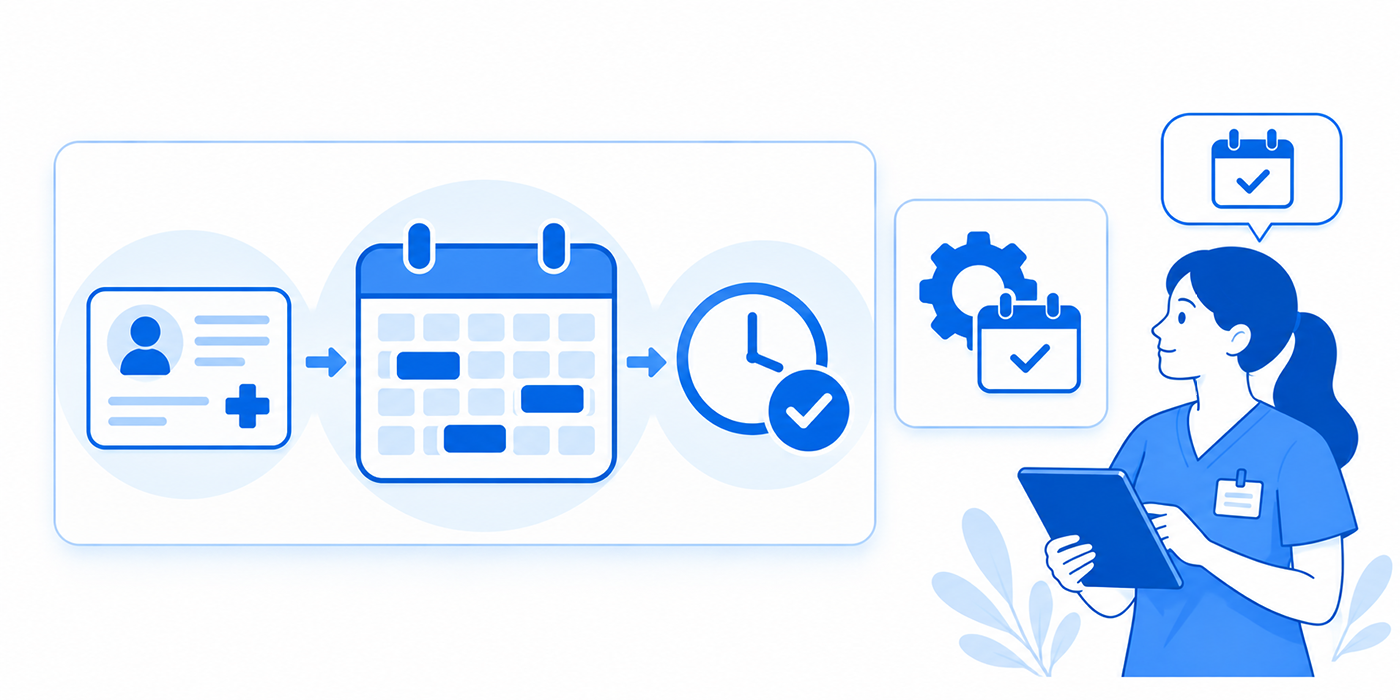
1. Understanding Patient Scheduling Tools and the Terminology Behind Them
Patient scheduling software manages the relationship between appointment demand, provider availability, clinical resources, and booking eligibility. Its effectiveness depends on how accurately those elements interact.
A provider may have an open calendar slot, but that opening may be unsuitable for a particular visit. A new-patient consultation might require 40 minutes, while an established follow-up needs only 20. Similarly, a procedure may require an examination room, specialized equipment, and an appropriately credentialed clinician.
These distinctions should be enforced through patient scheduling integrations, supported by cloud-based EMR workflows, and documented through consistent medical administrative communication.
The Four Layers of a Reliable Scheduling System
Layer 1: Provider and resource availability. The scheduling application identifies permissible hours, provider assignments, clinic locations, room capacity, equipment reservations, and approved time blocks.
Layer 2: Appointment qualification. Booking rules determine whether a patient qualifies for a particular visit category. These may include appointment duration, patient status, referral requirements, and restrictions requiring staff review.
Layer 3: Appointment lifecycle management. Once a booking is accepted, the system tracks confirmations, cancellations, rescheduling requests, check-ins, and appointment status changes. This layer depends on reliable appointment reminder automation and consistent team communication.
Layer 4: Exception management. The system identifies conflicts, failed notifications, incomplete booking requests, and synchronization errors. Staff need clear ownership and resolution procedures supported by medical admin troubleshooting and appropriate healthcare compliance software.
Why Scheduling Terminology Must Be Standardized
Consider a practice where the patient portal uses the status requested, the practice management system displays scheduled, and an external reminder service displays confirmed.
These labels can describe different stages of a transaction. Without a standardized status mapping, staff may assume that a patient has a confirmed appointment when a booking request remains unresolved.
A reliable scheduling integration should define exactly what each status means, which application owns the final booking record, and which actions trigger updates elsewhere.
This precision also strengthens front-desk communication, improves patient interaction scripts, and prevents avoidable scheduling conflicts.
| # | Scheduling Term | What It Means | Practical Example | What Admins Must Check |
|---|---|---|---|---|
| 1 | Scheduling Template | Recurring configuration defining bookable hours and visit categories. | A cardiologist accepts new patients only on designated mornings. | Verify active dates, provider hours, and exceptions. |
| 2 | Appointment Type | Visit category controlling duration, eligibility, and preparation. | New consultations and established follow-ups use different rules. | Match the requested service with the correct visit category. |
| 3 | Slot Duration | Amount of calendar time reserved for a booking. | A consultation requires 40 minutes rather than 20. | Confirm duration against approved appointment rules. |
| 4 | Buffer Time | Protected interval for preparation, turnover, or transitions. | A procedure room requires 10 minutes between patients. | Ensure rescheduling preserves required buffers. |
| 5 | Provider Block | Unavailable interval reserved in a provider's schedule. | A training session blocks online appointments. | Confirm the block appears across all booking channels. |
| 6 | Resource Scheduling | Coordinated reservation of clinicians, rooms, and equipment. | Two providers require the same ultrasound machine. | Prevent overlapping reservations of limited resources. |
| 7 | Provider-Location Mapping | Rules connecting each clinician to valid service locations. | A specialist works at Clinic A on Monday and Clinic B on Wednesday. | Check clinic assignments and patient-facing addresses. |
| 8 | Patient Status Rule | Booking restriction based on approved patient classifications. | A follow-up opening accepts established patients only. | Verify patient status and applicable practice policy. |
| 9 | Booking Request | Submitted appointment selection awaiting acceptance. | The portal displays pending while staff review the request. | Distinguish pending requests from confirmed appointments. |
| 10 | Self-Scheduling | Patient-directed booking through an approved digital interface. | A patient selects an eligible follow-up time online. | Test appointment qualification and final confirmation. |
| 11 | Referral Queue | Worklist for referrals awaiting administrative action. | A specialist referral requires additional records. | Assign ownership and identify missing documents. |
| 12 | Eligibility Verification | Inquiry about reported insurance coverage and benefits. | The practice checks active coverage for an upcoming visit. | Review service date, payer response, and limitations. |
| 13 | Prior Authorization | Payer review required for certain services under plan rules. | An imaging procedure requires authorization review. | Track authorization separately from eligibility. |
| 14 | Appointment Status | Current state of an appointment in its lifecycle. | Booked, arrived, completed, canceled, or no-show. | Confirm vendor definitions and permitted transitions. |
| 15 | Waitlist | Patients requesting earlier or alternative appointments. | An eligible patient accepts a newly canceled slot. | Match duration, provider, location, and patient preferences. |
| 16 | Recall List | Tracking mechanism for patients due for future follow-up. | A patient is due for a clinician-directed follow-up in six months. | Follow documented clinical instructions and approved timing. |
| 17 | Slot Hold | Temporary reservation protecting capacity during a process. | A procedure opening is held during required administrative review. | Review hold expiration, ownership, and release rules. |
| 18 | Cancellation Reason | Structured explanation for an appointment cancellation. | Provider unavailable or patient requests another date. | Use consistent reasons to support meaningful reporting. |
| 19 | Rescheduling Workflow | Controlled movement of a booking to another time. | A patient moves from Tuesday to Thursday. | Confirm the replacement and release the original slot. |
| 20 | Overbooking Rule | Authorized exception allowing additional appointment capacity. | A clinician approves an additional visit. | Require authorization and resource checks. |
| 21 | No-Show Status | Attendance classification under an approved practice policy. | A patient misses an appointment without qualifying cancellation. | Apply consistent grace periods and status rules. |
| 22 | Scheduling Lead Time | Interval between booking creation and appointment date. | A visit booked today takes place 18 days later. | Measure by specialty and appointment category. |
| 23 | Third Next Available | Access metric based on the third eligible future opening. | A clinic measures routine appointment access weekly. | Use consistent providers, visit types, and measurement dates. |
| 24 | Slot Utilization | Share of eligible appointment capacity occupied by bookings. | 420 of 500 bookable minutes are reserved. | Calculate using comparable capacity units. |
| 25 | Slot Release Rule | Condition governing when protected inventory becomes available. | Unused reserved capacity opens to permitted visit types. | Review release timing and eligibility restrictions. |
| 26 | Time-Zone Mapping | Conversion of appointment times across time zones. | A telehealth booking displays local time correctly. | Test daylight-saving changes and reminder timestamps. |
| 27 | Synchronization Delay | Time taken for booking changes to appear in connected applications. | A canceled appointment remains visible in the portal. | Track delayed updates and unresolved failures. |
| 28 | Appointment Identifier | Unique reference associated with a booking record. | Support staff trace a failed rescheduling event. | Verify identifiers are correctly mapped across systems. |
| 29 | Audit Trail | Record of scheduling actions, timestamps, and responsible users. | A manager reviews who changed an appointment. | Confirm traceability and authorized access. |
| 30 | Downtime Reconciliation | Validation of scheduling transactions recorded during system outages. | Temporary appointment records are reconciled after restoration. | Prevent duplicates and verify each outstanding request. |
ACMSO Patient Scheduling Reference: Apply these definitions according to approved clinical policies, organizational procedures, and software capabilities.
2. Patient Scheduling Tutorial: From Appointment Request to Confirmed Booking
A reliable scheduling process starts before an appointment appears on the calendar. Administrators need to confirm identity, determine the correct visit category, validate available resources, and identify administrative prerequisites.
The following eight-step workflow can be adapted to patient scheduling integrations, medical administrative communication, appointment reminder platforms, and workflow automation systems.
Step 1: Verify Patient Identity and Existing Records
Begin with the organization's approved patient identification procedure. Search existing records using authorized identifiers and resolve possible duplicates before creating a new registration.
For example, two records may contain similar names but different dates of birth. Another patient may have an outdated telephone number associated with an otherwise valid account.
Use approved confidential communication techniques, healthcare cybersecurity safeguards, and professional front-desk procedures when resolving uncertainty.
Completion check: The booking is associated with the correct verified patient record, with outstanding identity concerns referred to the appropriate team.
Step 2: Translate the Patient's Request Into the Correct Appointment Type
Patients frequently describe their needs using general language. A request for a "checkup" might refer to preventive care, follow-up management, a new medical concern, or a clinician-directed examination.
Administrative staff should use the practice's approved questions to identify the correct scheduling category. Clinical uncertainty should be escalated through established phone triage communication procedures.
For example, asking whether the patient is returning for a previously discussed issue may help identify an established follow-up, while questions requiring clinical judgment belong with qualified personnel.
Document the request using accurate medical transcription terminology, consistent patient interaction scripts, and appropriate verbal communication techniques.
Completion check: The selected appointment type matches the patient's request and the organization's approved booking rules.
Step 3: Match the Appointment With Provider and Resource Capacity
Review the provider's availability, eligible visit categories, location, and required resources.
Consider a hypothetical outpatient practice where an initial consultation requires 40 minutes, an established follow-up requires 20 minutes, and a minor procedure requires 60 minutes plus a designated room.
A free 20-minute interval cannot accommodate the 40-minute consultation under those rules.
The administrator should use scheduling conflict management, cloud-based EMR functionality, and patient scheduling integration rules to identify valid alternatives.
Completion check: The appointment has sufficient time, an eligible provider, the correct location, and every required resource.
Step 4: Identify Referral, Insurance, and Preparation Requirements
Review the administrative prerequisites associated with the visit category. These may include referral documentation, insurance eligibility checks, authorization status, and approved preparation instructions.
A crucial distinction concerns insurance eligibility and prior authorization. An eligibility response can indicate reported coverage, while separate payer rules may govern authorization. Neither should be treated as a guarantee of payment.
The scheduling application should display unresolved requirements individually, with assigned owners and review dates.
Coordinate exceptions through team communication procedures, document outstanding items using written communication standards, and apply appropriate healthcare compliance controls.
Completion check: Every relevant prerequisite has a verified status, and incomplete items have been routed according to practice policy.
Step 5: Create the Booking and Verify Its Final Status
Once the selected appointment meets the applicable requirements, submit the booking through the authorized scheduling system.
Confirm the appointment identifier, provider, date, time, time zone where relevant, location, and final booking status.
If the application returns pending, requested, or another unresolved status, staff must follow the documented verification process.
A failed booking transaction should enter the medical administrative troubleshooting workflow. Repeated submissions can create duplicates, particularly when cloud-based scheduling systems experience temporary delays.
Completion check: The authoritative system contains one valid booking, and every connected application represents the same appointment.
Step 6: Send Confirmation and Preparation Instructions
Provide the patient with approved appointment details, including the correct location or virtual-visit instructions, arrival guidance, and any applicable preparation requirements.
Set up reminders using the patient's verified communication preferences and the practice's appointment reminder software.
Messages should follow appropriate confidential communication standards, secure messaging procedures, and patient communication scripts.
Completion check: The patient receives accurate booking information through an approved communication channel, and any delivery failure is visible for follow-up.
Step 7: Complete a Pre-Visit Readiness Review
A practical pre-visit worklist should identify appointments with unresolved administrative tasks before they become same-day problems.
Review outstanding referrals, eligibility responses, required documents, contact-information issues, and incomplete digital registration.
For recurring appointments, review whether the patient has already completed relevant preparation through virtual check-in systems or approved healthcare automation tools.
Outstanding tasks should be routed to the correct employees through team communication workflows.
Completion check: Each unresolved requirement has a responsible employee, an actionable status, and an appropriate escalation deadline.
Step 8: Reconcile Appointment Outcomes After the Scheduled Time
After the appointment, review its final administrative status.
Completed visits, cancellations, rescheduled appointments, and no-shows must be classified consistently. A patient who canceled before the appointment should follow the practice's applicable cancellation classification.
Review unusual patterns through scheduling conflict analysis, appointment reminder performance, and workflow automation reporting.
Completion check: The appointment has an accurate final status, and unresolved administrative exceptions have entered an assigned worklist.
Practical Scenario: A Patient Requests an Earlier Specialist Appointment
A patient with an existing specialist appointment requests an earlier visit. The calendar displays an opening tomorrow, but the available slot is only 20 minutes. The patient's appointment category requires 40 minutes.
The correct workflow checks whether another compatible opening exists, whether the patient has flexibility across approved providers, and whether a suitable waitlist opportunity is available.
The administrator can use patient scheduling integrations to search permitted capacity, apply scheduling conflict procedures, and explain the options using appropriate patient interaction scripts.
The existing appointment should remain intact until a replacement is successfully confirmed under the practice's approved workflow.
This protects the patient's current access while allowing the team to pursue a better opening.
3. Troubleshooting Patient Scheduling Tools: Eight Problems and Their Solutions
Scheduling problems frequently become expensive because staff address the visible symptom while the underlying configuration remains unchanged.
For each incident, identify the affected booking, establish the expected result, locate the authoritative record, and determine whether the failure involves configuration, integration, communication, or user permissions.
Use structured technical troubleshooting, reliable team communication, and controlled workflow automation procedures.
Problem 1: The Patient Has a Confirmation, but Staff Cannot Find the Appointment
Possible causes: Failed synchronization, unresolved booking request, duplicate patient record, or incorrect appointment mapping.
Administrative response: Verify the patient's identity, inspect the booking identifier, and search the authoritative scheduling system. Check whether a portal request was accepted or remains pending.
Review the transaction through patient scheduling integrations and escalate unresolved failures using approved technology troubleshooting procedures.
Verification: Staff can locate the valid booking, or the patient receives a verified explanation and an assigned recovery process.
Problem 2: The Calendar Contains Repeated Double-Bookings
Possible causes: Overlapping resource rules, inaccurate template configuration, or simultaneous booking requests accepted without adequate capacity checks.
Administrative response: Identify the affected provider, appointment types, and shared resources. Review whether the application checks conflicts when accepting the final booking.
Test competing reservations under controlled conditions using scheduling conflict management and relevant healthcare automation controls.
Verification: Subsequent test bookings respect the approved capacity limits, and affected patient appointments receive appropriate review.
Problem 3: A Canceled Appointment Continues Producing Reminders
Possible causes: Delayed cancellation updates, separate reminder queues, or obsolete messages already scheduled for delivery.
Administrative response: Compare the cancellation timestamp with reminder-system records. Identify which application generated the message and whether cancellation events trigger suppression.
Review appointment reminder software, scheduling system synchronization, and secure patient messaging.
Verification: Canceled bookings remain correctly classified, and subsequent reminders reflect their final status.
Problem 4: Patients Are Booked at the Wrong Clinic Location
Possible causes: Outdated provider-location assignments, inaccurate template exceptions, or confirmation messages containing obsolete location information.
Administrative response: Verify provider availability against facility assignments and review all affected future appointments.
Update the responsible configuration through the authorized cloud-based EMR or scheduling system.
Correct patient-facing information using written communication standards and approved front-desk communication.
Verification: New bookings and notifications display the correct location.
Problem 5: Insurance Problems Surface on the Appointment Date
Possible causes: Missing pre-visit worklists, unassigned authorization tasks, or inconsistent handling of payer eligibility information.
Administrative response: Separate eligibility, authorization, and referral statuses. Assign individual owners to unresolved requirements and establish escalation deadlines.
Use team communication procedures, professional documentation, and workflow automation to flag missing work before the visit.
Verification: Staff can identify outstanding administrative requirements and their owners in advance of the scheduled service.
Problem 6: The Waitlist Is Full, but Canceled Slots Remain Empty
Possible causes: Incomplete waitlist preferences, incompatible appointment types, delayed cancellation notifications, or manual matching bottlenecks.
Administrative response: Review the eligibility criteria of waitlisted patients and measure how quickly canceled capacity becomes available.
Configure compatible matching rules within scheduling integrations, support responses through secure messaging, and establish an approved automation workflow.
Verification: Eligible cancellations generate appropriate offers, and accepted appointments remain within capacity limits.
Problem 7: Virtual Appointments Display Incorrect Times
Possible causes: Incorrect time-zone settings, daylight-saving conversion errors, or inconsistent time representation between applications.
Administrative response: Compare the intended appointment time with the stored timestamp, patient-facing display, and reminder content.
Test representative time-zone conversions in the relevant cloud-based EMR environment and verify related appointment reminder settings.
Verification: The appointment time remains consistent across booking confirmations, patient instructions, and the provider's schedule.
Problem 8: The Scheduling Platform Becomes Unavailable During Clinic Hours
Possible causes: Vendor outage, network interruption, authentication failure, or unavailable integration services.
Administrative response: Activate the practice's approved downtime procedure. Record scheduling requests through authorized temporary processes, verify existing appointments where possible, and maintain controlled access to patient information.
Handle urgent clinical concerns through established phone triage communication and escalation procedures.
After restoration, reconcile temporary records through technical troubleshooting, apply healthcare cybersecurity controls, and document outcomes using written communication procedures.
Verification: Every affected request has an accurately recorded outcome, with unresolved cases assigned for follow-up.
An Administrative Troubleshooting Template
For each scheduling incident, record the following details in the organization's approved system:
Incident: What happened and when was it discovered?
Affected booking: Which authorized appointment identifier is involved?
Expected outcome: What should the software have done?
Observed outcome: What did the relevant application actually display?
Impact: How many appointments or workflows were affected?
Assigned owner: Who is responsible for investigation and correction?
Resolution evidence: What test or record confirms that the issue has been addressed?
A consistent template strengthens medical admin troubleshooting, supports confidential documentation, and helps identify recurring failures across healthcare automation systems.
Select your biggest scheduling challenge to reveal a practical improvement strategy.
Interactive ACMSO self-assessment. Your selection reveals targeted guidance locally; responses are not stored or counted.
4. How to Configure Patient Scheduling Automation Without Creating New Errors
Automation is most effective when it removes repetitive administrative tasks while preserving accurate booking rules, clear accountability, and appropriate human review.
A scheduling platform may offer automated reminders, waitlist matching, referral updates, and digital check-in. Each capability must respond to verified appointment information from the appropriate source system.
Before implementing automation, administrators should understand healthcare automation terminology, workflow automation rules, patient scheduling integrations, and secure messaging requirements.
Tutorial A: Establish a Single Authoritative Appointment Record
Start by identifying which application has final authority over appointment creation, changes, and cancellation.
A practice might use an EHR or practice management application for appointment records, a patient portal for booking requests, and an external service for reminders.
Document the responsibility of every connected application.
For example:
Practice management system: Maintains the authoritative appointment record.
Patient portal: Displays eligible openings and submits approved booking requests.
Reminder service: Sends communications using verified appointment information.
Digital check-in application: Collects permitted registration information before arrival.
Reporting platform: Measures access, utilization, and administrative performance.
The exact ownership model depends on the installed products and organizational configuration.
Administrators should document data ownership through cloud-based EMR terminology, monitor transaction failures using technical troubleshooting methods, and maintain appropriate healthcare compliance safeguards.
Configuration test: Cancel a test appointment in the authoritative system and verify that the patient portal, reminder service, and related worklists reflect the correct final state.
Tutorial B: Configure Reliable Appointment Status Transitions
An automated scheduling workflow should recognize the difference between an appointment request, accepted booking, check-in, completed encounter, cancellation, and no-show classification.
Define which application can initiate each transition and which events must trigger downstream updates.
For example, an accepted cancellation may release a slot, suppress reminders, update the patient portal, and initiate approved waitlist matching.
A booking request still awaiting approval should follow its review pathway. Staff must understand these distinctions through patient scheduling terminology, written communication protocols, and appropriate team coordination.
Configuration test: Submit the same booking event twice in a controlled test environment. The system should follow its duplicate-protection rules and preserve authorized capacity.
Tutorial C: Automate Waitlist Matching With Eligibility Filters
A cancellation becomes useful only when another patient can safely and appropriately occupy the opening.
Configure the waitlist process to evaluate appointment category, duration, eligible provider, approved location, resource requirements, and stated patient availability.
Suppose a 40-minute consultation becomes available. Three patients are waiting:
Patient A needs a 20-minute established follow-up.
Patient B needs a 40-minute new-patient consultation.
Patient C needs a procedure requiring additional equipment.
The system should evaluate the actual booking rules before determining which patients qualify. Depending on the practice's configuration, Patient B may be the only eligible match.
An automated offer should have a defined expiration condition, appropriate patient communication, and capacity revalidation when accepted.
Use patient scheduling integrations, secure patient messaging, and scheduling conflict management to evaluate this workflow.
Configuration test: Have two eligible test users accept the final opening simultaneously. Verify that the system handles competing requests without exceeding approved capacity.
Tutorial D: Connect Patient Responses to Administrative Actions
A reminder system should classify patient responses and create appropriate follow-up actions.
A confirmation can update the relevant communication status. A cancellation request should enter the approved cancellation workflow. A rescheduling request should provide eligible options or generate a staff task.
Unrecognized responses and failed messages should enter an exception queue.
This reduces the risk of patient requests disappearing into unmonitored communication channels.
Review appointment reminder software, patient interaction scripts, secure messaging platforms, and workflow automation settings.
Configuration test: Reschedule an appointment after a reminder has been queued. Confirm that subsequent communications reflect the new appointment and that obsolete messages are suppressed.
Tutorial E: Create Exception Worklists With Clear Ownership
A scheduling system should generate actionable worklists for unresolved administrative problems.
Useful categories include:
Booking requests awaiting approval.
Failed appointment synchronization.
Referrals missing required documentation.
Pending authorization reviews.
Unresolved patient rescheduling requests.
Failed reminders requiring appropriate follow-up.
Provider absences affecting existing appointments.
Each exception should contain a responsible employee or team, an identifiable status, a due date where appropriate, and an escalation pathway.
These procedures strengthen team communication, support professional administrative practices, and make medical technology troubleshooting easier to audit.
Configuration test: Introduce a controlled scheduling exception and verify that it reaches the correct worklist, receives an owner, and remains visible until appropriately resolved.

5. How to Evaluate Patient Scheduling Tools With Operational Metrics
Scheduling software should be evaluated by its effect on booking accuracy, appointment access, administrative workload, and the reliability of connected workflows.
A practice that books appointments quickly but repeatedly creates errors may spend more time correcting transactions than it saves.
A useful evaluation combines scheduling conflict analysis, workflow automation reporting, cloud-based EMR performance, and patient communication outcomes.
Metric 1: Appointment Booking Accuracy Rate
Calculation: Correctly configured confirmed bookings ÷ total confirmed bookings audited × 100.
Suppose a quality review identifies 194 accurate appointments among 200 bookings.
The booking accuracy rate is 97%.
The remaining six bookings should be classified by error type, such as incorrect visit duration, location, provider, or patient association.
This classification identifies whether corrective work belongs in scheduling configuration, technical troubleshooting, or administrative staff training.
Metric 2: Bookable Capacity Utilization
Calculation: Occupied bookable capacity minutes ÷ total eligible bookable capacity minutes × 100.
Suppose a clinic has 480 eligible bookable minutes during a session, and confirmed appointments occupy 384 minutes.
Capacity utilization equals 80%.
Define the treatment of canceled appointments, provider blocks, buffers, and restricted slots before calculating the metric.
High utilization should be reviewed alongside appointment access and staff workload. The aim is sustainable capacity management supported by accurate scheduling templates and reliable team coordination.
Metric 3: Third Next Available Appointment
Calculation: Calendar days from the measurement date to the third eligible open appointment for a defined visit type and provider or provider group.
This metric helps administrators monitor access while reducing the influence of isolated cancellations.
For meaningful comparisons, measure the same appointment categories, provider groups, and reporting periods.
Investigate deteriorating access through scheduling conflict management, workflow automation review, and available patient scheduling integration data.
Metric 4: Eligible Cancellation Refill Rate
Calculation: Refilled eligible canceled capacity minutes ÷ total eligible canceled capacity minutes × 100.
Suppose 600 minutes of appointments become available through cancellations, and 360 minutes are successfully refilled.
The cancellation refill rate is 60%.
Eligibility matters. A cancellation occurring too late to be reasonably refilled, or involving capacity that cannot be reused, may require separate classification.
Review waitlist matching, offer expiration, patient response delays, and secure messaging performance.
Improvements should be linked to measurable changes in scheduling automation and appointment communication workflows.
Metric 5: Scheduling Integration Failure Rate
Calculation: Failed relevant appointment transactions ÷ attempted relevant appointment transactions × 100.
If 12 of 4,000 attempted synchronization events fail, the failure rate is 0.3%.
Classify events according to the actual operation: booking creation, rescheduling, cancellation, or status updates.
Also measure unresolved failure age. A low failure percentage can still create serious problems when failed events remain unresolved for days.
Use medical admin technical troubleshooting, cloud-based EMR monitoring, and scheduling integration controls to determine root causes.
Metric 6: Administrative Rework Minutes per Appointment
Calculation: Total staff minutes spent correcting scheduling defects ÷ number of appointments in the measured population.
If administrators spend 180 minutes correcting defects across 240 appointments, administrative rework averages 0.75 minutes per appointment.
Track rework caused by incorrect visit types, duplicate records, failed reminders, missing referrals, and scheduling conflicts.
This helps distinguish genuine efficiency gains from workloads shifted between departments.
Compare results against workflow automation improvements, patient scheduling integration reliability, and front-desk communication requirements.
Metric 7: Overdue Scheduling Exception Rate
Calculation: Open scheduling exceptions past their assigned resolution deadlines ÷ all open scheduling exceptions × 100.
Suppose a department has 45 open cases, with nine exceeding their assigned deadlines.
The overdue exception rate is 20%.
Analyze overdue cases by category, age, assigned team, and operational impact.
Separate patient-facing issues requiring immediate attention from routine administrative corrections.
These findings should guide team communication improvements, technical troubleshooting priorities, and workflow automation adjustments.
A 14-Day Patient Scheduling Software Evaluation Plan
Days 1–2: Document the existing process. Record booking categories, provider restrictions, exception types, reminder workflows, and baseline administrative rework. Identify dependencies involving patient scheduling integrations and cloud-based EMR applications.
Days 3–5: Test appointment accuracy. Run controlled scenarios involving new patients, follow-ups, provider absences, incompatible slot durations, resource conflicts, and duplicate submissions.
Days 6–8: Test connected workflows. Verify portal submissions, confirmation messages, cancellations, rescheduling, waitlist matching, and virtual check-in. Record failures through approved technical troubleshooting procedures.
Days 9–12: Conduct an approved limited pilot. Use a defined provider group or visit category. Evaluate booking accuracy, administrative rework, patient communication outcomes, and exception handling.
Days 13–14: Review the results. Compare measured performance with baseline data. Confirm that unresolved defects have owners and that applicable healthcare compliance requirements and secure communication controls have been addressed.
A short pilot is valuable for identifying configuration defects. Larger practices and organizations with seasonal appointment demand may need longer measurement periods before making final purchasing or expansion decisions.
6. Frequently Asked Questions About Patient Scheduling Tools
-
A dedicated scheduling platform may provide specialized capabilities such as multi-location booking, automated waitlist matching, advanced resource allocation, and patient self-scheduling.
An EHR appointment module may support similar capabilities while integrating closely with the organization's clinical records and administrative workflows.
The practical difference depends on the installed products and their configurations.
Evaluate cloud-based EMR functionality, patient scheduling integrations, and workflow automation options using realistic booking scenarios.
The most important questions concern authoritative appointment records, data synchronization, resource restrictions, and failure recovery.
-
Create approved appointment categories with defined durations, provider eligibility, patient-status requirements, and applicable preparation rules.
Configure patient-facing descriptions to help people select the appropriate visit, while routing uncertain requests to trained staff or qualified clinical personnel.
Before activating self-scheduling, test incompatible patient categories, insufficient appointment durations, and unavailable resources.
Review the results using scheduling conflict management procedures, patient scheduling integrations, and patient interaction scripts.
Track repeated errors by appointment category so administrators can correct the responsible booking rule.
-
Scheduling personnel should follow the practice's approved urgency assessment and clinical escalation procedures.
When a patient reports symptoms that may require immediate attention, qualified clinical personnel should determine the appropriate next steps under the organization's protocols.
Administrators should collect permitted information, verify contact details, initiate the designated handoff, and document the interaction appropriately.
Effective phone triage communication, verbal communication techniques, and team communication procedures help prevent requests from being delayed or misdirected.
Software should support visible escalation tasks and appropriate ownership.
-
The answer depends on the service, payer requirements, clinical circumstances, and organizational policy.
Some practices allow appointments to be booked while authorization remains pending, subject to approved procedures. Other services may require specific administrative prerequisites before scheduling or delivery.
Maintain separate status fields for eligibility, referral review, and authorization requirements.
Assign unresolved tasks through workflow automation, support accurate documentation with written communication standards, and coordinate exceptions through team communication.
This helps prevent misunderstandings and last-minute administrative disruptions.
-
First, confirm the cancellation and determine whether the opening can be reused under the practice's scheduling rules.
Then identify qualified patients seeking an earlier appointment. Match the opening against appointment duration, location, provider eligibility, and necessary resources.
Where supported, automate approved offers through patient scheduling integrations and secure patient messaging.
Revalidate availability before accepting the replacement booking.
Measure the proportion of eligible canceled capacity successfully refilled and review recurring obstacles through scheduling workflow analysis.
-
Verify the patient's identity and the authoritative appointment record. Compare the reminder with the confirmed appointment date, time, provider, and location.
Check whether the patient recently canceled or rescheduled the appointment.
Investigate the communication source through appointment reminder software and scheduling integration records.
Provide corrected information using approved patient communication procedures.
Recurring incorrect reminders should be investigated as system-level defects, with corrective testing documented through medical admin troubleshooting.
